
1. Introducere
The Delton S22 Vertical Wireless Mouse is designed to provide a comfortable and efficient computing experience. Its ergonomic vertical design aims to reduce wrist strain and promote a natural hand posture, making it suitable for extended use. This manual provides instructions for setting up, operating, maintaining, and troubleshooting your Delton S22 mouse.

This image illustrates the ergonomic benefits of the Delton S22 Vertical Wireless Mouse. It compares the unnatural wrist position required by a traditional mouse with the natural, handshake-like grip promoted by the vertical mouse, highlighting how it reduces strain and is recommended by rheumatologists.
2. Produs terminatview și Componente
Familiarize yourself with the various parts of your Delton S22 Vertical Wireless Mouse:

Această diagramă oferă o imagine detaliată view of the Delton S22 mouse, pointing out its key components: Left Button, Scroll Wheel, Right Button, DPI Switch, Detachable Wrist Pad, Optical Sensor, USB Receiver Compartment, Back Cover, 2*AA Battery Slot, Glide Pads, Forward Button, Back Button, and Power On/Off switch.
- Butonul din stânga: Funcția standard de clic stânga.
- Butonul din dreapta: Funcția standard de clic dreapta.
- Rotiță de defilare: Pentru derulare verticală și funcția de clic din mijloc.
- Buton înainte: Navighează înainte în web browsere sau file exploratori.
- Butonul Înapoi: Navighează înapoi în web browsere sau file exploratori.
- Comutator DPI: Adjusts cursor sensitivity (800/1600/2400 DPI).
- Comutator pornire/oprire: Conserves battery life when the mouse is not in use.
- Senzor optic: Urmărește mișcarea mouse-ului.
- Compartiment receptor USB: Stochează dongle-ul USB de 2.4G.
- Slot baterie: Holds two AA batteries (not included).
- Detachable Wrist Pad: Provides additional wrist support and reduces friction.
3. Configurare
- Instalați bateriile: Open the battery compartment on the underside of the mouse. Insert two AA batteries, ensuring correct polarity. Close the compartment.
- Conectați dongle-ul USB: Locate the USB receiver (dongle) stored in its compartment on the underside of the mouse. Plug the USB dongle into an available USB-A port on your computer (PC, laptop, or tablet PC).
- Pornire: Flip the Power On/Off switch on the underside of the mouse to the "On" position.
- Împerecherea automată: The mouse should automatically pair with the USB dongle. Your computer's operating system will typically install the necessary drivers automatically.
- Attach Wrist Pad (Optional): If desired, attach the detachable wrist pad to the base of the mouse for enhanced comfort.
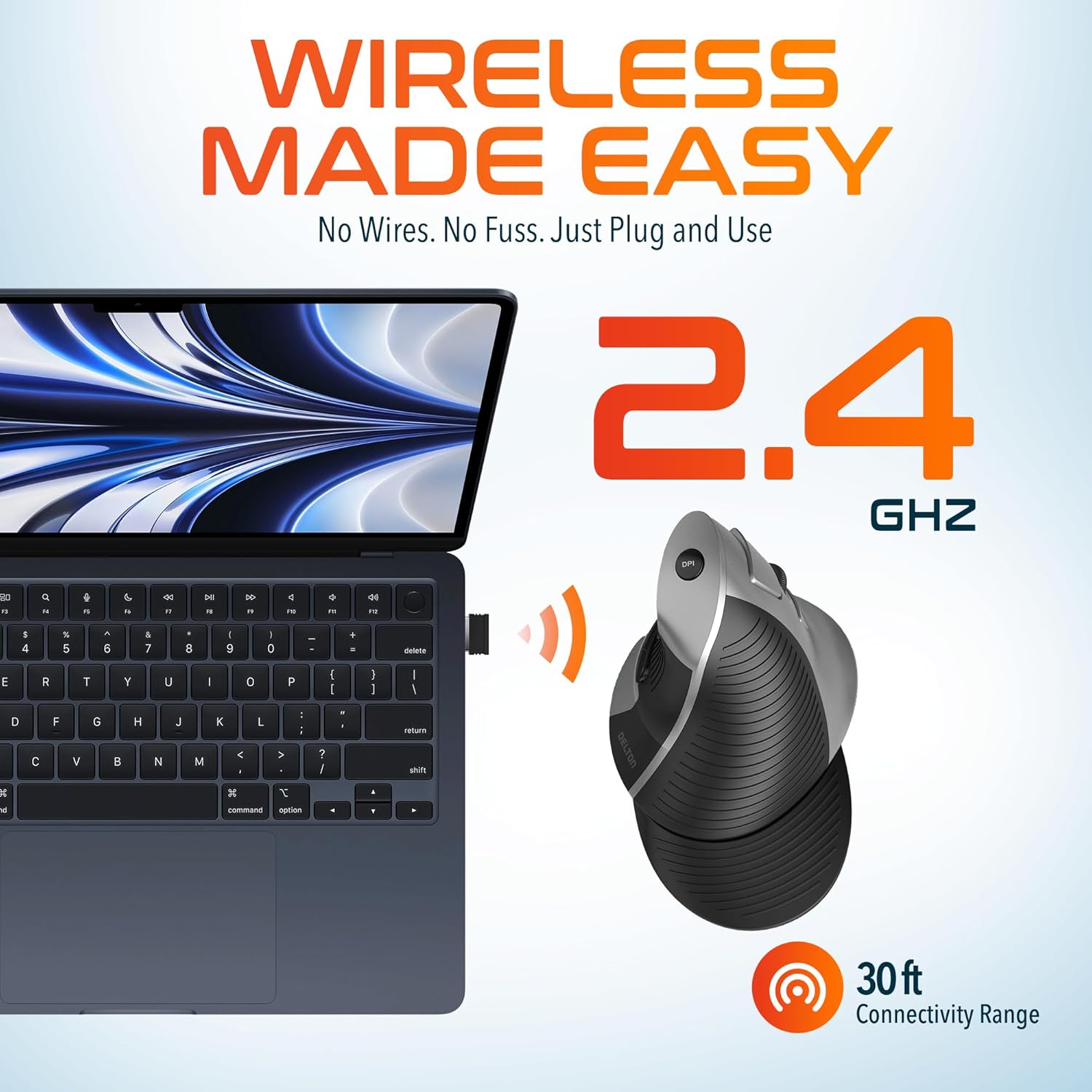
This image demonstrates the wireless connectivity of the Delton S22 mouse. It shows the mouse operating wirelessly with a laptop, emphasizing the 2.4 GHz connection and a 30 ft connectivity range, indicating a simple plug-and-use setup.
4. Instrucțiuni de utilizare
Funcțiile butoanelor
The Delton S22 mouse features 6 buttons for enhanced functionality:
- Click stânga: Selecție și activare primară.
- Click dreapta: Accesează meniurile contextuale.
- Rotiță de defilare: Derulează vertical prin documente și web pages. Pressing it acts as a middle-click.
- Buton înainte: Navigates to the next page in supported applications.
- Butonul Înapoi: Navigates to the previous page in supported applications.
- Comutator DPI: Parcurge ciclic setările DPI.
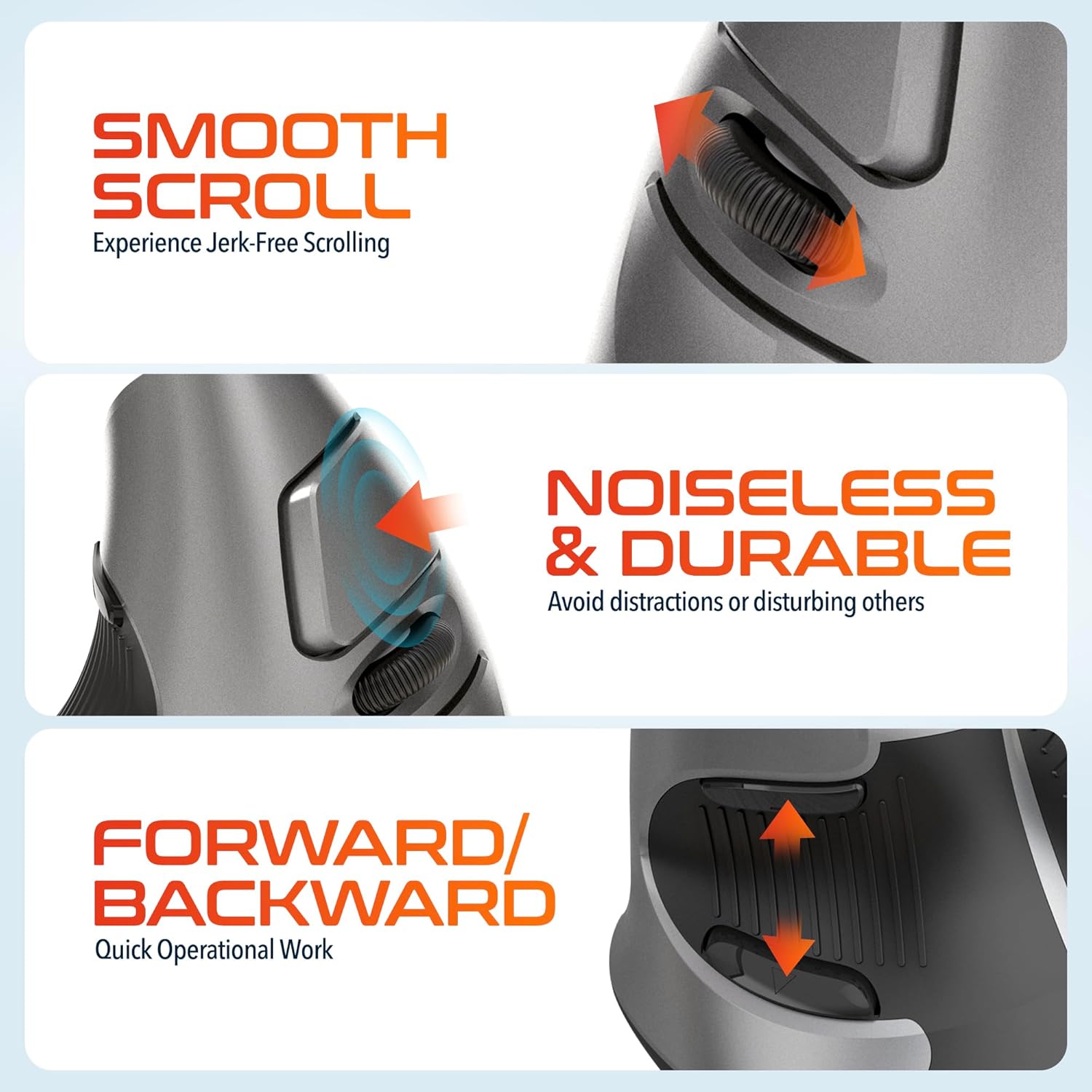
This composite image highlights three key operational features: the smooth, jerk-free scrolling experience, the noiseless and durable buttons designed to prevent distractions, and the convenient forward/backward buttons for quick navigation.
Ajustare DPI
The DPI (Dots Per Inch) switch allows you to adjust the cursor sensitivity to match your preference or task requirements. Press the DPI button located on the top of the mouse to cycle through the following settings:
- 800 DPI: Lower sensitivity for precise tasks.
- 1600 DPI: Sensibilitate medie pentru uz general.
- 2400 DPI: Sensibilitate mai mare pentru o mișcare mai rapidă a cursorului.

This image focuses on the high precision control offered by the Delton S22 mouse. It shows the DPI switch button and how it allows users to toggle between 800, 1600, and 2400 DPI settings for customized cursor sensitivity.
Managementul energiei
To conserve battery life, switch the mouse to the "Off" position using the power switch on the underside when not in use for extended periods.
5. Compatibilitate
The Delton S22 Vertical Wireless Mouse is designed for broad compatibility with various operating systems and devices:
- Sisteme de operare: Windows, macOS, iOS, Android, Chrome OS, Linux.
- Dispozitive compatibile: Laptop, Personal Computer, Tablet.
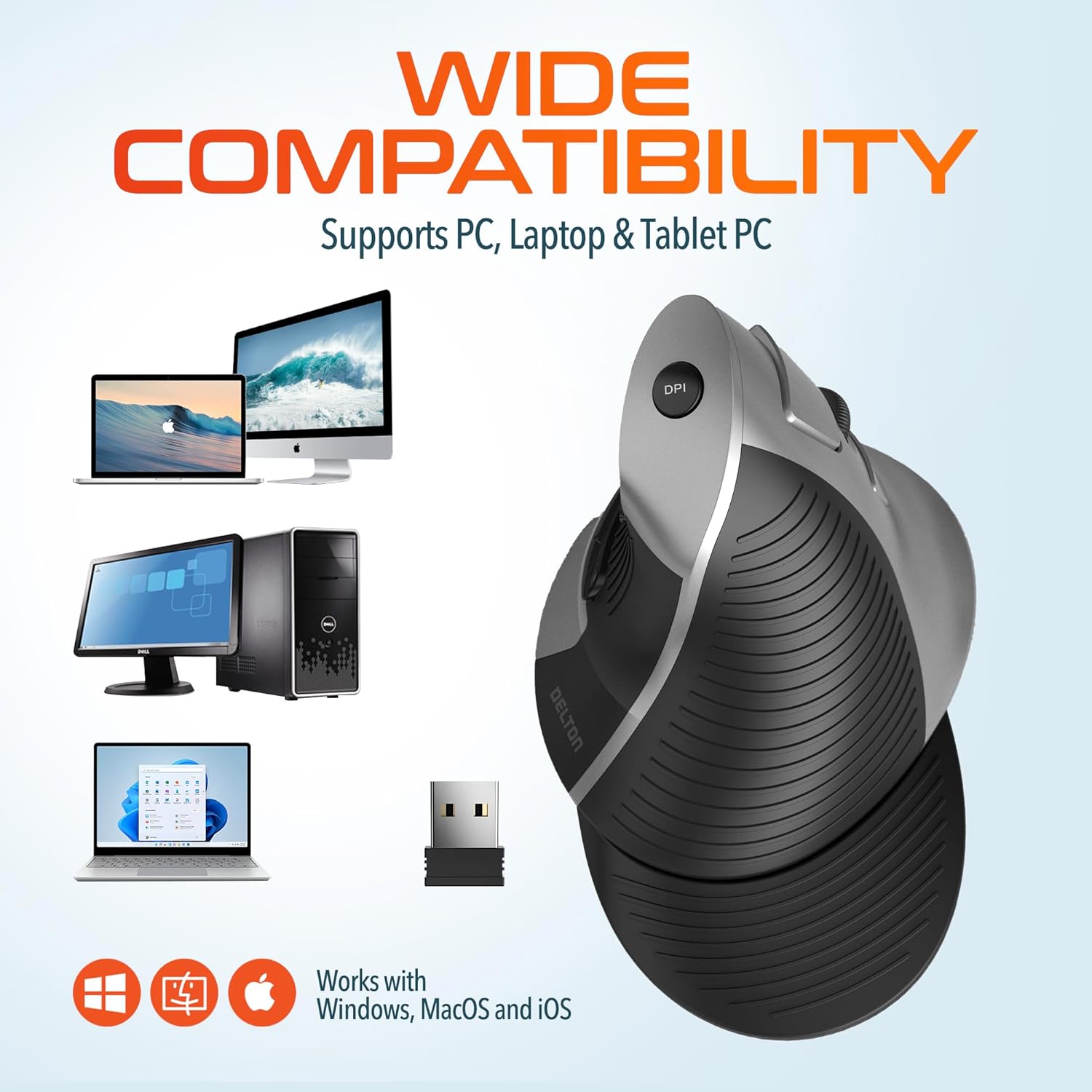
This image illustrates the wide compatibility of the Delton S22 mouse, showing it works seamlessly with PCs, laptops, and tablet PCs across Windows, macOS, and iOS operating systems. The USB dongle is also depicted as the connection method.
6. Întreținere
- curatenie: Folosiți o cârpă moale și uscată pentru a curăța mouse-ul. Pentru murdăria persistentă, ștergeți ușor.ampClătiți laveta cu apă sau o soluție de curățare delicată. Evitați substanțele chimice dure sau materialele abrazive.
- Înlocuire baterie: When the mouse performance degrades or it stops responding, replace the two AA batteries. Ensure the power switch is off before replacing batteries.
- Depozitare: When transporting or storing the mouse, ensure the USB dongle is securely placed in its dedicated compartment to prevent loss.
7. Depanare
| Problemă | Soluție posibilă |
|---|---|
| Mouse-ul nu răspunde. |
|
| Mișcarea cursorului este neregulată sau sacadată. |
|
| DPI setting is not changing. |
|
| Forward/Back buttons not working. |
|
8. Specificații
| Caracteristică | Detaliu |
|---|---|
| Marca | Delton |
| Numărul de model | S22 |
| Tehnologia de conectivitate | 2.4G Wireless (USB Dongle) |
| Caracteristica specială | Vertical, Ergonomic Design, Wireless |
| Tehnologia de detectare a mișcării | Optic |
| Cantitate de butoane | 6 |
| Orientarea mâinii | Corect |
| Dispozitive compatibile | Laptop, computer personal, tabletă |
| Compatibilitatea sistemelor de operare | Windows, macOS, iOS, Android, Chrome OS, Linux |
| Sursa de alimentare | Alimentat cu baterii (2 baterii AA, nu sunt incluse) |
| Niveluri DPI | 800, 1600, 2400 |
| wireless Range | Până la 30 de picioare |
| Culoare | Negru |
| Dimensiuni articol (L x l) | 5.3" L x 3.7" l |
| UPC | 802029086375 |
9. Garanție și asistență
The Delton S22 Vertical Wireless Mouse comes with a 1 an garanție de producător. Această garanție acoperă defectele de materiale și de manoperă în condiții normale de utilizare.
For warranty claims, technical support, or any questions regarding your product, please refer to the contact information provided with your purchase or visit the official Delton website pentru resurse de asistență.
Resurse online: For additional information, FAQs, or driver downloads (if applicable), please visit the Delton Store on Amazon.