
1. Introducere
The MARVO HG9076W Tactic X Pro is a versatile tri-mode gaming headset designed for an immersive audio experience across multiple platforms. It offers three connectivity options: 2.4GHz wireless, Bluetooth 5.3, and a wired connection via a 1.5-meter Type-C to 3.5mm audio cable. This manual provides detailed instructions for setup, operation, maintenance, and troubleshooting to ensure optimal performance of your headset.
2. Caracteristicile produsului
- Conectivitate trimodală: Seamlessly switch between 2.4GHz wireless, Bluetooth 5.3, and wired (Type-C to 3.5mm) connections.
- Audio captivant: Equipped with 53mm drivers delivering 7.1 Surround Sound for precise audio positioning.
- Iluminare RGB vibrantă: Customizable RGB backlighting for a personalized aesthetic.
- Confort sporit: Over-ear design with soft ear cushions and a self-adjustable headband for extended wear.
- Comunicare clară: Detachable, flexible omnidirectional microphone with noise cancellation.
- Baterie de lunga durata: Integrated 1000 mAh battery provides up to 50 hours of usage.
- Compatibilitate largă: Compatible with PC, Mac, PlayStation consoles, and other devices.
3. Conținutul pachetului
Vă rugăm să verificați pachetul pentru următoarele articole:
- MARVO HG9076W Tactic X Pro Gaming Headset
- Microfon omnidirecțional detașabil
- Dongle wireless USB de 2.4 GHz
- Cablu de încărcare de tip C la USB
- Cablu audio de tip C la 3.5 mm
- Manual de utilizare (acest document)
4. Instrucțiuni de configurare
4.1 Atașarea microfonului
Align the microphone's 3.5mm jack with the port on the left earcup and gently push it in until it clicks. Ensure it is securely connected. The microphone is flexible and can be adjusted to your preferred position.
4.2 Conexiune cu fir
For a wired connection, use the provided Type-C to 3.5mm audio cable. Connect the Type-C end to the headset and the 3.5mm end to your device's audio jack. This mode does not require battery power.
4.3 2.4GHz Wireless Connection (PC/Mac/PS)
- Insert the 2.4GHz USB wireless dongle into an available USB port on your PC, Mac, or PlayStation console.
- Power on the headset. The headset will automatically attempt to connect to the dongle.
- Once connected, the indicator light on the headset will show a stable color (refer to LED indicator section for details).
- On your device, ensure the headset is selected as the default audio input and output device.
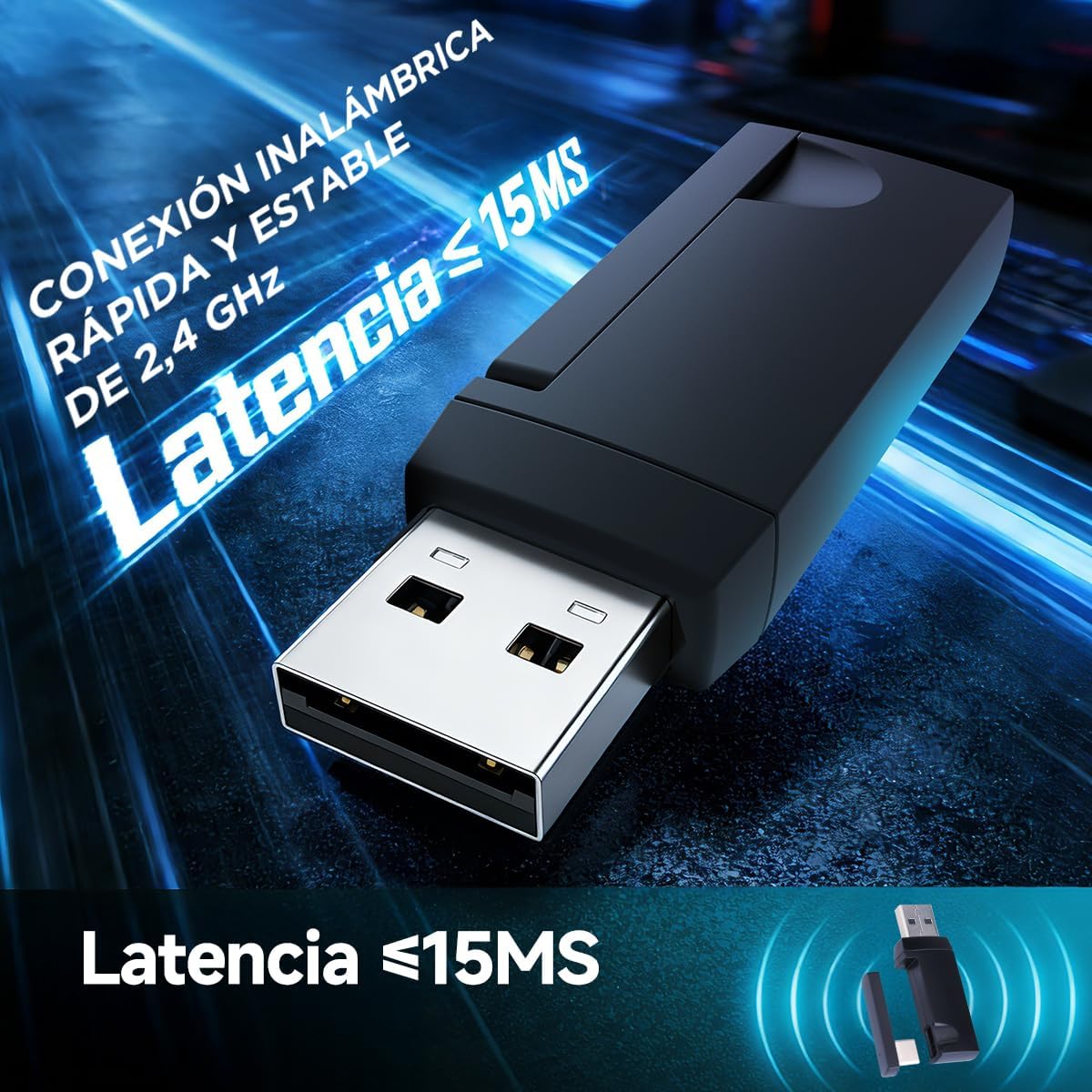
Image: The 2.4GHz USB wireless dongle, illustrating its compact design and low-latency capability (less than 15ms).
4.4 Bluetooth 5.3 Connection (Mobile/Tablet/Other Devices)
- Power on the headset and switch it to Bluetooth mode (refer to Mode Switching section).
- The headset will enter pairing mode, indicated by a flashing LED light.
- Pe dispozitivul mobil sau pe tabletă, accesați setările Bluetooth și căutați dispozitivele disponibile.
- Select "MARVO HG9076W" from the list to pair.
- Once paired, the LED indicator will show a stable color.

Image: The MARVO HG9076W headset demonstrating its wireless connectivity options with a smartphone and laptop.

Image: The headset showcasing its compatibility with multiple platforms, including a PlayStation 5, Nintendo Switch, mobile phone, and tablet, highlighting its four connection methods.
5. Instrucțiuni de utilizare
5.1 Pornire/Oprire
Press and hold the Power button on the headset for approximately 3 seconds to turn it on or off.
5.2 Comutare mod
The headset supports three modes: 2.4GHz wireless, Bluetooth, and wired. Use the dedicated mode switch button (or combination of buttons, refer to product diagram if available) to cycle through these modes. The LED indicator will change to reflect the active mode.
5.3 Controlul volumului
Use the volume roller or buttons located on the earcup to adjust the audio output level.
5.4 Activare/dezactivare microfon
Press the microphone mute button on the earcup to toggle the microphone on or off. A red LED on the microphone tip (if present) or a specific headset LED indicator will show its status.

Image: The headset featuring its detachable, noise-cancelling microphone, capable of suppressing 95% of ambient noise for clear communication.
5.5 Controlul iluminării RGB
The headset features vibrant RGB backlighting. A dedicated button or a combination of buttons can be used to cycle through lighting effects or turn the RGB lighting on/off. Refer to the specific controls on your headset.
5.6 Încărcarea căștilor
Connect the provided Type-C to USB charging cable to the headset's Type-C port and the other end to a USB power source (e.g., computer USB port, wall adapter). The LED indicator will show charging status (e.g., red for charging, off/green for fully charged). A full charge provides up to 50 hours of usage.

Image: The headset highlighting its 1000 mAh battery, providing over 50 hours of continuous use on a single charge.
6. Întreținere
- curatenie: Folosiți o lavetă moale și uscată pentru a curăța setul cu cască. Nu utilizați substanțe de curățare abrazive sau solvenți.
- Depozitare: Depozitați setul cu cască într-un loc răcoros și uscat, ferit de lumina directă a soarelui și de temperaturi extreme.
- Îngrijirea cablului: Evitați curburile bruște sau tragerea excesivă a cablurilor pentru a preveni deteriorarea.
- Durata de viață a bateriei: For optimal battery longevity, avoid fully discharging the battery frequently. Charge it regularly.
7. Depanare
| Problemă | Cauza posibila | Soluţie |
|---|---|---|
| Niciun sunet din căști | Headset not powered on; Incorrect mode selected; Volume too low; Not selected as default audio device. | Ensure headset is powered on and charged. Switch to the correct connection mode (2.4G, BT, Wired). Increase volume. Check device audio settings to ensure HG9076W is selected. |
| Microfonul nu funcționează | Microphone muted; Not securely attached; Not selected as default input device. | Unmute the microphone. Ensure it is firmly attached. Check device audio settings to ensure HG9076W microphone is selected as input. |
| Conexiune wireless de 2.4 GHz instabilă/nu se conectează | Dongle not properly inserted; Interference; Headset too far from dongle. | Ensure dongle is fully inserted. Move closer to the dongle. Avoid strong Wi-Fi signals or other 2.4GHz devices. Re-pair if necessary (refer to pairing instructions). |
| Probleme de asociere Bluetooth | Headset not in pairing mode; Device Bluetooth off; Already connected to another device. | Ensure headset is in Bluetooth pairing mode (flashing LED). Turn on Bluetooth on your device. Disconnect from other devices if already paired. |
| Durată scurtă de viață a bateriei | Headset not fully charged; RGB lighting always on. | Ensure headset is fully charged. Turn off RGB lighting if not needed to conserve battery. |
8. Specificații

Image: A user experiencing the immersive 7.1 surround sound provided by the 53mm drivers of the headset.

Imagine: O imagine detaliată view of the headset's 53mm high-power speaker, highlighting its frequency response range of 20 Hz to 20 KHz.
- Model: HG9076W Tactic X Pro
- Conectivitate: 2.4GHz Wireless, Bluetooth 5.3, Wired (Type-C to 3.5mm)
- Dimensiune driver: 53mm
- Sunet: 7.1 Sunet surround
- Raspuns in frecventa: 20 Hz - 20 kHz
- Microfon: Detachable, Omnidirectional, Noise-Cancelling
- Capacitate baterie: 1000 mAh
- Durata de viață a bateriei: Până la 50 ore
- Port de încărcare: Tip-C
- Compatibilitate: PC, Mac, PS, Mobile, Tablet
- Factor de formă: Peste ureche
- Culoare: Alb
- Țara de origine: China
9. Comfort and Ergonomics
The MARVO HG9076W Tactic X Pro is designed for extended comfort during long gaming sessions. It features soft leatherette earcups with memory foam, a lightweight construction, and a self-adjusting headband to ensure a comfortable fit for various head sizes.

Image: A user wearing the headset, illustrating its ergonomic design with leatherette memory foam earcups, lightweight build, and adjustable frame for maximum comfort.
10. Garanție și asistență
Acest produs vine cu un 6 luni garantie from the date of purchase. The warranty covers manufacturing defects and malfunctions under normal use. It does not cover damage caused by misuse, accidents, unauthorized modifications, or normal wear and tear.
Pentru asistență tehnică, reclamații în garanție sau asistență suplimentară, vă rugăm să contactați distribuitorul sau să vizitați site-ul oficial MARVO. website pentru informații de contact.