
1. Introducere
Thank you for choosing the FLEXISPOT L-Shaped Electric Standing Desk. This manual provides essential information for the safe assembly, operation, and maintenance of your new desk. Please read it thoroughly before use and retain it for future reference.
The FLEXISPOT L-Shaped Electric Standing Desk offers a spacious 63.0" x 55.1" work surface with electric height adjustment, allowing seamless transitions between sitting and standing positions. It features a robust 3-legged frame, a preset controller for personalized height settings, and a versatile orientation to fit various office layouts.
2. Informații de siguranță
Always ensure the desk is properly assembled and anchored to the floor to prevent tipping. Do not exceed the maximum weight capacity of 220 lbs (100 kg) to maintain stability. Be cautious when adjusting the desk height to avoid injury. Keep children and pets away from the desk during operation. Ensure all cables are managed to prevent tripping hazards or damage during height adjustments.
3. Conținutul pachetului
Your FLEXISPOT L-Shaped Electric Standing Desk ships in two separate packages, which may arrive on different days. Please verify all components against the included packing list before beginning assembly. If any parts are missing or damaged, contact FLEXISPOT customer support immediately.
4. Configurare și asamblare
Assembly of the FLEXISPOT L-Shaped Electric Standing Desk requires careful attention to detail. It is recommended to have two people for certain steps, especially when handling the desktop and flipping the assembled unit. The desk features a flexible design, allowing the wider desktop section to be positioned on either the left or right side to best suit your workspace.
4.1 Despachetare și pregătire
- Carefully unpack all components from both boxes.
- Așezați toate piesele pe o suprafață curată și moale (de exemplu, o pătură sau un covor) pentru a preveni zgârieturile.
- Identificați toate componentele folosind lista de piese furnizată.
4.2 Asamblarea cadrului
Follow the detailed instructions in the separate assembly guide provided with your desk. Ensure all screws are tightened securely. The robust industrial-grade steel frame provides stability for your workstation.
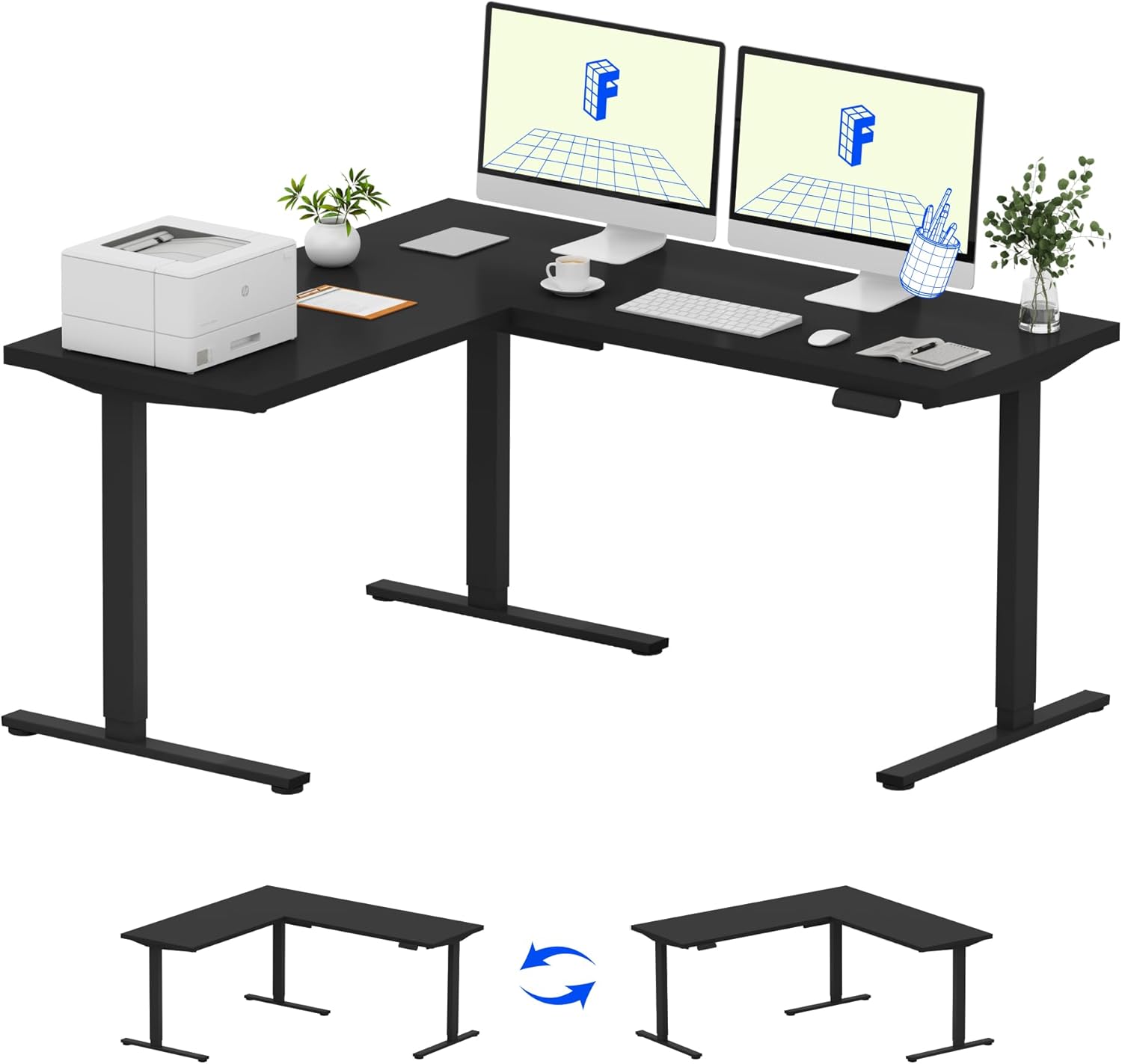
Image: Assembled FLEXISPOT L-Shaped Electric Standing Desk.
4.3 Desktop Attachment and Orientation
The expansive L-shaped desktop can be configured for either a left-hand or right-hand setup. Decide on your preferred orientation before attaching the desktop to the frame. The desktop is crafted from environmentally sourced splice board, measuring 63.0" x 55.1".

Image: Flexible right/left orientation options for the L-shaped desk.
4.4 Managementul cablurilor
Utilize the included cable management tools to keep your workspace tidy and prevent cables from interfering with the desk's movement.

Image: The desk ships in two packages and has a 220 lbs weight capacity.
5. Instrucțiuni de utilizare
Your FLEXISPOT L-Shaped Electric Standing Desk is equipped with an intuitive LED control panel for easy height adjustments and memory presets.
5.1 Reglarea înălțimii biroului
- Utilizați Sus (▲) şi Jos (▼) butoanele de pe panoul de control pentru a regla manual biroul la înălțimea dorită.
- The desk offers a large adjustable range, from a minimum height of 28.3 inches to a maximum height of 45.9 inches.

Image: Large adjustable height range of the desk.
5.2 Using Memory Presets
The LED control panel allows you to save up to four preferred height settings for quick transitions.
- Reglați biroul la înălțimea dorită folosind butoanele Sus/Jos.
- Apăsați tasta M button (Memory) followed by one of the numbered preset buttons (1, 2, 3 sau 4) to save the current height.
- To recall a saved height, simply press the corresponding numbered preset button.

Image: Smart LED control panel with memory presets.
5.3 Anti-Collision Feature
The desk is equipped with an anti-collision system. If the desk encounters an obstacle during height adjustment, it will automatically stop and rebound slightly to prevent damage or injury.

Image: Anti-collision feature in action.
6. Întreținere
Regular maintenance ensures the longevity and optimal performance of your standing desk.
- curatenie: Ștergeți suprafața de lucru și rama cu o lavetă moale șiamp Evitați substanțele chimice dure sau produsele de curățare abrazive care ar putea deteriora finisajul.
- Inspectii: Verificați periodic toate șuruburile și bolțurile pentru a vă asigura că sunt strânse. Strângeți-le din nou dacă este necesar.
- Organizare de cabluri: Ensure power cords and other cables are not pinched or tangled, especially during height adjustments.
- Capacitate de greutate: Do not exceed the maximum weight capacity of 220 lbs to prevent strain on the motor and frame.
7. Depanare
If you encounter issues with your FLEXISPOT L-Shaped Electric Standing Desk, refer to the following common troubleshooting steps:
- Biroul nu se mișcă:
- Verificați dacă cablul de alimentare este conectat corect atât la birou, cât și la o priză funcțională.
- Asigurați-vă că niciun obiect nu obstrucționează mișcarea biroului.
- Încearcă să resetezi biroul deconectându-l timp de 30 de secunde și apoi conectându-l din nou.
- Mișcare inegală/Oscilație:
- Verificați dacă toate șuruburile de asamblare sunt strânse.
- Ensure the desk is on a level surface. Adjust the leveling feet if necessary.
- Confirm that the weight distribution on the desktop is balanced and within the maximum capacity.
- Panoul de control nu răspunde:
- Perform a power cycle (unplug and replug).
- Verificați dacă există deteriorări vizibile ale panoului de control sau ale cablului acestuia.
If these steps do not resolve the issue, please contact FLEXISPOT customer support.
8. Specificații
| Marca | FLEXISPOT |
| Model | B0DV54QLX4 |
| Dimensiunile produsului | 55.1" D x 63" L x 45.9" H |
| Culoare | Black Frame + Black Top |
| Stil | Modern |
| Material de bază | Oțel aliat |
| Tip material de sus | Lemn |
| Grosimea mesei | 1 inch |
| Inaltimea minima | 28 inchi |
| Înălțimea maximă | 45.9 inchi |
| Greutate maximă recomandată | 220 lire sterline |
| Caracteristica specială | Corded, Preset Controller, Anti-collision |
| Asamblare necesară | Da |
| UPC | 840460438384 |
9. Garanție și asistență
9.1 Informații despre garanție
FLEXISPOT provides the following warranty coverage for your L-Shaped Electric Standing Desk:
- Acoperire de 5 ani: Applies to the desk frame and motor.
- Protecție de 2 ani: Applies to the control panel and electronics.
Please retain your proof of purchase for warranty claims. The warranty covers manufacturing defects under normal use.
9.2 Asistență pentru clienți
For any questions, assistance with assembly, troubleshooting, or warranty inquiries, please contact FLEXISPOT customer support. You can find contact information on the official FLEXISPOT website sau prin intermediul platformei dvs. de achiziții.