
1. Produs terminatview
The QRD Junior E5 Wireless Controller is a compact and versatile gaming controller designed for a wide range of platforms, including Nintendo Switch, Switch Lite, Switch OLED, PC (Windows), Mac, iOS, and Android devices. Its ergonomic design and advanced features provide an enhanced gaming experience.

Imaginea 1.1: Față view of two QRD Junior E5 Wireless Controllers.

Image 1.2: Back and front views of the QRD Junior E5 Wireless Controller, highlighting its design.
2. Conținutul pachetului
- QRD Junior E5 Wireless Controller (2 units for this package)
- Cablu de încărcare USB-C
- Manual de utilizare (acest document)
3. Configurare și conectare
3.1 Încărcarea controlerului
Before first use, fully charge the controller. Connect the provided USB-C cable to the controller's charging port and the other end to a USB power source (e.g., console, PC, or USB wall adapter). The indicator lights will show charging status and turn off when fully charged.
3.2 Conectarea la Nintendo Switch
- În meniul Nintendo Switch HOME, selectați Controlori > Schimbați Grip/Comanda.
- Țineți apăsat butonul butonul Acasă on the QRD Junior E5 controller for 3-5 seconds until the indicator lights start flashing rapidly.
- Once connected, the corresponding player indicator light(s) on the controller will remain solid.
3.3 Connecting to PC (Windows/Mac)
The controller supports both wireless Bluetooth and wired USB-C connections for PC and Mac.
3.3.1 Conexiune Bluetooth fără fir
- Ensure your PC/Mac has Bluetooth enabled.
- On your PC/Mac, go to Bluetooth settings and search for new devices.
- Țineți apăsat butonul butonul Acasă on the QRD Junior E5 controller for 3-5 seconds until the indicator lights start flashing rapidly.
- Select "QRD Controller" or similar from the list of available devices to pair.
- The controller supports Intrare X. for PC games.
3.3.2 Conexiune USB-C cu fir
Connect the controller to your PC/Mac using the provided USB-C cable. The controller will be automatically recognized, and no driver installation is required.
3.4 Conectarea la dispozitive iOS/Android
- Enable Bluetooth on your iOS/Android device.
- Țineți apăsat butonul butonul Acasă on the QRD Junior E5 controller for 3-5 seconds until the indicator lights start flashing rapidly.
- Caută "QRD Controller" or similar in your device's Bluetooth settings and pair.
4. Instrucțiuni de utilizare și caracteristici
4.1 Controale de bază
The QRD Junior E5 controller features standard button layouts including A/B/X/Y buttons, D-pad, Left/Right joysticks, L/R/ZL/ZR triggers, Home button, and +/- buttons.
4.2 Funcția TURBO
The TURBO function allows for continuous or automatic rapid firing of buttons. This feature can be customized for different games and play styles.
- To set TURBO: Press and hold the desired action button (e.g., A) and then press the Buton TURBO once. The button will now continuously fire when held.
- To set Auto-TURBO: Press and hold the desired action button and then press the Buton TURBO a second time. The button will automatically fire without being held.
- To clear TURBO: Press and hold the desired action button and then press the Buton TURBO a treia oară.
- Adjusting TURBO Speed: Apăsați tasta Buton TURBO iar cel Up/Down D-pad simultaneously to cycle through speeds: 8 times/sec, 15 times/sec, 25 times/sec.

Image 4.1: Illustration of the Turbo function for rapid actions in games.
4.3 6-Axis Gyro Motion Sensor
The controller is equipped with an advanced 6-axis gyro motion sensor, allowing for precise viewpoint and tilt operations in compatible games. Tilt, turn, and twist the controller to interact with game environments dynamically.

Image 4.2: Demonstrating the 6-Axis Gyro motion sensor capability.
4.4 Feedback de vibrații reglabil
Dual vibration motors provide immersive haptic feedback. The vibration intensity can be adjusted to suit personal preference and game requirements.
- Vibration modes: 0% (no vibration), 30% (weak), 70% (medium), and 100% (strong).
- To adjust vibration: Press the Buton de vibrație (if present, or a combination like TURBO + Left/Right joystick click) to cycle through intensity levels. Refer to the quick start guide for specific button combinations.

Image 4.3: Visual representation of the adjustable vibration feature.
5. Întreținere și îngrijire
- Păstrați controlerul uscat și ferit de temperaturi extreme.
- Curățați controlerul cu o lavetă moale și uscată. Nu utilizați substanțe chimice dure sau materiale abrazive.
- Evitați să scăpați controlerul sau să îl supuneți la impacturi puternice.
- Depozitați controlerul într-un loc sigur atunci când nu îl utilizați pentru a preveni deteriorarea.
6. Depanare
6.1 Controlerul nu se conectează
- Asigurați-vă că controlerul este complet încărcat.
- Verify Bluetooth is enabled on your device (Switch, PC, Mac, iOS, Android).
- Asigurați-vă că telecomanda este în modul de asociere (luminile indicatoare clipesc rapid).
- Încearcă să repornești atât controlerul, cât și dispozitivul la care încerci să te conectezi.
- If connecting to Switch, ensure you are on the "Change Grip/Order" screen.
- For PC/Mac, try a wired USB-C connection to rule out Bluetooth issues.
6.2 Butoane cu întârziere de introducere a comenzilor sau care nu răspund
- Asigurați-vă că telecomanda se află în raza de acțiune a dispozitivului conectat.
- Verificați interferența de la alte dispozitive fără fir.
- Confirm the controller is fully charged. Low battery can affect performance.
- Reporniți controlerul și jocul/dispozitivul.
6.3 Vibration Not Working or Incorrect
- Check the vibration settings on the controller (refer to section 4.4) to ensure it's not set to 0%.
- Verifică dacă jocul pe care îl joci acceptă feedback prin vibrații.
- Ensure the controller's firmware is up to date (if applicable, check the manufacturer's website-ul).
7. Specificații
| Model | Junior E5 |
| Marca | QRD |
| Conectivitate | Wireless Bluetooth, Wired USB-C |
| Compatibilitate | Nintendo Switch, Switch Lite, Switch OLED, PC (Windows), Mac, iOS, Android |
| Moduri de intrare | X-input (PC), Switch-input (Nintendo Switch) |
| Caracteristici speciale | 6-Axis Gyro Motion Sensor, Adjustable Vibration, TURBO Function |
| Dimensiuni (aprox.) | 5 x 3.31 x 2.13 inchi (12.7 x 8.4 x 5.4 cm) |
| Greutate (aprox.) | 1.06 lire (0.48 kg) |
| Baterie | 2 Nonstandard Battery batteries required (internal, rechargeable) |

Image 7.1: Physical dimensions of the QRD Junior E5 Wireless Controller.
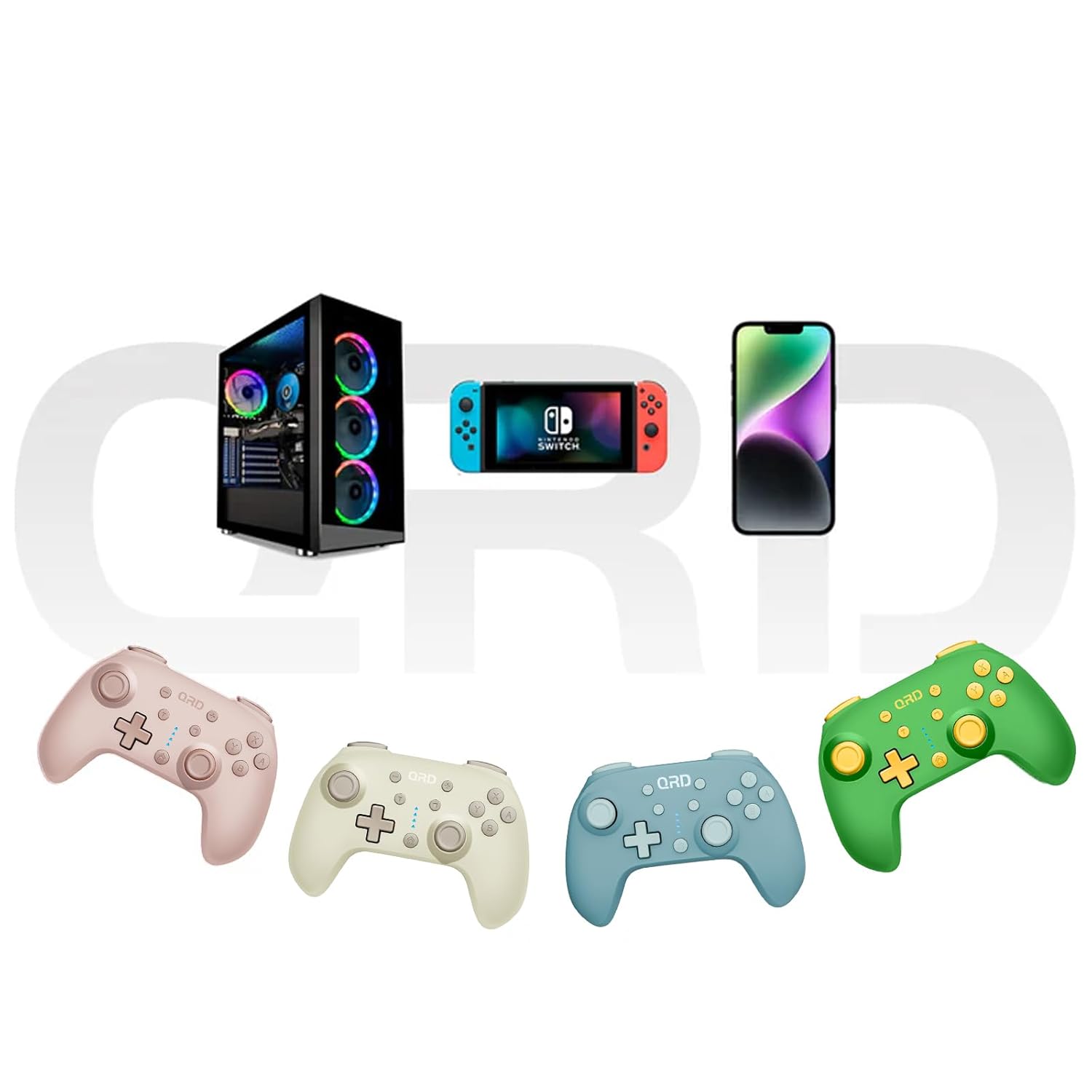
Image 7.2: Multi-platform compatibility of the QRD Junior E5 Wireless Controller.
8. Garanție și asistență
QRD products are designed for reliability and performance. For warranty information, technical support, or service inquiries, please refer to the contact information provided with your purchase or visit the official QRD website. Vă rugăm să păstrați dovada achiziției pentru reclamații în garanție.
Pentru asistență suplimentară, puteți vizita QRD Store on Amazon.