1. Introducere
Thank you for choosing the Generic A30C Mini Portable LED Projector. This manual provides essential information for the safe and efficient operation of your device. Please read it thoroughly before use and retain it for future reference.
The A30C projector is designed to deliver a high-definition viewing experience in a compact and portable form factor, suitable for various entertainment and presentation needs.
2. Informații de siguranță
- Nu priviți direct în lentila proiectorului atunci cândamp este pornit, deoarece lumina puternică poate provoca leziuni oculare.
- Asigurați o ventilație adecvată în jurul proiectorului pentru a preveni supraîncălzirea. Nu blocați orificiile de ventilație.
- Țineți proiectorul departe de apă, umiditate și materiale inflamabile.
- Folosiți doar adaptorul de alimentare furnizat împreună cu proiectorul.
- Nu încercați să dezasamblați sau să reparați singur proiectorul. Contactați personalul de service calificat pentru asistență.
- Așezați proiectorul pe o suprafață stabilă și plană pentru a-l împiedica să cadă.
3. Conținutul pachetului
Vă rugăm să verificați dacă toate articolele sunt prezente:
- Generic A30C Mini Portable LED Projector
- Adaptor de alimentare
- Telecomanda (baterii nu sunt incluse)
- Cablu HDMI
- Manual de utilizare (acest document)
4. Produs terminatview
Familiarize yourself with the projector's components and ports.

Imaginea 4.1: Față view of the Generic A30C Mini Portable LED Projector. This image displays the compact black projector with its lens emitting a blue light, indicating operation. Control buttons are visible on the top surface.
4.1 Comenzile panoului superior
- Buton de alimentare: Pornește/oprește proiectorul.
- Butoane de navigare: Up, Down, Left, Right for menu navigation.
- Buton OK/Enter: Confirmă selecțiile.
- Butonul Înapoi: Revine la meniul anterior.
4.2 Rear/Side Panel Ports
- Port HDMI: Connects to devices like laptops, gaming consoles, or Blu-ray players.
- Port USB: Connects to USB flash drives for media playback.
- Slot pentru card SD: Inserts SD cards for media playback.
- Audio Jack (3.5mm): Se conectează la difuzoare externe sau căști.
- Intrare curent continuu: Conectează adaptorul de alimentare.
5. Configurare
5.1 Conexiune la alimentare
- Connect the power adapter to the DC Power Input port on the projector.
- Plug the power adapter into a wall outlet. The power indicator light on the projector will illuminate.
5.2 Plasarea inițială și concentrarea
- Place the projector on a stable surface, facing the projection screen or a plain wall.
- Turn on the projector by pressing the Power button.
- Adjust the focus ring (usually located near the lens) until the projected image is clear and sharp.

Image 5.1: Guide for optimal projection distance and screen size. This diagram illustrates various projection distances (e.g., 1m, 2m, 3m) and their corresponding screen sizes (e.g., 33", 66", 100", 150", 200", 300"). A recommended distance of 1.5m to 3m is highlighted for best viewing.
Refer to Image 5.1 for guidance on projection distance and screen size. For optimal viewing, a projection distance between 1.5 meters and 3 meters is recommended.
6. Operarea proiectorului
6.1 Conectarea dispozitivelor de intrare
Proiectorul acceptă mai multe surse de intrare:
- HDMI: Connect an HDMI cable from your device (laptop, game console, etc.) to the projector's HDMI port.
- USB: Insert a USB flash drive into the USB port. The projector will typically detect it automatically or allow selection from the input menu.
- Card SD: Insert an SD card into the SD card slot. Similar to USB, it should be detectable via the input menu.

Image 6.1: Illustration of the projector's connectivity options. This image shows the projector connected to mobile devices via both WiFi Wireless Connection (for Android and iOS) and USB Cable Wired Connection, demonstrating its versatility in source input.
6.2 Screen Mirroring (Wireless/Wired)
The A30C projector supports screen mirroring from Android and iOS devices.
- Wireless Connection (WiFi):
- Ensure your mobile device and the projector are connected to the same Wi-Fi network.
- Select the "Screen Mirroring" or "Wireless Display" option on the projector's main menu.
- On your mobile device, activate screen mirroring (e.g., "Smart View„pe Android, „Screen Mirroring” pe iOS) și selectați proiectorul din lista de dispozitive disponibile.
- USB Cable Wired Connection:
- Connect your mobile device to the projector's USB port using a compatible USB cable.
- Follow any on-screen prompts on your mobile device or the projector to establish the connection.
6.3 Navigare prin meniu
Use the navigation buttons on the projector's top panel or the remote control to navigate the on-screen menu. The OK/Enter button confirms selections, and the Back button returns to the previous screen.
6.4 Ieșire audio
The projector has a built-in speaker. For enhanced audio, connect external speakers or headphones to the 3.5mm audio jack.
7. Întreținere
7.1 Curățarea lentilei
Ștergeți ușor lentila proiectorului cu o lavetă moale, fără scame, special concepută pentru suprafețe optice. Nu utilizați produse de curățare abrazive și nu aplicați forță excesivă.
7.2 Curățarea corpului proiectorului
Folosiți o cârpă moale și uscată pentru a curăța exteriorul proiectorului. Pentru petele persistente, ștergeți ușor.amp se poate folosi o cârpă uscată, urmată de o cârpă uscată. Evitați utilizarea substanțelor chimice dure.
7.3 Depozitare
When not in use, store the projector in a cool, dry place, away from direct sunlight and extreme temperatures. It is advisable to use the original packaging or a protective case to prevent dust accumulation and damage.
8. Depanare
| Problemă | Cauza posibila | Soluţie |
|---|---|---|
| Fără putere | Cablul de alimentare nu este conectat; priza defectă. | Verificați conexiunea cablului de alimentare; încercați o altă priză. |
| Nicio imagine | Input source not selected; cable loose; device not outputting signal. | Select correct input source; check cable connections; ensure source device is on and outputting. |
| Imagine neclară | Focus not adjusted; projector too far/close. | Adjust the focus ring; reposition the projector. |
| Nici un sunet | Volume too low; external speakers not connected; source device volume low. | Increase projector volume; connect external speakers; check source device volume. |
| Avertizare de supraîncălzire | Ventilation blocked; prolonged use. | Ensure clear ventilation; turn off and let cool down. |
9. Specificații
The following are the technical specifications for the Generic A30C Mini Portable LED Projector:
- Marca: Generic
- Model: A30C
- Sistem de imagistică: LCD
- Sursa de lumina: LED
- Rezoluția afișajului: 1280 x 720 pixels (Supports up to 1920 x 1080 pixels)
- Tehnologie de conectivitate: Bluetooth, HDMI, USB, SD Card
- Caracteristica speciala: Compact, portabil
- Utilizări recomandate: De interior
- Culoare: Negru
- Greutatea articolului: 14.1 uncii (aproximativ 400 grame)
- Dimensiuni produs: 6.3 x 4.72 x 2.16 inci (aprox. 16 x 12 x 5.5 cm)

Image 9.1: The projector being held in a hand, illustrating its small and portable design. This image emphasizes the compact nature of the device, making it easy to carry.
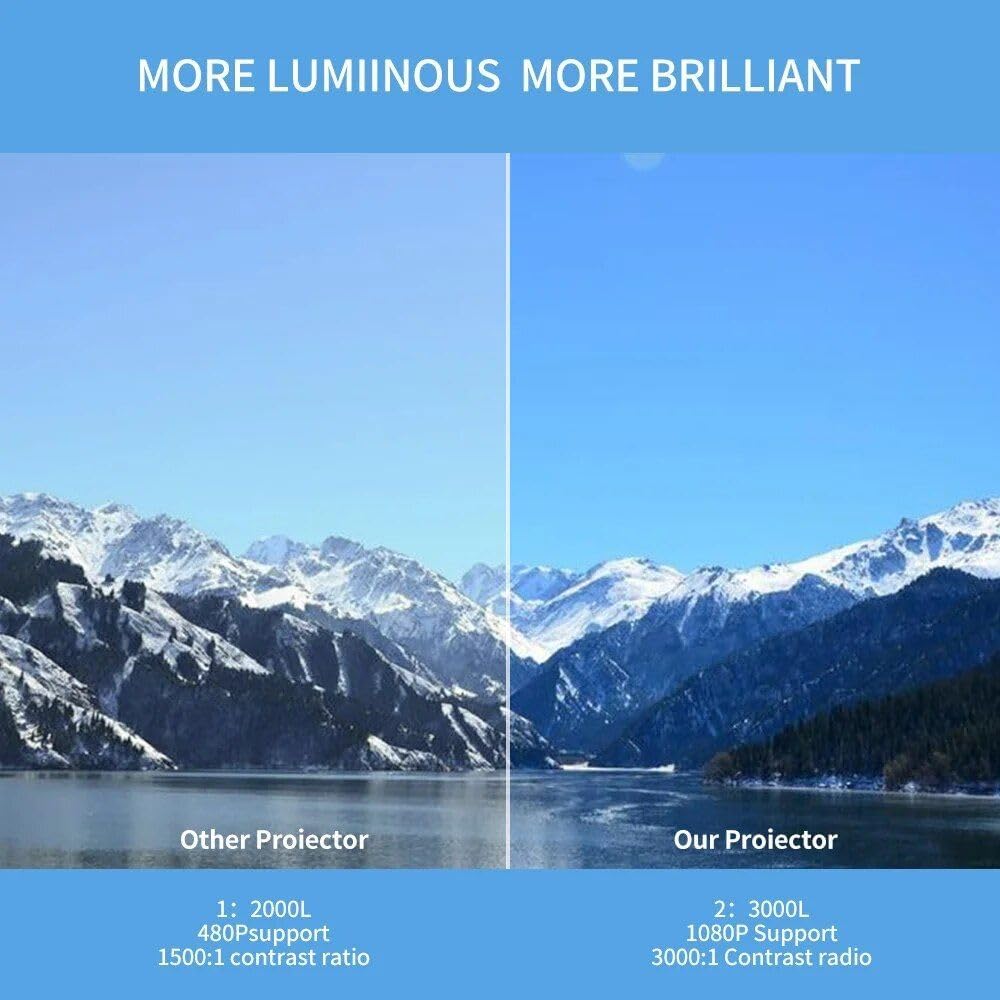
Image 9.2: A side-by-side comparison demonstrating the superior brightness and clarity of "Our Projector" (the A30C) versus an "Other Projector." The A30C is shown with a brighter, more vibrant image of a mountain landscape.
10. Garanție și asistență
For warranty information and technical support, please refer to the documentation provided at the time of purchase or contact your retailer. Keep your proof of purchase for warranty claims.
Pentru asistență suplimentară, puteți vizita și site-ul producătorului website-ul sau contactați departamentul de servicii pentru clienți.


