
Warmiehomy PS015
Warmiehomy 24x24x24 Inch Printer Stand with Storage Instruction Manual
Model: PS015
Introducere
Thank you for choosing the Warmiehomy 24x24x24 Inch Printer Stand. This versatile 2-tier rolling cart is designed to provide efficient storage and mobility for your office or home. Please read this manual carefully before assembly and use to ensure proper setup and longevity of your product.

Image: The Warmiehomy 24x24x24 Inch Printer Stand in Rustic Brown, showcasing its two tiers and overall design.
Lista de verificare a componentelor
Before beginning assembly, please ensure all parts are present and undamaged. Refer to the detailed installation instructions paper included in the package for specific part identification.
Principalele componente includ:
- Top and bottom wooden panels
- Componente ale cadrului metalic (picioare, traverse)
- Rolling casters (wheels) with locks
- Fixed foot pads
- Assembly hardware (screws, wrench, Allen key)

Imagine: O imagine de sus view of all components for the 2-tier printer stand laid out on a wooden floor, including metal frames, wooden panels, wheels, and tools.
Configurare și asamblare
Assembly of the Warmiehomy printer stand is designed to be straightforward. Follow these general steps, referring to the included paper instructions for detailed diagrams and part numbers.
- Despachetați componente: Carefully remove all parts from the packaging. Check against the components checklist to ensure everything is present.
- Asamblați cadrul metalic: Connect the metal frame components using the provided screws and tools. Ensure all connections are secure but do not overtighten until the entire frame is assembled. The "X" design crossbars provide structural stability.
- Atașați panourile de lemn: Secure the wooden panels to the assembled metal frame. The top panel forms the main countertop, and the lower panel creates the storage shelf.
- Install Feet or Casters: Decide whether you prefer a stationary stand or a mobile cart.
- Pentru mobilitate: Attach the four rolling casters to the bottom of the stand. Two of the four casters are lockable to prevent unwanted movement.
- Pentru stabilitate: Attach the four fixed foot pads to the bottom of the stand. These can be adjusted to level the stand on uneven surfaces.
- Strângere finală: Once all components are in place, carefully tighten all screws to ensure the stand is stable and secure.
Ghid video de asamblare
Video: A step-by-step guide demonstrating the assembly process of the Warmiehomy 2-Tier Printer Table.
Funcționare și utilizare
The Warmiehomy printer stand is designed for versatile use in various environments, including home offices, living rooms, and bedrooms.
Caracteristici cheie:
- Oversized Countertop: The 23.62''L x 23.62''W top surface is suitable for large printers, scanners, or fax machines.
- Two-Tier Storage: The lower shelf provides ample space for office supplies such as paper, folders, books, and documents.
- Mobilitate și stabilitate:
- When using the rolling casters, the stand can be easily moved. Two of the four wheels are lockable to secure the cart in place.
- When using fixed foot pads, the stand offers enhanced stability and can be adjusted to compensate for uneven floors.
- Design multifuncțional: Beyond a printer stand, it can serve as a side table, nightstand, or mini-fridge stand.
Scenarii de utilizare:
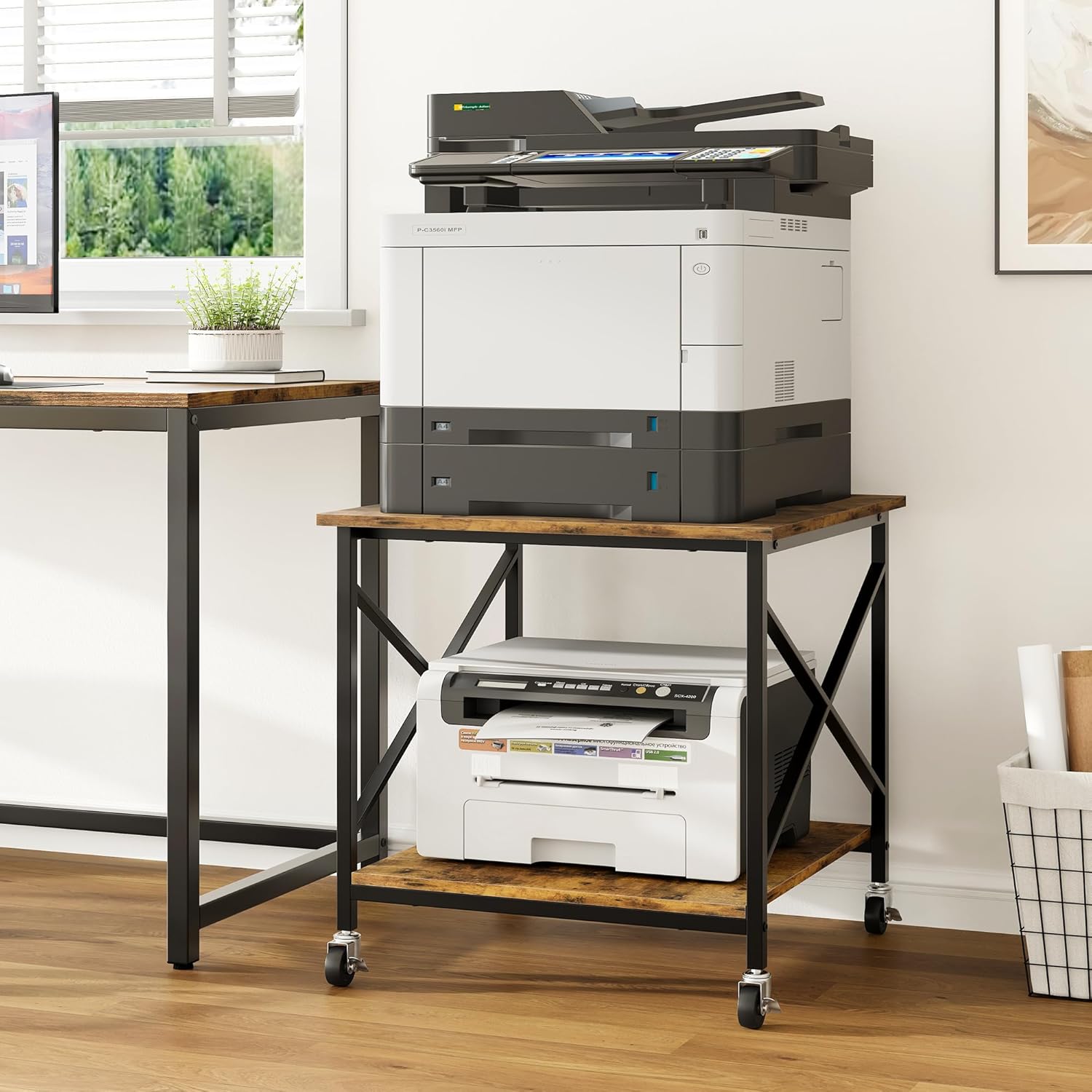
Image: The printer stand in an office, holding a large printer on the top tier and paper on the bottom shelf, demonstrating its primary function.

Image: The stand used as a mini-fridge stand in a kitchen, with snacks stored on the lower shelf, highlighting its versatility.
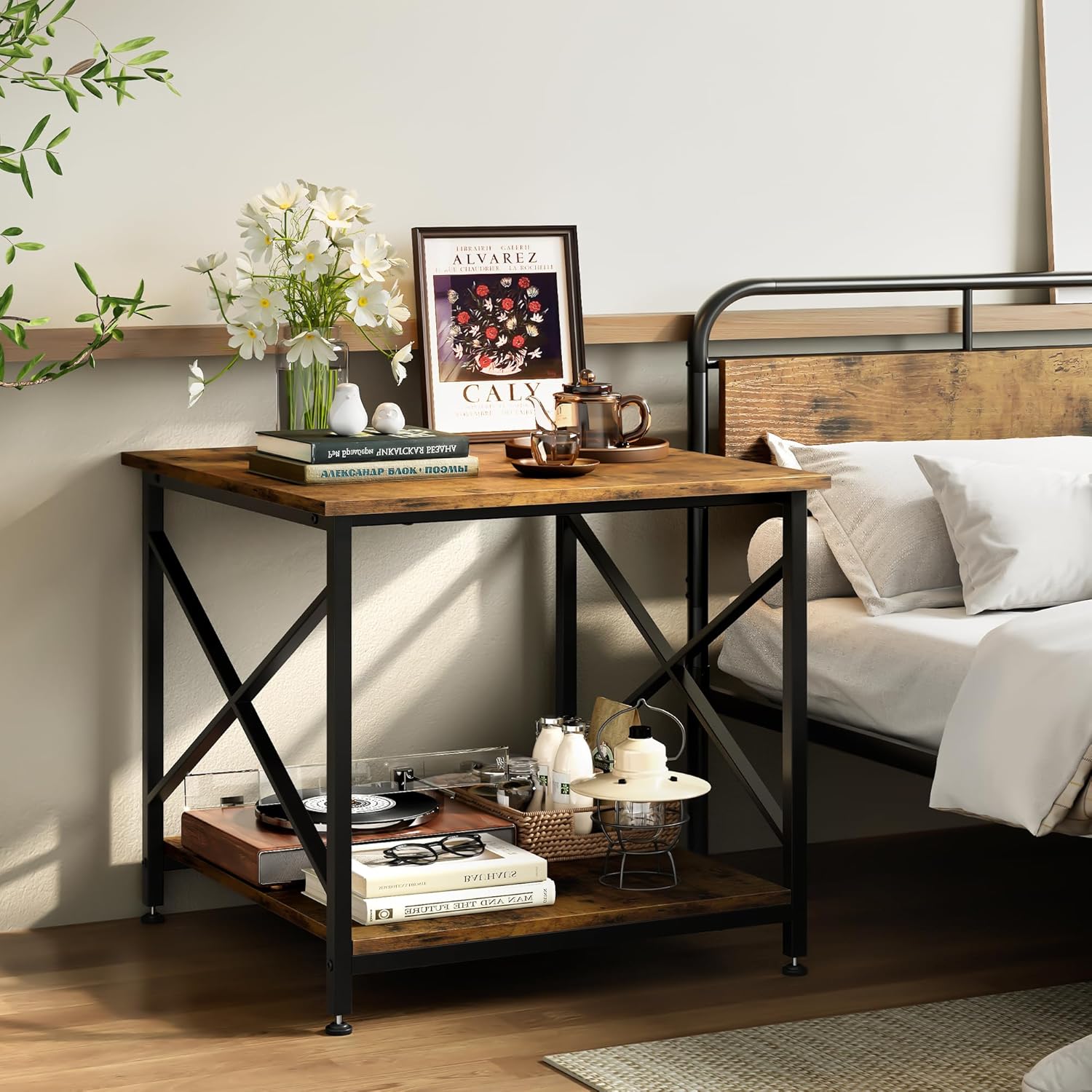
Image: The stand functioning as a nightstand in a bedroom, holding a lamp, books, and other personal items.

Imagine: Un prim-plan view illustrating the option between fixed foot pads for stability and rolling casters for mobility, with lockable wheels shown.
Product in Use Videos
Video: A demonstration of the printer stand's stability and mobility with its wheels, showcasing its use in an office setting.
Video: O scurtă prezentareview highlighting the large storage capacity of the printer stand.
Video: A visual display of the Warmiehomy 2-Tier Printer Table in various settings, demonstrating its functional design.
Întreținere și îngrijire
To ensure the longevity and appearance of your Warmiehomy printer stand, follow these simple maintenance guidelines:
- curatenie: The wooden panels are waterproof and easy to clean. Use a soft, damp cloth to wipe down surfaces. Avoid harsh chemicals or abrasive cleaners that could damage the finish.
- Vărsări: Wipe up spills immediately to prevent water damage or staining.
- Capacitate de greutate: Do not exceed the maximum weight capacity of 100 pounds per shelf to prevent damage or structural failure.
- Inspecţie: Verificați periodic toate șuruburile și conexiunile pentru a vă asigura că rămân strânse. Strângeți-le din nou dacă este necesar.
- Circulaţie: When moving the stand, especially over uneven surfaces, lift slightly to reduce stress on the casters. Ensure casters are unlocked before moving.

Imagine: O imagine detaliată view highlighting the quality features of the stand, including its waterproof and scratch-resistant wooden panels, and the sturdy "X" design metal frame.
Depanare
If you encounter any issues with your Warmiehomy printer stand, refer to the following common solutions:
- Suport oscilant:
- Asigurați-vă că toate șuruburile sunt bine strânse.
- If using fixed foot pads, adjust them individually to level the stand on uneven floors.
- Dificultate de rulare:
- Check that all caster locks are disengaged.
- Ensure the casters are clean and free of debris.
- Părți lipsă: If any parts are missing upon arrival, please contact customer support immediately with your purchase details.
Specificații
| Caracteristică | Detaliu |
|---|---|
| Dimensiunile produsului | 23.62 x 23.61 x 23.62 inci |
| Greutatea articolului | 22 lire sterline |
| Numărul de model | PS015 |
| Marca | Warmiehomy |
| Culoare | Maro rustic |
| Factor de formă | Dreptunghi |
| Dispozitive compatibile | Printers, Mini Fridge |
| Tip de montare | Stand de podea |
| Capacitate de greutate | Up to 100 pounds per shelf |
| Material | CARB P2 class manufactured wood, Steel frames |

Image: A diagram illustrating the dimensions (23.62"L x 23.62"W x 23.62"H) and weight capacity (100 lbs per shelf) of the printer stand.
Asistență pentru clienți
For any questions regarding assembly, operation, or if you encounter any issues with your Warmiehomy printer stand, please do not hesitate to contact our customer support team. We are committed to resolving your concerns within 24 hours.
Please refer to your purchase documentation or the Warmiehomy official website pentru informații de contact.
Ask a question about this manual
Ask about setup, troubleshooting, compatibility, parts, safety, or missing instructions. Manuals+ will review the question and use this page’s manual context to help answer it.