
Acasis EC1401
ACASIS 2-in-1 Magnetic M.2 NVMe SSD Enclosure & USB-C Hub
Model: EC1401
1. Introducere
Thank you for choosing the ACASIS 2-in-1 Magnetic M.2 NVMe SSD Enclosure and USB-C Hub. This versatile device combines a high-speed M.2 NVMe SSD enclosure with a powerful 6-in-1 USB-C docking station, designed to enhance your productivity and storage capabilities. It is ideal for users of iPhone 15/16 Pro/Max/Plus, iPad Pro, MacBook Pro/Air, and other devices with a full-featured USB-C interface.
2. Informații de siguranță
- Țineți dispozitivul departe de apă, umiditate și temperaturi extreme.
- Evitați scăderea sau supunerea dispozitivului la impacturi puternice.
- Do not attempt to disassemble or modify the device. Unauthorized modifications may void the warranty and pose safety risks.
- Ensure proper ventilation when in use, especially during extended operation, to maintain optimal performance and prevent overheating.
3. Conținutul pachetului
- ACASIS 2-in-1 Magnetic M.2 NVMe SSD Enclosure & USB-C Hub
- Cablu USB-C la USB-C
- Silicone Heat Dissipation Sticker
- Manual de utilizare
4. Produs terminatview
The ACASIS 2-in-1 device integrates an M.2 NVMe SSD enclosure with a comprehensive USB-C hub. It features multiple ports for connectivity and a magnetic design for easy attachment to compatible devices.
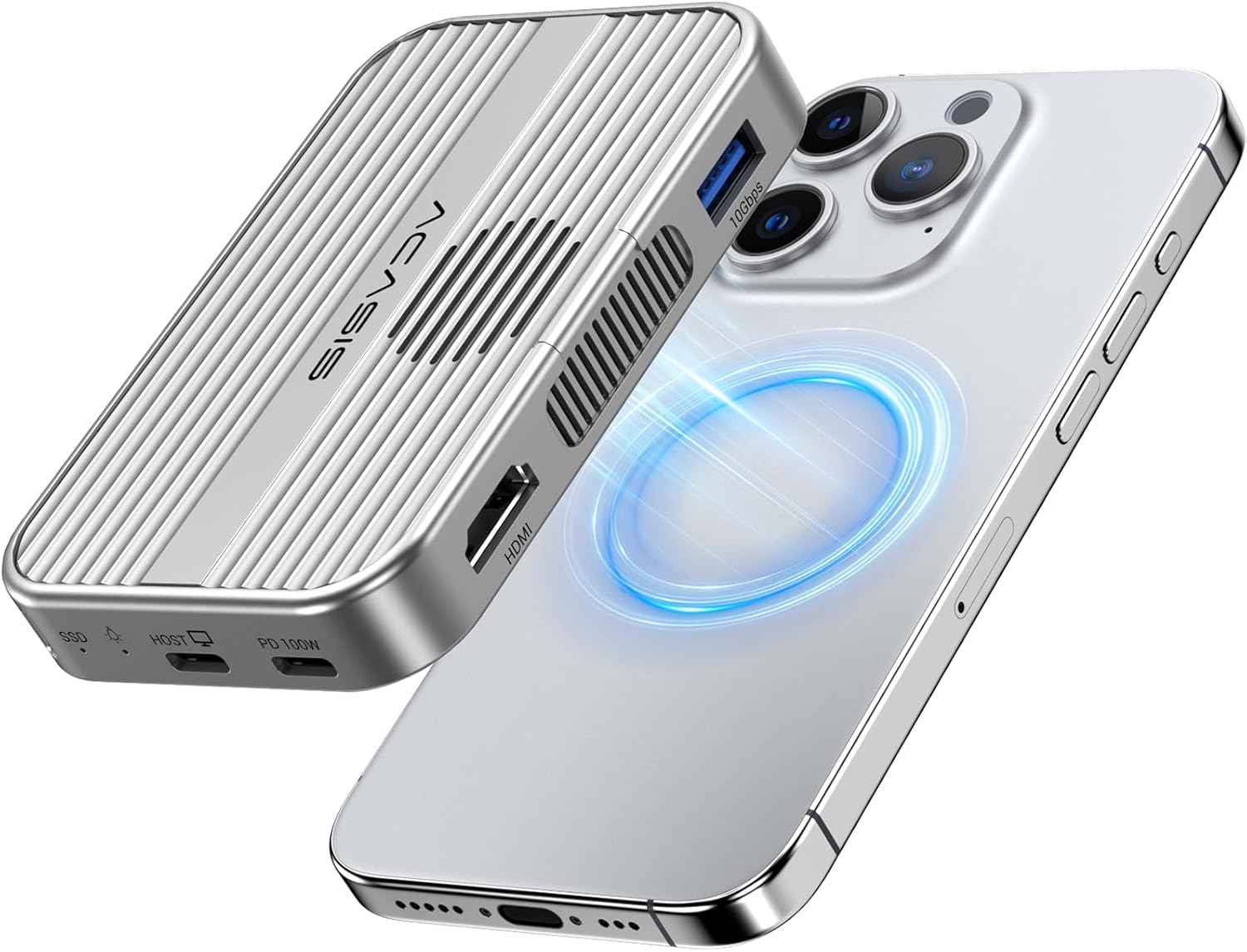
Image: The ACASIS 2-in-1 device showcasing its magnetic attachment to an iPhone, highlighting its compact design and connectivity options.

Image: Detailed diagram illustrating the 6-in-1 USB-C hub's various ports, including USB-A, SD/TF 3.0, USB-C, HDMI, PD, and Host connections.
Componente cheie:
- Slot SSD M.2 NVMe: Supports 2230/2242/2260/2280 B+M Key and M-Key NVMe SSDs (up to 8TB).
- Port gazdă USB-C: For connecting to your device (iPhone, iPad, laptop).
- Port USB-C PD: Supports Power Delivery up to 100W for pass-through charging.
- Port USB-A: Transfer de date de 10 Gbps.
- Port HDMI: Suportă ieșire video 4K la 60Hz.
- Cititoare de carduri SD/TF: Supports SD3.0 and TF3.0 with speeds up to 104Mbps.
- Ventilator de racire: Internal fan for efficient heat dissipation.
- Magnetic Structure: For secure attachment to MagSafe-compatible devices.
5. Configurare
5.1. Installing the M.2 NVMe SSD
The ACASIS enclosure features a tool-free magnetic design for easy SSD installation.
- Gently open the magnetic cover of the enclosure.
- Insert your M.2 NVMe SSD (2230/2242/2260/2280) into the slot, ensuring it is properly seated.
- Close the magnetic cover until it clicks into place.

Image: Visual guide demonstrating the simple, tool-less steps to install an M.2 NVMe SSD into the enclosure.
Nota: If you are using a new SSD, it must be formatted to exFAT format on your computer before connecting it to your phone or other devices for the first time.

Image: Diagram showing compatibility with various M.2 NVMe SSD sizes (2230, 2242, 2260, 2280) and key types (M Key, B+M Key).
5.2. Conectarea la dispozitivul dvs
- Connect the provided USB-C cable from the ACASIS device's HOST port to your iPhone 15/16 Pro/Max/Plus, iPad Pro, MacBook Pro/Air, or other compatible laptop/tablet.
- For iPhone users, the magnetic structure allows for secure attachment to MagSafe-compatible phones or cases. If your phone case has magnetic suction, you can use the hard disk case directly.
- For optimal performance and to support SSDs larger than 1TB with your phone, connect a power source to the PD100W port on the ACASIS device.
6. Instrucțiuni de utilizare
6.1. Transfer de date de mare viteză
The enclosure supports 10Gbps data transfer speeds, allowing for rapid file transfers between your SSD and connected device.

Image: Illustration of the 10Gbps data transfer capability, showing fast data flow between the enclosure and a laptop.
6.2. 4K@60Hz HDMI Output
Connect an HDMI cable from the ACASIS device to an external monitor or TV to enjoy stunning 4K@60Hz clarity for presentations, movies, or extended desktop use.
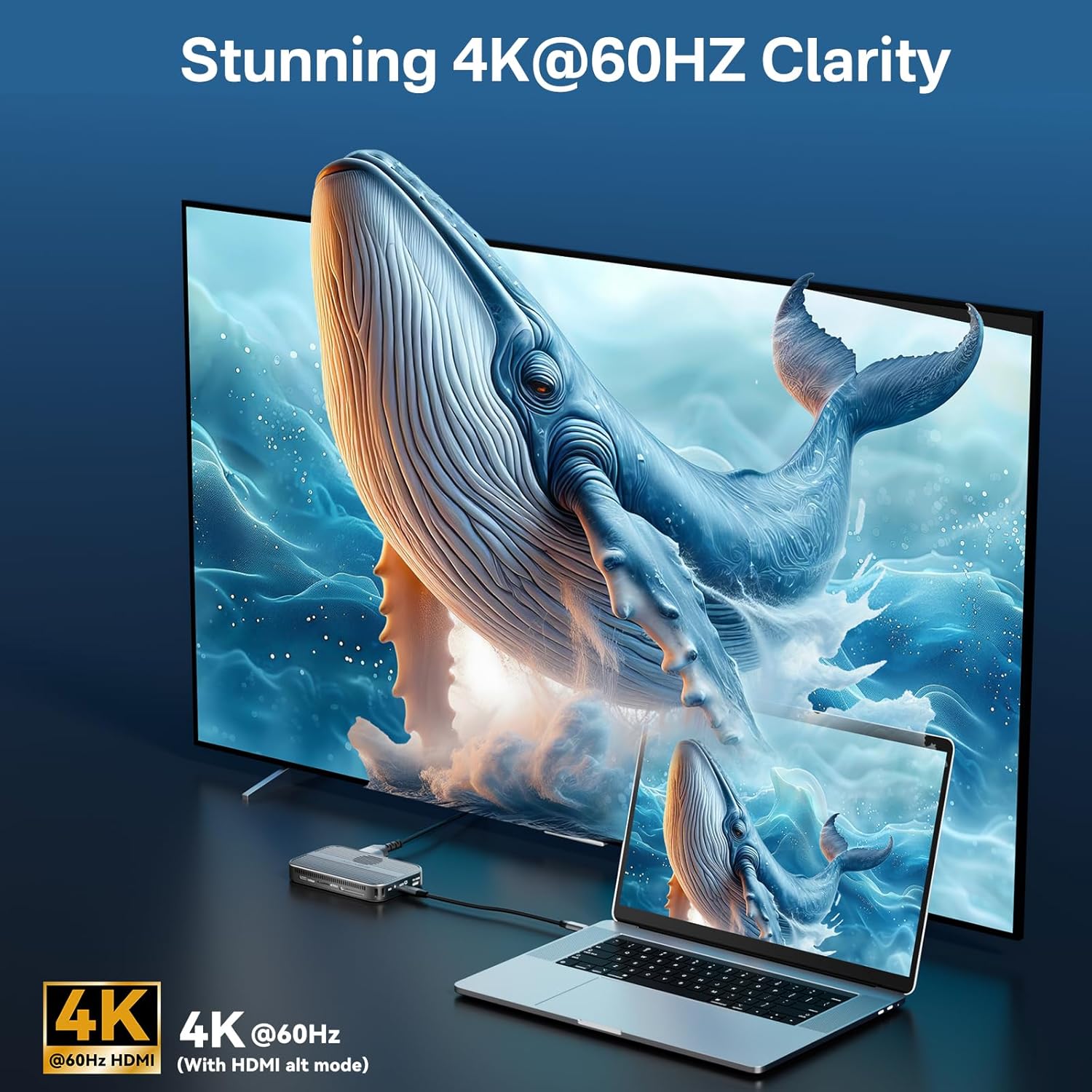
Image: A laptop connected to a large external display via the ACASIS hub, showcasing 4K@60Hz video output.
6.3. SD/TF Card Reader Functionality
Insert your SD or TF (microSD) cards into the respective slots to quickly access photos, videos, and other files at speeds up to 104Mbps.

Image: Visual representation of the SD/TF card reader's read and write speeds, indicating its efficiency for media files.
6.4. Power Delivery (PD100W)
The PD100W port allows you to charge your connected laptop or device while using the hub's other functions. Connect a USB-C power adapter to this port to provide up to 100W of power input, with up to 90W output to your host device.

Image: Diagram showing a laptop being charged via the ACASIS hub with 100W power input and 90W output.
6.5. Efficient Heat Dissipation
The ACASIS device is designed with an internal cooling fan and an aluminum alloy casing to ensure optimal heat dissipation, maintaining stable performance even during intensive use. A silicone heat dissipation sticker is also included for enhanced thermal management.

Imagine: O explozie view illustrating the internal cooling fan and the aluminum alloy structure contributing to efficient heat dissipation.
6.6. Magnetic Attachment for iPhone
The built-in magnetic structure allows for a secure and stable attachment to iPhone 15/16 Pro/Max/Plus models, especially useful for direct ProRes video recording to the external SSD.
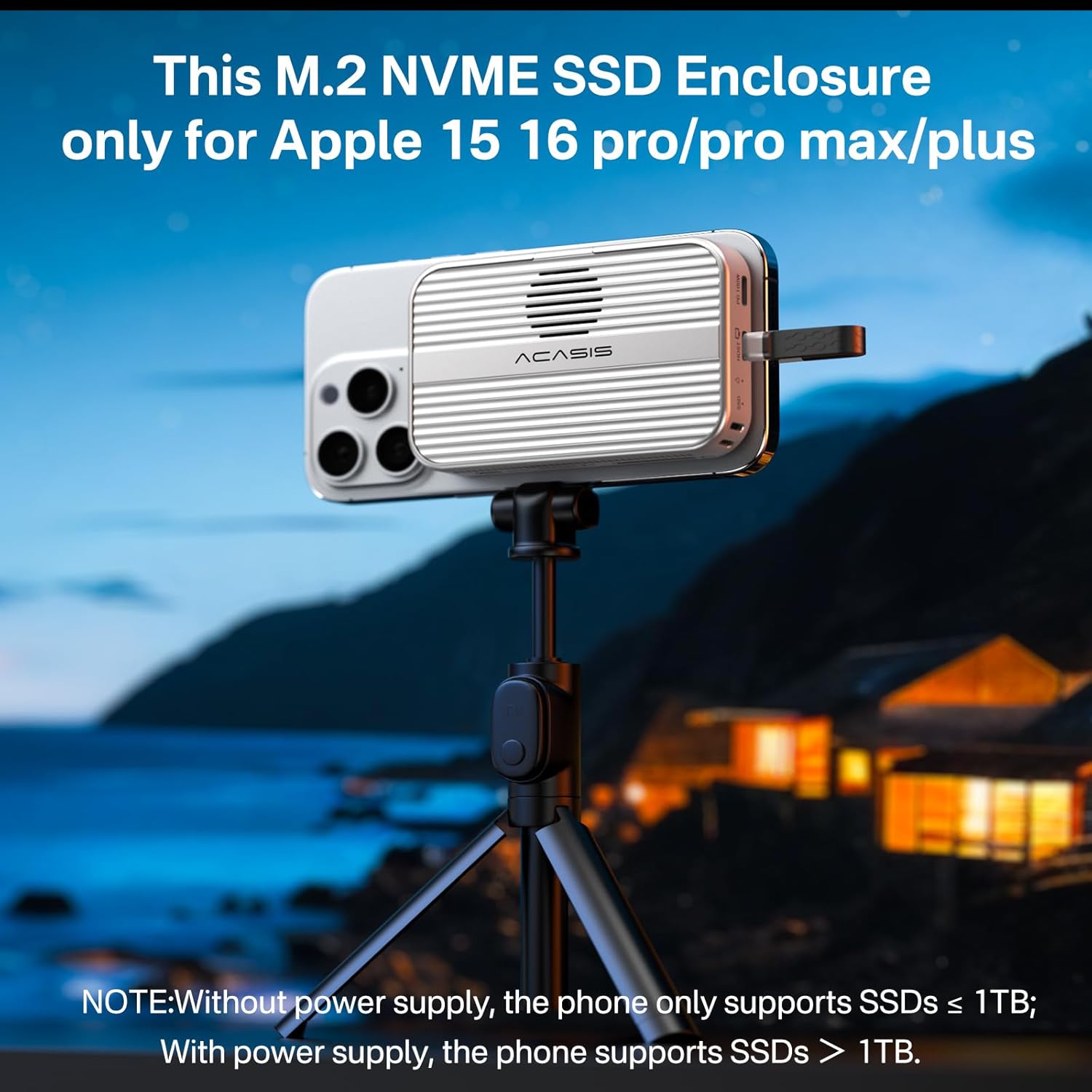
Image: The ACASIS enclosure magnetically attached to an iPhone, demonstrating its use for external storage and recording.
7. Întreținere
- curatenie: Folosiți o lavetă moale și uscată pentru a curăța exteriorul dispozitivului. Nu utilizați agenți de curățare lichizi sau aerosoli.
- Depozitare: Depozitați dispozitivul într-un loc răcoros și uscat, ferit de lumina directă a soarelui și de temperaturi extreme atunci când nu îl utilizați.
- Manipulare: Avoid dropping or subjecting the device to strong vibrations.
8. Depanare
- SSD nerecunoscut:
- Ensure the SSD is correctly installed and fully seated in the enclosure.
- If it's a new SSD, ensure it has been formatted to exFAT on a computer.
- Try connecting the enclosure to a different USB-C port or device.
- Verify the USB-C cable is functioning correctly.
- Viteze mici de transfer de date:
- Ensure your host device's USB-C port supports 10Gbps (USB 3.2 Gen2).
- Verify the SSD itself is capable of 10Gbps speeds.
- Ensure the cable used is rated for 10Gbps data transfer.
- Supraîncălzirea dispozitivului:
- Ensure the cooling fan is not obstructed.
- Apply the included silicone heat dissipation sticker to the SSD.
- Avoid placing the device in enclosed spaces during operation.
- Zgomot ventilator:
- A slight fan noise is normal during operation, especially under heavy load, as it indicates active cooling.
- iPhone Not Supporting SSDs > 1TB:
- Without an external power supply connected to the PD port, iPhones may only support SSDs up to 1TB. For SSDs larger than 1TB, ensure a power source is connected to the PD100W port.
9. Specificații
| Marca | Acasis |
| Model | EC1401 |
| Culoare | Gri |
| Interfață hardware | HDMI, USB 3.1 Type A, USB 3.1 Type C |
| Dispozitive compatibile | iPad Pro, iPhone 15/16 PLUS, iPhone 15/16 PRO, iPhone 15/16 PRO MAX, laptop |
| Total porturi USB | 2 |
| Numărul de porturi | 6 |
| Greutatea articolului | 110 grame |
| Dimensiunile produsului | 6 x 9.7 x 1.7 cm |
| Rata de transfer de date | 10 gigaocteți pe secundă |
| Capacitate de stocare a memoriei (maxim) | 8 TB (SSD not included) |
10. Garanție și asistență
ACASIS is committed to providing high-quality products and excellent customer service. For any inquiries, technical support, or warranty claims, please contact us directly.
- Asistență prin e-mail: support@acasis.com
- Serviciu online: Serviciul online este disponibil 7x24 de ore.
Vă rugăm să consultați documentația de achiziție pentru termenii și condițiile specifice de garanție.
Ask a question about this manual
Ask about setup, troubleshooting, compatibility, parts, safety, or missing instructions. Manuals+ will review the question and use this page’s manual context to help answer it.