
1. Introducere
Mulțumesc pentru achizițieasing the Sharp 4T-C65FL6EX 65-inch 4K Frameless Smart TV. This manual provides essential information for the safe and efficient use of your new television. Please read these instructions thoroughly before operating the TV and retain them for future reference.
Informații importante privind siguranța
Always follow basic safety precautions when using this product to reduce the risk of fire, electric shock, and injury. Do not expose the TV to rain or moisture. Do not open the cabinet; refer all servicing to qualified personnel. Ensure proper ventilation and avoid placing the TV near heat sources.
2. Produs terminatview
The Sharp 4T-C65FL6EX is a 65-inch 4K UHD Smart LED TV designed to deliver an immersive viewing experience. It features a frameless design, Google TV operating system, and a built-in digital receiver.
Caracteristici cheie
- 65-inch 4K UHD Display: Enjoy stunning visuals with a resolution of 3840 x 2160 pixels.
- Design fără cadru: Maximizes screen space for an expansive view.
- Sistem de operare Google TV: Access a wide range of apps, movies, and shows.
- Built-in Digital Receiver: Supports DVB-S/S2/T/T2/C broadcast types.
- Dolby Atmos & DTS Studio Sound: Delivers rich, immersive audio.
- Dolby Vision și HDR10: Contrast și culori îmbunătățite pentru conținut compatibil.
- Chromecast integrat: Easily cast content from your mobile devices.
- Far-field Voice Control & Google Assistant: Controlează-ți televizorul cu comenzi vocale.
- Conectivitate: Wi-Fi, Bluetooth v5.1, 3 HDMI 2.0 ports, 2 USB ports, LAN.
Conținutul pachetului
- Sharp 4T-C65FL6EX 65-inch 4K Smart TV
- Telecomanda
- Cablu de alimentare
- Suport TV (2 bucăți)
- Șuruburi pentru instalarea suportului
- Manual de utilizare (acest document)

Figura 2.1: Față view of the Sharp 4T-C65FL6EX Smart TV.
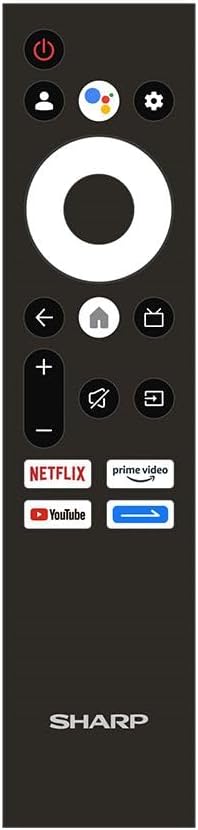
Figure 2.2: The included remote control for the Sharp Smart TV.
3. Configurare
3.1 Despachetarea și plasarea
- Carefully remove the TV from its packaging. It is recommended to have two people for this.
- Place the TV on a stable, flat surface or prepare for wall mounting. Ensure adequate space around the TV for ventilation.
3.2 Instalarea standului
Dacă nu montați televizorul pe perete, atașați suportul inclus:
- Lay the TV screen-down on a soft, clean cloth to prevent scratches.
- Aliniați fiecare piesă a suportului cu sloturile corespunzătoare din partea inferioară a televizorului.
- Fixați suporturile folosind șuruburile furnizate. Asigurați-vă că sunt strânse ferm.
3.3 Montare pe perete (opțional)
This TV is compatible with VESA standard wall mounts. Consult a professional for wall mounting to ensure proper installation and safety. Remove the stand before wall mounting.
3.4 Conectarea dispozitivelor
Conectați dispozitivele externe la televizor folosind porturile corespunzătoare:
- HDMI: For Blu-ray players, game consoles, cable/satellite boxes. The TV has 3 HDMI 2.0 ports.
- USB: For USB drives to play media (video, photos, music). The TV has 2 USB ports.
- Antenna/Satellite (RF Input): Connect your antenna or satellite dish cable to the RF input for digital broadcasting.
- LAN: Pentru o conexiune la internet prin cablu.
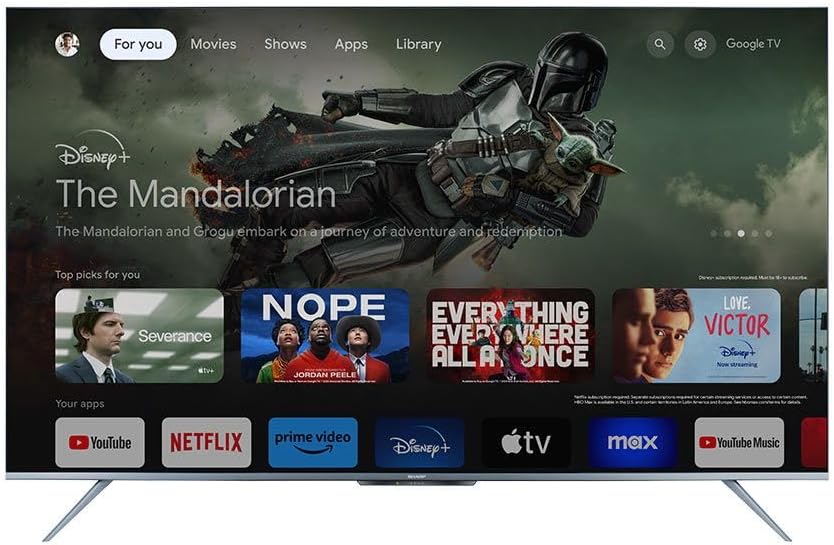
Figura 3.1: Spate view of the TV illustrating various input/output ports.
3.5 Pornirea și prima configurare
- Conectați cablul de alimentare la televizor și apoi la o priză.
- Apăsați butonul de pornire/oprire de pe telecomandă sau de pe televizor.
- Follow the on-screen instructions to complete the initial setup, which includes selecting language, connecting to Wi-Fi, and signing in with your Google account.
4. Instrucțiuni de utilizare
4.1 Funcții de control de la distanță
The remote control allows you to navigate the TV's features. Key buttons include:
- Buton de alimentare: Pornește sau oprește televizorul.
- Butonul Asistent Google: Activează controlul vocal.
- Navigation Pad (Circle): Moves through menus and selects items.
- Buton Acasă: Revine la ecranul principal Google TV.
- Butonul Înapoi: Revine la ecranul anterior.
- Volum sus/jos: Reglează volumul.
- Buton mut: Dezactivează sau activează sunetul.
- Buton de intrare: Selectează sursele de intrare (HDMI, AV etc.).
- Butoane de comandă rapidă pentru aplicații: Acces direct la Netflix, Prime Video, YouTube.
4.2 Interfața Google TV
The Google TV interface organizes your content from various streaming services and apps into one personalized screen. You can browse recommendations, access your library, and discover new content.
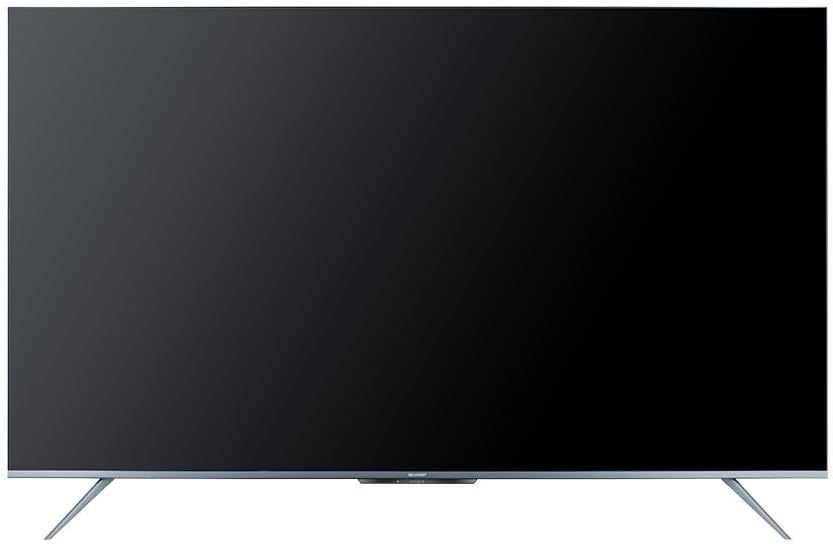
Figure 4.1: The Google TV home screen interface.
4.3 Utilizarea funcțiilor inteligente
- Aplicații de streaming: Navigate to the 'Apps' section or use the dedicated remote buttons to launch Netflix, Prime Video, YouTube, and other installed applications.
- Căutare vocală: Press the Google Assistant button on your remote and speak into the microphone to search for content, control playback, or ask questions.
- Chromecast încorporat: Use the Chromecast feature to cast videos, photos, and music from your compatible smartphone, tablet, or computer directly to the TV.
- Web Browser: Accesați internetul folosind funcția încorporată web browser.
- Magazin Google Play: Download and install additional apps and games from the Google Play Store.
4.4 Selectarea sursei de intrare
To switch between connected devices (e.g., HDMI 1, HDMI 2, TV tuner), press the Intrare button on your remote control and select the desired source from the on-screen menu.
5. Întreținere
5.1 Curățarea televizorului
- Ecran: Gently wipe the screen with a soft, lint-free cloth. For stubborn marks, use a screen-cleaning solution specifically designed for TVs, applied to the cloth, not directly to the screen.
- Cabinet: Ștergeți carcasa televizorului cu o cârpă moale și uscată. Nu utilizați produse de curățare abrazive, ceară sau solvenți.
- Deconectați întotdeauna televizorul de la priză înainte de curățare.
5.2 Actualizări de software
Your Sharp Smart TV may receive software updates periodically to improve performance and add new features. Ensure your TV is connected to the internet to receive these updates. You can usually check for updates in the TV's settings menu.
6. Depanare
Înainte de a contacta serviciul de asistență pentru clienți, încercați următoarele soluții pentru problemele comune:
| Problemă | Soluție posibilă |
|---|---|
| Fără putere | Verificați dacă cablul de alimentare este conectat corect la televizor și la priză. Asigurați-vă că priza funcționează. Încercați să apăsați butonul de alimentare de pe televizor. |
| Nu există imagine, dar există sunet | Ensure the correct input source is selected. Check HDMI or other video cables for secure connections. |
| Nu există sunet, dar imaginea este prezentă | Check the volume level and ensure the TV is not muted. Verify audio cable connections if using external speakers. Check audio output settings in the TV menu. |
| Telecomanda nu funcționează | Înlocuiți bateriile din telecomandă. Asigurați-vă că nu există obstacole între telecomandă și senzorul IR al televizorului. |
| Nu se poate conecta la Wi-Fi | Asigurați-vă că routerul Wi-Fi este pornit și funcționează. Reintroduceți parola Wi-Fi cu atenție. Încercați să reporniți routerul și televizorul. |
| Funcțiile inteligente sunt lente sau nu răspund | Restart the TV. Ensure a stable internet connection. Close unused applications running in the background. |
7. Specificații
| Caracteristică | Detaliu |
|---|---|
| Numărul de model | 4T-C65FL6EX |
| Dimensiunea ecranului | 65 inci |
| Tehnologia de afișare | LED |
| Rezoluţie | 3840 x 2160 (4K UHD) |
| Raportul de aspect | 16:9 |
| Viewunghiul ing | 178 de grade |
| Rata de reîmprospătare | 60 Hz |
| Sistem de operare | Google TV |
| Memoria internă | 32 GB |
| Tip de difuzare | Digital (DVB-S/S2/T/T2/C) |
| Tehnologia audio | Dolby Atmos, DTS Studio Sound |
| Tehnologie video | HLG, Dolby Vision, HDR10 |
| Conectivitate | Wi-Fi, Bluetooth v5.1 |
| Porturi HDMI | 3 (HDMI 2.0) |
| Porturi USB | 2 |
| Portul LAN | 1 |
| Putere de ieșire audio | 12 wați x 2 |
| Consum de energie (în funcțiune) | 200 wați |
| Consum de energie (standby) | <0.5 wați |
| Dimensiuni (L x Î x A) fără suport | 1447.7 x 837 x 81.3 mm |
| Dimensiuni (L x Î x A) cu suport | 1447.7 x 922.6 x 280.2 mm |
| Greutate netă | 17.9 kg |
| Țara de origine | Egipt |
8. Garanție și asistență
8.1 Garanția produsului
This Sharp 4T-C65FL6EX Smart TV comes with a 3-year full free warranty. Please retain your proof of purchase for warranty claims. The warranty covers manufacturing defects and malfunctions under normal use conditions. It typically does not cover damage caused by misuse, accidents, unauthorized repairs, or natural disasters.
8.2 Asistență pentru clienți
For technical assistance, service requests, or further inquiries regarding your Sharp TV, please contact Sharp customer support. Refer to the warranty card or Sharp's official website-ul pentru detalii de contact specifice regiunii dvs.