
SABLUTE MA22 Plus
SABLUTE MA22 Plus Wireless Ergonomic Keyboard and Mouse Combo User Manual
Model: MA22 Plus | Brand: SABLUTE
1. Introducere
Thank you for choosing the SABLUTE MA22 Plus Wireless Ergonomic Keyboard and Mouse Combo. This manual provides essential information for setting up, operating, and maintaining your new device. Please read it thoroughly to ensure optimal performance and longevity of your product.

Image 1.1: SABLUTE MA22 Plus Wireless Ergonomic Keyboard and Mouse Combo.
2. Conținutul pachetului
Verificați dacă toate articolele sunt prezente în colet:
- 1 x SABLUTE MA22 Plus Ergonomic Wireless Keyboard
- 1 x Multi-Function Wireless Mouse
- 1 x USB-A 2.4G Wireless Dongle
- 1 x Convertor USB-C
- Cablu de încărcare 1 x USB-C
- 1 x Manual de utilizare (acest document)

Image 2.1: Included components: keyboard, mouse, USB dongle, USB-C converter, and charging cable.
3. Instrucțiuni de configurare
3.1. Conectarea tastaturii și a mouse-ului
- Locate the 2.4G USB Wireless Dongle. It may be stored in the mouse's battery compartment or a dedicated slot.
- Plug the USB-A 2.4G Wireless Dongle into an available USB-A port on your computer. If your computer only has USB-C ports, use the provided USB-C Converter by plugging the dongle into the converter, then plugging the converter into your computer's USB-C port.
- Turn on the keyboard and mouse using their respective power switches. The devices should automatically connect to your computer.
- For Mac users, press Fn + S to switch to Mac mode. For Windows users, press fn + A pentru a comuta în modul Windows.

Image 3.1: The 2.4G USB Wireless Dongle and USB-C Converter for versatile connectivity.
3.2. Încărcarea dispozitivelor
The keyboard and mouse are Type-C rechargeable. Use the provided USB-C charging cable to charge them.
- Connect the USB-C end of the charging cable to the charging port on the keyboard or mouse.
- Conectați capătul USB-A al cablului de încărcare la o sursă de alimentare USB (de exemplu, portul USB al computerului, adaptorul USB de perete).
- O încărcare completă durează de obicei 2-3 ore.
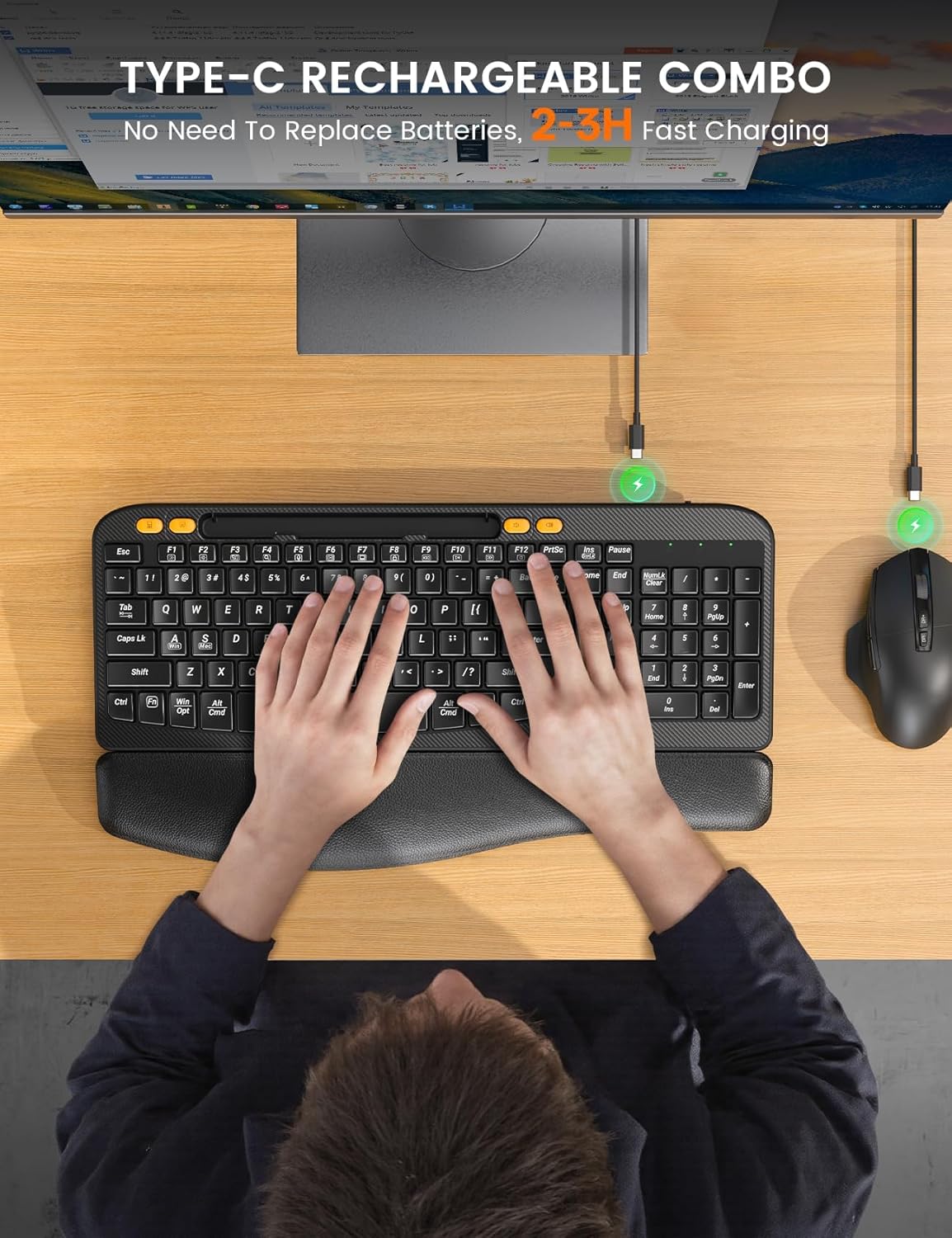
Image 3.2: Charging the keyboard and mouse using the USB-C cable.
4. Instrucțiuni de utilizare
4.1. Caracteristici ale tastaturii
- Ergonomic Curved Design: The keyboard features an ergonomic arc design that naturally fits the curve of the palm, reducing wrist pressure and promoting a neutral typing posture.
- Soft Leather Wrist Rest: An integrated sponge-filled leather wrist rest provides soft support, dispersing pressure and relieving fatigue during long typing sessions.

Image 4.1: Layers of the soft leather wrist rest, including Togo-style leather, high-density foam support, and a sturdy plastic bottom.
- Picioare reglabile înclinabile: The keyboard includes adjustable tilt legs on the underside, allowing you to set a 7-degree angle for enhanced comfort and ergonomic typing.
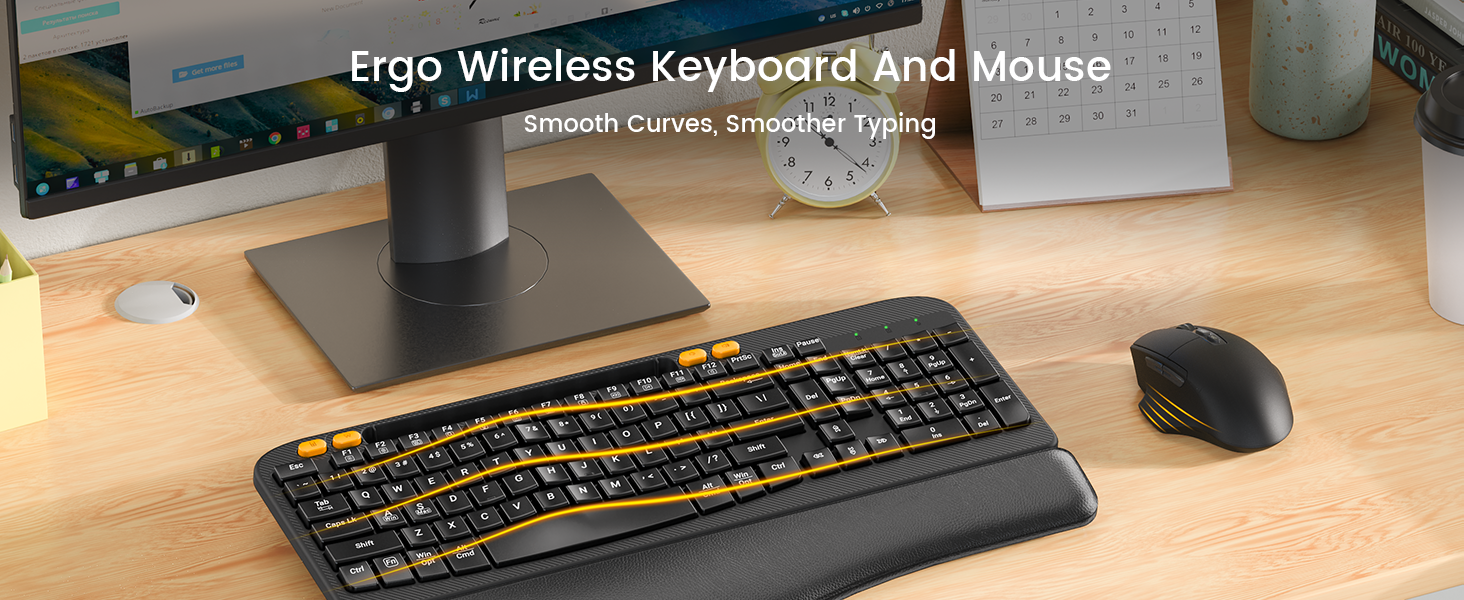
Image 4.2: The keyboard showing the integrated phone holder and the adjustable tilt legs in use.
- Suport pentru telefon integrat: A 7.28-inch holder is built into the keyboard, allowing you to place your smartphone or small tablet for easy viewîn timp ce lucrezi.
- Taste de comandă rapidă cu o singură atingere: The keyboard features dedicated shortcut keys for common functions such as Calculator, Screenshot, Volume Down, and Volume Up.

Image 4.3: The keyboard's dedicated one-touch shortcut keys.
4.2. Caracteristici ale mouse-ului
- Silent Click Technology: The mouse is designed with Silent Switch technology, reducing click noise by 90% for a quieter work environment.
- DPI reglabil: Cycle through 4 adjustable DPI settings (800, 1200, 1600, 2000 DPI) to customize cursor sensitivity.
- Butoane de navigare: Features dedicated forward and back buttons for efficient web răsfoire și navigare în documente.
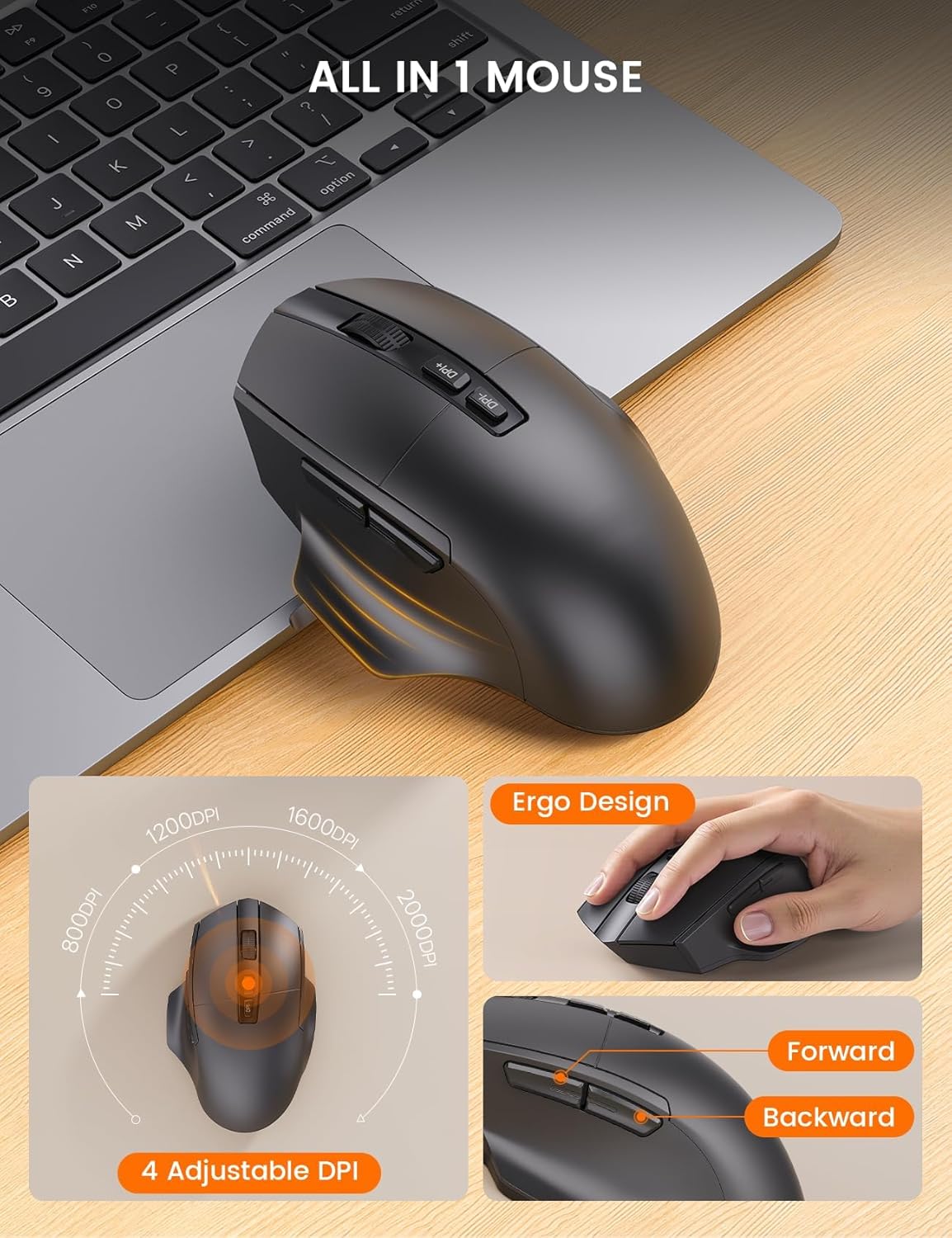
Image 4.4: The ergonomic mouse with its adjustable DPI and navigation buttons.
4.3. Compatibilitate
The combo is compatible with both Windows and Mac operating systems. Use the function keys to switch between modes as described in the setup section.

Image 4.5: The keyboard and mouse combo seamlessly integrates with both Mac OS and Windows environments.
4.4. Videoclip oficial al produsului
Video 4.1: Final oficialview of the SABLUTE MA22 PLUS Ergonomic Wireless Keyboard and Mouse, demonstrating its features and ergonomic design.
5. Întreținere
- curatenie: Folosiți un moale, damp cloth to clean the surfaces of the keyboard and mouse. Avoid harsh chemicals or abrasive materials.
- Depozitare: Store the devices in a cool, dry place when not in use. Avoid extreme temperatures.
- Îngrijirea bateriei: Pentru a prelungi durata de viață a bateriei, evitați descărcarea completă frecventă a dispozitivelor. Încărcați-le când indicatorul bateriei este descărcat.
6. Depanare
| Problemă | Cauza posibila | Soluţie |
|---|---|---|
| Tastatura/mouse-ul nu răspunde | Low battery; Dongle not connected; Device not powered on; Driver issue. | Charge devices; Ensure dongle is securely plugged in; Turn on devices; Reinstall drivers or try on another computer. |
| Conexiune intermitentă sau cu întârziere | Interference; Distance from dongle; Low battery. | Move closer to the dongle; Remove obstacles; Charge devices; Avoid other 2.4Ghz devices nearby. |
| Mouse cursor too fast/slow | DPI setting needs adjustment. | Press the DPI button on the mouse to cycle through sensitivity settings. |
| Keyboard layout incorrect (Mac/Windows) | Incorrect operating system mode selected. | Presa Fn + S pentru Mac sau fn + A pentru Windows. |
7. Specificații
| Caracteristică | Detaliu |
|---|---|
| Dimensiuni produs (tastatură) | 16.5 x 9.15 x 1.89 inci |
| Greutatea articolului | 2.77 lire sterline |
| Tehnologia de conectivitate | 2.4G USB wireless |
| Caracteristici speciale | Type-C rechargeable, Ergonomic Wave Keys, Soft Wrist Rest, 7.28-inch Phone Holder, 4 One-Touch Shortcut Keys, Silent Wireless Mouse, Adjustable Mouse DPI |
| Dispozitive compatibile | Laptop, Personal Computer, Television (Windows/Mac) |
| Numărul de model | MA22 Plus |

Image 7.1: Detailed dimensions of the keyboard and mouse.

Image 7.2: Mouse size guide indicating palm length and width for optimal fit.
8. Garanție și asistență
SABLUTE is committed to providing quality products and customer satisfaction. For any inquiries, troubleshooting assistance, or warranty claims, please contact our support team:
- Asistență prin e-mail: sabluteservices@outlook.com
- Asistență telefonică (SUA): +1-213-296-1273 (Mon-Fri: 9:00 AM - 1:00 PM PST, 2:00 PM - 6:00 PM PST)
The product comes with a 90-day replacement policy and a 360-day manufacturer warranty.
Image 8.1: SABLUTE customer support contact details and warranty information.
Ask a question about this manual
Ask about setup, troubleshooting, compatibility, parts, safety, or missing instructions. Manuals+ will review the question and use this page’s manual context to help answer it.