
Introducere
The Lamzu Maya X is an ultra-lightweight wireless gaming mouse designed for high-performance gaming. It features advanced optical switches, a high-precision sensor, and a symmetrical design for comfortable use across various grip styles. This manual provides essential information for setting up, operating, maintaining, and troubleshooting your Lamzu Maya X mouse.

Imagine: De sus în jos view of the Lamzu Maya X Wireless Gaming Mouse in pink, showcasing its symmetrical design and main buttons.
Înființat
Conținutul pachetului
- Mouse de gaming wireless Lamzu Maya X
- USB Wireless Dongle (8K Polling compatible)
- USB Type-C Paracord Cable (for wired mode and charging)
- PTFE Feet (extra set)
- Geanta de catifea
- MAYA X Mouse Grip Tape
Conectarea inițială și încărcarea
- Modul wireless: Insert the USB wireless dongle into an available USB port on your computer. The mouse should automatically connect.
- Modul cu fir: Connect the USB Type-C paracord cable to the front port of the mouse and the other end to a USB port on your computer. The mouse will operate in wired mode and charge simultaneously.
- Încărcare: For optimal performance, ensure the mouse is fully charged before first use. Connect the mouse via the USB Type-C cable to a powered USB port. The LED indicator on the mouse will show charging status.
Image: Illustration showing the Lamzu Maya X mouse with its USB-C port for wired connection and the wireless dongle, highlighting its dual 2.4G wireless and wired modes.
Instrucțiuni de operare
Funcțiile butoanelor

Image: Diagram illustrating the button layout of the Lamzu Maya X mouse, including Left, Right, Wheel, DPI, Forward, Back, and On/Off switch.
- Clic stânga/dreapta: Standard mouse clicks, utilizing durable optical switches.
- Rotiță de defilare: For vertical scrolling and middle-click function. Features a dust-proof encoder for precise movement.
- Butonul DPI: Located on the top, allows cycling through preset DPI levels.
- Butoane laterale (Înainte/Înapoi): Programmable buttons for navigation or in-game actions.
- Comutator pornit/oprit: Situat pe partea inferioară a mouse-ului.
Ajustare DPI
The Lamzu Maya X supports up to 30,000 DPI. You can adjust DPI settings using the dedicated DPI button on the mouse. For custom DPI settings and other advanced configurations, download the official driver software from the Lamzu website-ul.
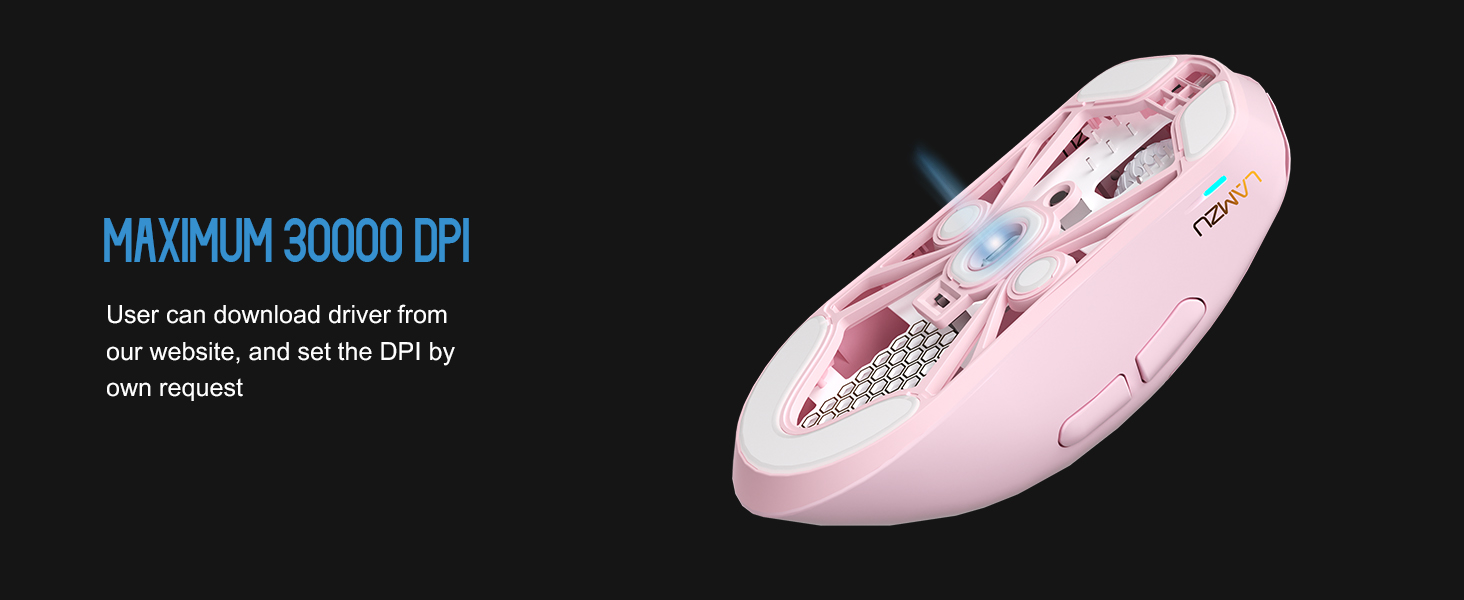
Imagine: Transparentă view of the Lamzu Maya X mouse highlighting the internal optical switches, designed for optimized click feeling and to prevent double clicks.
Rata de sondare
The mouse supports a maximum polling rate of 8,000 Hz when using the included 8K dongle. This high polling rate ensures extremely smooth and responsive cursor movement, minimizing input lag. Ensure the 8K dongle is properly connected for this feature to function.

Image: Illustration of the Lamzu Maya X mouse with its 8K polling dongle, emphasizing how an 8K dongle enhances cursor movement smoothness and eliminates stuttering delays.
Grip Styles
The symmetrical shape of the Lamzu Maya X is designed to accommodate various grip styles, including palm, claw, and fingertip grips, providing flexibility and comfort for different users.
Întreţinere
Curatenie
- Folosiți o lavetă moale și uscată pentru a șterge suprafața mouse-ului.
- Pentru murdăria persistentă, dreaptă ușorampClătiți cârpa cu apă sau o soluție de curățare delicată. Evitați substanțele chimice dure.
- Nu scufundați mouse-ul în apă sau în alte lichide.
- Regularly clean the sensor area on the underside of the mouse with a cotton swab to ensure optimal tracking performance.
Îngrijirea bateriei
- Evitați descărcarea completă frecventă a bateriei.
- Depozitați mouse-ul într-un loc răcoros și uscat atunci când nu îl utilizați pentru perioade lungi de timp.
- Folosiți doar cablul USB Type-C furnizat pentru încărcare.
Depanare
Probleme comune și soluții
| Emisiune | Soluție posibilă |
|---|---|
| Mouse-ul nu răspunde (Wireless) | Ensure the mouse is turned ON. Check battery level. Re-insert the USB dongle. Try a different USB port. |
| Mouse-ul nu răspunde (cu fir) | Ensure the USB Type-C cable is securely connected to both the mouse and the computer. Try a different USB port. |
| Urmărire inexactă sau cursor săltărit | Clean the optical sensor on the underside of the mouse. Use the mouse on a clean, uniform surface or a mouse pad. |
| DPI changes not registering | Ensure the DPI button is functioning correctly. If using custom settings, verify them in the software. |
| Poor wireless range or interference | Move the USB dongle closer to the mouse. Avoid placing the dongle near other wireless devices or large metal objects. |
Specificații
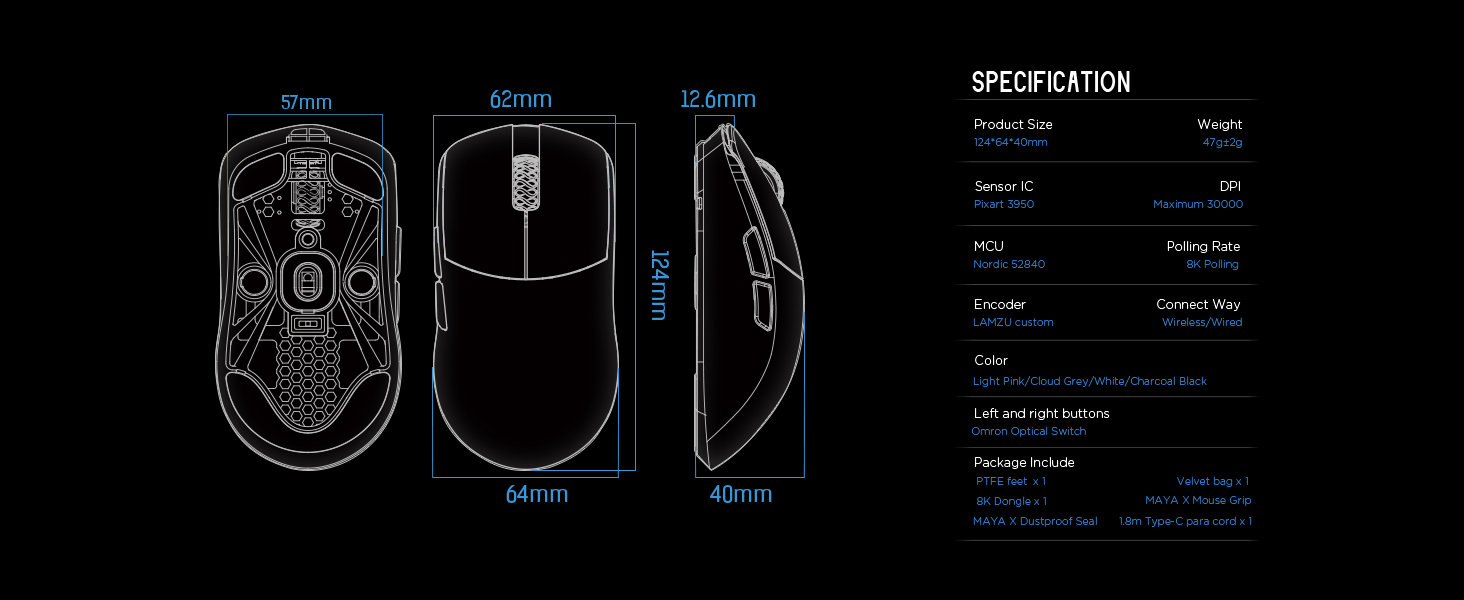
Image: Detailed diagram showing the dimensions and key specifications of the Lamzu Maya X mouse.
| Caracteristică | Detaliu |
|---|---|
| Dimensiunile produsului | 4.88 x 2.52 x 0.04 inchi (124 x 64 x 40 mm) |
| Greutatea articolului | 1.66 uncii (47 g) |
| Senzor IC | Pixart PAW3950 |
| DPI maxim | 30,000 DPI |
| MCU | Nordic 52840 |
| Rata de sondare | Până la 8,000 Hz (cu dongle de 8K) |
| Tehnologia de conectivitate | 2.4G wireless, USB cu fir |
| Comutatoare | OMRON Optical Switches (70 million click lifespan) |
| Codificator | Encoder rezistent la praf (rolă cu 30 de grile) |
| Baterie | 1 baterie litiu-ion (inclusă) |
Garanție și suport
For detailed warranty information and technical support, please refer to the official Lamzu website-ul lor web sau contactați direct serviciul lor de asistență pentru clienți. Păstrați dovada achiziției pentru solicitările de garanție.