1. Introducere
Mulțumesc pentru achizițieasing the Portable Mini Projector. This device is designed to provide a versatile and immersive viewing experience, supporting high-definition decoding and various connectivity options for both indoor and outdoor use. Please read this manual thoroughly before operating the projector to ensure proper use and to maximize its performance and lifespan.
2. Informații de siguranță
To prevent fire, electric shock, or damage to the projector, please observe the following safety precautions:
- Do not block the ventilation openings. Ensure adequate airflow around the projector.
- Do not expose the projector to rain or moisture. Keep it away from water sources.
- Folosiți doar adaptorul de alimentare furnizat împreună cu proiectorul.
- Evitați să priviți direct în obiectivul proiectorului când lamp este pornit, deoarece lumina puternică poate cauza oboseală sau leziuni oculare.
- Nu încercați să dezasamblați sau să modificați proiectorul. Apelați la personal calificat pentru orice service.
- Așezați proiectorul pe o suprafață stabilă și plană pentru a-l împiedica să cadă.
- Keep the projector away from direct sunlight, heat sources, and extreme temperatures.
3. Conținutul pachetului
Vă rugăm să verificați conținutul pachetului la despachetare:
- Mini proiector portabil
- Adaptor de alimentare
- Telecomandă (bateriile nu sunt incluse)
- Cablu HDMI
- Manual de utilizare
4. Caracteristicile și componentele produsului
Familiarize yourself with the projector's key features and components:
- Lentila de proiectie: Emits the image onto the screen or surface.
- Inel de focalizare: Reglează claritatea imaginii proiectate.
- Porturi de intrare: HDMI, USB, AV, Memory Card slot for various device connections.
- Difuzor încorporat: Oferă ieșire audio.
- Grile de ventilație: Pentru disiparea căldurii.
- Buton de alimentare: Pornește/oprește proiectorul.
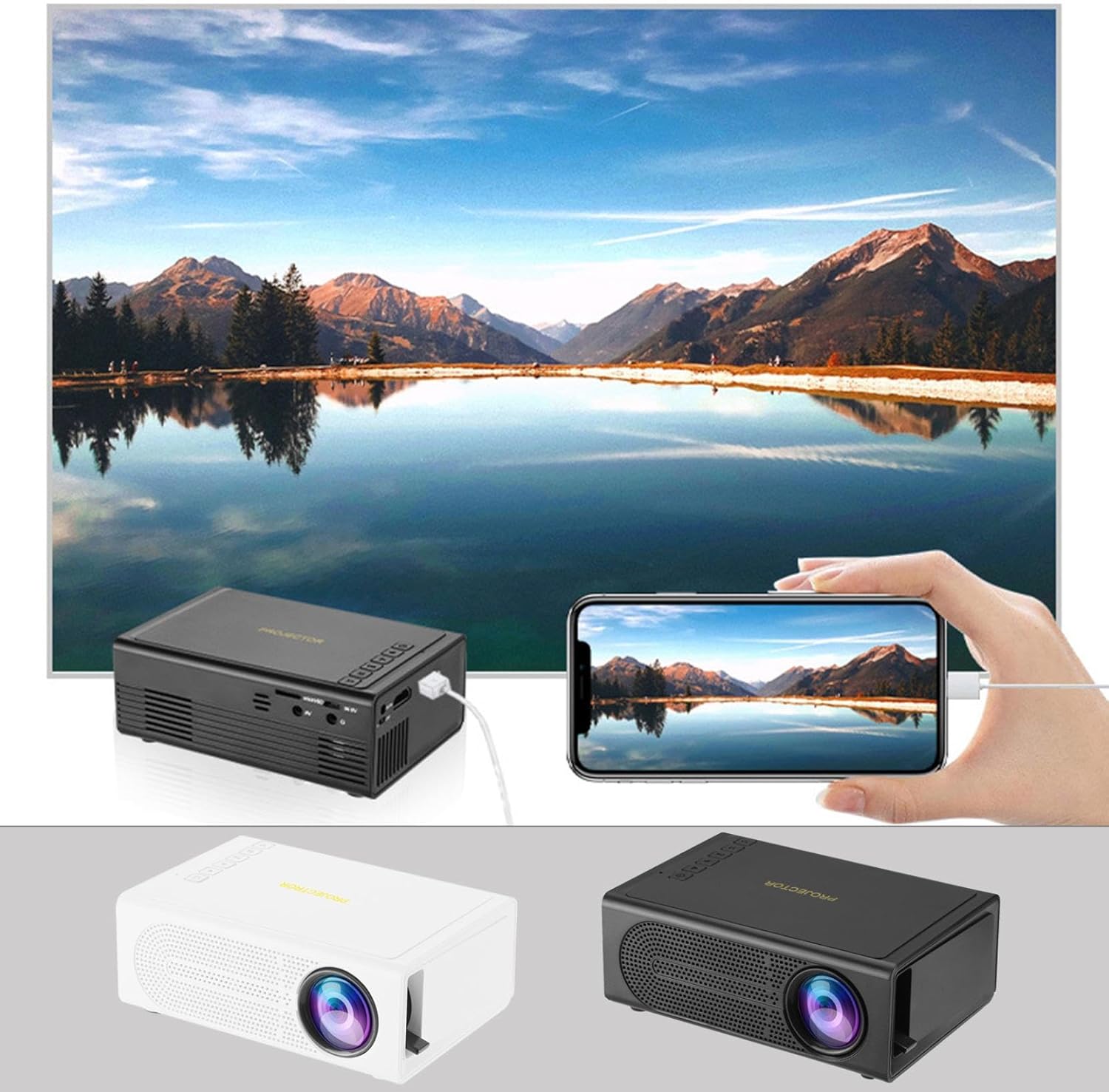
Image: The Portable Mini Projector in use, demonstrating its ability to mirror a smartphone screen onto a large display. Both black and white color options of the projector are shown.

Image: Physical dimensions of the projector, indicating its compact size.
5. Configurare
- Conexiune de alimentare: Connect the supplied power adapter to the projector's power input port and then plug it into a power outlet.
- Plasare: Așezați proiectorul pe o suprafață stabilă și plană. Pentru o funcționare optimă viewing, position the projector perpendicular to the projection surface (wall or screen).
- Pornire: Apăsați butonul de pornire de pe proiector sau de pe telecomandă pentru a porni dispozitivul.
- Ajustarea focalizării: Once powered on, rotate the focus ring on the projector until the projected image appears clear and sharp.
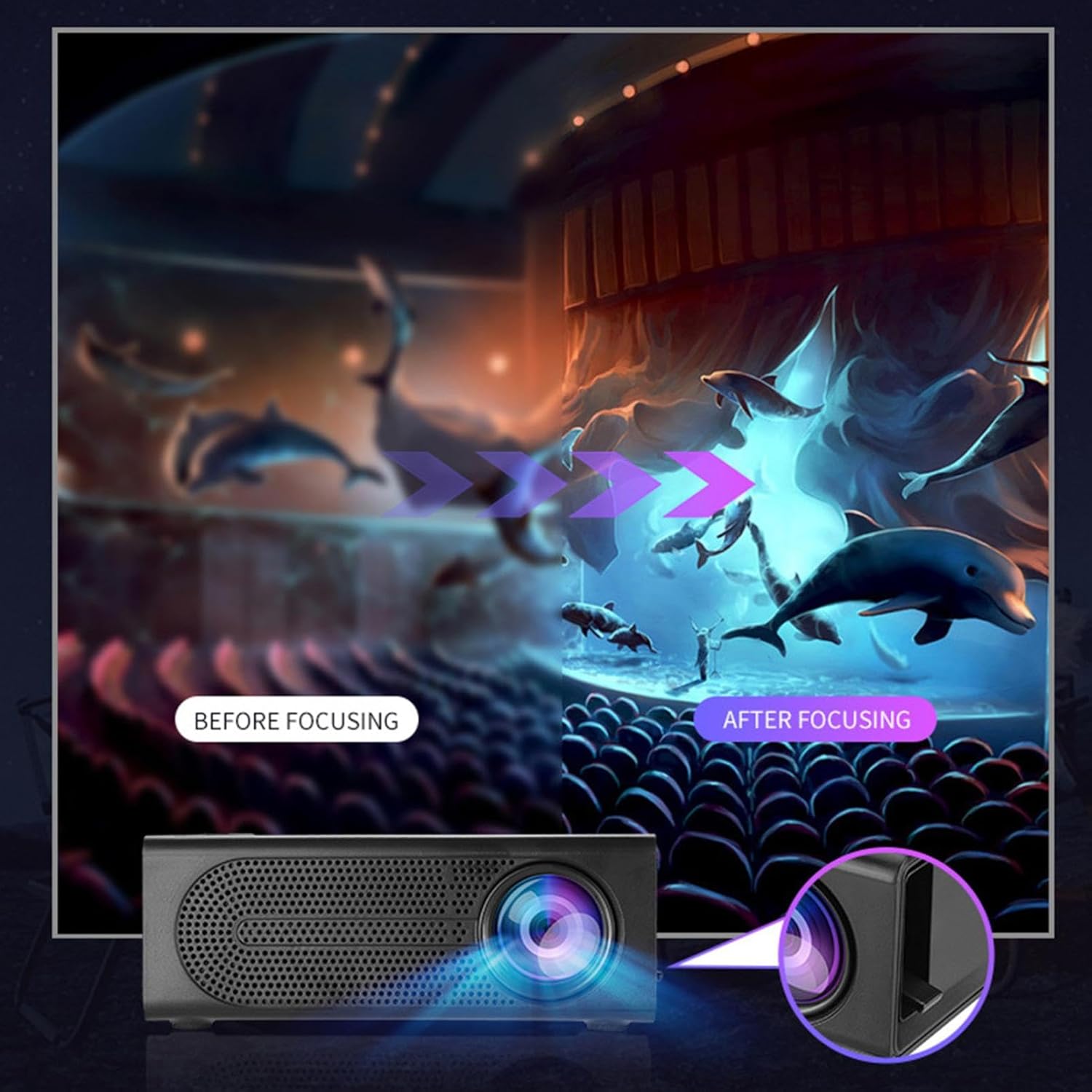
Image: Visual demonstration of focus adjustment, showing the difference between a blurry and a sharp image.
6. Instrucțiuni de utilizare
6.1 Conectarea dispozitivelor
The projector supports various input sources. Select the appropriate input mode from the projector's menu after connecting your device.
- HDMI: Connect laptops, gaming consoles, DVD players, or other HDMI-enabled devices using an HDMI cable.
- USB: Introduceți o unitate flash USB pentru a reda fișiere media files direct.
- DE: Use an AV cable to connect older devices like VCRs or some set-top boxes.
- Card de memorie: Insert a compatible memory card to view fotografii sau videoclipuri.
- Smartphone/Tabletă: For wired phone same screen playback, connect your smartphone or tablet via a compatible cable (e.g., USB to Lightning/USB-C for screen mirroring, if supported by your device and the projector).

Image: Connectivity diagram illustrating the wide range of devices compatible with the projector.
6.2 Adjusting Projection Size
The projector can project images ranging from 32 to 100 inches. The projection size is determined by the distance between the projector and the projection surface. Move the projector closer to the surface for a smaller image, and further away for a larger image.
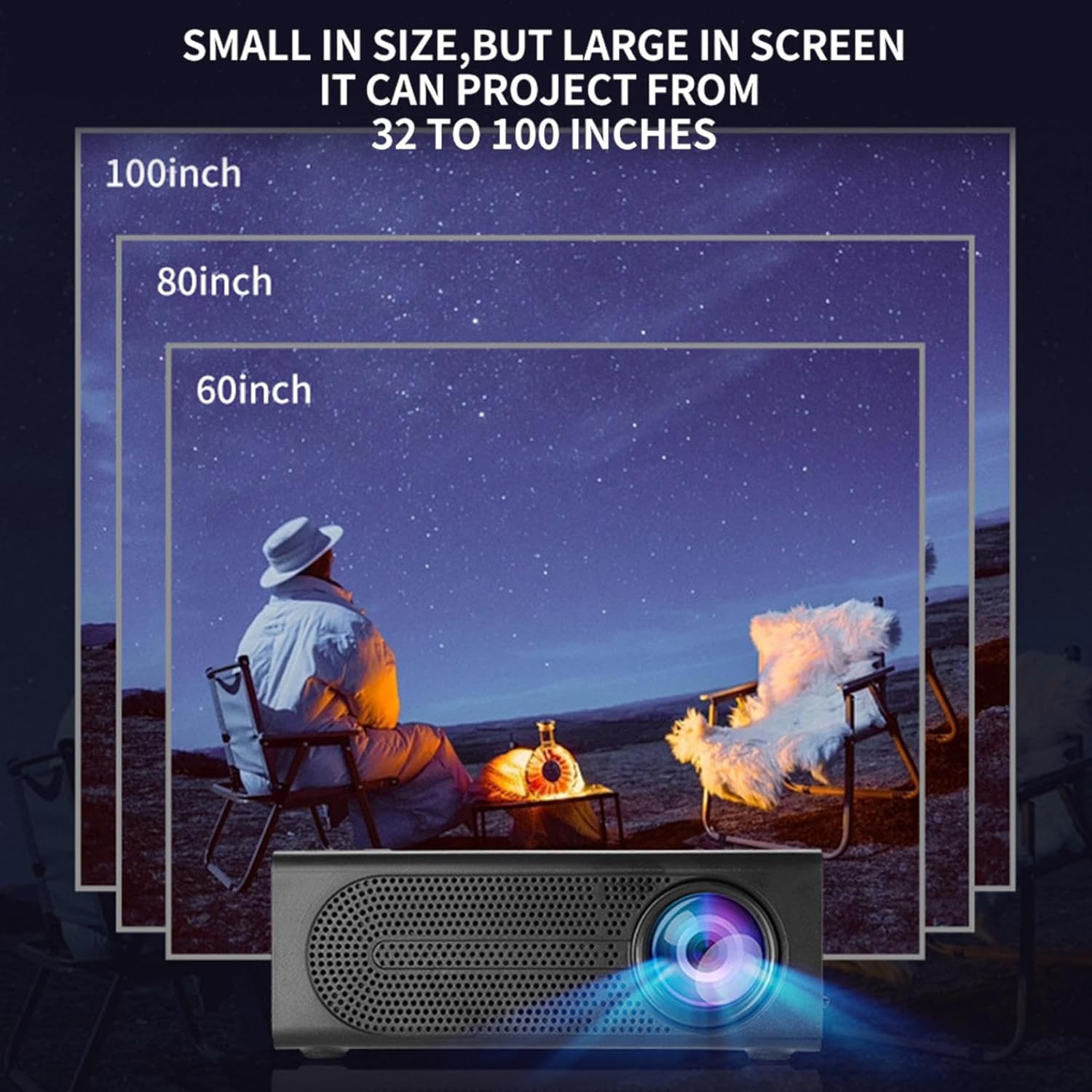
Image: Illustration of various projection sizes achievable with the projector, from 32 to 100 inches.
6.3 Scenarii de utilizare
This projector is suitable for a variety of environments and uses:
- Parent-child interaction: Enjoy movies or educational content with family.
- Outdoor cinema: Set up a movie night in your backyard.
- Bedroom projection: Watch content comfortably from your bed.
- Living room cinema: Transform your living space into a home theater.

Imagine: Examples of diverse usage scenarios for the projector, from indoor home theater to outdoor entertainment.

Image: Depiction of family entertainment using the projector, alongside a technical diagram explaining the benefit of diffuse reflection for eye comfort compared to direct-ray light from a TV.
7. Întreținere
Întreținerea corespunzătoare asigură longevitatea și performanța optimă a proiectorului dumneavoastră:
- Curățarea lentilelor: Folosiți o lavetă moale, fără scame, special concepută pentru lentile optice, pentru a șterge ușor lentila proiectorului. Nu utilizați produse de curățare abrazive și nu aplicați forță excesivă.
- Îndepărtarea prafului: Regularly clean the ventilation grilles with a soft brush or compressed air to prevent dust buildup, which can affect cooling and performance.
- Depozitare: Când nu utilizați proiectorul pentru perioade lungi de timp, depozitați-l într-un loc răcoros și uscat, ferit de lumina directă a soarelui și de temperaturi extreme.
- Oprire corect: Always turn off the projector using the power button and allow it to cool down before unplugging or moving it.
8. Depanare
Dacă întâmpinați probleme cu proiectorul, consultați următoarele probleme și soluții frecvente:
| Problemă | Cauza posibila | Soluţie |
|---|---|---|
| Nicio imagine proiectată | Power not connected; Input source not selected; Lens cap on. | Ensure power is connected and unit is on; Select correct input source; Remove lens cap. |
| Imaginea este neclară | Focalizarea nu este ajustată; Proiectorul este prea aproape/departe de ecran. | Reglați inelul de focalizare; Reglați distanța de proiecție. |
| Nici un sunet | Volume too low; Audio cable not connected; Muted. | Increase volume; Check audio connections; Unmute projector/source device. |
| Telecomanda nu funcționează | Baterii descărcate/introduse incorect; Obstrucție între telecomandă și proiector. | Înlocuiți bateriile; Asigurați o linie vizuală liberă către receptorul IR. |
Dacă problema persistă după ce încercați aceste soluții, vă rugăm să contactați serviciul de asistență pentru clienți.
9. Specificații
- Tip produs: Mini proiector portabil
- Marca: Generic
- Dispozitive compatibile: Laptop, Gaming Console, Tablet, Camera, Smartphone
- Raport de contrast al imaginii: Ridicat
- Dimensiunea proiecției: 32 până la 100 inci
- Decodare video: H.264, H.265
- Conectivitate: HDMI, USB, AV, Memory Card
- Dimensiuni: Approximately 5in (L) x 3.2in (W) x 1.9in (H) / 12.7cm (L) x 8.15cm (W) x 4.85cm (H)
10. Garanție și asistență
This product comes with a standard manufacturer's warranty. Please refer to the warranty card included in your package for specific terms and conditions. For technical support, troubleshooting assistance, or warranty claims, please contact the retailer or manufacturer's customer service department.
Contact pentru asistență clienți: Please refer to retailer or manufacturer website pentru detalii de contact.