
1. Produs terminatview
The Adin S8BT Bone Conduction Vibration Speaker is an innovative audio device that transmits sound through vibrations, allowing any flat surface to become a speaker. Its compact and portable design makes it ideal for various indoor and outdoor environments.
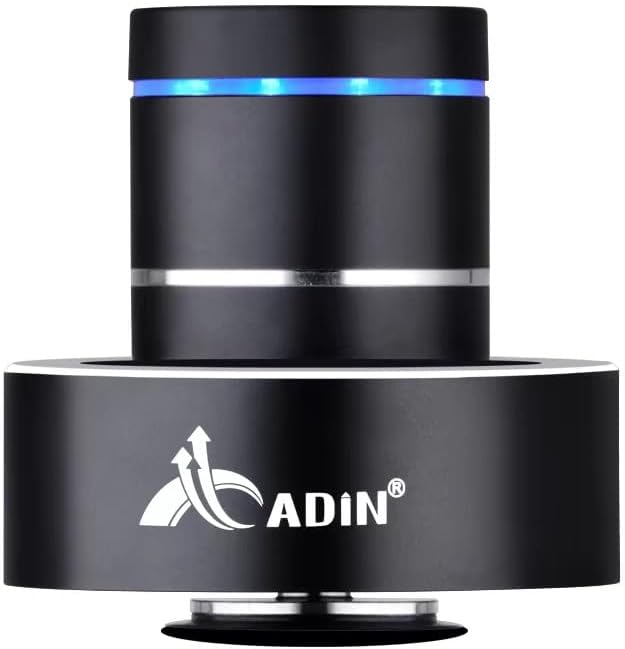
Figure 1: Adin S8BT Bone Conduction Vibration Speaker. This image displays the main unit of the speaker, showcasing its sleek black cylindrical design with a luminous blue accent ring and silver band. The speaker is designed to sit on a surface, utilizing bone conduction technology.

Figure 2: Adin S8BT Speaker and Included Accessories. This image shows the Adin S8BT speaker alongside its retail packaging, a USB charging cable, and an auxiliary audio cable, indicating the complete product package.
2. Caracteristici cheie
- Tehnologia conducerii osoase: Transforms any flat surface into a speaker, delivering immersive audio.
- Conectivitate wireless: Seamlessly stream audio via Bluetooth from compatible devices.
- Compact și portabil: Lightweight and small form factor for easy transport and placement.
- Controale intuitive: Simple touch controls for volume adjustment, track switching, and playback management.
- Design multifuncțional: Can function as a speaker, ambient lamp, or decorative item.
- Durată lungă de viață a bateriei: Built-in high-performance battery with Type-C socket charging.
3. Conținutul pachetului
Vă rugăm să verificați dacă toate articolele sunt prezente în coletul dumneavoastră:
- Adin S8BT Bone Conduction Vibration Speaker
- USB Charging Cable (1m)
- Auxiliary Audio Cable (1m)
- Instruction Manual (PDF version available online)
4. Specificatii tehnice
| Caracteristică | Caietul de sarcini |
|---|---|
| Numele modelului | Adin S8BT Bone Conduction Speaker |
| Tip difuzor | Conducție osoasă |
| Tehnologia de conectivitate | Bluetooth |
| Gama Bluetooth | 10 metri |
| Metoda de control | Atingere |
| Sursa de alimentare | Alimentat cu baterie |
| Putere maximă de ieșire difuzor | 26 wați |
| Raspuns in frecventa | 18 KHz |
| Mod ieșire audio | Stereo |
| Material | Aluminiu |
| Culoare | Negru |
| Dimensiunile produsului | 3.35" D x 3.35" L x 3.35" H |
| Greutatea articolului | 2.2 lire sterline |
| Utilizare în interior/exterior | În interior, în aer liber |
| Este rezistent la apă | Nu |
5. Ghid de instalare
5.1 Încărcare inițială
Before first use, fully charge the speaker. Connect the provided USB charging cable to the speaker's DC 5V port and the other end to a USB power adapter (not included) or a computer's USB port.

Figure 3: Adin S8BT Speaker Ports. This image shows the side of the speaker with the DC 5V charging port, ON/OFF/BT switch, and AUX input, indicating connectivity options.
5.2 Pornire/Oprire
Locate the ON/OFF switch on the side of the speaker. Slide it to the "ON" position to power on the device. Slide it to the "OFF" position to power off.
5.3 Placement for Optimal Sound
For the best audio experience, place the speaker on a flat, solid surface. Different surfaces will produce varying sound qualities and volumes due to the bone conduction technology. Experiment with surfaces like wood, glass, metal, or cardboard to find your preferred sound.
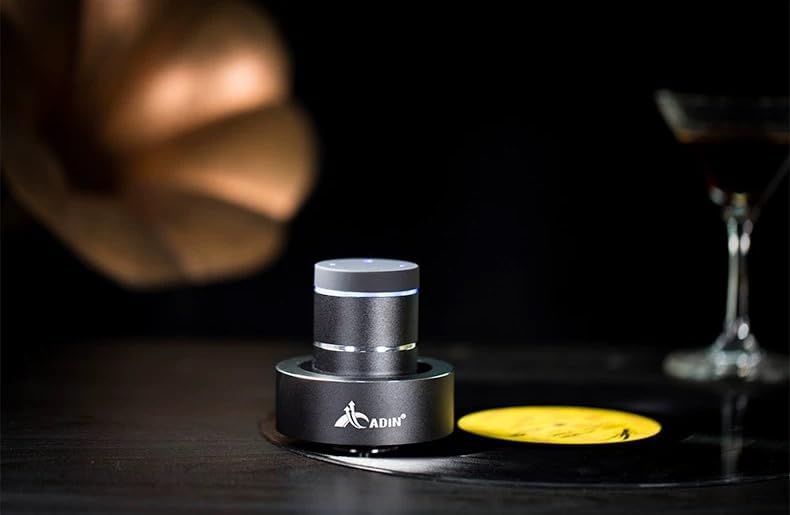
Figure 4: Adin S8BT Speaker in Use. This image depicts the Adin S8BT speaker placed on a flat surface, demonstrating its compact size and how it integrates into an environment for audio playback.
6. Instrucțiuni de utilizare
6.1 Asociere Bluetooth
- Ensure the speaker is powered on and in Bluetooth mode. The blue accent ring will likely flash, indicating it's ready for pairing.
- Pe smartphone-ul sau pe alt dispozitiv compatibil Bluetooth, accesați setările Bluetooth.
- Caută available devices. The speaker should appear as "Adin S8BT" or similar.
- Select the speaker from the list to pair. Once paired, the blue light may become solid or change its flashing pattern.
6.2 Redare audio
Once connected via Bluetooth, you can play audio from your device. Use the touch controls on the top of the speaker to manage playback:
- Robinet: Redare/Pauză.
- Glisați la stânga/dreapta: Previous/Next Track.
- Ține: Volume Up/Down (specific gesture may vary, refer to quick start guide for precise touch controls).
6.3 Intrare AUX
For devices without Bluetooth, use the provided auxiliary cable. Connect one end to the speaker's "Link In" port and the other end to your audio source's headphone jack.
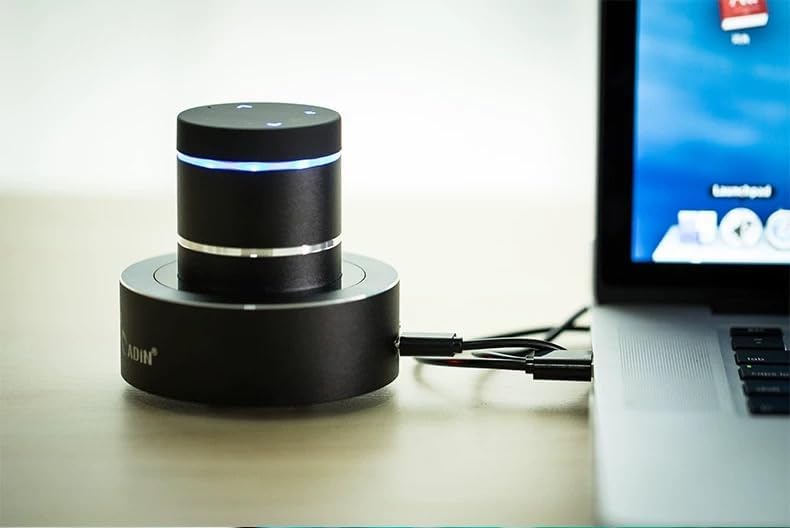
Figure 5: Adin S8BT Speaker with AUX Connection. This image illustrates the Adin S8BT speaker connected to a laptop via an auxiliary cable, demonstrating its wired connectivity option for audio input.
7. Întreținere și îngrijire
- curatenie: Folosiți o lavetă moale și uscată pentru a șterge suprafața difuzorului. Nu utilizați substanțe de curățare abrazive sau solvenți.
- Depozitare: Depozitați difuzorul într-un loc răcoros și uscat, ferit de lumina directă a soarelui și de temperaturi extreme.
- Expunerea la apă: Difuzorul este nu este impermeabilEvitați expunerea la apă sau umiditate excesivă.
- Îngrijirea bateriei: Pentru a prelungi durata de viață a bateriei, evitați descărcarea completă frecventă a acesteia. Încărcați bateria în mod regulat, chiar dacă nu este utilizată pentru perioade lungi de timp.
8. Depanare
| Problemă | Cauza posibila | Soluţie |
|---|---|---|
| Niciun sunet din difuzor. | Speaker is off, not paired, or volume is too low. | Ensure speaker is ON. Re-pair Bluetooth. Increase speaker and device volume. Check surface contact. |
| Nu se poate conecta prin Bluetooth. | Speaker not in pairing mode, device Bluetooth off, or too far. | Ensure speaker is in pairing mode (flashing blue light). Turn device Bluetooth off/on. Move device closer to speaker (within 10m). |
| Calitate slabă a sunetului. | Unsuitable surface, low battery, or interference. | Try placing on a different, more solid surface. Charge the speaker. Move away from other electronic devices. |
| Difuzorul nu se încarcă. | Problemă cu cablul, problemă cu sursa de alimentare sau port murdar. | Check USB cable connection. Try a different USB port or power adapter. Ensure charging port is clean. |
9. Garanție și asistență
For information regarding warranty coverage, please refer to the warranty card included with your purchase or contact the manufacturer directly. Keep your proof of purchase for any warranty claims.
If you encounter issues not covered in this manual or require further assistance, please contact Adin customer support through their official website-ul sau comerciantul de la care ați achiziționat produsul.