
1. Introducere
The Sena J30 is an advanced motorcycle communication system designed for riders seeking high-performance and seamless connectivity. Featuring Mesh 3.0 intercom technology, the J30 allows users to connect with an almost unlimited number of riders, providing a clear and stable communication experience even in large groups. The J30 headset also includes smartphone connectivity for music, GPS navigation, and phone calls. Whether riding solo or touring with friends, the J30 enhances your journey with unparalleled connectivity and convenience.
2. Produs terminatview
2.1 Caracteristici cheie
- Mesh Intercom Technology: Supports both Group Mesh Intercom (up to 24 riders within a 4.8 km range) and Multi-Channel Open Mesh Intercom. Note: Sena Mesh products communicate only with other Sena Mesh compatible devices.
- Evaluare de impermeabilitate IP67: Ensures the intercom remains functional in various weather conditions, providing peace of mind during your rides.
- Over-The-Air (OTA) Firmware Updates: Update your device wirelessly via the Sena Motorcycles App, eliminating the need for a computer or cables. This ensures you always have the latest features and performance enhancements.
- Difuzoare HD: Equipped with high-definition speakers for clear audio quality for music, calls, and intercom communication.
- Exchangeable Faceplate: Customize your J30 with faceplates available in various colors including blue, grey, pink, white, and black.
2.2 Conținutul pachetului
The Sena J30 package includes the main unit and various accessories for installation and use. Please ensure all components are present before proceeding with installation.

Image: Sena J30 package contents, showing the main unit, speakers, wired and boom microphones, various mounting clamps, USB cable, and foam covers.
3. Configurare
3.1 Mounting the J30
The J30 can be mounted to most motorcycle helmets using the included clamp kit. Choose a suitable location on the left side of your helmet for optimal access to controls. Securely attach the main unit to the clamp, ensuring the speakers and microphone are correctly positioned inside the helmet for clear audio and voice pickup.
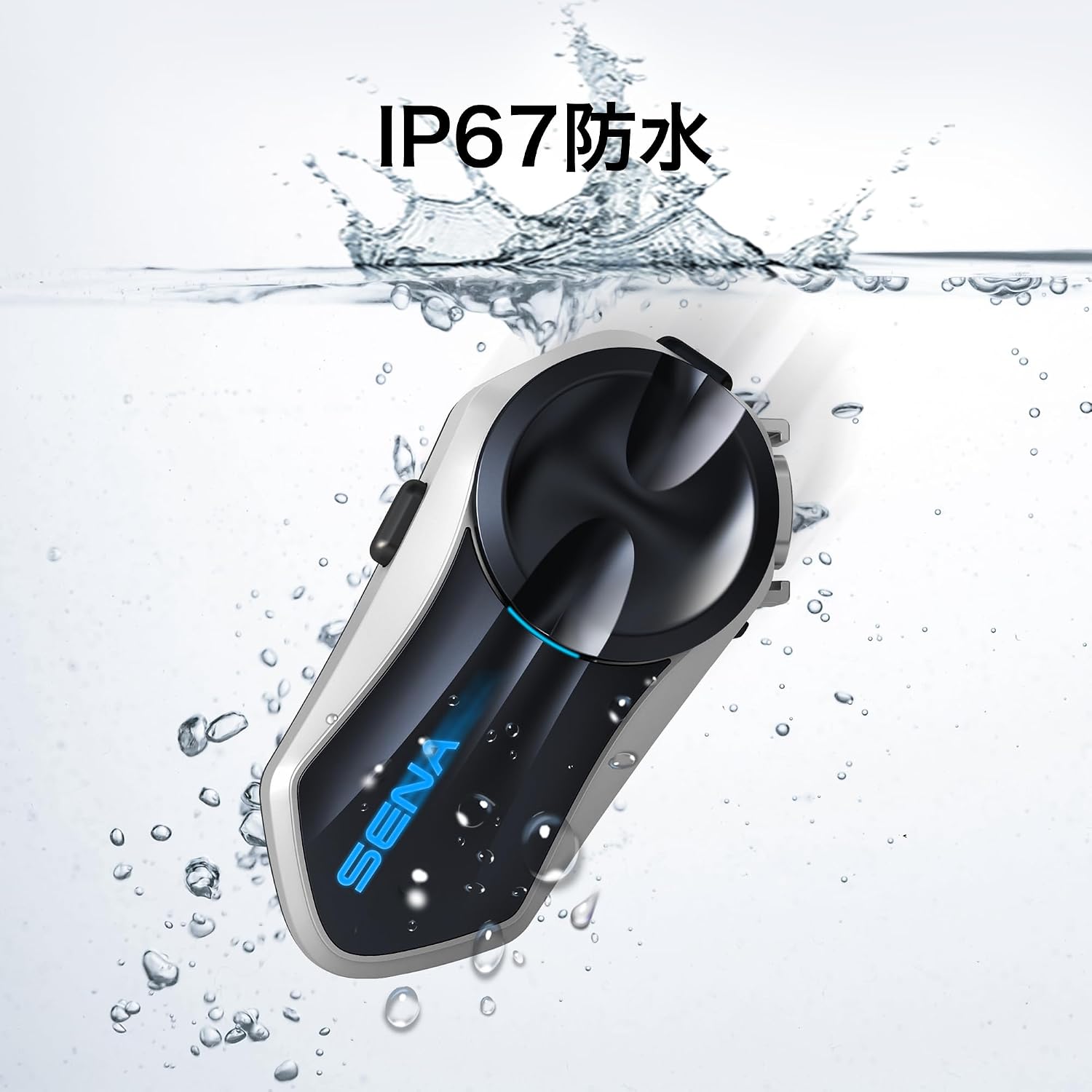
Image: Sena J30 unit securely mounted on the left side of a motorcycle helmet.
3.2 Încărcarea bateriei
Before first use, fully charge the J30 battery. Connect the USB charging cable to the J30 unit and a USB power source. The LED indicator will show charging status. A full charge typically takes approximately 2.5 hours.
3.3 Împerechere inițială (Bluetooth)
To connect your J30 to your smartphone or GPS device via Bluetooth:
- With the J30 powered off, press and hold the Phone Button and the Jog Dial simultaneously for 5 seconds until the LED flashes red and blue, indicating pairing mode.
- On your smartphone or GPS device, enable Bluetooth and search for available devices.
- Select 'Sena J30' from the list of detected devices.
- If prompted, enter '0000' for the PIN.
- După conectare, LED-ul va clipi în albastru.
3.4 Mesh Intercom Pairing
The J30 supports two Mesh Intercom modes: Group Mesh and Open Mesh.
- Mesh de grup: For private group conversations. To create a Group Mesh, one rider initiates Group Mesh creation, and other riders join.
- Deschideți plasă: For communication with any Sena Mesh user in the vicinity. Simply enter Open Mesh mode to connect.
Refer to the Sena Motorcycles App for detailed instructions on managing Mesh groups.

Image: Sena J30 unit displaying the Mesh Intercom connectivity icon.
4. Instrucțiuni de utilizare
4.1 Pornire/Oprire
- Pornire: Apăsați și mențineți apăsat butonul Jog Dial și butonul Telefon timp de 1 secundă.
- Oprire: Press and hold the Jog Dial and Phone Button for 5 seconds.
4.2 Controlul volumului
- Creșteți volumul: Rotiți butonul Jog în sensul acelor de ceasornic.
- Reduceți volumul: Rotiți butonul Jog în sens invers acelor de ceasornic.
4.3 Comunicare prin interfon
The J30 utilizes Mesh Intercom for group communication. Once in Mesh Intercom mode, communication is automatically established with other nearby Sena Mesh devices.

Image: Sena J30 highlighting its core features: Mesh Intercom, Bluetooth 5.2, IP67 Waterproof, HD Speakers, and OTA Firmware Update capability.
4.4 Funcțiile telefonului
- Răspunde la apel: Atingeți butonul Telefon.
- Terminare apel: Apăsați și mențineți apăsat butonul Telefon timp de 2 secunde.
- Apelare vocală: Tap the Phone Button twice.
4.5 Redarea muzicii
- Redare/Pauză: Apăsați butonul Jog Dial.
- Următoarea piesă: Rotate the Jog Dial clockwise and hold for 1 second.
- Pista anterioară: Rotate the Jog Dial counter-clockwise and hold for 1 second.

Image: Close-up of an HD speaker, emphasizing the clear audio output of the Sena J30.
4.6 Navigare GPS
Once your GPS device is paired, navigation prompts will be heard through the J30 speakers. Music playback will automatically lower or pause during navigation instructions.
4.7 Aplicația Sena Motociclete
The Sena Motorcycles App allows you to configure settings, manage Mesh groups, adjust volume, and access the Quick Start Guide directly from your smartphone. Download the app from your device's app store.

Image: Sena Motorcycles App interface on a smartphone, demonstrating easy management of device settings.
5. Întreținere
5.1 Curățare
Regularly clean your J30 unit with a soft, damp cloth. Avoid using harsh chemicals or abrasive cleaners, as these can damage the device. Ensure all ports are dry before charging or using in wet conditions.
5.2 Depozitare
When not in use for extended periods, store the J30 in a cool, dry place. It is recommended to charge the battery to about 50% before storing to prolong battery life.
5.3 de actualizări de firmware
Keep your J30 firmware updated to ensure optimal performance and access to the latest features. Use the Sena Motorcycles App for convenient Over-The-Air (OTA) updates.
6. Depanare
If you encounter issues with your Sena J30, try the following common troubleshooting steps:
- Fără putere: Ensure the battery is charged. Connect the unit to a charger and check if the charging indicator lights up.
- Fără audio: Check volume levels on both the J30 and your connected device. Ensure speakers are correctly connected and positioned.
- Deconectare interfon: Ensure all riders are within range and that their devices are in the correct Mesh Intercom mode. Try re-entering Mesh Intercom mode.
- Probleme de asociere Bluetooth: Clear previous Bluetooth pairings on both the J30 and your device, then attempt to pair again.
- Resetarea dispozitivului: If the unit is unresponsive, you may perform a factory reset. Refer to the Sena Motorcycles App or the full online manual for specific instructions on performing a factory reset.
For more detailed troubleshooting, please visit the official Sena support website-ul.
7. Specificații
| Caracteristică | Detaliu |
|---|---|
| Marca | Sena |
| Numele modelului | J30 |
| Numărul de model | J30 |
| Greutatea articolului | 49 de grame |
| Tehnologia de conectivitate | Wireless (Bluetooth, Sena Mesh) |
| Waterproof Type | Waterproof (IP67 certified) |
| Tip control | Buton, Aplicație |
| Factor de formă pentru căști | On-ear |
| Dispozitive compatibile | All Sena Mesh products |
| Utilizare recomandată | Motorcycle Touring |
| Componente incluse | Cable (USB charging/data cable) |
| Producător | Sena |
| Țara de origine | China |
8. Garanție și asistență
8.1 Informații despre garanție
The Sena J30 comes with a 2 an garanție de la data achiziției. Această garanție acoperă defectele de fabricație și asigură funcționarea produsului dumneavoastră conform destinației în condiții normale de utilizare. Vă rugăm să păstrați dovada achiziției pentru reclamațiile în garanție.
8.2 Asistență pentru clienți
For technical assistance, warranty claims, or further inquiries, please visit the official Sena website or contact their customer support. The Sena Motorcycles App also provides access to support resources and the latest product information.
Official Sena Website: https://www.sena.com/product/j30/