
YOJOCK KWS-2302C
Manual de utilizare pentru testerul de energie YOJOCK USB C
Model: KWS-2302C
Brand: YOJOCK
Introducere
This user manual provides detailed instructions for the YOJOCK 360W USB C Tester Power Meter (Model KWS-2302C). This device is designed to accurately measure and display various electrical parameters of USB-C power sources and devices, including voltage, current, power, capacity, and charging time. It supports multiple fast charging protocols and features a power-off storage function for data retention. Please read this manual thoroughly before using the product to ensure proper operation and longevity.
Înființat
To begin using your USB C Tester, follow these steps:
- Conectați testerul: Insert the male USB-C connector of the tester into the USB-C output port of your power source (e.g., charger, power bank, computer).
- Conectați-vă dispozitivul: Insert the USB-C cable from your device (e.g., smartphone, laptop) into the female USB-C port on the tester.
- Pornire: The tester's screen will illuminate automatically once both the input and output ports are connected and power is detected.

Image: The YOJOCK USB C Tester Power Meter, a compact device with a USB-C male connector on one end and a female port on the other, displaying various electrical parameters on its screen.
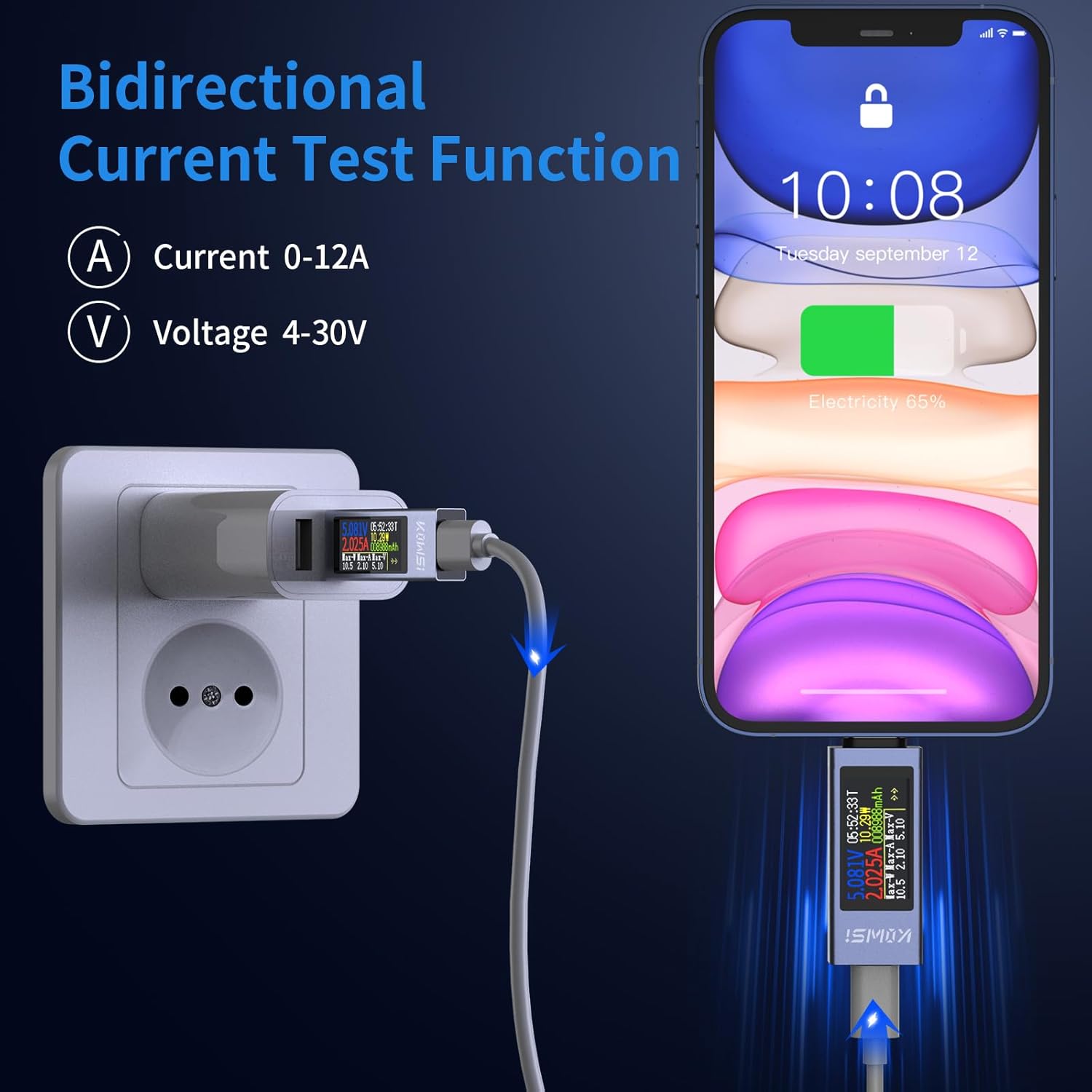
Image: A diagram illustrating the bidirectional current test function, showing the USB C Tester connected inline between a wall charger and a smartphone, displaying real-time voltage şi măsurători de curent.

Image: The USB C Tester plugged into a wall charger, with a USB-C cable extending to a laptop, demonstrating its use for real-time voltage and current testing in a typical charging setup.

Image: A visual explanation of the PD protocol limitation, showing that the USB-C tester screen only lights up when both the output (charger) and input (device) ports are connected, with examples of incorrect and correct connections.
Instrucțiuni de operare
Display Modes and Navigation
The USB C Tester features a 0.96-inch TFT high-definition display. It cycles through different display screens to show various data points. A single button on the side of the tester allows you to navigate these screens and perform certain functions.
- Apăsare scurtă: Short press the button to cycle through the different display screens.
- Dublu click: Double-click the button to rotate the interface 180 degrees, which is useful for reading the display from different orientations.
- Apasare prelungită: Long press the button to reset accumulated data (capacity, energy, time). Note that maximum voltage, curent și wattage values are not reset by this action.

Image: A graphic demonstrating the 180-degree screen rotation feature, activated by double-clicking the button, allowing for easier viewing of data regardless of the tester's orientation.
Înțelegerea măsurătorilor
- Voltage (V): Afișează volumul în timp realtage of the power supply. Range: 4V-30V.
- Curent (A): Displays the real-time current being drawn by the connected device. Range: 0-12A.
- Putere (W): Displays the real-time power (Wattage) being delivered. Calculated as Voltage x Current. Range: 0-360W.
- Capacitate (mAh): Accumulates the total milliamp-hours transferred, useful for measuring battery capacity. Range: 0-99999mAh.
- Electricity (Wh): Accumulates the total watt-hours transferred, indicating energy consumption. Range: 0-99999Wh.
- Time (T): Displays the elapsed charging time. Range: 0-99 hours.
- Max Values: The tester records and displays the maximum voltage, curent și wattage observed during the test session. These values are not reset by a short or long press of the button.
- Temperature (℃): Displays the internal temperature of the tester.
Fast Charging Protocol Detection
The tester supports various fast charging protocols, including PD2.0/3.0, QC2.0/3.0, FCP, SCP, AFC, PE, DASH VOOC, and Super VOOC. While the tester can detect these protocols, the specific type of fast charging protocol is not displayed on the screen.

Image: A graphic highlighting the tester's compatibility with various fast charging protocols such as HUAWEI FCP/SCP, QC 2.0/3.0, PD 2.0/3.0, SAMSUNG AFC, PE, PPS, DASH VOOC, and Super VOOC, with a note that the specific protocol is not displayed.
Testing Power Bank Capacity
To calculate the capacity of a power bank using the tester, use the following formula:
Capacity (mAh) = Energy (Wh) ÷ Battery Voltage (V) × 1000
De example, if the power bank's nominal battery voltage is 3.7V and the tester shows 35Wh, the calculation would be: 35Wh ÷ 3.7V = 9.46Ah = 9460mAh.
Nota: After a full charge, a weak current may still accumulate. It is recommended to save the data promptly for accurate capacity measurement.

Image: The USB C Tester connected to a power bank and a smartphone, illustrating how to test power bank capacity by monitoring energy transfer. The image also shows the formula for calculating mAh from Wh and battery voltage.
Întreţinere
- Keep the tester clean and free from dust and moisture.
- Evitați expunerea dispozitivului la temperaturi extreme sau la lumina directă a soarelui.
- Do not attempt to disassemble or repair the tester yourself, as this will void the warranty.
- Store the tester in a safe place when not in use to prevent physical damage.
Depanare
- Afișajul nu se aprinde:
Ensure both the input (from charger/power source) and output (to device) ports are connected. Due to PD protocol limitations, the screen will only activate when both connections are established and power is flowing.
- Citiri inexacte:
Verify that the cables used are in good condition and properly seated. Ensure the power source and device are functioning correctly. If issues persist, try testing with different cables or devices to isolate the problem.
- Max Values Not Resetting:
The "Max Watt," "Max Current," and "Max Voltage" displays are designed to show the peak values recorded during the entire test session and do not reset with a button press. Only the time, capacity, and energy data can be reset by a long press of the button.
- Device Not Charging Through Tester:
Check if the power source is active and providing power. Ensure the device being charged is compatible with the power source. The tester itself consumes a minimal amount of power, which should not significantly affect charging.
Specificații
| Parametru | Valoare |
|---|---|
| Vol. De intraretage Gama | 4V-30V |
| Interval curent de intrare | 0-12A |
| Interval de măsurare a puterii | 0-360W |
| Interval de măsurare a capacității | 0-99999mAh |
| Electricity Measurement Range | 0-99999Wh |
| Time Measurement Range | 0-99 ore |
| VoltagRezoluție de măsurare | 0.01V |
| Current Measurement Resolution | 0.001A |
| Maximum Recorded Power | 360W |
| Maximum Recorded Current | 12A |
| Maximum Recorded Voltage | 30V |
| Current Direction Indicator | Bi-direcție |
| Tip de afișare | 0.96 inch TFT High-Definition |
| Dimensiuni | 3.31 x 2.83 x 0.75 inci |
| Greutate | 1.06 uncii |

Image: A visual representation of the detailed technical parameters of the USB C Tester, including input voltage, current, power, capacity, electricity, time measurement ranges, and measurement resolutions.
Garanție și suport
YOJOCK provides the following support for your product:
- Garanție 18 pe lună: Your product is covered by an 18-month warranty from the date of purchase.
- Politica de returnare în 30 de zile: You may return the product for any reason within 30 days of purchase.
- Asistență clienți 24 de ore pe zi: For any inquiries or assistance, please contact YOJOCK customer support.

Image: An icon representing an 18-month warranty, indicating product coverage.

Image: An icon representing a 30-day return policy, allowing returns for any reason within that period.

Image: An icon representing 24-hour customer support, indicating continuous assistance availability.
Ask a question about this manual
Ask about setup, troubleshooting, compatibility, parts, safety, or missing instructions. Manuals+ will review the question and use this page’s manual context to help answer it.