
XNANO HM103A
XNANO HM103A Video Projector User Manual
Model: HM103A Version
Introducere
Thank you for choosing the XNANO HM103A Video Projector. This manual provides essential information for setting up, operating, and maintaining your projector to ensure optimal performance and longevity. Please read this manual thoroughly before using the product.
Ce este în cutie
- XNANO HM103A Video Projector
- Cablu de alimentare
- Cablu HDMI
- Telecomanda
- Manual de utilizare (acest document)
Produs terminatview
The XNANO HM103A is a versatile smart projector designed for various entertainment and professional uses. It features advanced technologies for superior image and sound quality, along with smart functionalities for ease of use.

Figure 1: XNANO HM103A Video Projector and Remote Control.
Caracteristici cheie:
- Netflix-Licensed & Built-in Apps: Enjoy direct access to Netflix, Prime Video, YouTube, and other streaming services.
- WiFi 6 Fast Connection & Latest BT 5.2: Ensures smooth streaming and seamless wireless audio pairing.
- Upgraded 1080P HD Video Projection: Native 1080P resolution with 4K video decoding support, HDR10+, and 99% ultra-high color gamut coverage.
- Short Throw Projection & 3D Dolby Sound: Project large screens from short distances with immersive Dolby audio.
- AI Autofocus & 270° Rotation Projection: Automatic focus and image calibration, with flexible projection angles for walls and ceilings.
Ghid de instalare
1. Plasarea fizică
The XNANO HM103A features a 270° rotating design, allowing for flexible placement and projection onto various surfaces, including walls and ceilings.
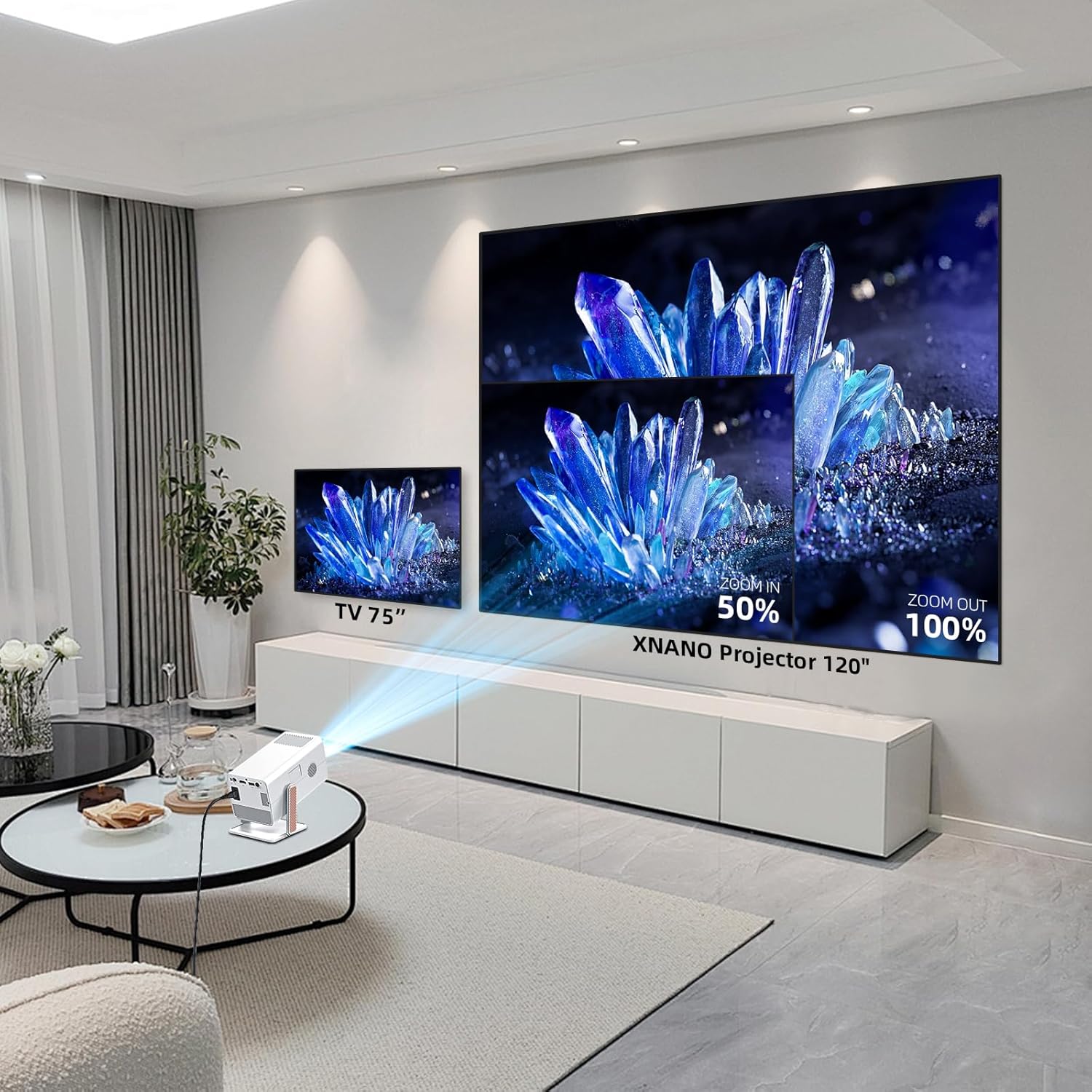
Figure 2: Projecting onto a ceiling using the 270° rotation feature.
Utilize the short throw projection capability to achieve a large screen size even in limited spaces. For example, a 2.5-meter distance can project a 200-inch screen.

Figure 3: Short throw projection distances and corresponding screen sizes.
2. Conexiune la alimentare
Connect the provided power cord to the projector's power input and then to a wall outlet. The projector will power on automatically or can be turned on using the power button on the device or remote control.
3. Initial Setup: AI Autofocus & Auto Keystone Correction
The projector is equipped with AI autofocus and auto keystone correction technology. Upon startup or movement, the projector will automatically adjust the focus and correct the image shape to ensure a clear and rectangular display within approximately 2 seconds.

Figure 4: Automatic focus adjustment for a clear image.
This feature eliminates the need for manual adjustments, providing a hassle-free setup experience.
4. Network Connection (WiFi 6)
To access online streaming services and features, connect your projector to a Wi-Fi network:
- Navigați la meniul „Setări” din interfața proiectorului.
- Select "Network" or "Wi-Fi settings".
- Alegeți rețeaua Wi-Fi dorită din listă.
- Introduceți parola Wi-Fi folosind tastatura de pe ecran și confirmați.
The projector supports WiFi 6 for a stable and high-speed connection.

Figure 5: Dual-band WiFi 6 and Bluetooth 5.2 connectivity.
5. Bluetooth Pairing (BT 5.2)
Pair your projector with Bluetooth speakers or headphones for enhanced audio:
- Asigurați-vă că dispozitivul audio Bluetooth este în modul de asociere.
- On the projector, go to "Settings" and select "Bluetooth".
- Scan for available devices and select your audio device from the list.
- Confirmați asocierea.
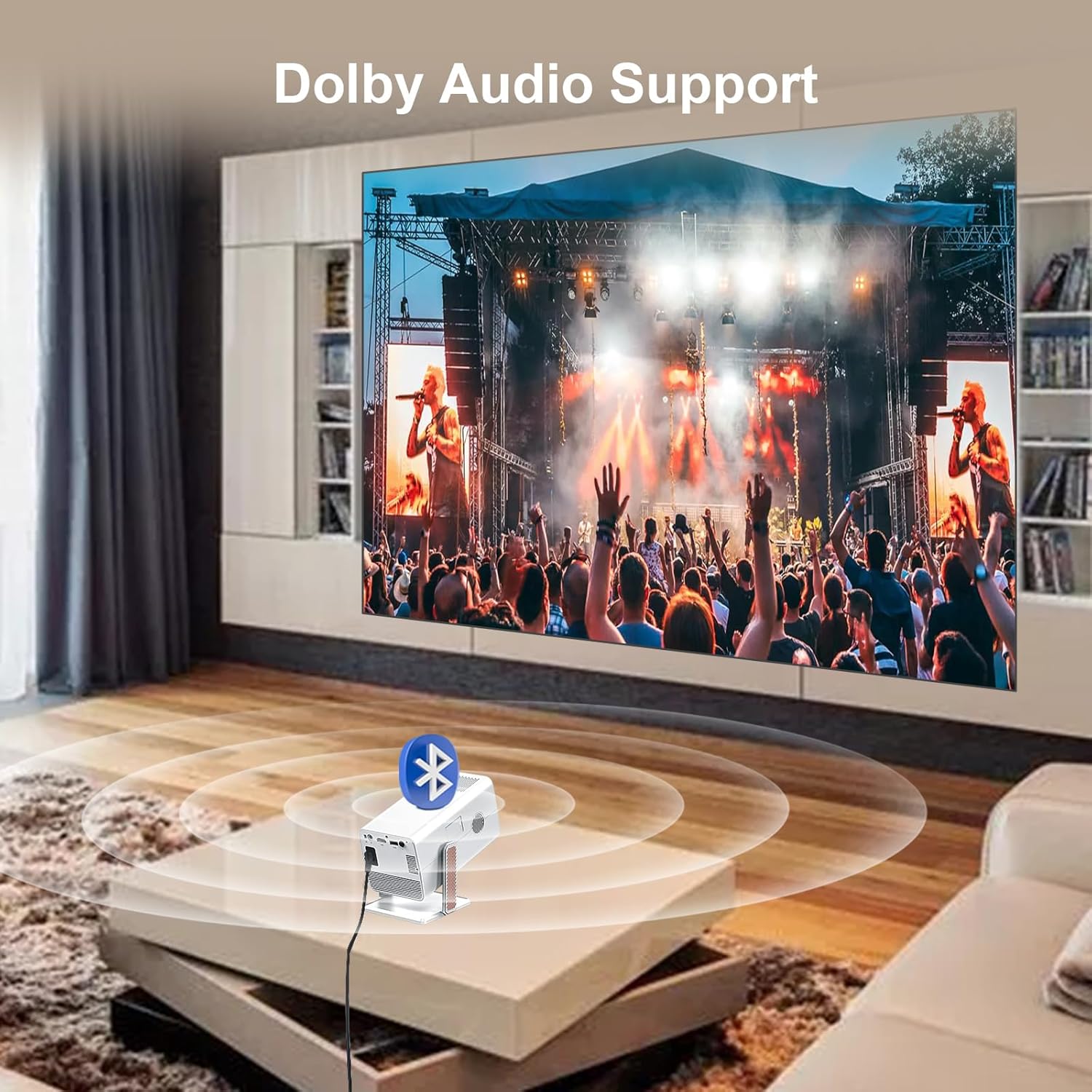
Figure 6: Connecting to external audio devices via Bluetooth for Dolby Audio.
Instrucțiuni de operare
1. Navigating the Interface and Built-in Apps
The XNANO HM103A comes with a smart operating system and pre-installed applications like Netflix, Prime Video, and YouTube. Use the provided smart voice remote control to navigate the interface.

Figure 7: Projector interface with various built-in applications and voice control functionality.
Press the "Home" button on the remote to return to the main screen. Use the directional pad to select applications or settings. The voice control feature allows for quick access to content by speaking commands into the remote.
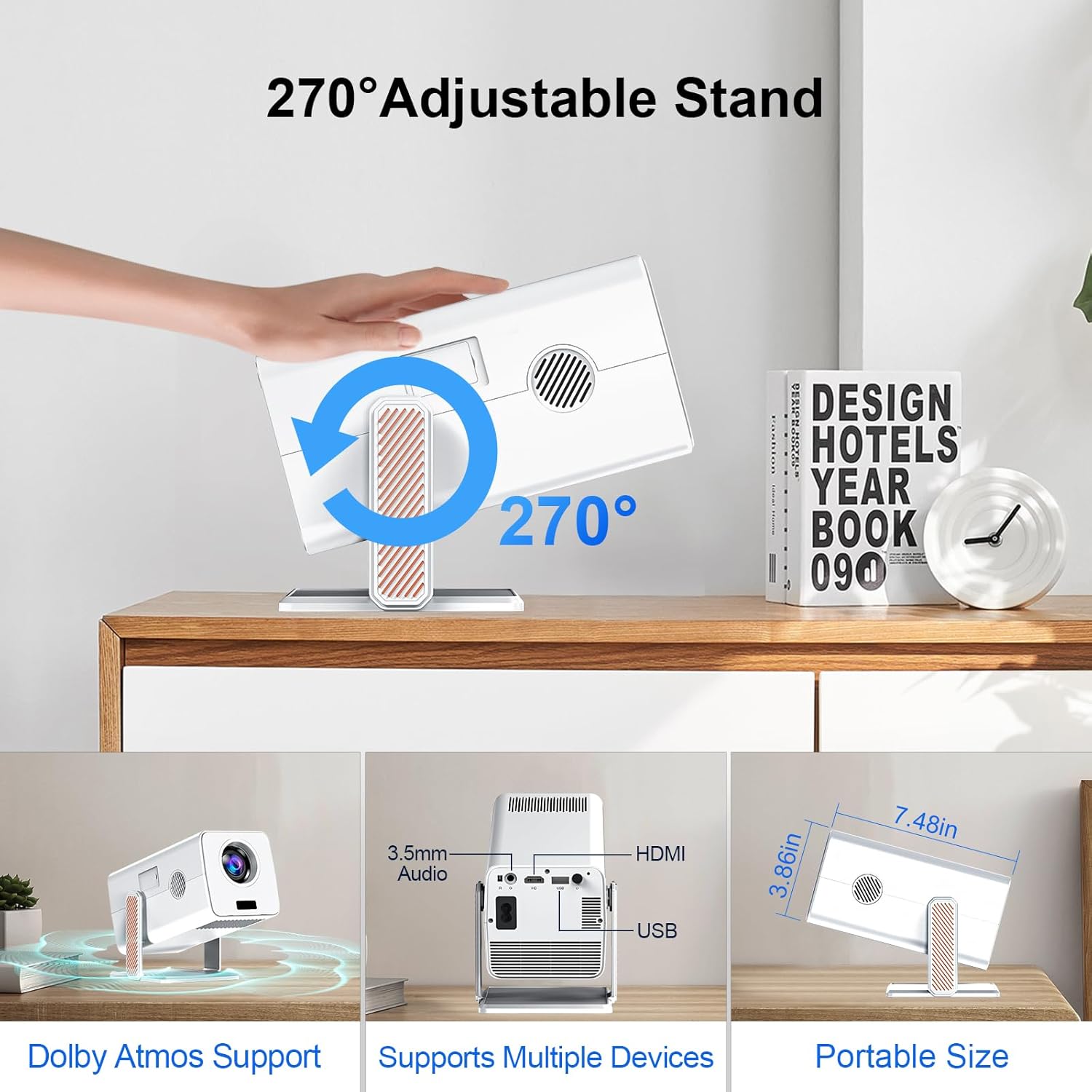
Figura 8: Pesteview of pre-installed smart applications.
2. Screen Mirroring
The projector supports wireless screen mirroring from various devices, including iPhones (AirPlay), Miracast-compatible Android devices, and Windows PCs. Ensure your device and the projector are connected to the same Wi-Fi network.
- Select the "Screen Mirroring" or "AirPlay/Miracast" option on the projector's interface.
- Follow the on-screen instructions to connect your mobile device or computer.
3. Adjusting Projection (Zoom Function)
The projector offers a 50%-100% zoom function, allowing you to adjust the screen size without moving the projector. Use the remote control to access this feature in the display settings.
4. Audio Settings (Dolby Sound)
The projector supports Dolby sound effects for an immersive audio experience. You can adjust audio settings, including volume and sound modes, through the projector's audio menu. For external audio, refer to the Bluetooth pairing section.
5. Conectarea dispozitivelor externe
The projector provides multiple ports for connecting external devices:
- HDMI: Connect Blu-ray players, gaming consoles, laptops, etc., using the HDMI cable.
- USB: Redați conținut media filedirect de pe unități USB.
- Audio de 3.5 mm: Conectați căști cu fir sau difuzoare externe.

Figure 9: Available input/output ports on the projector.
Întreţinere
Proper maintenance ensures the longevity and optimal performance of your XNANO HM103A projector.
- Curățarea lentilei: Folosiți o lavetă moale, fără scame, special concepută pentru lentile optice. Nu folosiți produse de curățare sau lavete abrazive.
- Curățarea exteriorului: Ștergeți exteriorul proiectorului cu o lavetă moale și uscată. Evitați utilizarea de produse de curățare lichide direct pe dispozitiv.
- Ventilare: Ensure the projector's ventilation openings are not blocked to prevent overheating. Do not place the projector on soft surfaces that may obstruct airflow.
- Depozitare: Când nu utilizați proiectorul pentru perioade lungi de timp, depozitați-l într-un loc răcoros și uscat, ferit de lumina directă a soarelui și de temperaturi extreme.
Depanare
This section addresses common issues you might encounter with your XNANO HM103A projector.
| Problemă | Cauza posibila | Soluţie |
|---|---|---|
| Nicio imagine sau imagine distorsionată | Power issue, incorrect input source, focus/keystone not adjusted. | Check power connection. Ensure correct HDMI/USB input is selected. Allow AI autofocus and auto keystone to complete. |
| Fără sunet sau sunet redus | Volume too low, incorrect audio output, Bluetooth not connected. | Increase volume. Check audio settings. Re-pair Bluetooth device if using external speakers/headphones. |
| Nu se poate conecta la Wi-Fi | Parolă incorectă, în afara intervalului, problemă de rețea. | Double-check Wi-Fi password. Move projector closer to router. Restart router and projector. |
| Telecomanda nu funcționează | Baterii descărcate, obstrucție, problemă de asociere. | Replace batteries. Ensure no obstructions between remote and projector. Re-pair remote if necessary (refer to quick start guide). |
If the problem persists after trying these solutions, please contact XNANO customer support.
Specificații
| Caracteristică | Detaliu |
|---|---|
| Marca | XNANO |
| Numărul de model | HM103-A |
| Rezoluția afișajului | Native 1920 x 1080 (Supports 4K decoding) |
| Tehnologia de conectivitate | WiFi 6, Bluetooth 5.2, HDMI, USB, 3.5mm Audio |
| Caracteristici speciale | Netflix-Licensed, Built-in Apps, AI Autofocus, Auto Keystone Correction, 270° Rotation, Dolby Audio Support, Screen Mirroring |
| Greutatea articolului | 1.65 lire sterline |
| Dimensiunile produsului | 10.16 x 5.43 x 5.75 inci |
| Culoare | Alb |
| Utilizări recomandate | Interior/Exterior |
Garanție și suport
XNANO is committed to providing excellent customer service and product support.
- Răspuns rapid: Customer inquiries are typically responded to within 24 hours.
- POLITICA DE RETURNARE: 30 days return without reason.
- Perioada de garantie: Garanție de 12 luni de la data achiziției.
- Serviciu tehnic: Lifetime after-sales technical support is available.
For further assistance, please visit the official XNANO store or contact customer support through your purchase platform.
Videoclip oficial al produsului
Watch the official product video for a visual guide on the XNANO HM103A projector's features and capabilities.
Video 1: XNANO Netflix Licensed Projector with Wifi and Bluetooth. This video demonstrates the projector's key features including 270° pitch adjustment, 1080P resolution, auto-focus, Dolby Atmos support, screen size capabilities, brightness, auto keystone, Amlogic processor, and built-in apps.
Ask a question about this manual
Ask about setup, troubleshooting, compatibility, parts, safety, or missing instructions. Manuals+ will review the question and use this page’s manual context to help answer it.