
FLEXISPOT E6
Manual de instrucțiuni pentru biroul electric reglabil pe înălțime FLEXISPOT E6
Model: E6 (White Frame + 55"x24" Solid Wood Desktop)
Introducere
This manual provides detailed instructions for the assembly, operation, and maintenance of your FLEXISPOT E6 Electric Height Adjustable Standing Desk. Please read this manual thoroughly before assembly and use to ensure proper function and safety. Keep this manual for future reference.

Image: The FLEXISPOT E6 standing desk in a home office setting.
Informații de siguranță
To prevent injury or damage to the desk, please observe the following safety guidelines:
- Always ensure the desk is properly assembled and stable before use.
- Nu depășiți limita maximă de greutate de 220 lbs (100 kg).
- Keep the work area clear of obstacles to prevent accidents during height adjustment.
- Always use both hands when adjusting the desk height to maintain stability.
- Never leave children unattended near the desk.
- Ensure all cables are properly managed to avoid entanglement during movement.
- Evitați plasarea lichidelor direct pe panoul de control sau în apropierea componentelor electrice.

Image: Anti-collision system diagram.
Configurare și asamblare
Follow these steps to assemble your FLEXISPOT E6 standing desk. It is recommended to have assistance for certain steps due to the weight of components.
1. Despachetați componentele
Carefully unpack all components and verify against the parts list provided in your packaging. Ensure all parts are present and undamaged.
2. Asamblați cadrul
Begin by assembling the crossbeams and pedestals. Ensure screws are aligned with square holes in the cross member and pressed tightly. Pre-tighten all screws for installing the cross beams, then tighten them simultaneously.
Video: FLEXISPOT E6 Essential Standing Desk Installation Guide. This video demonstrates the step-by-step assembly process for the desk frame and desktop attachment.
3. Attach the Desktop
Carefully place the desktop upside down on a soft, clean surface. Position the assembled frame onto the desktop, ensuring proper alignment. The distance between the supporting bracket and the edge of the tabletop should not exceed 200mm. Secure the frame to the desktop using the provided screws. Use a drill for efficiency, but ensure not to overtighten.

Image: The assembled desk with a light wood top and white frame.
4. Install Keypad and Cable Management
Attach the intelligent keypad to the underside of the desktop. Ensure the keypad is on the same side as the adapter bracket and its curved edge is flush with the edge of the table top. Connect all necessary cables (AC power cable, power adaptor, extension cord) to the control box and motors. Utilize the cable clips for organized cable management.
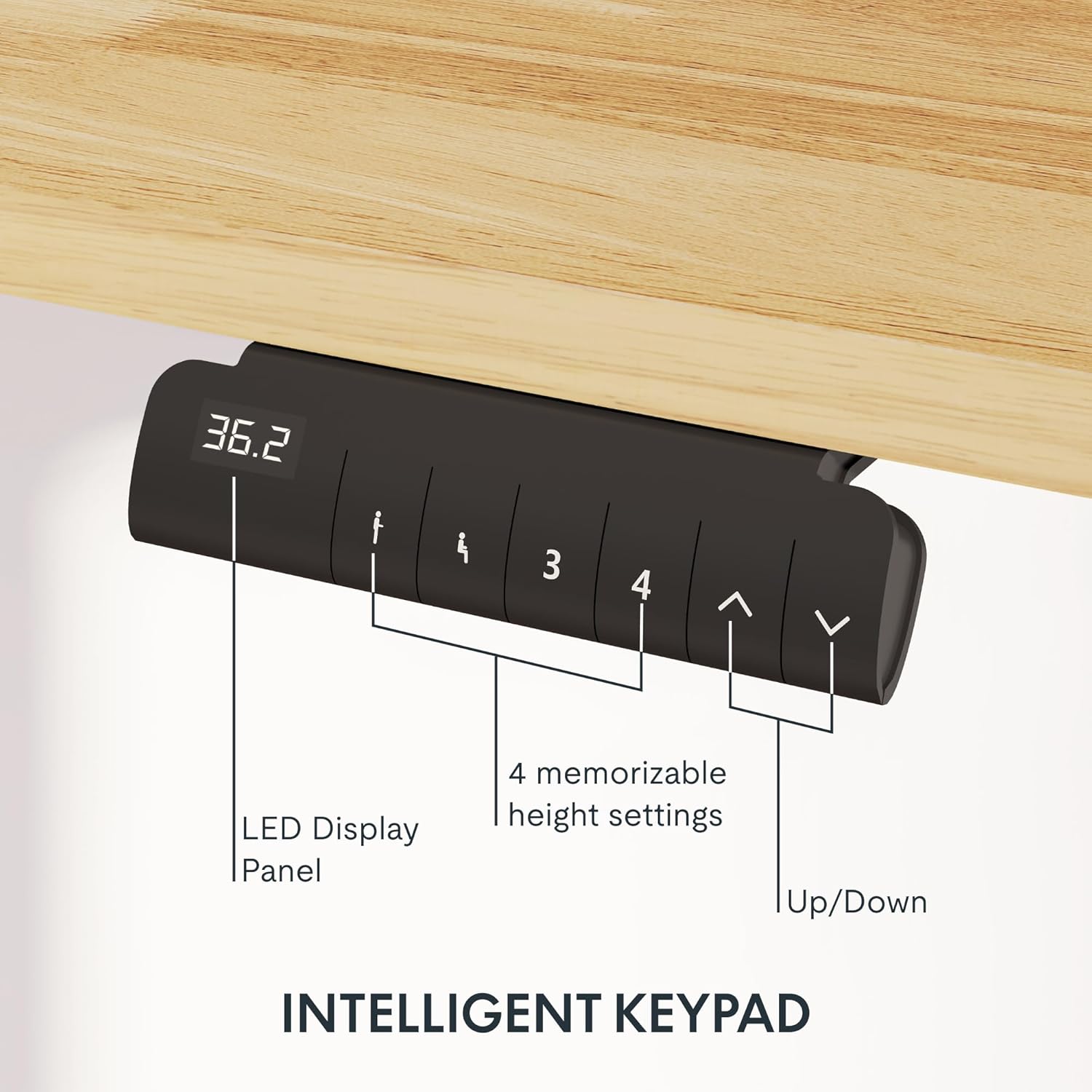
Image: Close-up of the intelligent keypad for height adjustment.
Instrucțiuni de operare
Your FLEXISPOT E6 desk features a dual-motor system for smooth and quiet height adjustments.
Reglarea înălțimii
- Utilizați Up şi Jos arrows on the keypad to manually adjust the desk height.
- The LED display panel will show the current height.
Presetari de memorie
The keypad includes four memorizable height settings for convenience:
- Reglați biroul la înălțimea dorită folosind săgețile sus/jos.
- Apăsați tasta M button (or similar memory set button) followed by a number button (1, 2, 3, or 4) to save the current height to that preset.
- To recall a saved height, simply press the corresponding number button.

Image: Illustration of the desk's height adjustment range.
Întreţinere
Regular maintenance ensures the longevity and optimal performance of your standing desk.
- curatenie: Ștergeți suprafața de lucru și rama cu o lavetă moale șiamp Evitați produsele de curățare abrazive sau substanțele chimice dure care ar putea deteriora finisajul.
- Organizare de cabluri: Periodically check and reorganize cables to prevent tangling or damage, especially after moving the desk.
- Strângerea șuruburilor: Occasionally check all screws and bolts to ensure they are securely tightened. Retighten if necessary.
- Distribuția greutății: Distribute weight evenly across the desktop to prevent strain on the motors and frame.
Depanare
If you encounter issues with your FLEXISPOT E6 desk, refer to the following common solutions:
- Biroul nu se mișcă: Check all power connections. Ensure the power adapter is securely plugged into both the wall outlet and the control box.
- Mișcare neuniformă: Perform a reset procedure (refer to the specific reset instructions in your packaged manual, as procedures can vary). Ensure no obstacles are impeding movement.
- Coduri de eroare: If an error code appears on the LED display, consult the full product manual for specific code meanings and solutions.
- Zgomot în timpul funcționării: A slight hum is normal for dual motors. Excessive or unusual noise may indicate loose components; check all connections and screws.
For persistent issues, please contact FLEXISPOT customer support.
Specificații
Key specifications for the FLEXISPOT E6 Electric Height Adjustable Standing Desk:
| Caracteristică | Detaliu |
|---|---|
| Marca | FLEXISPOT |
| Numărul de model | E6 |
| Material pentru desktop | Rubber Solid Wood (FSC-Certified) |
| Material cadru | Metal |
| Dimensiuni produs (D x L x H) | 55.1" x 23.6" x 23.6" (at minimum height) |
| Dimensiune desktop | 55"x24" (Whole-piece) |
| Inaltimea minima | 23.6 inci |
| Înălțimea maximă | 48.8 inci |
| Capacitate maximă de greutate | 220 lbs |
| Tip motor | Motoare duble |
| Nivel de zgomot | Mai puțin de 45 dB |
| Panoul de control | Intelligent Keypad with LED Display and 4 Memory Presets |
| Caracteristici speciale | Anti-collision system, Finger Joint Design |
| Asamblare necesară | Da |
| Unelte recomandate pentru asamblare | Şurubelniţă |
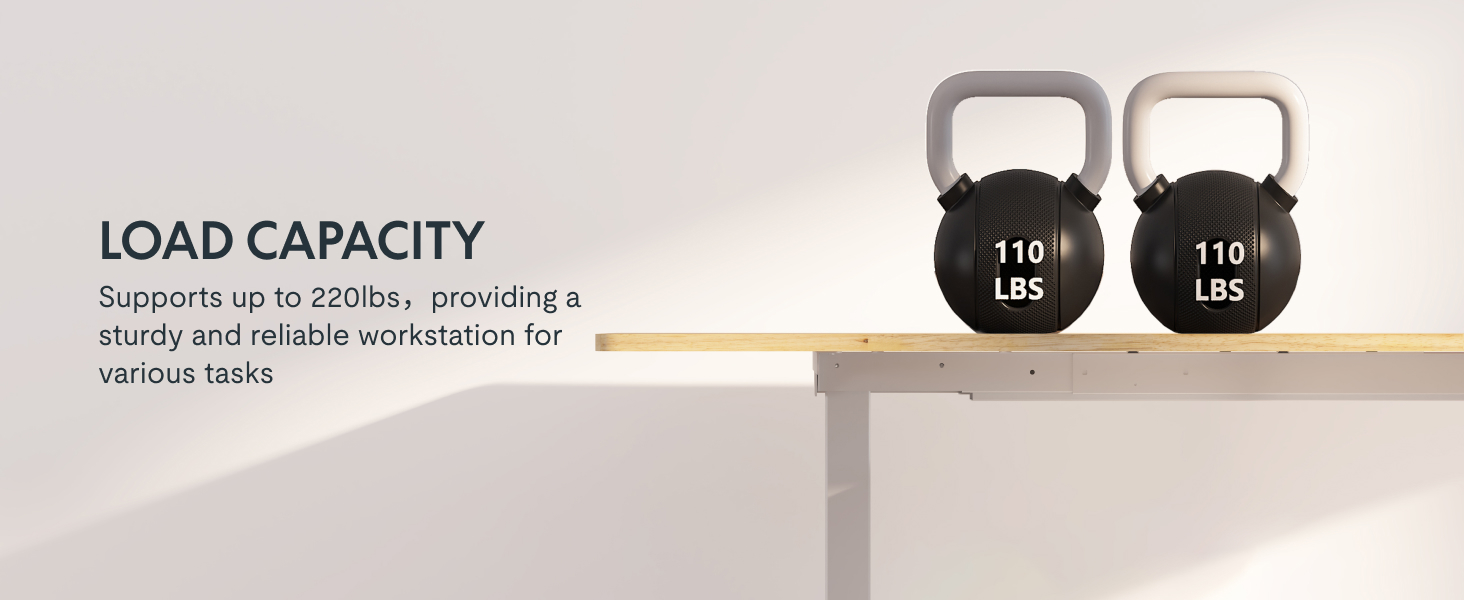
Image: Desk illustrating its 220 lbs maximum load capacity.
Garanție și suport
FLEXISPOT provides comprehensive warranty coverage for your peace of mind:
- Acoperire de 5 ani: Applies to the desk frame and motors.
- Acoperire de 2 ani: Applies to the control panel and electronics.
For any assistance, warranty claims, or product inquiries, please contact FLEXISPOT customer support. You can find contact information on the official FLEXISPOT website sau prin intermediul platformei dvs. de achiziții.
Returnable until January 31, 2026.
Ask a question about this manual
Ask about setup, troubleshooting, compatibility, parts, safety, or missing instructions. Manuals+ will review the question and use this page’s manual context to help answer it.