
ACEFAST AceFit Air
Manual de utilizare pentru căștile Acefast AceFit Air Open Ear
Model: AceFit Air
Introducere
The Acefast AceFit Air Open Ear Headphones are designed to provide a comfortable and immersive audio experience while keeping you aware of your surroundings. Featuring advanced sound technology, a lightweight design, and long battery life, these headphones are ideal for sports, daily commutes, and general listening. This manual provides essential information on how to set up, operate, maintain, and troubleshoot your AceFit Air headphones.

Image: Acefast AceFit Air open-ear headphones and charging case.
Ce este în cutie?
- Acefit Air Open-ear Earbuds x2
- Acefit Air Charging Case x1
- Cablu de încărcare USB-C x1
- Manual de utilizare x1

Image: Contents of the Acefast AceFit Air package, including earbuds, charging case, USB-C cable, and user manual.
Înființat
Utilizare inițială
Before first use, remove the insulating film located between the earbuds and the charging case. It is recommended to fully charge both the earbuds and the charging case before initial operation.
Încărcare
To charge the AceFit Air headphones, place them into the charging case. Connect the USB-C charging cable to the charging case and a power source. A full charge for the case takes approximately 2 hours. A 5-minute quick charge provides 2 hours of playback.

Image: Acefast AceFit Air charging case connected to a USB-C cable, illustrating the charging process and battery life indicators.
Împerechere
The AceFit Air headphones utilize Bluetooth 5.4 for stable and efficient connections. To pair:
- Asigurați-vă că căștile sunt în carcasa de încărcare și că capacul carcasei este deschis.
- Pe dispozitivul dvs. (smartphone, tabletă, laptop), activați Bluetooth.
- Select "AceFit Air" from the list of available Bluetooth devices.
- The earbuds will automatically connect.
The headphones support effortless multi-device pairing, allowing seamless connection to two devices simultaneously for smooth multitasking and easy switching.
Instrucțiuni de operare
Atingeți Comenzi
The AceFit Air headphones feature intuitive touch controls on each earbud:
- Robinet: Mărește/jocă volumul.
- Atingeți de două ori: Redare/pauză muzică, preluare/închidere apeluri.
- Three taps: Previous song (left earbud), next song (right earbud).
- Long touch (2 seconds): Reject call, wake up voice assistant.
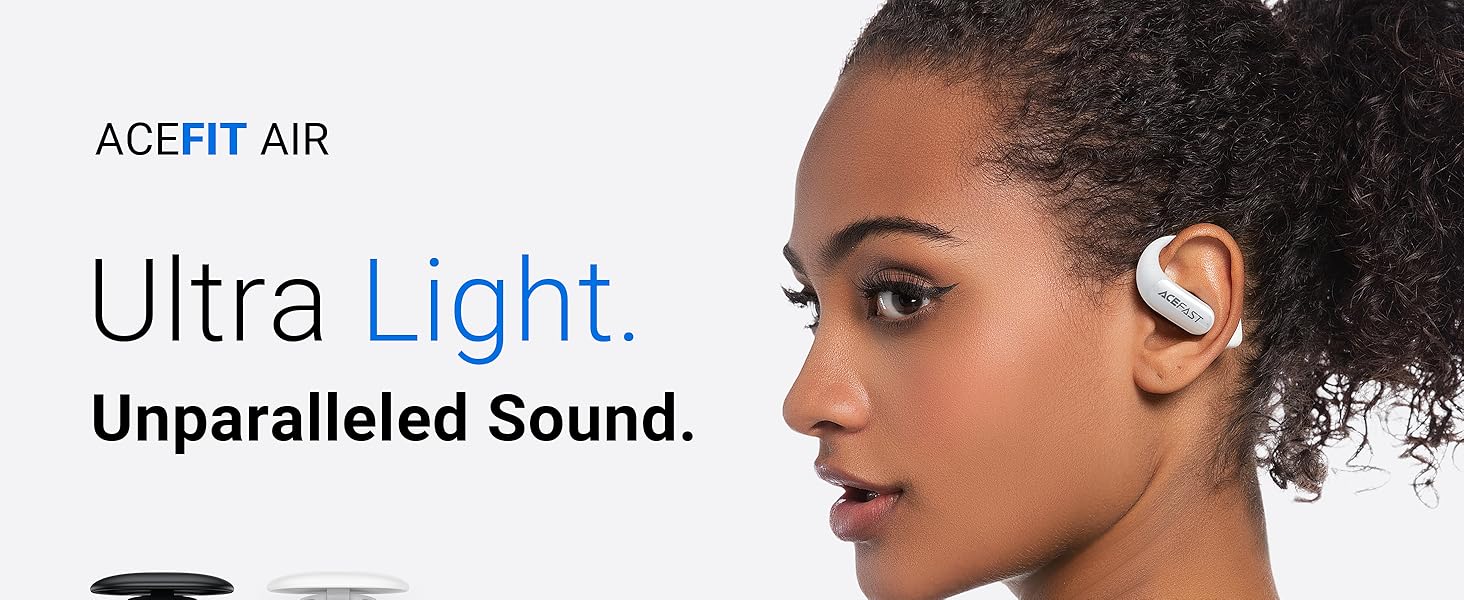
Image: Visual guide to touch controls on the Acefast AceFit Air headphones.
ACEFAST App Control
Enhance your listening experience by connecting to the ACEFAST app. The app allows you to monitor battery life, choose sound modes, customize EQ settings, and tailor earphone controls to your preference.

Image: ACEFAST app interface on a smartphone, demonstrating customization options for the headphones.
Open-Ear Design Benefits
The open-ear design of the AceFit Air headphones allows you to stay aware of your surroundings while enjoying audio. This is particularly beneficial for outdoor activities like running and cycling, or for maintaining situational awareness in an office environment.

Image: Individuals wearing Acefast AceFit Air headphones during activities, emphasizing the benefit of the open-ear design for situational awareness.
Întreţinere
Rezistență la apă (IP54)
The AceFit Air headphones are IP54 water-resistant, meaning they are protected against dust ingress and splashing water from any direction. This makes them suitable for workouts and light rain. Do not submerge the headphones in water.
Curățare și depozitare
Wipe the earbuds and charging case with a soft, dry cloth. Avoid using abrasive cleaners or solvents. Store the headphones in their charging case when not in use to protect them and ensure they remain charged.
Depanare
- Right earbud not working initially: If the right earbud does not work at first, ensure the insulating film has been removed and charge both earbuds for a while. It may have powered on during shipping and drained its battery.
- Nu se poate conecta la dispozitiv: Ensure Bluetooth is enabled on your device and the earbuds are in pairing mode (usually indicated by a flashing light). If issues persist, try restarting both the earbuds (by placing them in the case and closing/opening the lid) and your device.
- Volum redus sau calitate slabă a sunetului: Check the volume levels on both your device and the earbuds. Ensure the earbuds are clean and properly positioned on your ears. Use the ACEFAST app to adjust EQ settings if needed.
- Probleme de încărcare: Ensure the USB-C cable is securely connected to both the charging case and the power source. Try a different cable or power adapter if necessary.
Specificații
| Caracteristică | Detaliu |
|---|---|
| Numele modelului | AceFit Air |
| Tehnologia de conectivitate | Fără fir (Bluetooth 5.4) |
| Plasarea urechii | Deschide Urechea |
| Nivel de rezistență la apă | Rezistent la apă IP54 |
| Greutate căști intraauriculare (bucată) | 7.5 g |
| Timp total de redare (cu carcasă) | Până la 32 ore |
| Capacitatea bateriei carcasei de încărcare | 500 mAh |
| Carcasa de încărcare Timp de încărcare | 2 de ore |
| Tip de driver audio | Difuzor dinamic (20 mm) |
| Gama de frecvente | 20 Hz - 20,000 Hz |
| Metoda de control | Atingere, Aplicație |
| Controlul zgomotului | None (Open Ear Design) |
| Microfoane | 4-mic ENC noise cancellation for calls |
Garanție și suport
ACEFAST products are manufactured to high quality standards. For warranty information and support, please refer to the official ACEFAST website or contact their customer service directly. A digital version of this user manual may also be available on the product support page.
For further assistance, you may refer to the official Instructions for Use (IFU) PDF document: Instrucțiuni de utilizare (PDF)
Ask a question about this manual
Ask about setup, troubleshooting, compatibility, parts, safety, or missing instructions. Manuals+ will review the question and use this page’s manual context to help answer it.