
1. Introducere
Thank you for choosing the MEETION BTM011 Ergonomic Wireless Bluetooth Vertical Mouse. This device is designed to provide a comfortable and efficient computing experience by promoting a natural hand position, reducing wrist strain. It offers versatile connectivity options for multiple devices and adjustable precision to suit various tasks.

The ergonomic design of the MEETION vertical mouse helps maintain a natural hand and wrist posture, reducing discomfort compared to traditional mice.
2. Conținutul pachetului
- MEETION BTM011 Ergonomic Wireless Bluetooth Vertical Mouse
- USB 2.4G Receiver (stored in the mouse battery compartment)
- Adaptor USB-A la USB-C
- Manual de utilizare
3. Produs terminatview
Familiarize yourself with the various components and buttons of your MEETION BTM011 mouse.

Detaliat view of the mouse components, including the Mode Switching Button, Power Switch (ON/OFF), Low Battery Indicator, Charging Indicator, DPI Speed Switch Button, 2.4G Connection Indicator, Bluetooth 1 Connection Indicator, and Bluetooth 2 Connection Indicator.
- Butonul din stânga: Funcția standard de clic stânga.
- Butonul din dreapta: Funcția standard de clic dreapta.
- Rotiță de defilare: For scrolling up and down.
- Buton înainte: Navighează înainte în web browsere sau file exploratori.
- Butonul Înapoi: Navighează înapoi în web browsere sau file exploratori.
- Buton comutare DPI: Ajustează sensibilitatea cursorului.
- Buton de schimbare a modului: Switches between 2.4G, Bluetooth 1, and Bluetooth 2 modes.
- Comutator de alimentare (ON/OFF): Pornește sau dezactivează mouse-ul.
- Compartiment baterie: Located at the bottom, for 1x AA battery and USB receiver storage.
4. Instrucțiuni de configurare
4.1 Instalarea bateriei
The mouse requires one AA battery (not included).
- Localizați capacul compartimentului bateriei în partea inferioară a mouse-ului.
- Deschideți capacul.
- Introduceți o baterie AA, asigurându-vă că polaritatea este corectă (+/-).
- Închideți bine capacul compartimentului bateriei.

Insert one AA battery into the compartment. The USB receiver is also stored here.
4.2 Pornire/Oprire
Slide the power switch located on the bottom of the mouse to the "ON" position to turn it on. Slide to "OFF" to conserve battery when not in use.
4.3 Moduri de conectivitate
The MEETION BTM011 mouse supports three connection modes: 2.4GHz wireless (via USB receiver) and two independent Bluetooth 5.3 channels (BT1 and BT2). You can connect to up to three devices simultaneously and switch between them.

The mouse supports 2.4G wireless and two Bluetooth 5.3 connections for seamless switching between devices.
4.4 Conexiune USB de 2.4 GHz
- Take out the USB receiver from the battery compartment of the mouse.
- Insert the USB receiver into an available USB-A port on your computer. If your computer only has USB-C ports, use the provided USB-A to USB-C adapter.
- Porniți mouse-ul folosind comutatorul de alimentare.
- Press the Mode Switching Button until the 2.4G Connection Indicator (green light) lights up. The mouse should now be connected.
4.5 Conexiune Bluetooth (BT1 / BT2)
- Porniți mouse-ul folosind comutatorul de alimentare.
- Press the Mode Switching Button to select either Bluetooth 1 (BT1) or Bluetooth 2 (BT2). The corresponding blue indicator light will blink, indicating pairing mode.
- On your device (computer, laptop, tablet, smartphone), go to Bluetooth settings.
- Caută new devices. You should find "Meetion_MS_BT1" or "Meetion_MS_BT2".
- Select the device to pair. Once paired, the blue indicator light will stop blinking and remain solid for a few seconds.

Visual guide for connecting the mouse via 2.4G USB receiver and Bluetooth modes.
5. Instrucțiuni de utilizare
5.1 Ajustare DPI
The mouse features 4 adjustable DPI levels: 1200, 1600, 2400, and 3200. Press the DPI Switch Button (located behind the scroll wheel) to cycle through these settings. Each press changes the cursor speed, allowing you to select the precision suitable for your task.
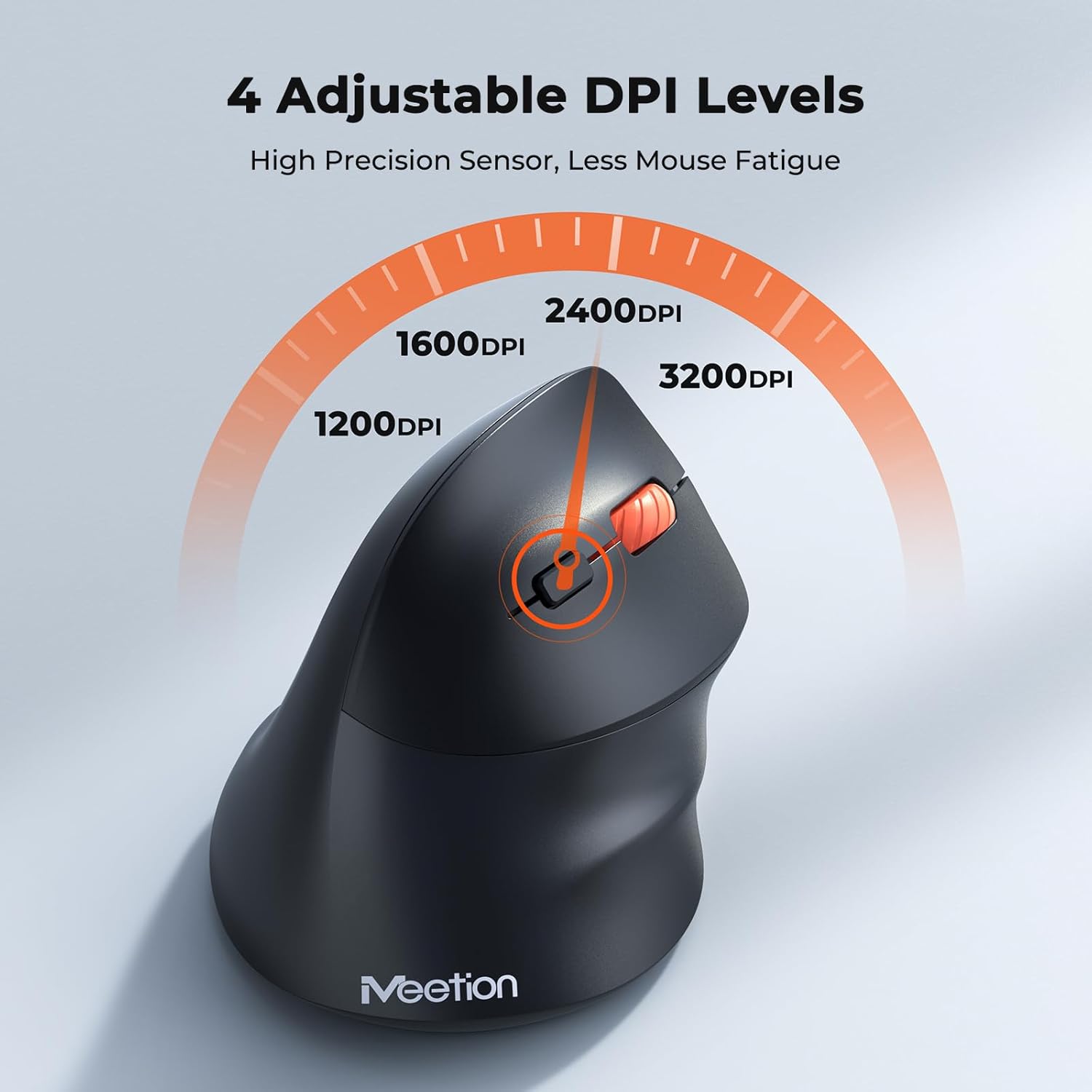
Adjust the DPI to match your preference for cursor speed and precision.
5.2 Comutare multi-dispozitiv
To switch between connected devices, simply press the Mode Switching Button located on the bottom of the mouse. The corresponding indicator light (green for 2.4G, blue for BT1/BT2) will illuminate to show the active connection.
5.3 Forward/Back Buttons
Use the Forward and Back buttons, conveniently located on the side of the mouse, for quick navigation in web browsere, file exploratori și alte aplicații care acceptă aceste funcții.
6. Managementul energiei
6.1 Mod de repaus automat
To conserve battery life, the mouse will automatically enter sleep mode after 20 minutes of inactivity. This intelligent feature helps extend the battery's operational time.
6.2 Waking the Mouse
To wake the mouse from sleep mode, simply press any button. It will instantly reconnect to the last active device.
6.3 Durata de viață a bateriei
With typical usage, a single AA battery can power the mouse for up to 3 months. Actual battery life may vary based on usage patterns and battery quality.
7. Întreținere
To ensure optimal performance and longevity of your mouse, follow these maintenance guidelines:
- curatenie: Folosiți o lavetă moale și uscată pentru a șterge suprafața mouse-ului. Pentru murdăria persistentă, ștergeți ușor suprafața mouse-ului.amp Se poate folosi o lavetă, dar asigurați-vă că nu pătrunde umezeală în dispozitiv. Evitați substanțele chimice dure sau produsele de curățare abrazive.
- Înlocuire baterie: Replace the AA battery when the low battery indicator lights up or when mouse performance degrades. Always dispose of used batteries responsibly.
- Depozitare: When not in use for extended periods, turn off the mouse and store it in a dry, cool place.
8. Depanare
If you encounter issues with your MEETION BTM011 mouse, refer to the following solutions:
| Problemă | Soluţie |
|---|---|
| Șoarecele nu răspunde |
|
| Mișcarea cursorului este neregulată sau lentă |
|
| Nu se poate conecta prin Bluetooth |
|
| Forward/Back buttons not working |
|
9. Specificații
| Caracteristică | Detaliu |
|---|---|
| Model | BTM011 |
| Conectivitate | 2.4GHz Wireless, Bluetooth 5.3 (BT1, BT2) |
| Niveluri DPI | 1200 / 1600 / 2400 / 3200 |
| Butoane | 7 (Left, Right, Scroll Wheel, Forward, Back, DPI Switch, Mode Switch) |
| Sursa de alimentare | 1x baterie AA (nu este inclusă) |
| Auto-Sleep | După 20 de minute de inactivitate |
| Compatibilitate | Windows, Mac OS, Linux, Android, iOS (for iPad/iPhone) |
| Material | Plastic |
| Dimensiuni (aprox.) | 4.4 x 3.29 x 2.74 inchi (11.18 x 8.36 x 6.96 cm) |
10. Garanție și asistență
10.1 Informații despre garanție
MEETION products are designed and manufactured to the highest quality standards. This product is covered by a limited warranty against defects in materials and workmanship. Please retain your proof of purchase for warranty claims. Specific warranty terms may vary by region; refer to your local retailer or the official MEETION website pentru detalii.
10.2 Asistență pentru clienți
For technical assistance, troubleshooting, or general inquiries, please contact MEETION customer support:
- E-mail: service@meetion.com
- Website: Visit the official MEETION website pentru întrebări frecvente și resurse suplimentare.