
1. Produs terminatview
The ATUVOS AT2403 Rechargeable Wallet Tracker Card is a thin, card-shaped device designed to help you locate your personal items using the Apple Find My network. It is compatible exclusively with iOS devices and integrates seamlessly with the Apple Find My app.
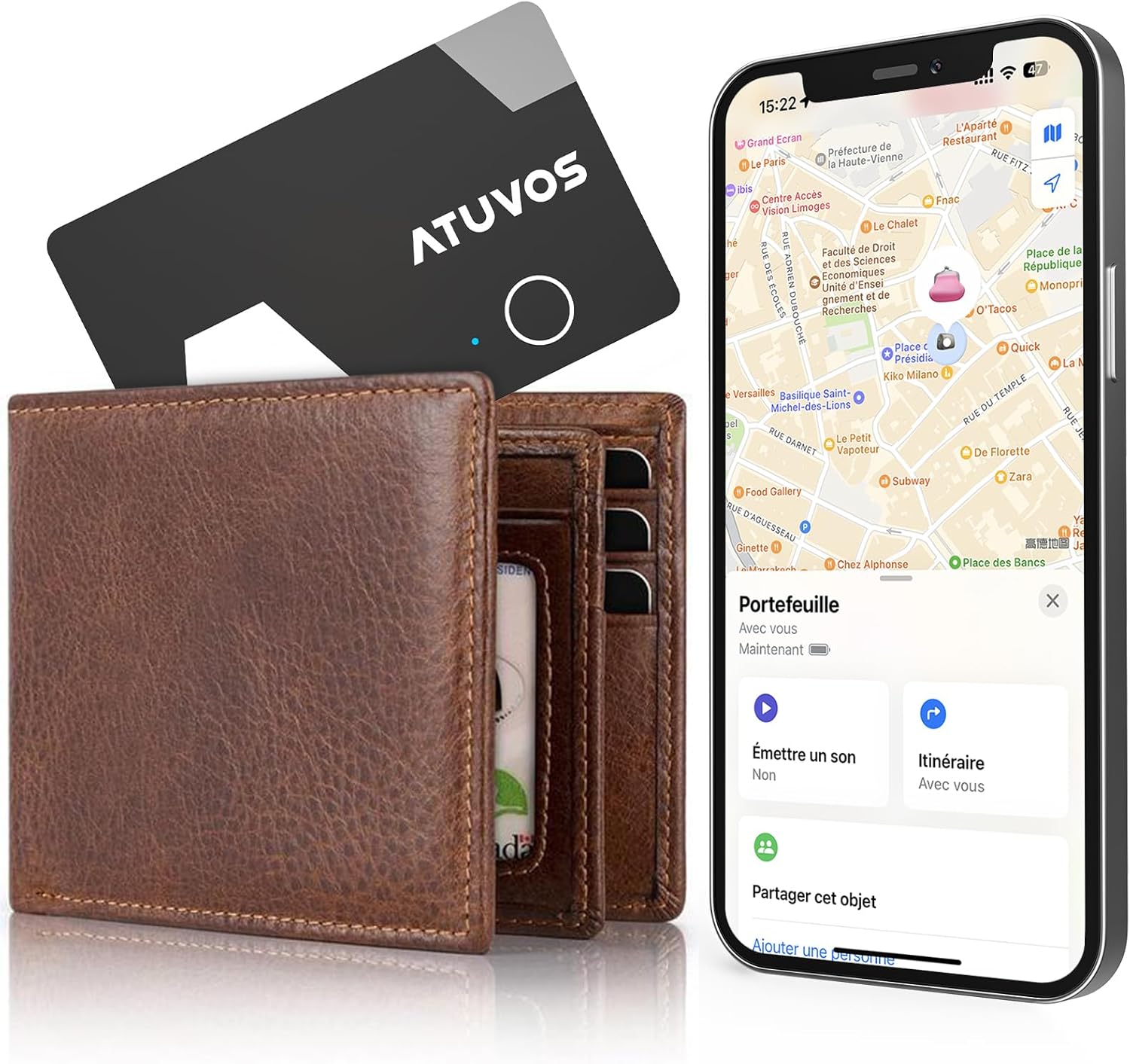
Image 1.1: The ATUVOS Wallet Tracker Card, shown alongside a wallet and an iPhone displaying its location on the Apple Find My app.
This tracker card is ideal for keeping track of items such as wallets, passports, bags, and other valuables that can easily be misplaced.
2. Instrucțiuni de configurare
To begin using your ATUVOS Wallet Tracker Card, you must pair it with your iOS device using the Apple Find My app. Please ensure your iOS device is updated to the latest version.
- Activează Găsește-mă și Bluetooth: On your iOS device, navigate to Settings and ensure both 'Find My' and 'Bluetooth' are enabled.
- Deschideți aplicația Găsește-mi: Launch the Apple Find My app on your iPhone or iPad.
- Adăugați un element nou: In the Find My app, tap on the 'Items' tab, then tap the '+' icon to 'Add New Item'. Select 'Other Supported Item'.
- Pair the Tracker: Press and hold the button on your ATUVOS Tracker Card for approximately 10 seconds until you hear a confirmation sound or see an indicator light. Follow the on-screen prompts in the Find My app to complete the pairing process.
- Rename Item (Optional): Once paired, you can rename your ATUVOS Tracker Card (e.g., "Wallet," "Passport") for easier identification.

Image 2.1: Visual guide demonstrating the pairing process with the Apple Find My app.
3. Instrucțiuni de utilizare
3.1 Găsirea obiectelor în apropiere
If your item is within Bluetooth range (up to 200 feet or 60 meters), you can use the Find My app to make your ATUVOS Tracker Card emit a loud sound (80-100 dB) to help you locate it quickly. You can also ask Siri for assistance.
- Deschideți aplicația Găsește-mi.
- Tap on the 'Items' tab.
- Select your ATUVOS Tracker Card from the list.
- Tap 'Play Sound'. The tracker will emit a sound until you tap 'Stop Sound'.
- Alternatively, say "Hey Siri, find my [item name]" (e.g., "Hey Siri, find my wallet").

Image 3.1: Using the 'Play Sound' feature in the Find My app to locate a nearby item.
3.2 Finding Items Far Away
When your item is outside of Bluetooth range, the Apple Find My network can help you locate it. This network uses hundreds of millions of Apple devices worldwide to detect your ATUVOS Tracker Card and report its location to you privately and securely.
- Deschideți aplicația Găsește-mi.
- Tap on the 'Items' tab.
- Select your ATUVOS Tracker Card.
- The app will display the last known location on a map. You can tap 'Directions' to get navigation to your item's location.

Image 3.2: Navigating to the last known location of your ATUVOS Tracker Card using the Find My app.
3.3 Left-Behind Alarm
The ATUVOS Tracker Card can notify you if you leave an item behind. When the Bluetooth connection between your tracker and your iOS device is lost, the Find My app will send an immediate notification to your device.
- To enable this feature, open the Find My app, select your ATUVOS Tracker Card, and enable 'Notify When Left Behind'.
- You can also set 'Notify Me, Except At' locations to prevent alerts in places like your home or office.

Imaginea 3.3: Un fostample of a 'Left Behind' notification from the Find My app.
4. Încărcare
The ATUVOS AT2403 Wallet Tracker Card features a rechargeable Lithium-ion battery and supports wireless charging. A full charge typically takes approximately 1 hour.
- Indicator de încărcare: A blinking green light indicates the device is charging. A solid green light indicates charging is complete.
- Place the ATUVOS Tracker Card on a compatible wireless charging pad.
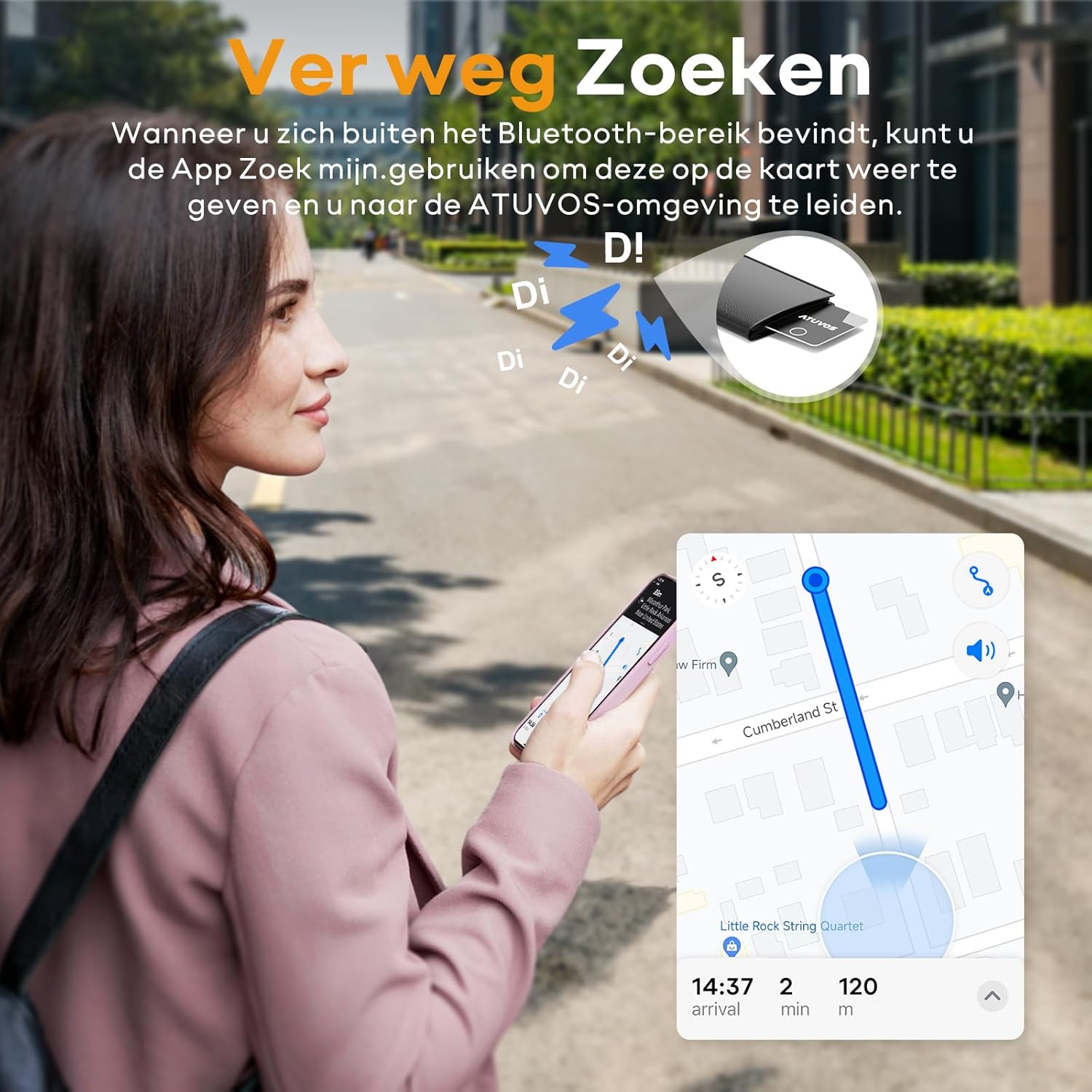
Image 4.1: The ATUVOS Tracker Card being charged wirelessly.
5. Funcții de confidențialitate
The Apple Find My network is designed with privacy in mind. Location data and history are not stored on the ATUVOS Wallet Tracker Card itself. The network is encrypted and anonymous, ensuring your privacy and security.

Image 5.1: Representation of the secure and anonymous Find My network.
6. Specificații
| Caracteristică | Caietul de sarcini |
|---|---|
| Numărul de model | AT2403 |
| Dimensiuni (L x l x H) | 100mm x 70mm x 2mm (10L x 7l x 0.2Ép cm) |
| Greutate | 14 grame |
| Tehnologia de conectivitate | Bluetooth |
| Gama Bluetooth | Până la 200 de picioare (60 metri) |
| Tip baterie | Litiu-ion reîncărcabil |
| Metoda de încărcare | Încărcare fără fir |
| Nivel de sunet | 80-100 dB |
| Rezistenta la apa | IP67 |
| Dispozitive compatibile | iOS, iPhone (Android not supported) |

Image 6.1: Key specifications and features of the ATUVOS Tracker Card.
7. Depanare
- Tracker not connecting:
- Asigurați-vă că Bluetooth este activat pe dispozitivul dvs. iOS.
- Make sure the ATUVOS Tracker Card is charged.
- Try restarting your iOS device and the Find My app.
- If the issue persists, try resetting the tracker by holding its button for 10 seconds and re-pairing it.
- Niciun sunet de la tracker:
- Check if the tracker is within Bluetooth range.
- Asigurați-vă că tracker-ul este încărcat.
- Verify that the 'Play Sound' command is being sent from the Find My app.
- Locație inexactă:
- Location accuracy depends on the density of Apple devices in the Find My network. In areas with fewer devices, location updates may be less frequent or precise.
- Asigurați-vă că dispozitivul dvs. iOS are o conexiune stabilă la internet.
- Left-behind notifications not working:
- Verify that 'Notify When Left Behind' is enabled for your tracker in the Find My app.
- Check your iOS device's notification settings to ensure Find My notifications are allowed.
- Ensure you haven't set 'Notify Me, Except At' for your current location.
8. Întreținere
- curatenie: Ștergeți trackerul cu o cârpă moale și uscată. Evitați utilizarea substanțelor chimice dure sau a materialelor abrazive.
- Expunerea la apă: While the device is IP67 water-resistant, avoid prolonged submersion in water. Ensure it is dry before charging.
- Depozitare: Depozitați trackerul într-un loc răcoros și uscat atunci când nu îl utilizați pentru perioade lungi de timp.

Image 8.1: The ATUVOS Tracker Card demonstrating its IP67 water resistance.
9. Garanție și asistență
The ATUVOS AT2403 Rechargeable Wallet Tracker Card comes with a 1 ani garanție producător.
For any questions or assistance regarding the use of your ATUVOS Tracker Card, please contact our customer service. We offer 24-hour customer support to address your inquiries.
Informații de contact: Please refer to the product packaging or the official ATUVOS website pentru cele mai actualizate date de contact pentru asistența clienți.