
1. Introducere
Thank you for choosing the Hivento Smart Tower Fan AT-932. This intelligent tower fan is designed to provide efficient and comfortable air circulation with its WiFi connectivity, multiple speed and mode settings, oscillation, and convenient timer function. Please read this manual carefully before use to ensure proper operation and maintenance.
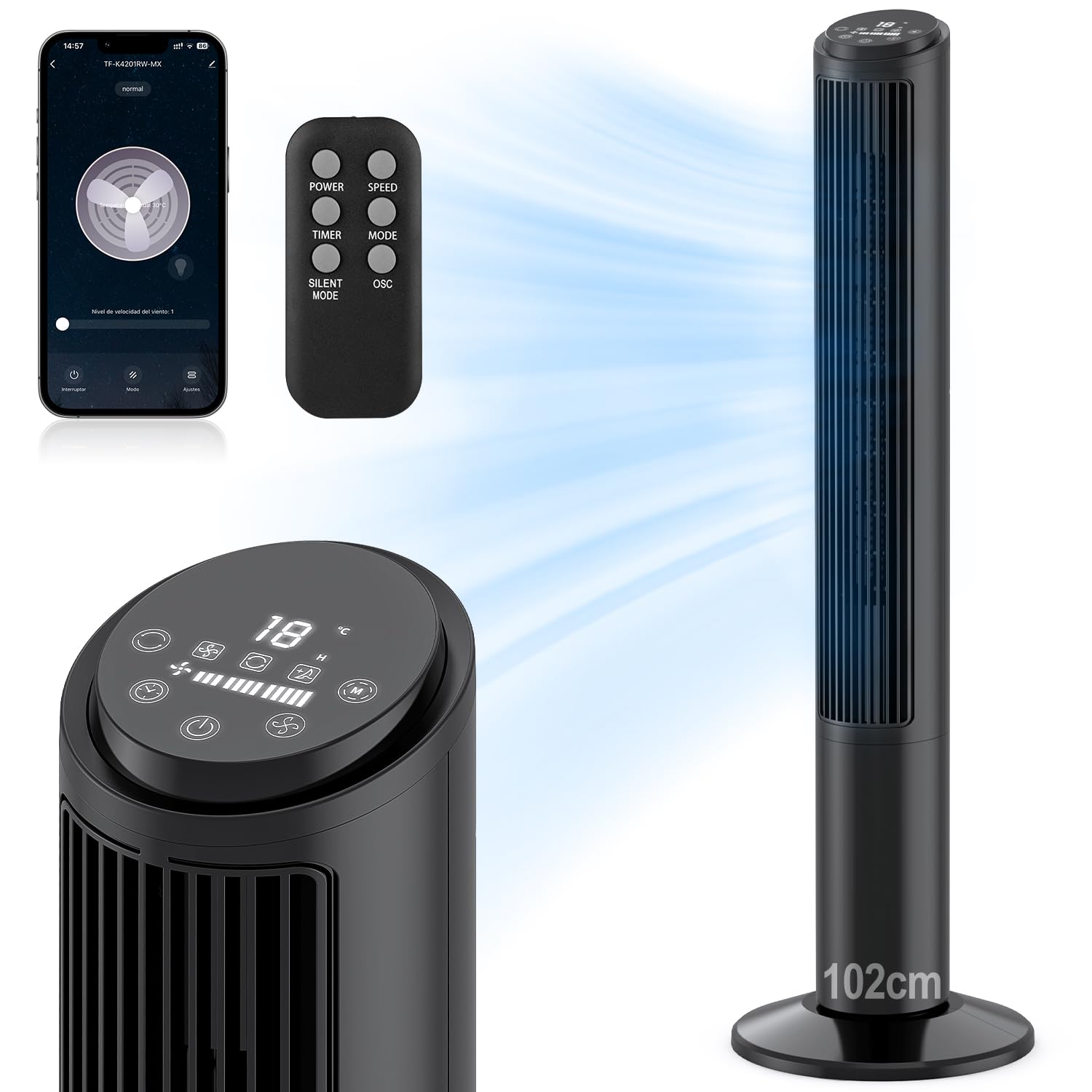
Image: Hivento Smart Tower Fan AT-932, showcasing designul său negru elegant.
2. Instrucțiuni de siguranță
Pentru a reduce riscul de incendiu, electrocutare sau vătămare corporală, vă rugăm să respectați următoarele măsuri de siguranță:
- Deconectați întotdeauna ventilatorul de la priză înainte de curățare sau de efectuarea oricărei operațiuni de întreținere.
- Nu acționați ventilatorul cu un cablu sau un ștecher deteriorat.
- Keep fingers and other objects away from the fan grille when in operation.
- Asigurați-vă că ventilatorul este așezat pe o suprafață stabilă și plană pentru a preveni răsturnarea.
- Nu utilizați ventilatorul în zone umede sau damp medii.
- This fan features a bladeless design for enhanced safety, especially around children and pets. It also includes a child lock function.

Image: Bladeless design of the fan, highlighting safety features like a safety plug and child lock, with a child nearby.
3. Conținutul pachetului
Vă rugăm să verificați pachetul pentru următoarele articole:
- Hivento Tower Fan (x1)
- Installation Accessories (Base parts) (x1 set)
- Telecomandă (x1)
- Manual de utilizare (x1)
4. Configurare
4.1 Ansamblul bazei
The tower fan requires minimal assembly. The base consists of two identical parts. Simply cross these two parts and attach them to the bottom of the fan unit. Ensure they are securely fastened.
4.2 Conexiune la alimentare
Conectați cablul de alimentare la o priză standard de 120 V AC.
4.3 Pornirea inițială
Press the power button on the control panel or remote control to turn on the fan. The LED display will illuminate.
4.4 WiFi Setup (App Control)
To use the smart features, download the Tuya Smart app on your smartphone. Follow the in-app instructions to pair your fan:
- Download and open the Tuya Smart app.
- Înregistrați-vă sau conectați-vă la contul dvs.
- Tap 'Add Device' or the '+' icon.
- Select the fan from the device list or use auto-scan.
- Follow the app's prompts to connect the fan to your 2.4GHz WiFi network. This usually involves resetting the device by pressing and holding the power button until the indicator light flashes.
- Once connected, you can control the fan via the app.

Image: Step-by-step guide on a smartphone screen demonstrating how to pair the Hivento Smart Tower Fan with the Tuya Smart app.
5. Instrucțiuni de utilizare
5.1 Panou de control și afișaj LED
The fan features an intuitive LED display and touch controls on the top. The display shows ambient temperature, current speed, mode, and timer settings.
- Buton de alimentare: Pornește/Oprește ventilatorul.
- Buton de viteza: Reglează viteza ventilatorului (Mică, Medie, Mare).
- Butonul de mod: Comută între modurile de funcționare (Normal, Natural, Repaus).
- Buton cronometru: Setează temporizatorul de oprire automată.
- Buton de oscilație: Activează/dezactivează oscilația.

Image: Close-up of the fan's LED display and touch control panel, along with the remote control, indicating various functions.
5.2 Telecomandă
The included remote control allows convenient operation from a distance. It duplicates all functions available on the control panel.
- PUTERE: Pornește/Oprește ventilatorul.
- VITEZĂ: Reglează viteza ventilatorului.
- TIMER: Setează temporizatorul de oprire automată.
- Mod de administrare: Comută ciclic prin modurile de funcționare.
- MOD SILENȚIOS: Activates a quiet operation mode (often the Sleep mode).
- OSC: Activează/dezactivează oscilația.

Image: The Hivento Smart Tower Fan oscillating, with a remote control shown in the foreground, illustrating remote operation.
5.3 Smart Control (WiFi & Voice)
After successful WiFi setup, you can control your fan from anywhere using the Tuya Smart app. The fan is also compatible with voice assistants like Amazon Alexa and Google Assistant for hands-free operation.
- Controlul aplicației: Adjust settings, change modes, set timers, and monitor the fan remotely via your smartphone.
- Control vocal: Integrate with Alexa or Google Assistant to control the fan with voice commands (e.g., "Alexa, turn on the fan," "Hey Google, set fan speed to medium").
5.4 Moduri și viteze
The fan offers 3 speed settings and 2 operating modes:
- Viteze: Low, Medium, High. Select the desired airflow intensity.
- Mod natural: Simulează o briză naturală prin variația vitezei ventilatorului.
- Modul de somn: Operates at a low, quiet speed for minimal disturbance during sleep, with a noise level of less than 30 dB.

Image: Graphic illustrating the fan's 2 modes (Natural, Sleep) and 3 speeds (Low, Medium, High), along with 70° oscillation and 6 m/s airflow.
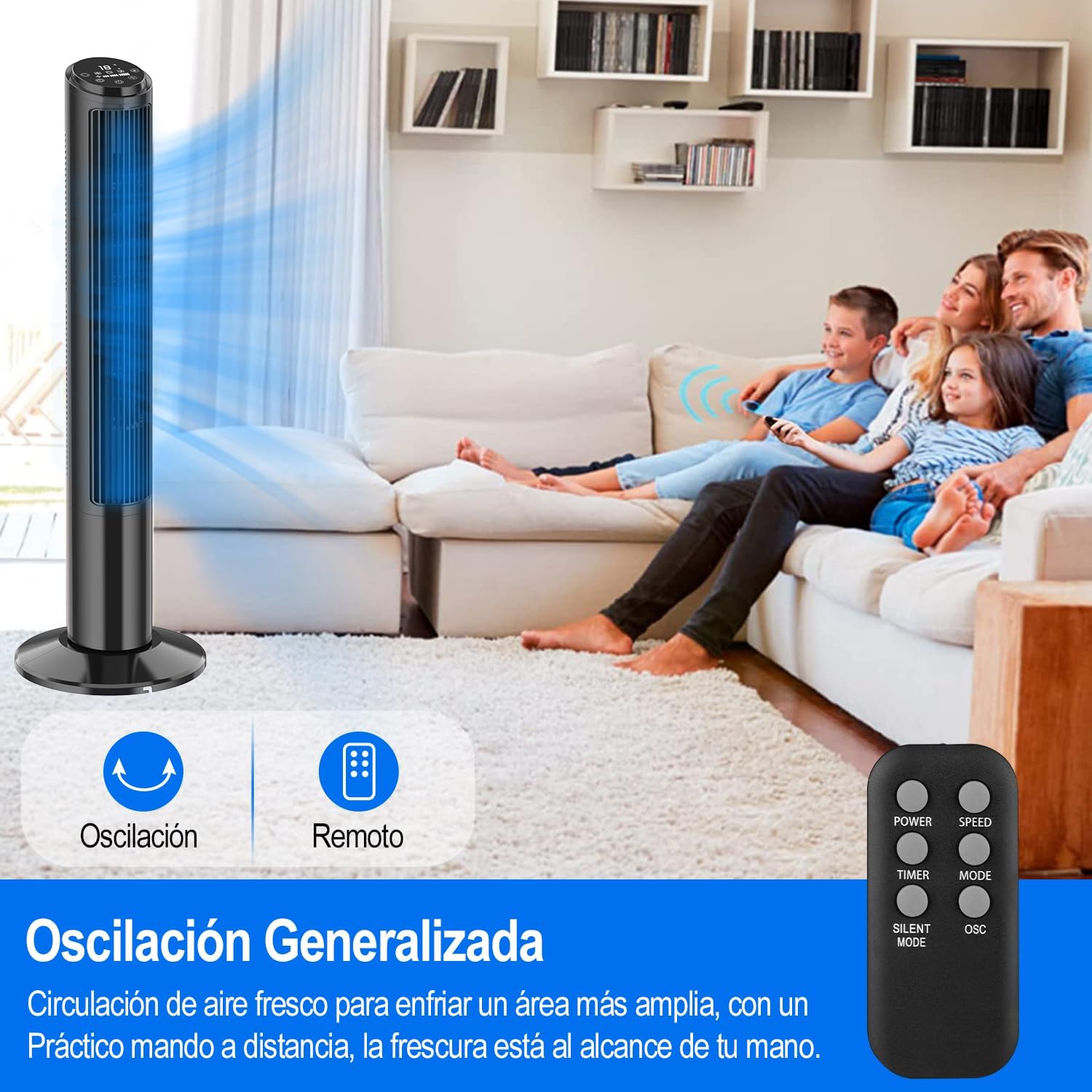
Image: A person sleeping peacefully with the Hivento Smart Tower Fan operating quietly in the background, demonstrating its low noise level for sleep.
5.5 Funcția de oscilație
Activate the oscillation function to distribute airflow across a wider area. The fan oscillates up to 70 degrees.
5.6 Funcția de cronometru
Set the fan to automatically turn off after a specified period, from 0 to 15 hours. This is useful for energy saving or for use during sleep.

Image: Graphic showing the fan's timer function, allowing settings from 0 to 15 hours.
6. Întreținere
Curățarea regulată ajută la menținerea performanței ventilatorului și îi prelungește durata de viață.
- Curățarea exteriorului: Ștergeți suprafețele exterioare cu un material moale, damp pânză. Nu utilizați agenți de curățare abrazivi sau solvenți.
- Curățarea orificiului de admisie/evacuare a aerului: Use a soft brush or vacuum cleaner with a brush attachment to remove dust from the air inlet and outlet grilles.
- Depozitare: When not in use for extended periods, unplug the fan and store it in a cool, dry place.
Atenţie: Nu scufundați ventilatorul în apă și nu lăsați apa să picure în carcasa motorului.
7. Depanare
| Problemă | Cauza posibila | Soluţie |
|---|---|---|
| Ventilatorul nu pornește. | Fără alimentare; Cablul de alimentare nu este conectat corect. | Ensure the fan is plugged into a working outlet; Check the power cord connection. |
| Ventilatorul se oprește pe neașteptate. | Timer function activated; Overheating. | Check if the timer is set; Unplug and allow the fan to cool down before restarting. |
| Telecomanda nu funcționează. | Bateriile sunt descărcate sau introduse incorect; Obstrucție între telecomandă și ventilator. | Replace batteries; Ensure clear line of sight to the fan's receiver. |
| Conexiunea WiFi eșuează. | Parolă WiFi incorectă; Router prea departe; Doar WiFi de 5 GHz disponibil. | Verify WiFi password; Move fan closer to router; Ensure you are connecting to a 2.4GHz network. |
8. Specificații
| Caracteristică | Detaliu |
|---|---|
| Marca | Hivento |
| Numele modelului | Hivento Tower Fan AT-932 |
| Numărul de model | AT-932 |
| Culoare | Negru |
| Dimensiuni (DxWxH) | 20 x 20 x 102 cm (7.87 x 7.87 x 40.16 țoli) |
| Sursa de alimentare | CA (120 volți) |
| Consumul de energie | 50 wați |
| Numărul de viteze | 3 |
| Moduri de operare | 2 (Natural, Sleep) |
| Oscilaţie | 70° |
| Cronometru | Până la 15 ore |
| Nivel de zgomot | Minimum 30 Decibels |
| Tip control | App Control, Remote Control, Touch |
| Caracteristici speciale | WiFi Function, Bladeless Design, LED Display, Child Lock |
| Material | Plastic |

Image: The Hivento Smart Tower Fan with its dimensions (102cm height, 32cm base diameter) highlighted, demonstrating its compact and portable design.
9. Garanție și asistență
Specific warranty information is not provided in the product data. For warranty details, technical support, or any product-related inquiries, please contact Hivento customer service through the retailer's platform or the official brand website-ul.
You can visit the Hivento store for more information: Hivento Store