
Introducere
This manual provides detailed instructions for the proper use and maintenance of your ACEFAST H2 Wireless Headset. Designed with advanced Active Noise Cancelling (ANC) technology and Bluetooth 5.3 connectivity, these headphones offer a high-quality audio experience. Please read this manual thoroughly before using the product to ensure optimal performance and longevity.
Conținutul pachetului
- ACEFAST H2 Wireless Headset
- Cablu de încărcare USB-C
- Cablu auxiliar de 3.5 mm
- Manual de utilizare (acest document)
Produs terminatview
Familiarize yourself with the components and controls of your ACEFAST H2 headset.
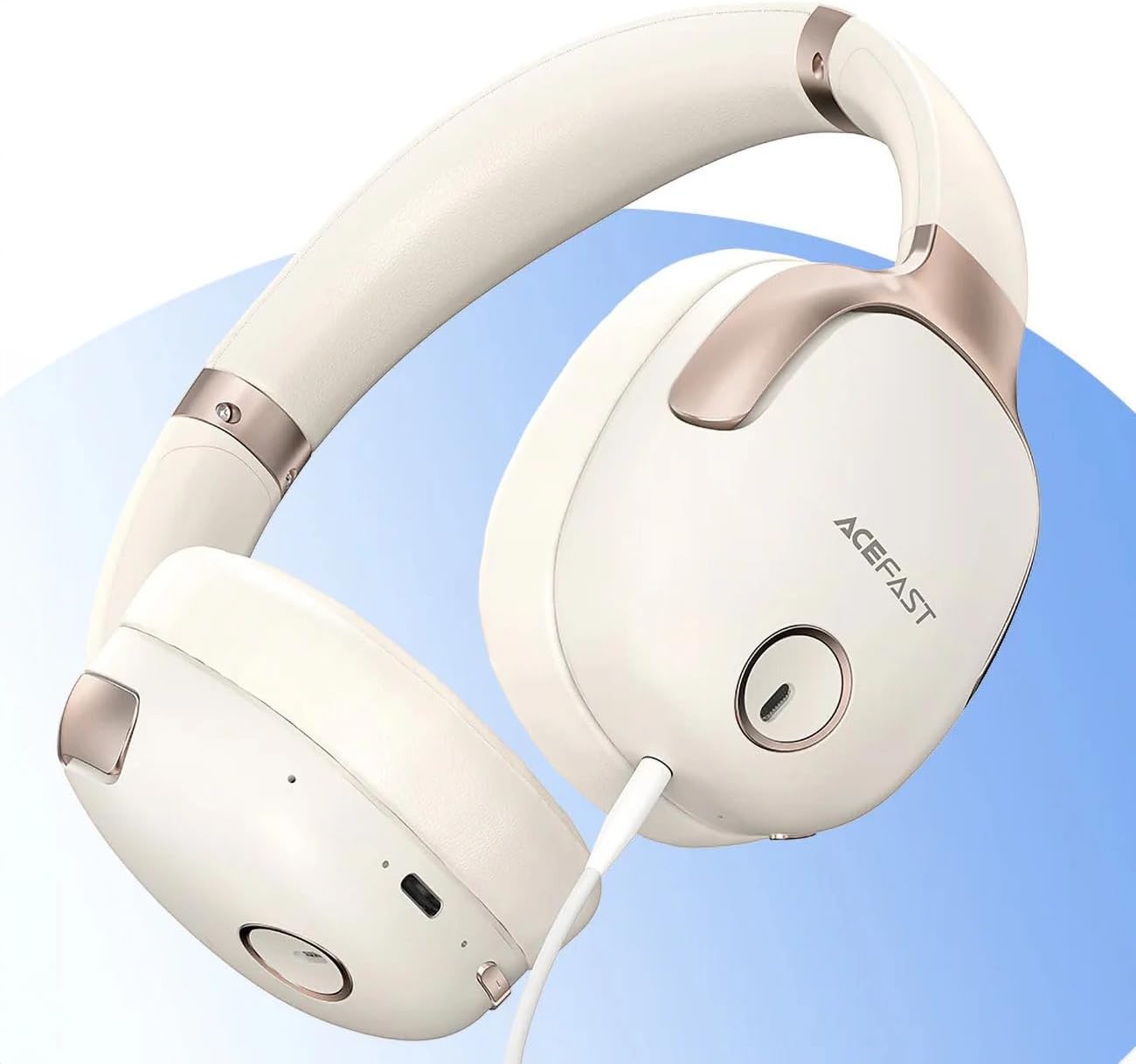
Figura 1: ACEFAST H2 Headset showing USB-C charging port, 3.5mm audio jack, and control buttons.
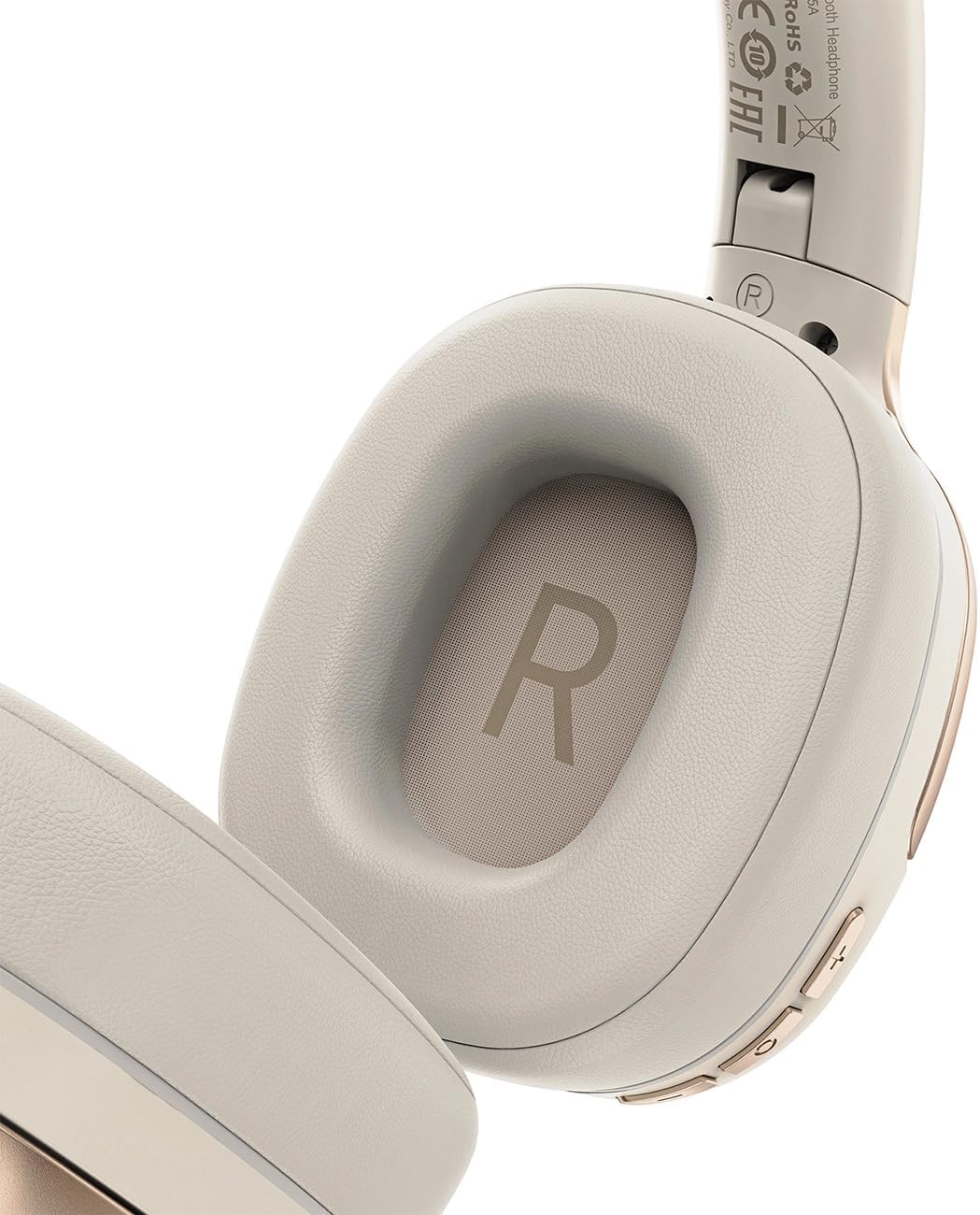
Figura 2: Interior of the right earcup, indicating proper orientation for wearing.

Figura 3: Headband adjustment mechanism and ear cup swivel for comfortable fit.

Figura 4: The foldable design of the headset for easy storage and transport.
Componente cheie:
- Buton de pornire/multifuncțional: Folosit pentru pornire/oprire, redare/pauză, preluare/încheiere apeluri.
- Buton de creștere a volumului/piesa următoare: Apăsați pentru creșterea volumului, țineți apăsat pentru piesa următoare.
- Buton Reducere volum/Piesă anterioară: Apăsați pentru a reduce volumul, țineți apăsat pentru piesa anterioară.
- Butonul ANC: Activează sau dezactivează Anularea activă a zgomotului.
- Port de încărcare USB-C: Pentru încărcarea căștilor.
- Mufă audio de 3.5 mm: For wired connection using the Aux cable.
- Microfon: Integrat pentru apeluri.
- Indicator LED: Afișează starea de alimentare, încărcare și asociere.
Înființat
1. Încărcarea setului cu cască
- Connect the provided USB-C charging cable to the headset's USB-C port.
- Conectați celălalt capăt al cablului la un adaptor de alimentare USB (nu este inclus) sau la portul USB al unui computer.
- Indicatorul LED va afișa starea de încărcare (de exemplu, roșu în timpul încărcării, albastru când este complet încărcat).
- A full charge takes approximately 2 hours and provides up to 80 hours of music playback.
2. Pornire/Oprire
- Pentru a porni: Press and hold the Power/Multi-function button for approximately 3 seconds until the LED indicator flashes.
- Pentru a opri: Apăsați și mențineți apăsat butonul Pornire/Multifuncțional timp de aproximativ 5 secunde, până când indicatorul LED se stinge.
3. Asociere Bluetooth
- Asigurați-vă că setul cu cască este oprit.
- Press and hold the Power/Multi-function button for about 5-7 seconds until the LED indicator flashes red and blue alternately, indicating pairing mode.
- Pe dispozitivul dvs. (smartphone, tabletă, computer), activați Bluetooth și căutați dispozitivele disponibile.
- Select "ACEFAST H2" from the list of found devices.
- După asociere, indicatorul LED va clipi lent în albastru.
- The headset will automatically connect to the last paired device when powered on, if within range.
4. Conexiune prin cablu (mod Aux)
- Connect one end of the 3.5mm Aux cable to the headset's 3.5mm audio jack.
- Connect the other end to your audio source's 3.5mm audio output.
- In wired mode, the headset functions passively, and Bluetooth features are disabled. ANC may still be active if powered on.
Instrucțiuni de operare
Redare muzică
- Redare/Pauză: Apăsați scurt butonul Pornire/Multifuncțională.
- Creșterea volumului: Apăsați scurt butonul de creștere a volumului.
- Volum scăzut: Apăsați scurt butonul de reducere a volumului.
- Următoarea piesă: Apăsați lung butonul de creștere a volumului.
- Pista anterioară: Apăsați lung butonul de reducere a volumului.
Apeluri telefonice
- Răspundeți/Terminați apelul: Apăsați scurt butonul Pornire/Multifuncțională.
- Respinge apelul: Apăsați lung butonul de Pornire/Multifuncție.
- Asistent vocal: Apăsați de două ori butonul Pornire/Multifuncțională (dacă dispozitivul este compatibil).
Anularea zgomotului activ (ANC)
- Activare/Dezactivare ANC: Press the dedicated ANC button. The LED indicator will change to confirm status.
- ANC reduces ambient noise up to -40dB, providing a quieter listening environment.
Întreţinere
- curatenie: Folosiți o lavetă moale și uscată pentru a curăța setul cu cască. Nu utilizați substanțe de curățare abrazive sau solvenți.
- Depozitare: Store the headset in a cool, dry place away from direct sunlight and extreme temperatures. When not in use, it is recommended to fold the headset for compact storage.
- Rezistenta la apa: The headset is IPX4 water-resistant, meaning it is protected against splashing water from any direction. It is not designed for submersion or exposure to heavy rain. Avoid exposing the charging port and audio jack to moisture.
- Îngrijirea bateriei: To preserve battery life, charge the headset fully before long periods of storage and recharge it at least once every three months.
Depanare
| Problemă | Cauza posibila | Soluţie |
|---|---|---|
| Căștile nu pornesc. | Baterie descărcată. | Încărcați complet setul cu cască. |
| Nu se poate realiza asocierea cu dispozitivul. | Headset not in pairing mode; device Bluetooth off; too far from device. | Ensure headset is in pairing mode (flashing red/blue). Turn on device Bluetooth. Move headset closer to device (within 10 meters). |
| Fără sunet sau calitate audio slabă. | Volume too low; headset not connected; interference; incorrect audio output selected. | Adjust volume on headset and device. Re-pair headset. Move away from sources of interference. Check device's audio output settings. |
| ANC nu funcționează eficient. | ANC neactivat; potrivire necorespunzătoare. | Press the ANC button to activate. Adjust headset for a snug fit over your ears. |
Specificații
| Numele modelului | H2 |
| Tehnologia de conectivitate | Wireless (Bluetooth 5.3) / Wired (3.5mm Aux) |
| Gama Bluetooth | Până la 10 metri |
| Controlul zgomotului | Active Noise Cancellation (ANC) up to -40dB, Environmental Noise Cancelling (ENC) for microphone |
| Durata de viață a bateriei | Până la 80 ore (redare muzică) |
| Timp de încărcare | Aproximativ 2 ore (prin USB-C) |
| Rezistenta la apa | IPX4 (rezistent la stropire) |
| Plasarea urechii | La ureche |
| Material | Acrilonitril Butadien Stiren (ABS) |
| Culoare | Bej |

Figura 5: Illustration of the dynamic HiFi audio driver components.
Informații despre garanție
The ACEFAST H2 Wireless Headset comes with a Garanție de 6 luni de la producător de la data achiziției. Această garanție acoperă defectele de fabricație și manoperă în condiții normale de utilizare. Nu acoperă daunele cauzate de utilizarea necorespunzătoare, accidente, modificări neautorizate sau uzură normală. Vă rugăm să păstrați dovada achiziției pentru reclamațiile în garanție.
Sprijin
For further assistance, technical support, or warranty inquiries, please refer to the contact information provided by your retailer or visit the official ACEFAST website. Ensure you have your product model number (H2) and proof of purchase ready when contacting support.