
NJTY T3
Manual de instrucțiuni pentru multimetrul NJTY T3
Model: T3
Introducere
This manual provides detailed instructions for the safe and effective use of the NJTY T3 Digital Multimeter. Please read this manual thoroughly before operation and retain it for future reference. The NJTY T3 is a rechargeable, auto-ranging digital multimeter designed for accurate measurements of AC/DC voltage, resistance, and features Non-Contact Voltage (NCV) detection and live wire testing.

Image: The NJTY T3 Digital Multimeter, showing its main unit, red and black test probes, and a USB-C charging cable connected.
Informații de siguranță
Always adhere to safety precautions when using any electrical testing equipment. Failure to do so may result in injury or damage to the device.
- Nu depășiți valorile maxime de intrare specificate pentru fiecare funcție.
- Asigurați-vă că sondele de testare sunt în stare bună și conectate corect înainte de a efectua măsurători.
- Aveți grijă când lucrați cu voltagpeste 30V AC RMS, 42V peak sau 60V DC, deoarece acestea prezintă un pericol de electrocutare.
- Nu utilizați multimetrul dacă pare deteriorat sau dacă carcasa este deschisă.
- Always disconnect power to the circuit under test before measuring resistance or continuity.
- Folosește Volumul fără Contacttage (NCV) function as an initial check, but always verify with direct contact measurements when safety is critical.
Conținutul pachetului
Verificați dacă toate articolele sunt prezente în colet:
- NJTY T3 Multimeter (1 unit)
- Test Leads (1 pair, red and black)
- Cablu de încărcare Type-C (1 unitate)
- Manual de instrucțiuni (1 unitate)
Înființat
1. Încărcarea inițială
The NJTY T3 Multimeter features a built-in rechargeable Lithium Ion battery. Before first use, or if the low battery indicator is displayed, charge the device using the provided Type-C charging cable.
- Conectați capătul de tip C al cablului de încărcare la portul de încărcare al multimetrului.
- Conectați capătul USB-A al cablului de încărcare la un adaptor de alimentare USB standard (nu este inclus) sau la portul USB al unui computer.
- The charging indicator on the multimeter will illuminate during charging and turn off when fully charged.

Image: The NJTY T3 Multimeter being charged via its Type-C port, connected to a laptop.
2. Conectarea cablurilor de testare
Insert the red test lead into the "VΩ" input jack and the black test lead into the "COM" input jack. Ensure they are securely seated.
Instrucțiuni de operare
The NJTY T3 Multimeter features an auto-ranging function, simplifying operation by automatically detecting the measurement type and range.
1. Pornire/Oprire
Press and hold the power button to turn the multimeter on or off. The device will automatically shut off after approximately 15 minutes of inactivity to conserve battery life.
2. Automatic Measurement (Auto-Ranging)
In auto-ranging mode, the multimeter will automatically identify and measure AC voltage, DC voltage, or resistance when the test leads are applied to a circuit. The display will show the measurement type (AC, DC, Ω) and the value.
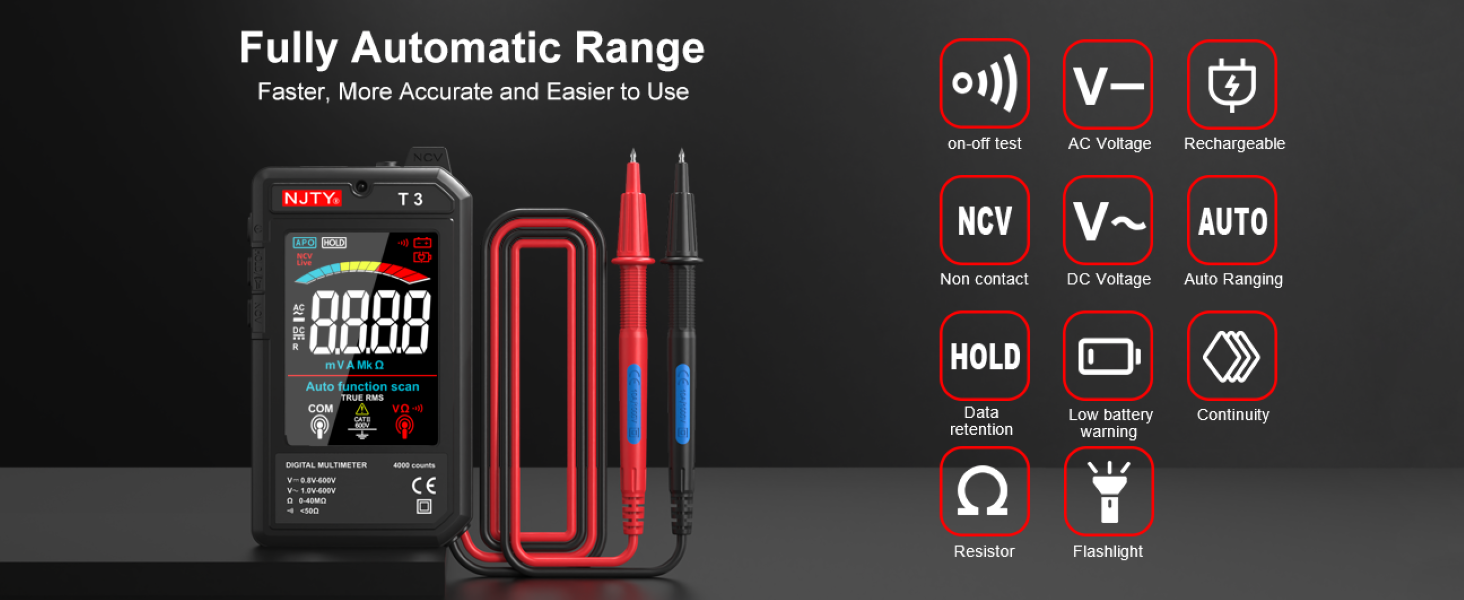
Image: The NJTY T3 Multimeter screen showing "Auto function scan" and icons representing AC/DC voltage, resistance, continuity, NCV, and flashlight functions.
3. AC/DC Voltage Măsurare
- Ensure the multimeter is powered on.
- Conectați sondele de testare la punctele circuitului unde voltage needs to be measured. The multimeter will automatically detect AC or DC voltage.
- Citiți voltagvaloarea afișată pe ecran.
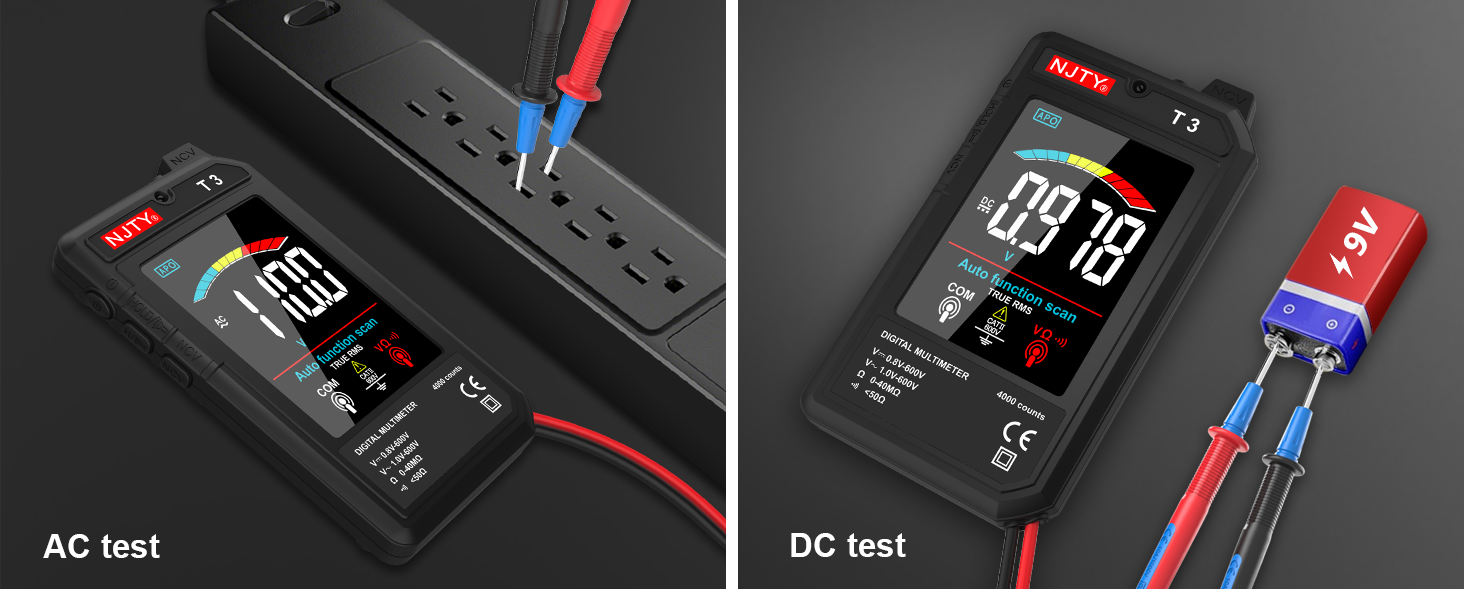
Image: Two separate images showing the NJTY T3 Multimeter measuring AC voltage from a power strip and DC voltagde la o baterie de 9V.
4. Măsurarea rezistenței
- Important: Asigurați-vă că circuitul este dezactivat înainte de a măsura rezistența.
- Connect the test leads across the component or circuit section where resistance is to be measured.
- The multimeter will display the resistance value in Ohms (Ω), Kilo-Ohms (KΩ), or Mega-Ohms (MΩ).

Image: Two separate images showing the NJTY T3 Multimeter measuring resistance of a resistor and performing a continuity test on a wire.
5. Vol. fără contacttage (NCV) Detectie
The NCV function allows for safe detection of live wires without direct contact.
- Press the NCV button (if available, or ensure NCV mode is active).
- Bring the NCV sensor at the top of the multimeter close to the wire or outlet.
- The multimeter will emit an audible beep and the display will indicate the presence of AC voltage, with increasing intensity as it gets closer to the source.

Image: The NJTY T3 Multimeter detecting non-contact voltage near an electrical wall outlet, with the screen showing "EF" and a signal strength indicator.
6. Live Wire Testing
This function helps identify live wires in an AC circuit.
- Insert the red test probe into the socket or touch it to the wire you want to test.
- If the multimeter emits an alarm sound and the screen changes to indicate "LIVE", it signifies a live wire.

Image: The NJTY T3 Multimeter's red probe inserted into an electrical outlet for live wire testing, with the screen displaying "LIVE".
7. Test de continuitate
- Important: Asigurați-vă că circuitul este dezactivat înainte de a efectua un test de continuitate.
- Connect the test leads across the component or wire to be tested.
- If continuity exists (resistance is low, typically below 50Ω), the multimeter will emit an audible beep.
8. Reținerea datelor
Apăsați butonul „HOLD” pentru a îngheța valoarea curentă de pe afișaj. Apăsați-l din nou pentru a dezactiva funcția de menținere a valorii.
9. Lanternă și iluminare de fundal
The multimeter includes a built-in flashlight for illuminating the test area and a backlight for the display, enhancing visibility in low-light conditions. Refer to the device buttons for activation (typically a short press of the power button or a dedicated light button).
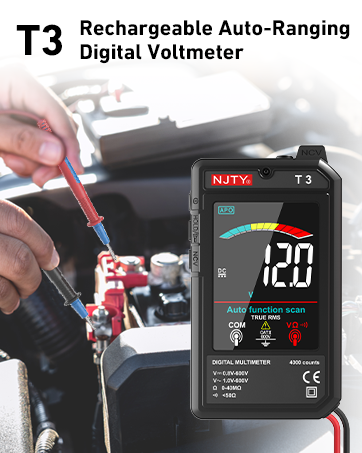
Image: The NJTY T3 Multimeter with its integrated flashlight active, illuminating a dark electrical panel.
Întreţinere
1. Curatenie
Wipe the multimeter's case with a damp o lavetă și un detergent blând. Nu utilizați abrazivi sau solvenți. Asigurați-vă că dispozitivul este oprit și deconectat de la orice sursă de alimentare înainte de curățare.
2. Îngrijirea bateriei
The built-in Lithium Ion battery should be charged regularly, especially if the device is not used for extended periods. The automatic shut-off feature helps prolong battery life. A low battery indicator will appear on the display when charging is required.
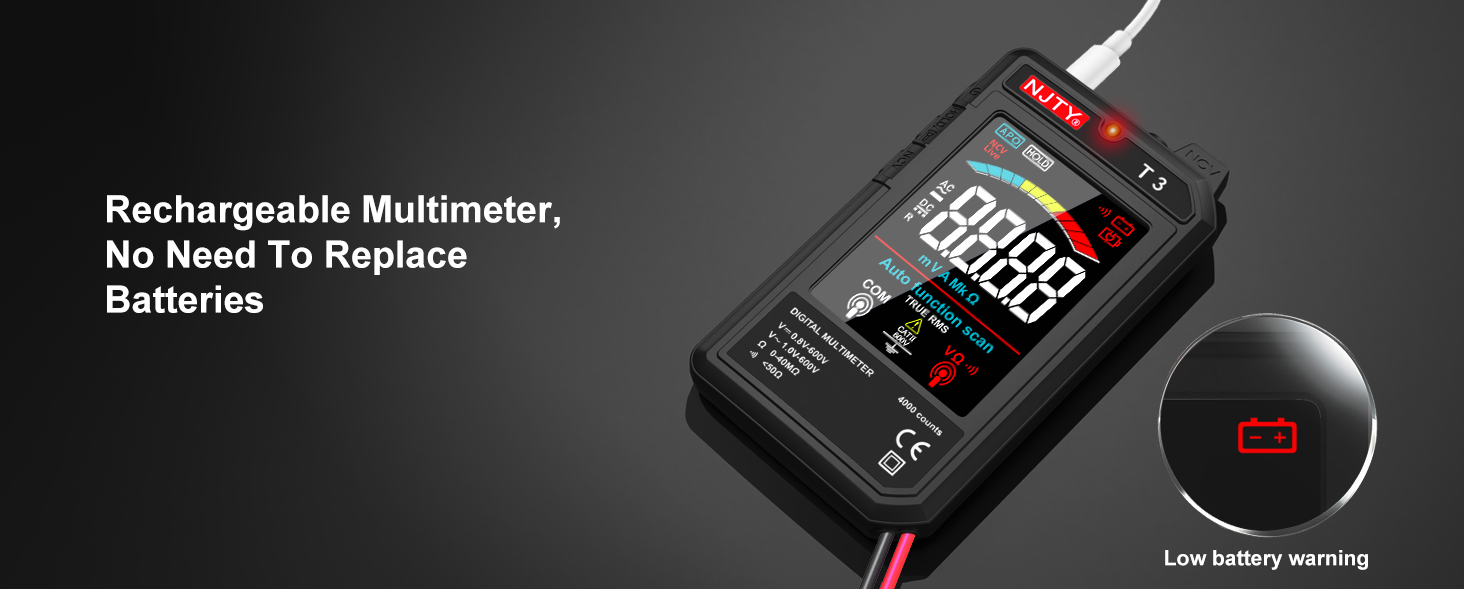
Image: The NJTY T3 Multimeter screen showing a low battery warning icon, indicating the need for recharging.
3. Depozitare
Store the multimeter in a cool, dry place, away from direct sunlight and extreme temperatures. Disconnect test leads when storing.
Depanare
| Problemă | Cauza posibila | Soluţie |
|---|---|---|
| No display or device won't turn on. | Baterie descărcată sau dispozitivul este oprit. | Charge the battery using the Type-C cable. Press and hold the power button to turn on. |
| Citiri inexacte. | Poor test lead connection, incorrect measurement technique, or exceeding input limits. | Ensure test leads are firmly connected. Review operating instructions for correct measurement procedures. Do not exceed specified input ranges. |
| Multimeter automatically shuts off. | Automatic power-off feature activated due to inactivity. | This is normal behavior to conserve battery. Press the power button to turn it back on. |
| NCV detection not working or inconsistent. | Distance to voltage source too far, or interference. | Bring the NCV sensor closer to the suspected live wire. Ensure no other strong electromagnetic fields are present. |
Specificații
| Caracteristică | Detaliu |
|---|---|
| Afişa | 4000 Counts, 3.19-inch Color LCD |
| DC Voltage Gama | 0.8V - 600V (Accuracy: ±(0.8%+5)) |
| AC Voltage Gama | 1V - 600V (Accuracy: ±(1.0%+5)) |
| Interval de rezistență | 0 - 40MΩ (Accuracy: ±(1.0%+10)) |
| Minimum Resolution (DCV/ACV) | 0.001V |
| Minimum Resolution (Resistance) | 1Ω |
| Sursa de alimentare | Baterie reîncărcabilă litiu-ion (inclusă) |
| Port de încărcare | Tip-C |
| Oprire automată | Aproximativ 15 minute de inactivitate |
| Lanternă | Yes (1 minute auto shut-off) |
| Iluminare de fundal | Da |
| Buzzer | Yes (for continuity, internal resistance less than 50Ω) |
| Detectare NCV | Da |
| RMS adevărat | Yes (45Hz-2KHz) |
| Indicator baterie descărcată | Da |
| Identificarea firelor sub tensiune | Da |
| Dimensiunile produsului | 5.51 x 1.18 x 0.79 inci |
| Greutatea articolului | 150 de grame (5.29 uncii) |
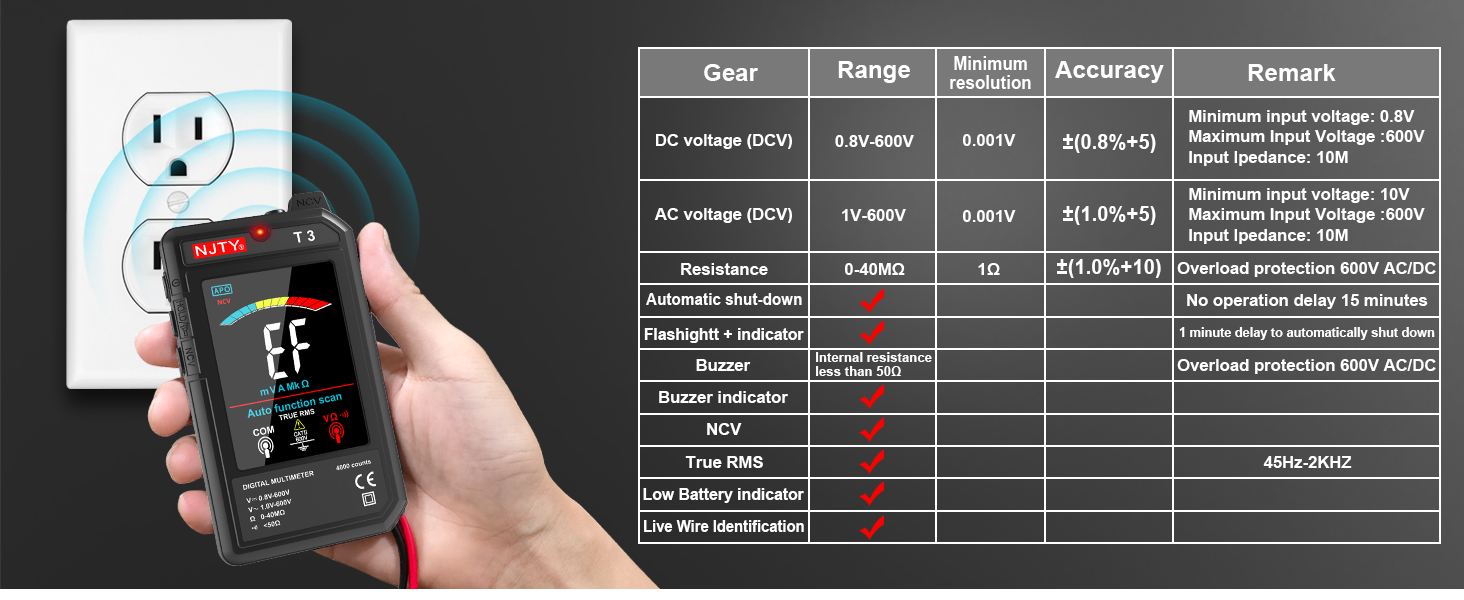
Image: The NJTY T3 Multimeter demonstrating NCV detection alongside a table detailing its technical specifications.
Garanție și suport
Informații despre garanție
For specific warranty terms and conditions, please refer to the warranty card included with your product or contact the seller directly. Warranty coverage typically addresses manufacturing defects under normal use.
Asistență pentru clienți
If you encounter any issues or have questions regarding the NJTY T3 Multimeter, please contact your retailer or the manufacturer's customer support channel. Refer to the "after-sales channel" information provided in your product packaging for contact details.
Documente aferenteT3


Ask a question about this manual
Ask about setup, troubleshooting, compatibility, parts, safety, or missing instructions. Manuals+ will review the question and use this page’s manual context to help answer it.