
1. Introducere
The MiBOXER K3S Rotating Wheel Remote provides intuitive control over LED lighting systems, allowing for precise adjustment of both color temperature and brightness. Utilizing 2.4GHz wireless technology, this remote ensures stable and responsive operation. Its ergonomic design facilitates easy handling and accurate adjustments, making it suitable for various lighting applications.
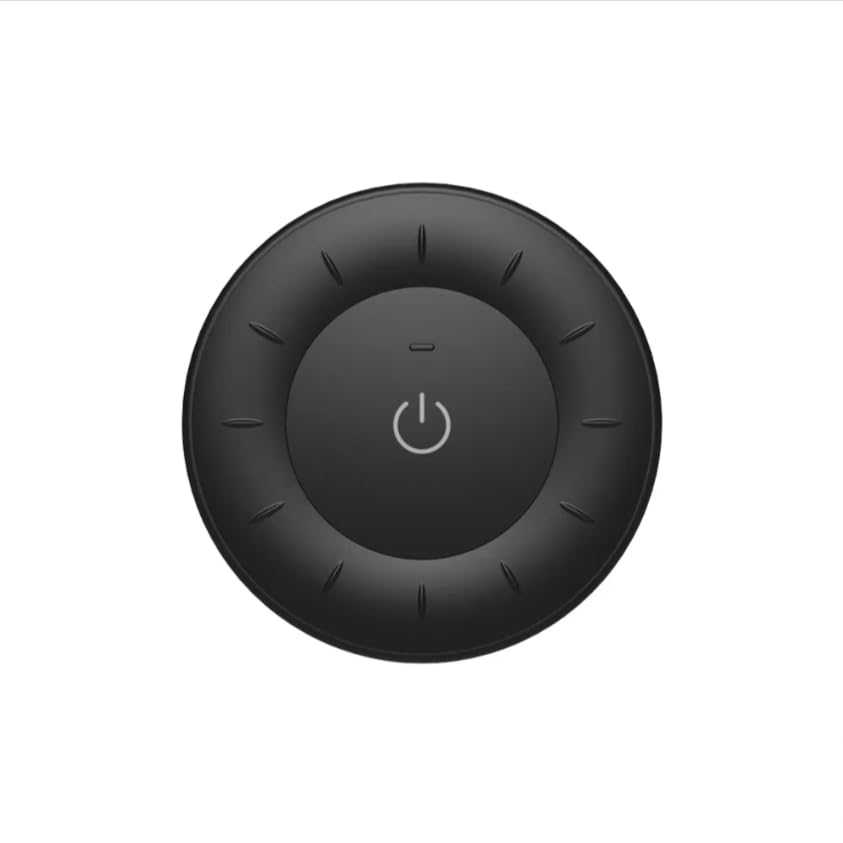
Image 1.1: MiBOXER K3S Rotating Wheel Remote (Black)
This image displays the MiBOXER K3S remote control in black, highlighting its circular design and central power button.
2. Caracteristicile produsului
- Luminozitate și temperatură de culoare reglabile: Allows fine-tuning of lighting intensity and warmth.
- Rotating Wheel Design: Provides smooth and intuitive control for easy adjustments.
- Tehnologie wireless de 2.4 GHz: Ensures stable, interference-free connectivity with compatible devices.
- Design ergonomic: Confortabil de ținut în mână și de utilizat.
- Multi-Environment Compatibility: Suitable for various settings including homes, offices, and commercial spaces.
3. Conținutul pachetului
La deschiderea ambalajului, verificați dacă sunt prezente toate componentele:
- Telecomandă cu roți rotative MiBOXER K3S
- Manual de utilizare
Note: CR2032 battery is purchased separately and is not included in the package.
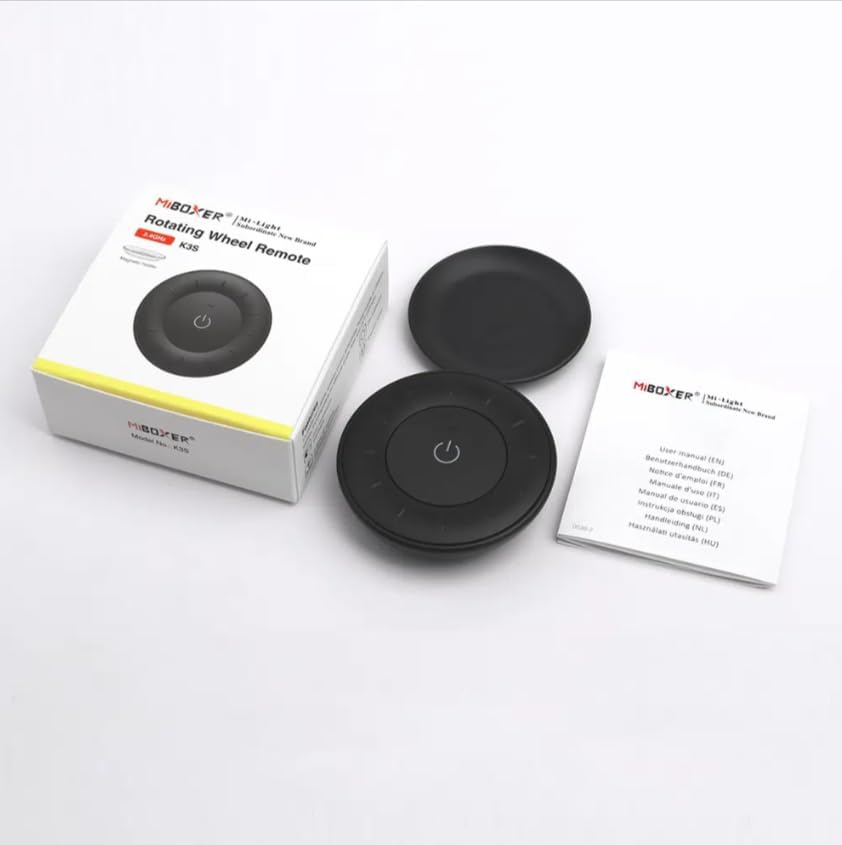
Image 3.1: Package Contents Overview
This image shows the MiBOXER K3S remote, its packaging box, and the included user manual, laid out on a surface.
4. Diagrama produsului

Image 4.1: Remote Control Components
This diagram illustrates the main components of the MiBOXER K3S remote, including the ON/OFF button, brightness/color temperature rotating wheel, and the battery compartment with Link/Unlink button.
- Buton ON/OFF: Central button to power the connected light on or off.
- Brightness / Color Temperature Rotating Wheel: The outer ring used to adjust brightness by default. Long press the ON/OFF button for 3 seconds to switch to color temperature adjustment mode.
- Link / Unlink Button: Located inside the battery compartment, used for pairing the remote with compatible lighting devices.
5. Configurare
5.1 Instalarea bateriei
- Localizați compartimentul bateriei de pe spatele telecomenzii.
- Deschideți capacul compartimentului bateriei.
- Introduceți o baterie CR2032, asigurându-vă că polaritatea este corectă (+/-).
- Închideți bine capacul compartimentului bateriei.
Image 5.1: Battery Installation Area
This image shows the underside of the remote, indicating the location for the CR2032 battery and the Link/Unlink button.
5.2 Linking / Unlinking the Remote
The K3S remote uses 2.4GHz RF wireless technology to communicate with compatible MiBOXER lighting devices.
Linking Procedure:
- Ensure the light fixture you wish to control is powered off.
- Porniți corpul de iluminat.
- Within 3 seconds of powering on the light, press the "Link/Unlink" button (located inside the battery compartment) on the K3S remote de trei ori.
- The light should flash three times slowly, indicating successful linking.
Unlinking Procedure:
- Ensure the light fixture you wish to unlink is powered off.
- Porniți corpul de iluminat.
- Within 3 seconds of powering on the light, press the "Link/Unlink" button (located inside the battery compartment) on the K3S remote de cinci ori.
- The light should flash ten times quickly, indicating successful unlinking.
6. Instrucțiuni de utilizare
6.1 Pornire/Oprire
- Apăsați butonul central ⏻ (ON/OFF) button once to turn the connected light on or off.
6.2 Reglarea luminozității
- By default, rotating the outer wheel adjusts the brightness of the light.
- Rotiți în sensul acelor de ceasornic pentru a crește luminozitatea.
- Rotiți în sens invers acelor de ceasornic pentru a reduce luminozitatea.
6.3 Reglarea temperaturii de culoare
- To switch to color temperature adjustment mode, apăsare lungă the central ⏻ (ON/OFF) button for 3 seconds.
- Once in color temperature mode, rotate the outer wheel to adjust the color temperature.
- Rotate clockwise for cooler (bluer) light.
- Rotate counter-clockwise for warmer (yellower) light.
- To switch back to brightness adjustment, long press the ⏻ (ON/OFF) button for another 3 seconds.
7. Specificații
| Numele modelului | K3S |
| Marca | MiBOXER |
| Tehnologia de conectivitate | 2.4G RF fără fir |
| Tip control | Luminozitate, temperatura culorii |
| Raza maximă | 30 metri |
| Tip baterie | CR2032 (purchased separately) |
| Dimensiuni (diametru x inaltime) | Ø60mm x 15mm (approx.) |
| Weight (Gross Weight per box) | 0.05 KGS (approx.) |

Image 7.1: Remote Control Dimensions
This diagram provides the physical dimensions of the MiBOXER K3S remote, showing a diameter of 60mm and a thickness of 15mm (or 19.5mm with the base).
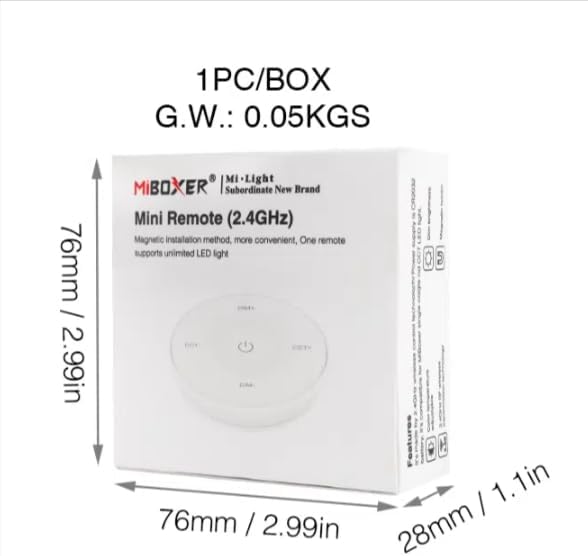
Image 7.2: Packaging Dimensions
This image displays the dimensions of the product packaging, indicating it is 76mm x 76mm x 28mm with a gross weight of 0.05 KGS.
8. Întreținere
- Mențineți telecomanda curată ștergând-o cu o lavetă moale și uscată.
- Avoid exposing the remote to moisture, extreme temperatures, or direct sunlight.
- If the remote is not used for an extended period, remove the battery to prevent leakage.
- Replace the battery when the remote's performance degrades or it stops responding.
9. Depanare
| Problemă | Cauza posibila | Soluţie |
|---|---|---|
| Telecomanda nu răspunde | Baterie descărcată sau descărcată | Înlocuiți bateria CR2032. |
| Light not linking | Incorrect linking procedure or light not compatible | Ensure the light is powered on within 3 seconds of pressing the link button. Verify light compatibility with MiBOXER 2.4G RF remotes. |
| Gamă limitată | Obstacole sau interferențe | Reduce distance between remote and light. Remove obstructions. Avoid areas with strong 2.4GHz interference. |
| Brightness/Color Temp adjustment not working | Telecomanda este în modul greșit | Long press the ON/OFF button for 3 seconds to switch between brightness and color temperature adjustment modes. |
10. Garanție și asistență
The product comes with a manufacturer's warranty. For specific warranty details and duration, please refer to the documentation included with your purchase or contact MiBOXER customer support.
For technical support or inquiries, please visit the official MiBOXER website-ul sau contactați departamentul de servicii pentru clienți.
Producător: Miboxer


