
HyperGear 16181
HyperGear Flip 2-in-1 Headphones + Speaker User Manual
Model: 16181
1. Introducere
Welcome to the HyperGear Flip 2-in-1 Headphones + Speaker user manual. This guide provides detailed instructions to help you get the most out of your device, which combines the functionality of over-ear headphones with a portable speaker. Featuring Bluetooth 5.0 connectivity and 40mm audio drivers, this device is designed for versatile audio experiences.
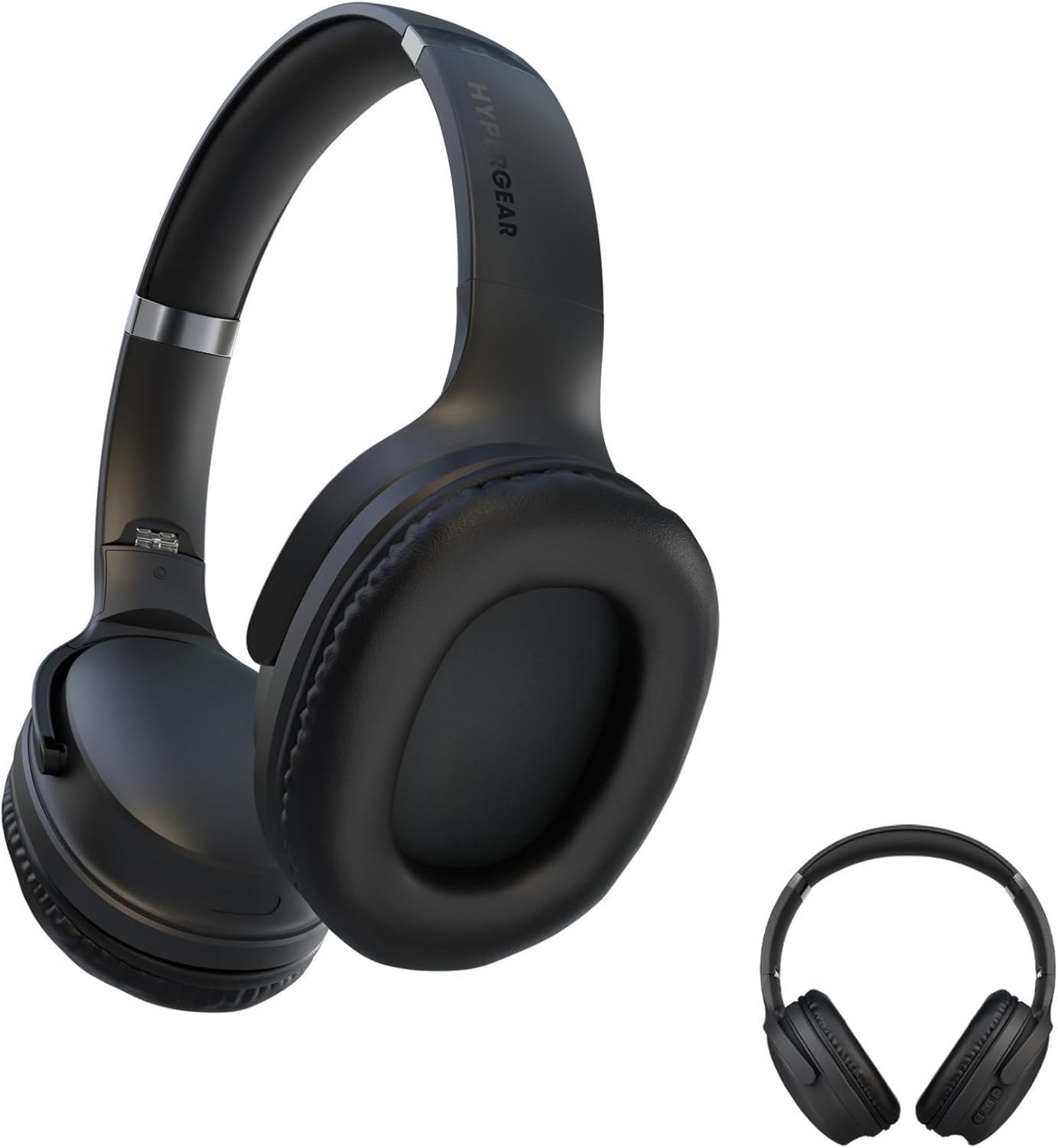
This image displays the HyperGear Flip 2-in-1 Headphones in their black finish, illustrating both the over-ear configuration for listening and the compact, folded state for portability.
2. Conținutul pachetului
Vă rugăm să bifați căsuța pentru următoarele elemente:
- HyperGear Flip 2-in-1 Headphones + Speaker
- Cablu de încărcare USB-C
- Manual de utilizare (acest document)
3. Produs terminatview
The HyperGear Flip 2-in-1 device features an adjustable headband, comfortable memory foam ear cups, and intuitive on-ear controls. The unique design allows the ear cups to flip outwards, transforming the headphones into a portable speaker.
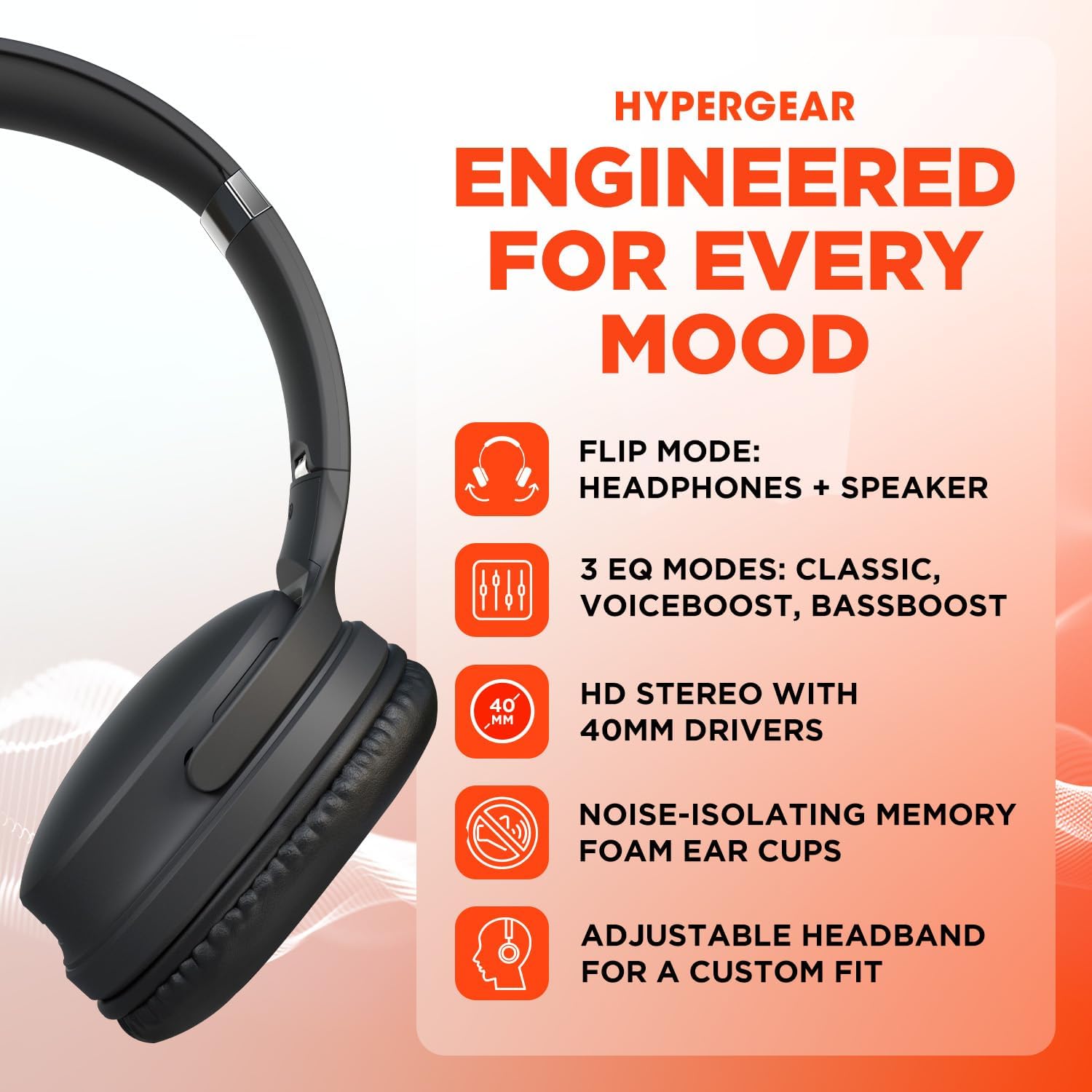
A visual representation of the HyperGear Flip 2-in-1 Headphones' main features, including its dual headphone and speaker functionality, multiple equalization modes, high-definition 40mm audio drivers, comfortable noise-isolating memory foam ear cups, and an adjustable headband for a customized fit.
Comenzi on-ear
The right earcup houses the primary controls for power, volume, track navigation, and EQ mode selection.

This graphic illustrates the battery performance of the HyperGear headphones, indicating 10 hours of playtime in headphone mode and 4 hours in speaker mode. It also highlights the location of the on-ear controls and the availability of three distinct EQ modes.
4. Configurare
4.1 Încărcarea dispozitivului
- Conectați cablul de încărcare USB-C furnizat la portul de încărcare al căștilor.
- Conectați celălalt capăt al cablului la un adaptor de alimentare USB (nu este inclus) sau la portul USB al unui computer.
- Indicatorul LED va afișa starea de încărcare. O încărcare completă durează de obicei aproximativ 2 ore.
4.2 Pornire/Oprire
- Pentru a porni: Apăsați și țineți apăsat butonul de pornire/oprire până când se aprinde indicatorul LED.
- Pentru a opri: Apăsați și mențineți apăsat butonul de pornire/oprire până când indicatorul LED se stinge.
4.3 Asociere Bluetooth
The HyperGear Flip 2-in-1 Headphones use Bluetooth 5.0 for a stable wireless connection up to 10.06 meters (33 feet).
- Asigurați-vă că căștile sunt oprite.
- Apăsați și mențineți apăsat butonul de pornire timp de aproximativ 5 secunde, până când indicatorul LED clipește în albastru și roșu, indicând modul de asociere.
- Pe dispozitivul dvs. (smartphone, tabletă, computer), activați Bluetooth și căutați dispozitivele disponibile.
- Select "HyperGear Flip" from the list of found devices.
- După conectare, indicatorul LED va afișa o lumină albastră continuă.
- Căștile se vor reconecta automat la ultimul dispozitiv asociat atunci când sunt pornite, dacă se află în raza de acțiune.
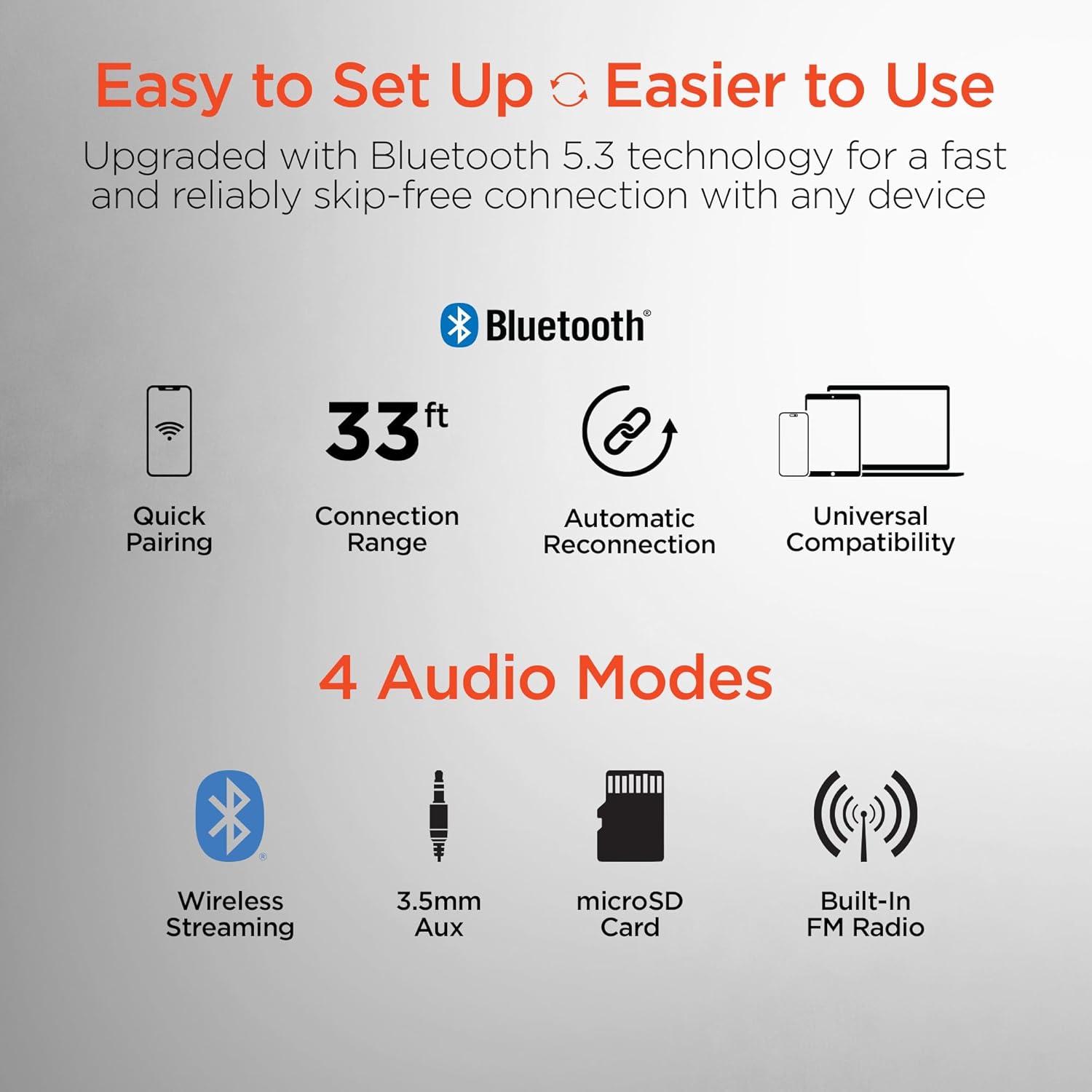
This image highlights the user-friendly aspects of the HyperGear headphones, detailing its Bluetooth 5.0 technology for quick pairing, a 33-foot connection range, automatic reconnection feature, and universal compatibility with various devices. It also lists the four available audio input modes: wireless streaming, 3.5mm auxiliary, microSD card, and built-in FM radio.
5. Instrucțiuni de utilizare
5.1 Switching Between Headphone and Speaker Mode
The HyperGear Flip offers two distinct audio modes:
- Mod căști: For private listening, ensure the ear cups are folded inwards, covering your ears. This mode provides immersive HD sound with up to 10 hours of playtime.
- Mod difuzor: To share your music, flip the ear cups outwards. The device will project powerful stereo sound, offering up to 4 hours of playtime.
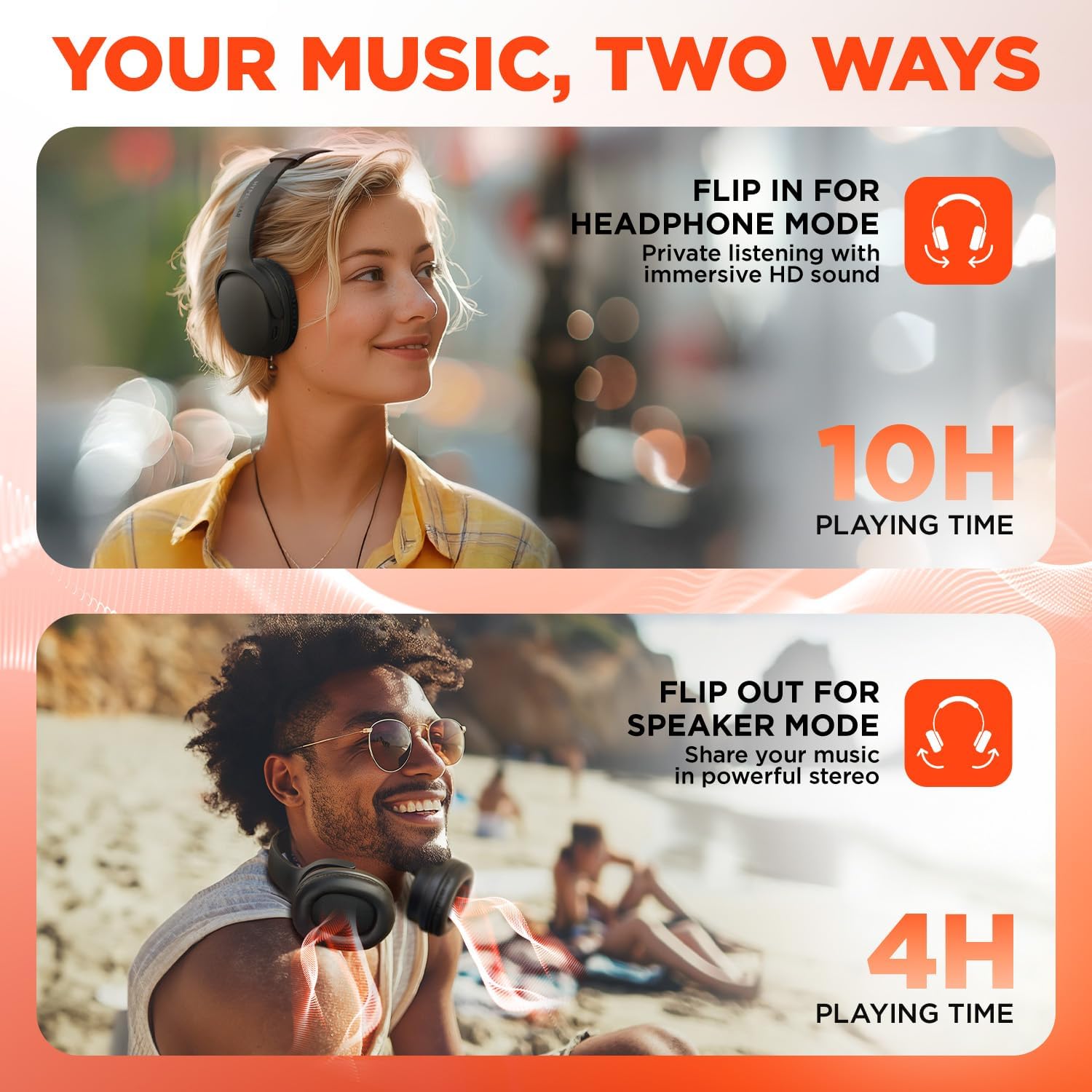
This visual demonstrates the dual functionality of the HyperGear headphones. The top image shows a woman wearing the headphones for private listening, while the bottom image shows a man with the earcups flipped out, utilizing the device as a portable speaker to share music.
5.2 On-Ear Control Functions
| Buton/Acțiune | Funcţie |
|---|---|
| Buton de pornire (apăsați și mențineți apăsat) | Pornire/Oprire |
| Buton de pornire (apăsare scurtă) | Redare/Pauză muzică, Preluare/Încheiere apeluri |
| Volum + / Următoarea melodie | Short press for Volume Up, Long press for Next Track |
| Volum - / Piesa anterioară | Short press for Volume Down, Long press for Previous Track |
| Butonul EQ | Cycle through EQ Modes (Classic, Voiceboost, Bassboost) |
5.3 moduri EQ
Customize your audio experience with three distinct Equalizer (EQ) modes:
- Clasic: Provides pure, balanced sound suitable for most music genres.
- Voiceboost: Enhances crisp, clear vocals with added detail, ideal for podcasts or audiobooks.
- Amplificare bas: Delivers deep, thumping bass for a more impactful listening experience.

Un detaliat view of the headphone earcup, focusing on the 'EQ' button. Text descriptions explain the three available sound modes: 'Classic' for balanced audio, 'Voiceboost' for clear vocals, and 'Bassboost' for enhanced low frequencies.
5.4 Additional Audio Modes
Beyond Bluetooth, the headphones support other audio input methods:
- 3.5mm Aux: Connect via a 3.5mm audio cable (not included) for wired listening.
- Card MicroSD: Insert a microSD card with audio files pentru redare directă.
- Built-In FM Radio: Tune into FM radio stations directly from the device.
6. Întreținere
6.1 Curățare
- Ștergeți căștile cu o lavetă moale și uscată.
- Nu utilizați agenți de curățare abrazivi, alcool sau solvenți chimici.
- Păstrați portul de încărcare curat de praf și resturi.
6.2 Depozitare
- Depozitați căștile într-un loc răcoros și uscat, ferit de lumina directă a soarelui și de temperaturi extreme.
- When not in use, fold the ear cups for compact storage.
6.3 Îngrijirea bateriei
- Pentru a prelungi durata de viață a bateriei, evitați descărcarea completă frecventă a acesteia.
- Încărcați dispozitivul în mod regulat, chiar dacă nu îl utilizați frecvent.
7. Depanare
| Problemă | Soluție posibilă |
|---|---|
| Dispozitivul nu pornește | Asigurați-vă că bateria este încărcată. Conectați la o sursă de alimentare folosind cablul USB-C. |
| Nu se poate conecta prin Bluetooth | Ensure the headphones are in pairing mode (flashing blue/red LED). Turn off and on Bluetooth on your device. Move closer to the headphones. |
| No sound in headphone mode | Check volume levels on both the headphones and your connected device. Ensure ear cups are properly positioned over ears. |
| No sound in speaker mode | Ensure ear cups are fully flipped outwards. Check volume levels. |
| Calitate audio slabă | Move closer to your connected device to reduce interference. Ensure no physical obstructions are blocking the signal. |
| Bateria se descarcă rapid | Ensure the device is fully charged before use. Speaker mode consumes more power than headphone mode. |
8. Specificații
| Caracteristică | Detaliu |
|---|---|
| Numele modelului | HyperGear Flip 2-in-1 Headphones + Speaker |
| Numărul de model | 16181 |
| Tehnologia de conectivitate | Fără fir (Bluetooth 5.0) |
| Gama Bluetooth | 10.06 metri (33 picioare) |
| Dimensiunea driverului audio | 40mm |
| Gama de frecvente | 20 Hz - 20,000 Hz |
| Metoda de control | Buton de apăsare |
| Forma căștilor | Peste ureche |
| Controlul zgomotului | Izolarea sunetului |
| Timp de redare la căști | Până la 10 ore |
| Timp de redare difuzor | Până la 4 ore |
| Timp de încărcare | Aproximativ. 2 ore |
| Port de încărcare | USB-C |
| Greutatea articolului | 16 uncii (0.45 kilograme) |
| Dimensiunile produsului | 7.88 x 10.24 x 3.55 inci |
| Nivel de rezistență la apă | Nu este rezistent la apă |
| Dispozitive compatibile | Phones, Tablets, Computers, Gaming Consoles, Desktops, Laptops |
| UPC | 633755161803 |
9. Garanție și asistență
9.1 Informații despre garanție
HyperGear products are designed for durability and performance. This product is covered by a limited manufacturer's warranty against defects in materials and workmanship under normal use. Please refer to the warranty card included with your purchase or visit the official HyperGear website-ul pentru termenii și condițiile specifice de garanție.
9.2 Asistență pentru clienți
For technical assistance, troubleshooting, or warranty claims, please contact HyperGear customer support:
- Website: www.hypergear.com (Vă rugăm să verificați oficialul website pentru cele mai recente informații de contact)
- E-mail: support@hypergear.com (Example, please verify on official website)
- Telefon: (Example, please verify on official website)
Ask a question about this manual
Ask about setup, troubleshooting, compatibility, parts, safety, or missing instructions. Manuals+ will review the question and use this page’s manual context to help answer it.