
1. Introducere
Welcome to the user manual for your new redbeat M2 11-inch Android 15 Gaming Tablet. This guide provides essential information for setting up, operating, maintaining, and troubleshooting your device. Please read this manual thoroughly to ensure optimal performance and longevity of your tablet.

Image: redbeat M2 Gaming Tablet with its protective case.
2. Ce se află în cutie
Upon unboxing your redbeat M2 tablet, verify that all the following items are included:
- Tableta M2
- Carcasa neagra
- Cablu tip C
- Cartea de instrucțiuni
- Ac de card

Image: All items included in the redbeat M2 tablet package.
3. Configurare
Follow these steps to set up your redbeat M2 tablet for first-time use:
- Pornire: Press and hold the power button located on the side of the tablet until the redbeat logo appears.
- Selectarea limbii: Alegeți limba preferată din listă.
- Conexiune Wi-Fi: Connect to a Wi-Fi network by selecting your network and entering the password.
- Cont Google: Conectați-vă cu contul dvs. Google sau creați unul nou. Acest lucru este necesar pentru a descărca aplicații din Magazinul Google Play.
- Configurare securitate: Configurați o blocare a ecranului (PIN, model sau parolă) pentru securitatea dispozitivului.
- Modul de citire: Configure your preferred reading mode (chromatic or grayscale) for optimal viewconfort.
- Mod de navigare: Select your preferred navigation method (e.g., 3-button navigation or gesture navigation).
Video: A demonstration of the redbeat M2 tablet's initial setup and user interface.
4. Produs terminatview
The redbeat M2 tablet features a sleek, all-metal body with a thickness of 0.75mm and a weight of 511g, making it highly portable. Key physical components include:
- Buton de alimentare: Located on the side, used for powering on/off and screen lock.
- Butoane de volum: Reglați volumul audio.
- Port USB-C: Pentru încărcare și transfer de date.
- Mufă pentru căști de 3.5 mm: Pentru ieșire audio.
- Slot pentru card MicroSD: Pentru spațiu de stocare extensibil.
- Dual SIM Card Slot: Supports 2 Nano SIM cards for 4G LTE connectivity.
- Camera frontală: Pentru apeluri video și selfie-uri.
- Camera spate: Pentru fotografii și videoclipuri de înaltă rezoluție.
- Difuzoare: Patru difuzoare stereo pentru un sunet captivant.

Image: The redbeat M2 tablet showcasing este subțire profile and protective case.
Video: A brief demonstration of a tablet's ultra-thin metal body, similar to the redbeat M2.
5. Instrucțiuni de utilizare
The redbeat M2 runs on the Android 15 operating system, offering a personalized and secure user experience. It is GMS certified, allowing full access to the Google Play Store for downloading your favorite applications.
Navigare de bază:
- Beţivan: Navigate through home screens, app drawers, and menus.
- Robinet: Select items, open apps, or confirm actions.
- Ciupire pentru zoom: Măriți sau micșorați conținutul de pe ecran.
- Three-Pointer Screenshot: Use a three-finger gesture to quickly capture a screenshot.
Video: Demonstration of the three-pointer screenshot gesture on an Android tablet.
6. Conectivitate
Stay connected with the redbeat M2's versatile connectivity options:
- 4G LTE Dual SIM: The tablet supports two Nano SIM cards, allowing you to make calls and access mobile data simultaneously. Compatible network frequencies include GSM: B2/3/5/8, WCDMA: B1/2/4/5/8, LTE: B1/2/3/4/7/8/12/17/20/28ab/40/41/38/66.
- Wi-Fi cu bandă duală: Supports 2.4G and 5G Wi-Fi for fast and stable internet access.
- Bluetooth 5.0: For efficient wireless connection to accessories like headphones and keyboards.
- GPS: GPS integrat pentru servicii de navigare și localizare.

Image: redbeat M2 tablet highlighting its 4G Global Connectivity and dual SIM support.
7. Afișaj și performanță
Experience smooth performance and vibrant visuals:
- Procesor: Powered by the Unisoc T616 octa-core processor, ensuring optimal performance for gaming, high-definition video playback, and graphics-intensive applications.
- RAM: 16GB RAM (8GB physical + 8GB extended memory) for seamless multitasking.
- Depozitare: 256GB ROM, expandable up to 1TB with an SD/TF card (not included), providing ample space for apps, media, and documents.
- Afişa: 11-inch 2K display with a resolution of 1915*1200, offering sharper images and richer colors.
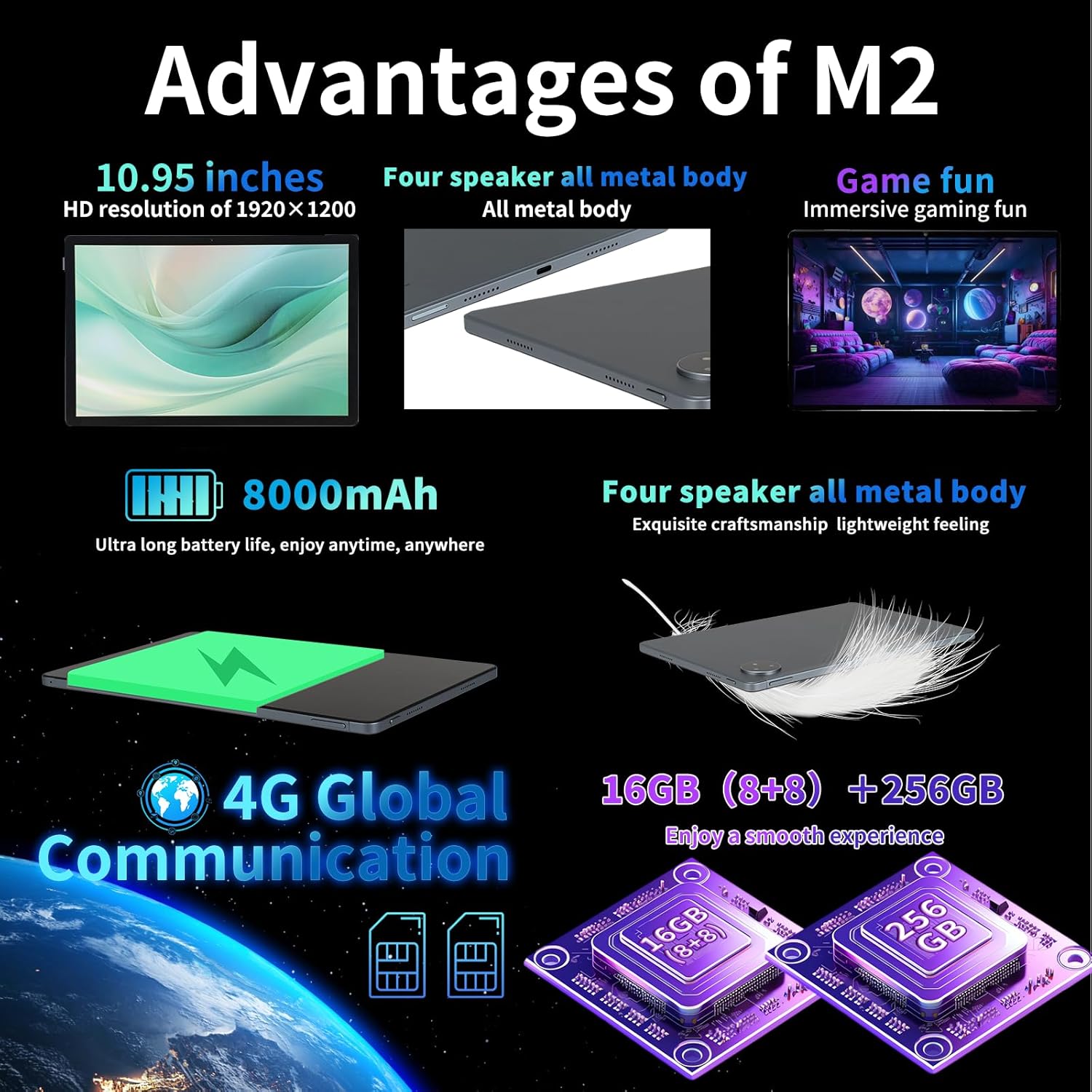
Image: Key advantages and specifications of the redbeat M2 tablet.
8. Camera foto
Capture your moments with the integrated cameras:
- Camera spate: 13MP pentru fotografii și videoclipuri clare.
- Camera frontală: 5MP pentru apeluri video și selfie-uri.
9. Baterie și încărcare
The redbeat M2 is equipped with an 8000mAh large-capacity battery and supports 18W fast charging:
- Timp de utilizare: Up to 12 hours of continuous TV watching or 10 hours of gaming on a full charge.
- Timp de așteptare: Până la 30 zile.
- Încărcare: Use the provided 18W fast charger and Type-C cable for quick recharging.
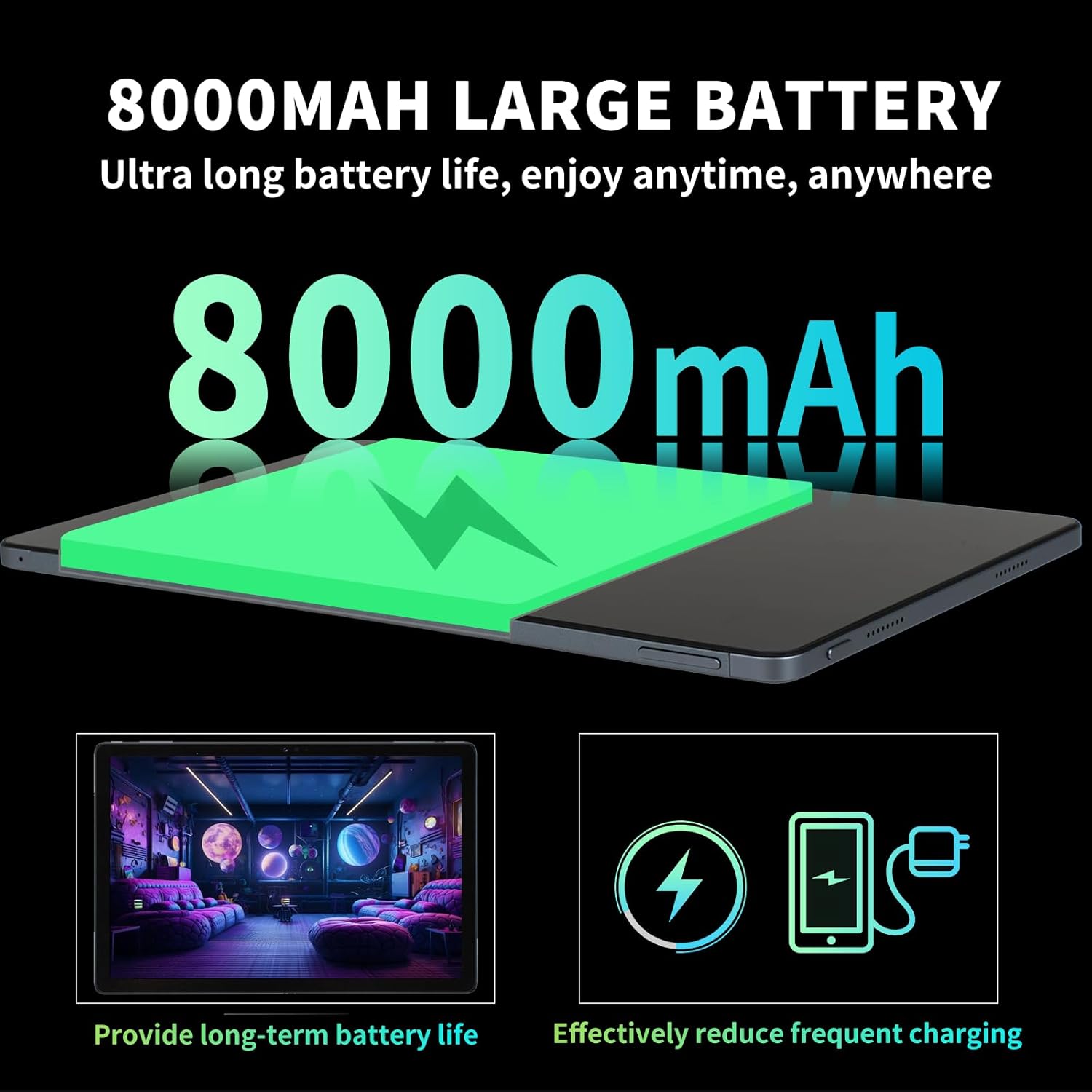
Image: Details on the 8000mAh battery and its benefits.
Video: A demonstration of a tablet's large battery capacity and reverse charging capabilities.
10. Întreținere
To ensure the longevity and optimal performance of your redbeat M2 tablet, follow these maintenance guidelines:
- curatenie: Folosiți o lavetă moale, fără scame, pentru a curăța ecranul și carcasa. Evitați substanțele chimice dure.
- Actualizări de software: Verificați și instalați periodic actualizări de sistem pentru a beneficia de cele mai recente funcții, corecții de securitate și îmbunătățiri de performanță.
- Îngrijirea bateriei: Evitați temperaturile extreme. Nu lăsați bateria să se descarce complet frecvent.
- Managementul stocării: Curățați periodic inutilul fileaplicații pentru a elibera spațiu de stocare și a menține performanța.
11. Depanare
If you encounter issues with your redbeat M2 tablet, try the following solutions:
- Dispozitivul nu răspunde: Apăsați și țineți apăsat butonul de pornire timp de aproximativ 10-15 secunde pentru a forța o repornire.
- Wi-Fi/Bluetooth Issues: Toggle Wi-Fi or Bluetooth off and on. Restart your router if Wi-Fi problems persist.
- Blocarea aplicației: Clear the app's cache and data in Settings > Apps. If the issue continues, uninstall and reinstall the app.
- Performanță lentă: Close unused apps, clear cache, and ensure sufficient storage space. Consider a factory reset as a last resort (back up your data first).
- Se descarcă rapid bateria: Reduce screen brightness, disable unnecessary features (GPS, Bluetooth, Wi-Fi when not in use), and identify power-hungry apps in battery settings.
12. Specificații
| Caracteristică | Caietul de sarcini |
|---|---|
| Marca | redbeat |
| Numele modelului | M2 |
| Sistem de operare | Android 15 |
| Dimensiunea ecranului | 11 inci |
| Rezoluția ecranului | 1920 x 1200 pixeli (2K) |
| Procesor | Unisoc T616 Octa-Core (2 GHz) |
| RAM | 16GB (8GB + 8GB extended) |
| Stocare internă | 256 GB |
| Stocare extensibilă | Up to 1TB (via MicroSD/TF card) |
| Capacitatea bateriei | 8000mAh |
| Încărcare rapidă | 18W |
| Camera spate | 13MP |
| Cameră frontală | 5MP |
| Conectivitate | 4G LTE (Dual SIM), 2.4G/5G Wi-Fi, Bluetooth 5.0, GPS |
| Dimensiuni | 10.28 x 6.89 x 0.47 inci |
| Greutatea articolului | 1.54 livre (aprox. 698 g) |
| Culoare | Black set |
13. Garanție și asistență
redbeat is committed to providing excellent customer service:
- Asistență clienți pe viață: redbeat offers lifetime customer service to assist with any queries or issues you may encounter.
- Un an de garanție: The tablet includes a one-year warranty covering manufacturing defects, ensuring your investment is protected.
- Contactați asistența: You can contact support by clicking on the seller's name under the 'Add to cart' button on the product page and sending a message via 'Ask a question'. Alternatively, go to your Amazon account > order history > relevant order > contact the seller.