
1. Introducere
This manual provides detailed instructions for the Zopsc 5K Digital Camera, a versatile device designed for photography and vlogging. It features a 48MP ultra-high resolution sensor, 16X digital zoom, a 3.5-inch display, and various flash modes. The camera is equipped with autofocus and six-axis stabilization for clear images and videos, along with built-in wireless connectivity for easy sharing.
2. Conținutul pachetului
Vă rugăm să verificați coletul pentru a vă asigura că sunt prezente toate articolele:
- 1 x Aparat foto digital
- 1 x Battery (NP60 1050mAh)
- 1 x Filtru UV
- 1 x Lens Cap
- 1 x cablu USB
- 1 x Multimedia Cable
- 1 x cârpă de curățare
- 1 x curea de mână
- 1 x Geantă de transport
- 1 x Manual de utilizare

Image: All items included in the Zopsc 5K Digital Camera package.
3. Produs terminatview
The Zopsc 5K Digital Camera features a compact design with a 3.5-inch IPS display on the rear for clear viewing and menu navigation. The front houses the lens with 16X powerful zoom capabilities and a built-in flash. A hot shoe mount is located on top for external accessories like microphones or additional lighting.

Imagine: Față și spate views of the Zopsc 5K Digital Camera, highlighting the display and lens.
4. Configurare
4.1 Instalarea bateriei
- Localizați capacul compartimentului bateriei în partea de jos a camerei.
- Glisați zăvorul pentru a deschide capacul.
- Insert the provided NP60 1050mAh lithium battery, ensuring the correct orientation according to the diagram inside the compartment.
- Închideți capacul compartimentului bateriei până când se aude un clic în siguranță.
4.2 Instalarea cardului de memorie
The camera supports storage cards from 4GB to 256GB. A C10/U1 or higher speed card is recommended for optimal performance.
- Localizați slotul pentru cardul de memorie, de obicei lângă compartimentul bateriei sau pe lateralul camerei.
- Introduceți cardul de memorie cu contactele orientate în direcția corectă până când se fixează în poziție cu un clic.
- Pentru a scoate cardul, apăsați ușor până când acesta iese.
4.3 Pornirea inițială
After installing the battery and memory card, press and hold the power button (usually located on the top of the camera) to turn on the device. The 3.5-inch display will illuminate.
5. Instrucțiuni de utilizare
5.1 Operare de bază
- Pornire/Oprire: Apăsați și mențineți apăsat butonul de pornire.
- Navigare prin meniu: Use the directional buttons (up, down, left, right) and the 'OK' button to navigate through the camera's menu on the 3.5-inch display.
- Selector de moduri: Rotate the function dial to switch between different modes such as photo taking, video recording, continuous shooting, time lapse, loop recording, and slow motion.
5.2 Caracteristici fotografice
- Autofocalizarea: The camera features automatic focus to quickly lock onto your subject, ensuring clear images.
- Moduri bliț: Select from three flash modes (e.g., Auto, Fill-in, Red-eye Reduction) to suit different lighting conditions, whether indoors or outdoors.
- Zoom digital 16X: Use the zoom controls to magnify distant subjects up to 16 times.

Image: Demonstration of the 16X digital zoom capability, focusing on a distant object.
5.3 Înregistrare video
- Înregistrare 5K: Record high-resolution videos at 5K 30FPS for detailed footage.
- Înregistrare în buclă: Continuously record video, overwriting the oldest files când cardul de memorie este plin.
- Mișcare lentă: Capture dynamic scenes in slow motion for dramatic effects.
5.4 Caracteristici avansate
- Six-Axis Stabilization: This feature reduces blur from camera shake, ensuring stable images and videos even when handheld or in low light.

Image: Visual representation of the 6-axis physical stabilization system, showing its effect on motion shots.
- Wireless Connectivity (Fidelity): Utilize the built-in wireless function to transfer images and videos to your smart devices for quick sharing and editing via a mobile application.
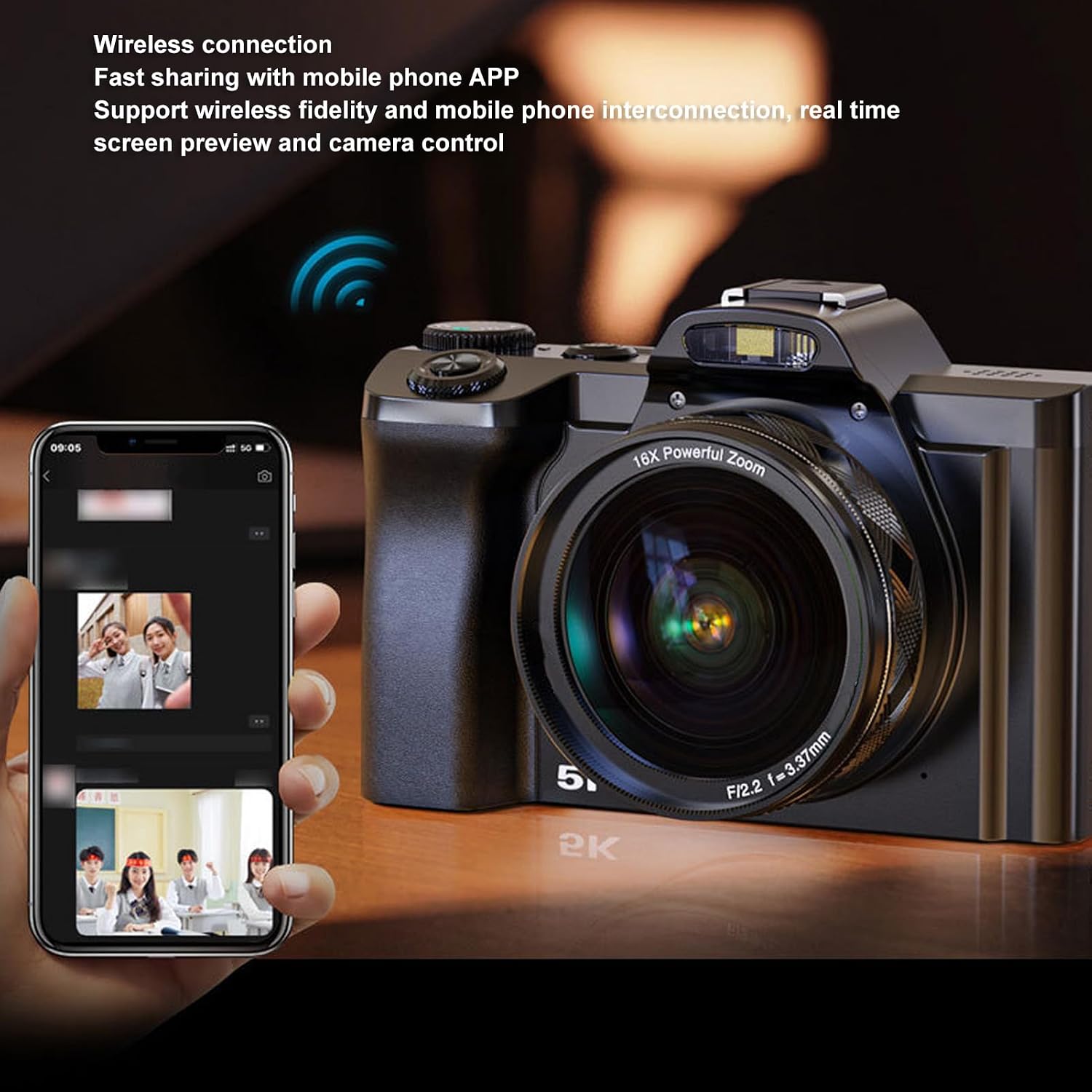
Image: The camera demonstrating wireless connection with a mobile phone application for real-time preview si control.
- External Hot Shoe: The camera features a professional hot shoe mount, allowing connection of external accessories such as noise-canceling microphones or additional flash units for enhanced audio and lighting.

Image: The camera with various external accessories like a microphone and LED light attached to its hot shoe mount.
6. Întreținere
- curatenie: Use the provided cleaning cloth to gently wipe the lens and screen. For stubborn smudges, use a specialized lens cleaning solution. Avoid harsh chemicals.
- Depozitare: When not in use, store the camera in the carrying bag in a cool, dry place away from direct sunlight and extreme temperatures. Remove the battery if storing for extended periods.
- Îngrijirea bateriei: Charge the battery fully before first use. Avoid completely draining the battery frequently to prolong its lifespan.
7. Depanare
If you encounter issues with your camera, please refer to the table below for common problems and solutions.
| Problemă | Cauza posibila | Soluţie |
|---|---|---|
| Camera nu pornește. | Bateria este descărcată sau nu este introdusă corect. | Charge the battery or re-insert it correctly. Ensure the battery compartment is closed. |
| Imaginile sunt neclare. | Focalizarea automată a eșuat, camera este tremurată sau obiectivul este murdar. | Ensure autofocus is engaged. Hold the camera steady or use the 6-axis stabilization. Clean the lens. |
| Nu se poate conecta la aplicația mobilă. | Wireless function is off, incorrect app settings, or distance too far. | Enable wireless connectivity on the camera. Check app settings and ensure camera and phone are close. |
| Eroare card de memorie. | Cardul este plin, corupt sau incompatibil. | Şterge files, format the card (this will erase all data), or try a different compatible card (C10/U1 or higher). |
8. Specificații
Detailed technical specifications for the Zopsc 5K Digital Camera:
| Caracteristică | Caietul de sarcini |
|---|---|
| Dimensiunea ecranului | 3.5 inches (IPS display) |
| Raportul de aspect | 16:9 |
| Rezoluție maximă a fotografiilor | 48 MP (8000x6000) |
| Rezoluție video maximă | 5K 30FPS |
| Zoom digital | 16x |
| Stabilizarea imaginii | Yes (6-axis physical stabilization) |
| Focalizare automată | Da |
| Tehnologia de conectivitate | Wireless (Fidelity), USB, Multimedia Cable |
| Supported Storage Card | 4GB to 256GB (C10/U1 recommended) |
| Tip baterie | Lithium battery NP60 1050mAh |
| File Format | JPG, MP4 |
| Numele modelului | Zopsce54dh2mif9 |
| Marca | Zopsc |
9. Garanție și asistență
Your Zopsc 5K Digital Camera is covered by a manufacturer's warranty. For specific warranty terms, duration, and to register your product, please refer to the warranty card included in your package or visit the official Zopsc website. For technical support, troubleshooting assistance beyond this manual, or service inquiries, please contact Zopsc customer support through the contact information provided on their official website-ul sau platforma dvs. de cumpărare.