
Introducere
Thank you for choosing the Deiss PRO Dual Platform Digital Kitchen Scale. This precision instrument is designed to provide accurate measurements for a wide range of ingredients, enhancing your cooking and baking experience. This manual will guide you through the setup, operation, and maintenance of your new scale.
Informații de siguranță
- Nu scufundați cântarul în apă sau alte lichide.
- Avoid dropping the scale or subjecting it to strong impacts, as this may damage the internal sensors.
- Do not use abrasive cleaners or harsh chemicals on the scale.
- Păstrați cântarul departe de temperaturi extreme și umiditate.
- Ensure the scale is placed on a stable, flat surface for accurate readings.
- Acest cântar este destinat exclusiv uzului casnic.
Produs terminatview
The Deiss PRO Dual Platform Digital Kitchen Scale features two independent weighing platforms for versatile use:
- Platformă mare: For weighing items up to 11 lbs (5 kg) with a precision of 0.1g/0.01oz. Ideal for bulk ingredients like flour, sugar, or liquids.
- Small Precision Platform: For weighing smaller items up to 17.6 oz (500 g) with an ultra-precise accuracy of 0.01g/0.001oz. Perfect for delicate spices, yeast, or coffee.
The scale is equipped with an easy-to-read LCD display, intuitive control buttons, and a durable 304 stainless steel surface.
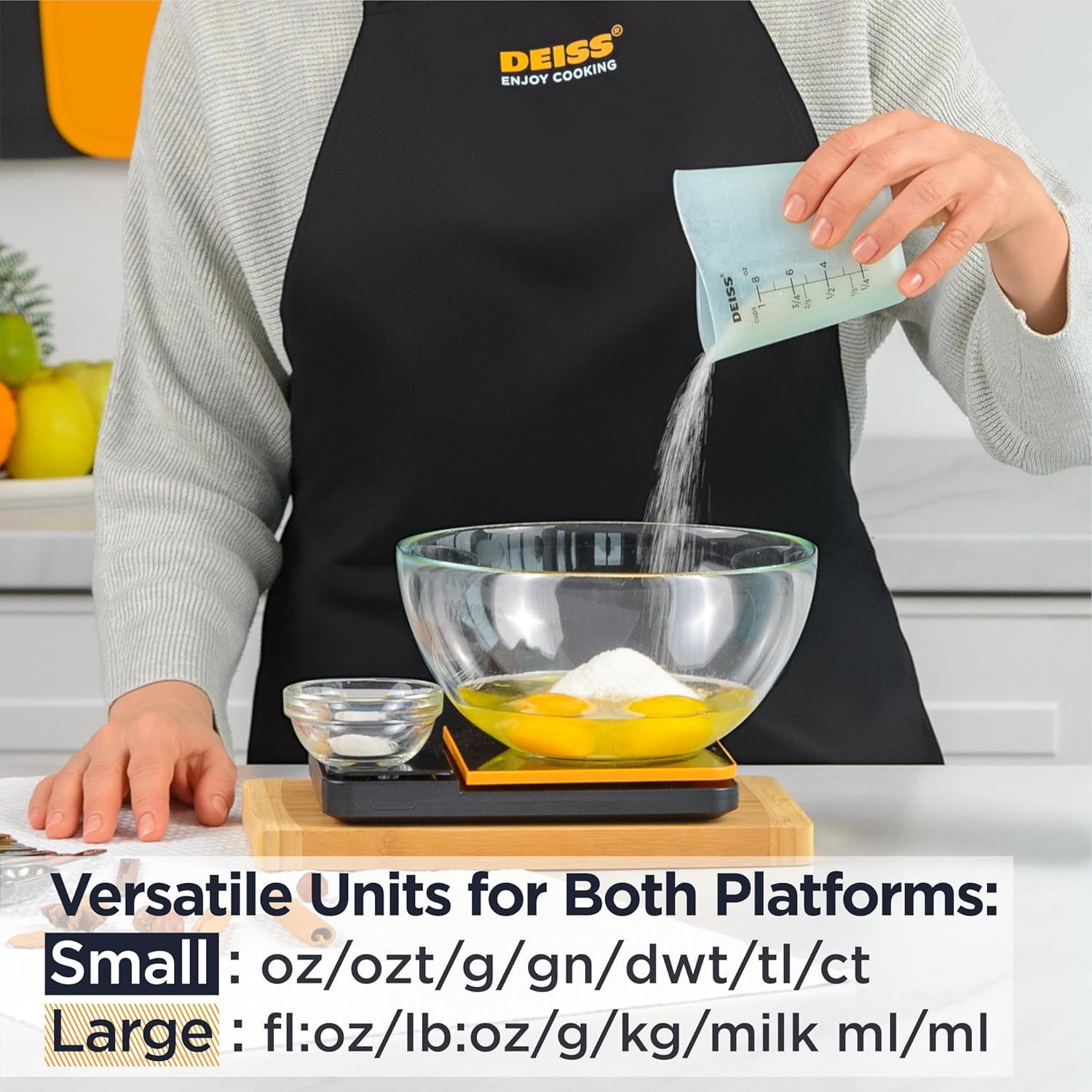
Image: The Deiss PRO Dual Platform Digital Kitchen Scale, showcasing its two distinct weighing surfaces. The larger platform is on the left, and the smaller, more precise platform is on the right, next to the digital display and control buttons.

Image: A diagram illustrating the dimensions of the Deiss PRO Dual Platform Digital Kitchen Scale. It shows the size of both the large and small platforms, as well as the overall length, width, and thickness of the scale. The diagram also indicates that AAA batteries are included.
Înființat
- Introduceți bateriile: Open the battery compartment on the underside of the scale. Insert 3 AAA batteries (included), ensuring correct polarity. Close the compartment securely.
- Îndepărtați filmul de protecție: Peel off any protective film from the weighing platforms and the LCD display.
- Plasare: Place the scale on a hard, flat, and stable surface to ensure accurate measurements.

Image: A visual guide demonstrating the simple 3-step setup for the Deiss PRO Dual Platform Digital Kitchen Scale. Step 1 shows inserting AAA batteries. Step 2 details activating the small and large platforms. Step 3 illustrates selecting preferred units and weighing ingredients simultaneously.
Instrucțiuni de operare
The scale features separate controls for each platform, allowing for independent or simultaneous use.
Pornire/Oprire
- Pentru a porni Platformă mică, apăsați tasta Precizie buton.
- Pentru a porni Platformă mare, apăsați tasta Grele buton.
- The display will show "0" when ready for weighing.
- To turn off either platform, press and hold its respective power button (Precizie or Grele) timp de câteva secunde.
- The scale has an auto-off function after 3 minutes of inactivity to conserve battery life.
Ingrediente de cântărire
- Turn on the desired platform.
- Place the item to be weighed directly onto the platform or in a container (see Tare Function).
- Greutatea va fi afișată pe ecranul LCD.

Image: The Deiss PRO Dual Platform Digital Kitchen Scale in use, demonstrating its precision. A small bowl with a white powder is on the precision platform, displaying a measurement of 0.054 oz. A larger bowl with eggs is on the heavy platform, displaying 0.056 oz. Icons indicate small platform accuracy of ±0.001oz (±0.01g) and large platform accuracy of ±0.01oz (±0.1g), along with a backlight feature.
Unități de măsură
Each platform supports multiple units of measurement. To change units:
- Pentru Platformă mică, apăsați tasta oz/g button to cycle through: oz, ozt, g, gn, dwt, tl, ct.
- Pentru Platformă mare, apăsați tasta oz/g button to cycle through: fl.oz, lb:oz, g, kg, milk ml, ml.

Image: The Deiss PRO Dual Platform Digital Kitchen Scale displaying its versatile unit options. The image highlights the different units available for both the small platform (oz, ozt, g, gn, dwt, tl, ct) and the large platform (fl.oz, lb:oz, g, kg, milk ml, ml).
Funcția tare
The Tare function allows you to subtract the weight of a container or to weigh multiple ingredients in the same bowl.
- Place an empty container on the desired weighing platform.
- Apăsați tasta Tară button (located next to the unit button for each platform).
- The display will reset to "0". You can now add ingredients, and only their weight will be measured.
- Repeat the Tare function as needed to add more ingredients.
Îngrijire și întreținere
- curatenie: Ștergeți cântarul cu un damp cloth and mild detergent. Dry thoroughly with a soft cloth. Do not soak in water or use a dishwasher.
- Depozitare: Păstrați cântarul într-un loc răcoros și uscat.
- Înlocuire baterie: Înlocuiți bateriile când pe afișaj apare indicatorul de baterie descărcată.

Imagine: Un prim-plan view of the Deiss PRO Dual Platform Digital Kitchen Scale's large platform, highlighting its 304 stainless steel construction. Icons indicate "Stainless Steel" and "Food Safe," emphasizing the premium materials used for durability and easy cleaning.

Image: A close-up of the underside of the Deiss PRO Dual Platform Digital Kitchen Scale, showing one of its anti-slip pads. Icons indicate "Anti-Slip Pads" and "BPA Free," highlighting features built for stability and convenience on any surface.
Depanare
| Problemă | Cauza posibila | Soluţie |
|---|---|---|
| Scara nu pornește. | Baterii descărcate sau instalate incorect. | Verificați polaritatea bateriilor sau înlocuiți-le cu baterii AAA noi. |
| Citiri inexacte. | Scale not on a flat surface; overloaded; dirty sensors. | Place on a stable, flat surface. Do not exceed maximum weight capacity. Clean platforms. |
| Afișajul arată „Lo”. | Putere scăzută a bateriei. | Înlocuiți bateriile. |
| Display shows "EEEE". | Eroare de supraîncărcare. | Îndepărtați imediat obiectele pentru a preveni deteriorarea. |
| Scale turns off unexpectedly. | Auto-off function activated; low battery. | This is normal behavior after 3 minutes of inactivity. Ensure batteries are not low. |
| Tare function unresponsive or inconsistent. | Button not pressed firmly; scale unstable; rapid changes in weight. | Press the Tare button firmly. Ensure the scale is stable. Avoid rapid weight changes during taring. |
Specificații
- Marca: Deiss
- Model: Deiss PRO Dual Platform Digital Kitchen Scale
- Large Platform Capacity: 11 lbs / 5 kg
- Large Platform Readout Accuracy: 0.1 g / 0.01 oz
- Small Platform Capacity: 17.6 oz / 500 g
- Small Platform Readout Accuracy: 0.01 g / 0.001 oz
- Material: Plastic, 304 Stainless Steel
- Tip de afișare: LCD
- Sursa de alimentare: 3 x baterii AAA (incluse)
- Oprire automată: 3 minute de inactivitate
- Dimensiuni: Aproximativ 8.54 x 5.98 x 1.34 inci
- Greutatea articolului: Approximately 15.8 ounces / 0.45 Kilograms
Ce este în cutie
- Deiss PRO Dual Platform Digital Kitchen Scale
- Ghid de pornire rapidă
- 3 baterii AAA
- Inserție de garanție
Videoclip oficial al produsului
Video: An official product video demonstrating the features and use of the Deiss PRO Dual Platform Digital Kitchen Scale, including its dual weighing capabilities and ease of use in a kitchen setting.
Garanție și suport
Your Deiss PRO Dual Platform Digital Kitchen Scale comes with a manufacturer's warranty. Please refer to the included Warranty Insert for detailed information regarding warranty coverage and terms. For technical support, product inquiries, or warranty claims, please contact Deiss customer service through the official Deiss website-ul sau canalele de asistență ale comerciantului dvs.