
Introducere
This manual provides detailed instructions for the DALI IO-8 Over-The-Ear Wireless/Wired Hi-Fi Headphones. Please read this manual thoroughly before using your headphones to ensure proper operation and to maximize your listening experience. The DALI IO-8 headphones are designed to deliver high-fidelity audio with advanced features such as Active Noise Cancellation (ANC), Bluetooth AptX Adaptive connectivity, and versatile wired options.
Conținutul pachetului
Verificați dacă toate articolele sunt prezente în colet:
- DALI IO-8 Over-The-Ear Headphones
- USB-C Cable (for charging and digital audio)
- 3.5mm Stereo Cable (for analog audio)
- Carcasă de călătorie
- Acest manual de instrucțiuni
Produs terminatview
Familiarizați-vă cu componentele și comenzile căștilor DALI IO-8.
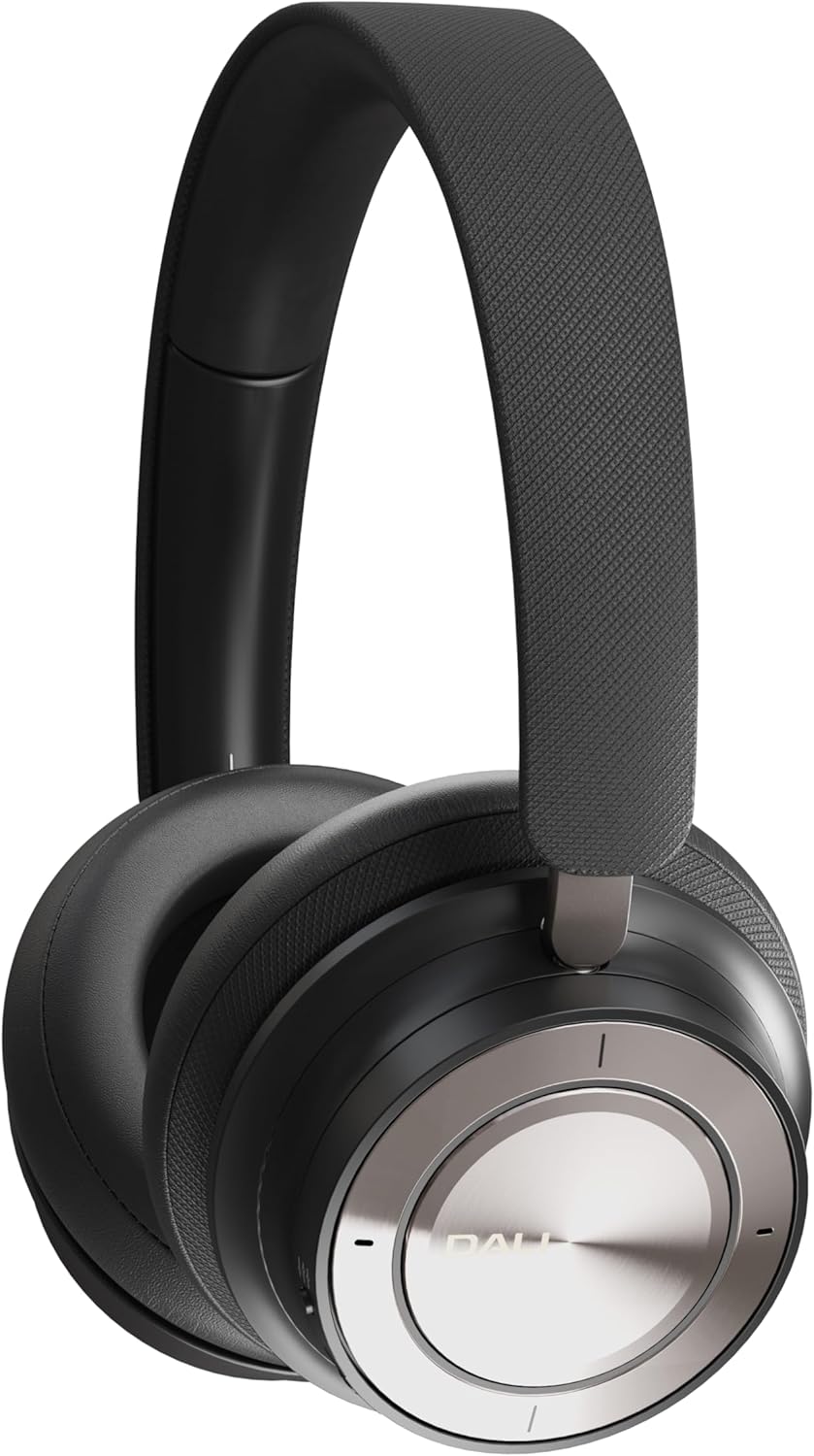
Figure 1: DALI IO-8 Headphones (Iron Black)

Figura 2: De sus în jos view of DALI IO-8 headphones, highlighting the control layout on the earcups.

Figure 3: Close-up of the right earcup, showing the power button, ANC button, and USB-C port.
Comenzi și porturi:
- Power/Bluetooth Button: Located on the right earcup. Used for powering on/off and initiating Bluetooth pairing.
- Butonul ANC: Located on the right earcup. Cycles through Active Noise Cancellation modes.
- Volume/Track Control Ring: A ring on the right earcup for adjusting volume and skipping tracks.
- Buton Redare/Pauză: Central button on the right earcup.
- Port USB-C: For charging and digital audio connection.
- Mufă audio de 3.5 mm: For analog audio connection.
- Indicatoare LED: Provide status for power, battery, and Bluetooth connection.
Înființat
1. Încărcarea căștilor
Before first use, fully charge your DALI IO-8 headphones.
- Connect the supplied USB-C cable to the USB-C port on the right earcup.
- Conectați celălalt capăt al cablului USB-C la o sursă de alimentare USB compatibilă (de exemplu, portul USB al computerului, adaptorul USB de perete).
- Indicatorul LED va afișa starea de încărcare. O încărcare completă oferă până la 35 de ore de redare cu ANC activat.
2. Pornire/Oprire
- Pentru a porni: Press and hold the Power button on the right earcup until the LED indicator illuminates.
- Pentru a opri: Apăsați și mențineți apăsat butonul de pornire/oprire până când indicatorul LED se stinge.
3. Asociere Bluetooth
Pair your DALI IO-8 headphones with a Bluetooth-enabled device.
- Asigurați-vă că căștile sunt oprite.
- Apăsați și mențineți apăsat butonul de pornire timp de aproximativ 5 secunde, până când indicatorul LED clipește în albastru și roșu, indicând modul de asociere.
- On your device (smartphone, tablet, laptop), navigate to the Bluetooth settings and enable Bluetooth.
- Select "DALI IO-8" from the list of available devices.
- După conectare, indicatorul LED va afișa o lumină albastră continuă.
4. Conexiune prin cablu
The DALI IO-8 headphones support both 3.5mm analog and USB-C digital wired connections.
- 3.5mm Stereo Cable: Connect one end of the 3.5mm stereo cable to the audio jack on the left earcup and the other end to your audio source's 3.5mm output. The headphones can be used passively in this mode, even if powered off.
- Cablu USB-C: Connect the supplied USB-C cable to the USB-C port on the right earcup and the other end to a compatible USB-C audio output on your device. This provides a digital audio connection and can also charge the headphones simultaneously.
Instrucțiuni de operare
1. Basic Audio Controls
- Redare/Pauză: Press the central Play/Pause button once.
- Creșterea volumului: Rotate the outer control ring upwards.
- Volum scăzut: Rotate the outer control ring downwards.
- Următoarea piesă: Rotate the outer control ring forward (clockwise).
- Pista anterioară: Rotate the outer control ring backward (counter-clockwise).
2. Anulare activă a zgomotului (ANC)
The DALI IO-8 features multiple ANC modes to adapt to your environment.
- Press the ANC button on the right earcup to cycle through the available modes:
- ANC activat: Reduce zgomotul ambiental.
- Modul de transparență: Allows external sounds to be heard, useful for situational awareness.
- ANC dezactivat: Dezactivează anularea zgomotului.
3. Moduri de sunet
The headphones offer two distinct sound profiles.
- Press the EQ button (if present, or refer to specific button for sound modes) to switch between:
- Mod Hi-Fi: Provides a balanced and neutral sound signature.
- Mod bas: Enhances low-frequency response for a more pronounced bass.
4. Efectuarea și primirea apelurilor
When connected via Bluetooth, the DALI IO-8 headphones can be used for phone calls.
- Răspundeți/Terminați apelul: Apăsați butonul Redare/Pauză o dată.
- Respinge apelul: Apăsați și mențineți apăsat butonul Redare/Pauză timp de 2 secunde.
- Activați Asistentul vocal: Double-press the Play/Pause button (functionality may vary by device).
Întreţinere
Curatenie
- Ștergeți căștile cu o lavetă moale, uscată și fără scame.
- Nu utilizați agenți de curățare abrazivi, alcool sau solvenți chimici.
- Evitați pătrunderea umezelii în orice deschidere.
Depozitare
- When not in use, store the headphones in the provided travel case to protect them from dust and damage.
- A se pastra intr-un loc racoros si uscat, ferit de lumina directa a soarelui si de temperaturi extreme.
Depanare
If you encounter issues with your DALI IO-8 headphones, refer to the following common solutions:
| Problemă | Soluție posibilă |
|---|---|
| Fără putere | Asigurați-vă că sunt încărcate căștile. Conectați-le la o sursă de alimentare folosind cablul USB-C. |
| Nu se poate conecta prin Bluetooth | Ensure headphones are in pairing mode (flashing blue/red LED). Turn off and on your device's Bluetooth. Move closer to the device. |
| Niciun sunet în modul wireless | Check if headphones are paired and connected. Adjust volume on both headphones and source device. Ensure media is playing. |
| Fără sunet în modul cu fir | Ensure cables are securely connected. Test with a different cable or audio source. |
| ANC nu este eficient | Ensure ANC mode is active. Check earcup fit for a proper seal around your ears. |
Specificații
| Caracteristică | Detaliu |
|---|---|
| Numele modelului | DALI IO-8 |
| Tehnologia de conectivitate | Cu fir, fără fir (Bluetooth) |
| Tehnologia comunicațiilor fără fir | Bluetooth 5.2 with AptX Adaptive |
| Mufă pentru căști | 3.5 mm Jack |
| Tip de driver audio | Difuzor dinamic (50 mm) |
| Gama de frecvente | 10 - 43,000 Hz |
| Controlul zgomotului | Anularea zgomotului activ (ANC) |
| Durata de viață a bateriei | Up to 35 Hours (with ANC) |
| Material | Piele |
| Forma căștilor | Peste ureche |
| Nivel de rezistență la apă | Rezistent la apă |
| Numărul de model al articolului | 203081 |
| Producător | DALI |
Garanție și suport
For warranty information and technical support, please refer to the official DALI website or contact your authorized DALI retailer. Keep your proof of purchase for warranty claims.