
Sharp BNDL_4TC55FS1UR-WALTS-FM4390-SC
Manual de utilizare pentru televizorul Sharp AQUOS OLED 4K UHD Roku
Model: 4T-C55FS1UR
Include suport Walts TV Full Motion și kit de curățare a ecranului
Introducere
Acest manual oferă informații esențiale pentru configurarea, operarea, întreținerea și depanarea noului dumneavoastră televizor Sharp 4T-C55FS1UR AQUOS OLED 4K Ultra HD Roku de 55 de inci. De asemenea, prezintă suportul Walts TV Large/Extra Large Full Motion inclus și kitul de curățare a ecranului Walts HDTV. Vă rugăm să citiți cu atenție acest manual înainte de a utiliza produsul pentru a asigura performanțe și siguranță optime.

Televizorul Sharp AQUOS OLED 4K UHD Roku de 55 de inci, vine la pachet cu un suport de fixare cu mișcare completă și un kit de curățare a ecranului.
Ghid de instalare
1. Despachetare și amplasare
Scoateți cu grijă toate componentele din ambalaj. Televizorul cântărește aproximativ 38.5 kg și are dimensiunile produsului de 9.84 cm adâncime x 48.27 cm lățime x 31.18 cm înălțime. Asigurați-vă că aveți suficient spațiu pentru amplasare.
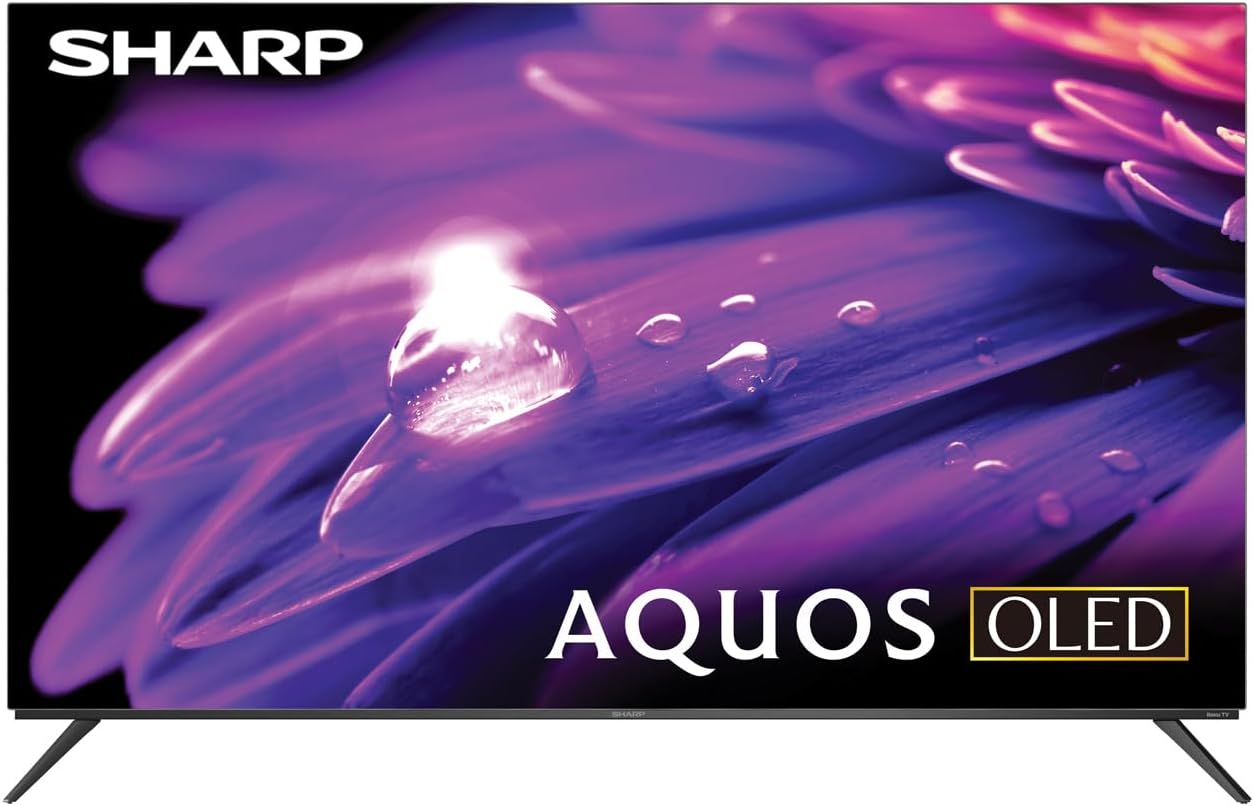
Televizorul OLED Sharp AQUOS, prezintăasing designul său elegant și afișajul vibrant.
Instalare stand
Televizorul este dotat cu două picioare care se atașează la marginile exterioare ale acestuia. Aceste suporturi oferă un spațiu liber de aproximativ 3.5 cm, permițând spațiu pentru o bară de sunet sau alte accesorii sub televizor. Asigurați-vă că suporturile sunt fixate în siguranță înainte de a așeza televizorul pe o suprafață plană și stabilă.
Instalare suport cu mișcare completă
Suportul Walts TV Large/Extra Large Full Motion este conceput pentru televizoare compatibile cu dimensiunile de 43-90 de inci și acceptă compatibilitate VESA de până la 700 mm x 500 mm. Acest suport articulat permite o mișcare extinsă, inclusiv înclinarea în sus sau în jos, înclinarea laterală și extinderea față de perete. Consultați manualul de instrucțiuni separat al suportului pentru pașii de instalare detaliați și instrucțiunile de siguranță.

Suportul Walts TV Full Motion, prezentat în poziție extinsă, oferă flexibilitate viewunghiuri de ing.
2. Conexiuni
Televizorul dispune de intrări înclinate lateral pentru acces facil, indiferent dacă este montat pe perete sau pe un suport. Conectați dispozitivele la porturile corespunzătoare:
- Porturi HDMI: 4 intrări HDMI, inclusiv una cu eARC pentru funcționalitate îmbunătățită a canalului de retur audio.
- Porturi USB: 2 porturi USB pentru redarea fișierelor media sau conectarea dispozitivelor compatibile.
- Ethernet: Pentru o conexiune la internet prin cablu.
- Intrare antenă: Pentru conectarea unei antene radio.
- Ieșire audio digitală: Pentru conectarea la sisteme audio externe.

Un detaliat view dintre porturile de intrare amplasate convenabil în unghi lateral de pe televizorul Sharp.
3. Pornirea inițială și configurarea Roku
După ce toate conexiunile sunt efectuate, conectați televizorul la priză și apăsați butonul de pornire de pe telecomandă. Urmați instrucțiunile de pe ecran pentru a finaliza configurarea inițială a televizorului Roku, inclusiv conectarea la rețeaua Wi-Fi și autentificarea în contul dvs. Roku. Interfața intuitivă Roku oferă acces la o gamă largă de servicii de streaming.

Ecranul principal al televizorului Sharp Roku, care afișează aplicații populare de streaming și opțiuni de navigare.
Operarea televizorului
Calitatea imaginii
Televizorul OLED Sharp AQUOS oferă imagini uimitoare cu rezoluția sa 4K Ultra HD, oferind 8.3 milioane de pixeli pentru detalii incredibile. Este compatibil cu HDR10, HLG și Dolby Vision IQ, îmbunătățind contrastul și acuratețea culorilor pentru o experiență mai captivantă. viewexperiență de afișare. Tehnologia OLED asigură nuanțe de negru autentice și culori vibrante.
Pentru jucători, televizorul dispune de o rată de reîmprospătare de 120 Hz și o rată de reîmprospătare variabilă (VRR) cu latență redusă, asigurând o experiență de joc fluidă și un input lag redus, în special cu consolele de generație următoare.
Produs oficial review videoclip pentru televizorul Sharp din seria FS1UR, care prezintă caracteristicile și performanța acestuia.
Caracteristici audio
Bucurați-vă de un sunet bogat și clar cu Dolby Audio. Televizorul dispune de difuzoare încorporate, concepute pentru a completa experiența vizuală. Pentru un sunet îmbunătățit, utilizați portul HDMI eARC pentru a conecta o bară de sunet sau un receptor audio compatibil.
Funcții inteligente (Roku TV)
Platforma integrată Roku TV oferă acces la o vastă bibliotecă de conținut streaming. Serviciile de internet acceptate includ Netflix, Disney+, Apple TV, Roku Channel, Discovery+, HBO Max, Paramount+ și multe altele. Telecomanda vocală inclusă permite navigarea și căutarea de conținut convenabile.
ViewManipularea unghiurilor de reflexie și a reflexiei
Televizorul OLED Sharp AQUOS oferă rezultate excelente viewunghiuri de filmare, asigurând o calitate constantă a imaginii chiar și atunci când viewdin lateral. Gestionarea reflexiilor este, de asemenea, excepțională, reducând la minimum strălucirea în majoritatea mediilor. Cu toate acestea, în încăperi extrem de luminoase, unele reflexii pot fi totuși vizibile datorită naturii panourilor OLED.
Întreţinere
Curățarea ecranului
Folosește kitul de curățare a ecranului Walts HDTV inclus pentru a-ți menține ecranul impecabil. Această soluție fără amoniac și alcool curăță fără a picura, lăsa urme sau pete, fără a lăsa pelicule sau reziduuri. Îndepărtează eficient praful, murdăria și amprentele. Aplică soluția pe o cârpă moale, fără scame (nu direct pe ecran) și șterge ușor ecranul.

Kitul de curățare a ecranelor Walts HDTV, conceput pentru curățarea sigură și eficientă a ecranelor.
Îngrijire generală
- Păstrați televizorul într-o zonă bine ventilată pentru a preveni supraîncălzirea.
- Evitați expunerea televizorului la lumina directă a soarelui sau la temperaturi extreme.
- Nu așezați obiecte grele deasupra televizorului.
- Deconectați televizorul de la priză în timpul furtunilor cu fulgere sau când nu este utilizat pentru perioade lungi de timp.
Depanare
Dacă întâmpinați probleme cu televizorul OLED Sharp AQUOS, consultați următoarele sfaturi comune de depanare:
- Fără putere: Asigurați-vă că cablul de alimentare este conectat corect atât la televizor, cât și la o priză electrică funcțională. Încercați o altă priză.
- Fără imagine/sunet: Verificați dacă este selectată sursa de intrare corectă. Verificați dacă toate conexiunile cablurilor (HDMI, antenă etc.) sunt slăbite.
- Telecomanda nu funcționează: Înlocuiți bateriile din telecomandă. Asigurați-vă că nu există obstacole între telecomandă și senzorul IR al televizorului.
- Probleme de conexiune la rețea: Reporniți routerul Wi-Fi. Accesați setările televizorului Roku pentru a restabili conexiunea la rețea sau încercați o conexiune Ethernet prin cablu.
- Probleme de calitate a imaginii: Ajustați setările de imagine (luminozitate, contrast, culoare) în meniul televizorului. Asigurați-vă că sursa de conținut este de înaltă calitate (de exemplu, conținut 4K pentru rezoluție 4K).
Pentru depanare mai detaliată sau probleme persistente, vă rugăm să contactați serviciul de asistență pentru clienți.
Specificații
| Caracteristică | Descriere |
|---|---|
| Nume de marcă | Ascuțit |
| Numele modelului | 4T-C55FS1UR |
| Dimensiunea ecranului | 55 inchi |
| Tehnologia de afișare | OLED |
| Rezoluţie | 4K Ultra HD |
| Rata de reîmprospătare | 120 Hz |
| Caracteristici speciale | HDR10, HLG, Dolby Vision IQ, Experiență TV Roku completă, Dolby Digital Audio, Rată de reîmprospătare variabilă (VRR) cu latență redusă, Telecomandă vocală |
| Conectivitate | 4 HDMI (1 eARC), 2 USB, compatibil Wi-Fi, Ethernet |
| Servicii de Internet acceptate | Netflix, Disney+, Apple TV, Roku Channel, Discovery+, HBO Max, Paramount+ și altele |
| Dimensiunile produsului | 9.84" D x 48.27" L x 31.18" H |
| Greutatea articolului | 38.5 lire sterline |
| Culoare | Negru |
Garanție și suport
Pentru informații despre garanție și asistență pentru clienți, vă rugăm să consultați documentația inclusă împreună cu produsul sau să vizitați site-ul oficial Sharp. website. De asemenea, puteți găsi resurse suplimentare de asistență și întrebări frecvente pe Magazinul Sharp pe Amazon.

Asistența dedicată pentru clienți este disponibilă pentru asistență.
Ask a question about this manual
Ask about setup, troubleshooting, compatibility, parts, safety, or missing instructions. Manuals+ will review the question and use this page’s manual context to help answer it.