
1. Introducere
Vă mulțumim că ați ales CZEview ZY-Q6 2K Outdoor Battery Surveillance Camera. This manual provides essential information for the proper installation, operation, and maintenance of your device. This robust security camera is designed for outdoor use, featuring a waterproof construction suitable for various weather conditions. It offers versatile installation options, including magnetic mounting, and provides clear surveillance with 2K resolution, 300° horizontal PTZ, motion detection, and night vision capabilities.
For optimal performance and safety, please read this manual thoroughly before using the camera and retain it for future reference.
2. Componentele produsului
Pachetul include următoarele articole:
- CZEview ZY-Q6 2K Outdoor Battery Surveillance Camera
- Cablu de încărcare
- Suport de fixare
- Manual de instructiuni
Unboxing Videos
Descrierea videoclipului: This video demonstrates the unboxing process for a JSX Electronics camera, showing the contents typically found in the package, including the camera, mounting accessories, and cables.
Descrierea videoclipului: This unboxing video for the ieGeek S2 camera (a similar model) showcases the camera and its accessories, providing a visual guide to what to expect in your package.
3. Configurare și instalare
3.1 Instalare fizică
Cehiaview ZY-Q6 camera offers versatile installation options, including magnetic mounting for easy placement on metallic surfaces or screw mounting for more permanent fixtures.
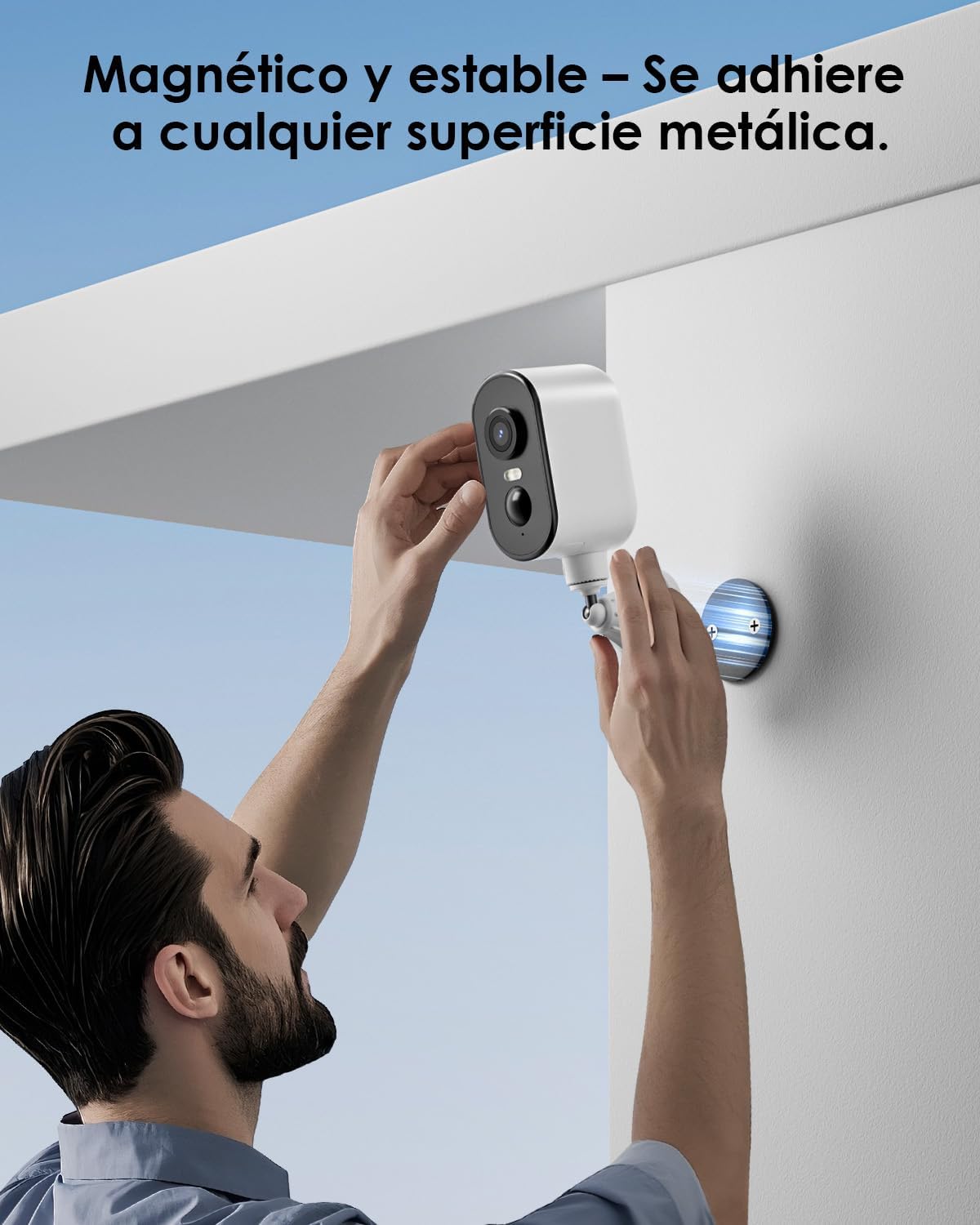
Descrierea imaginii: A man is shown easily attaching the CZEview ZY-Q6 camera to a metallic surface on a wall using its magnetic base, highlighting its stable and convenient mounting.
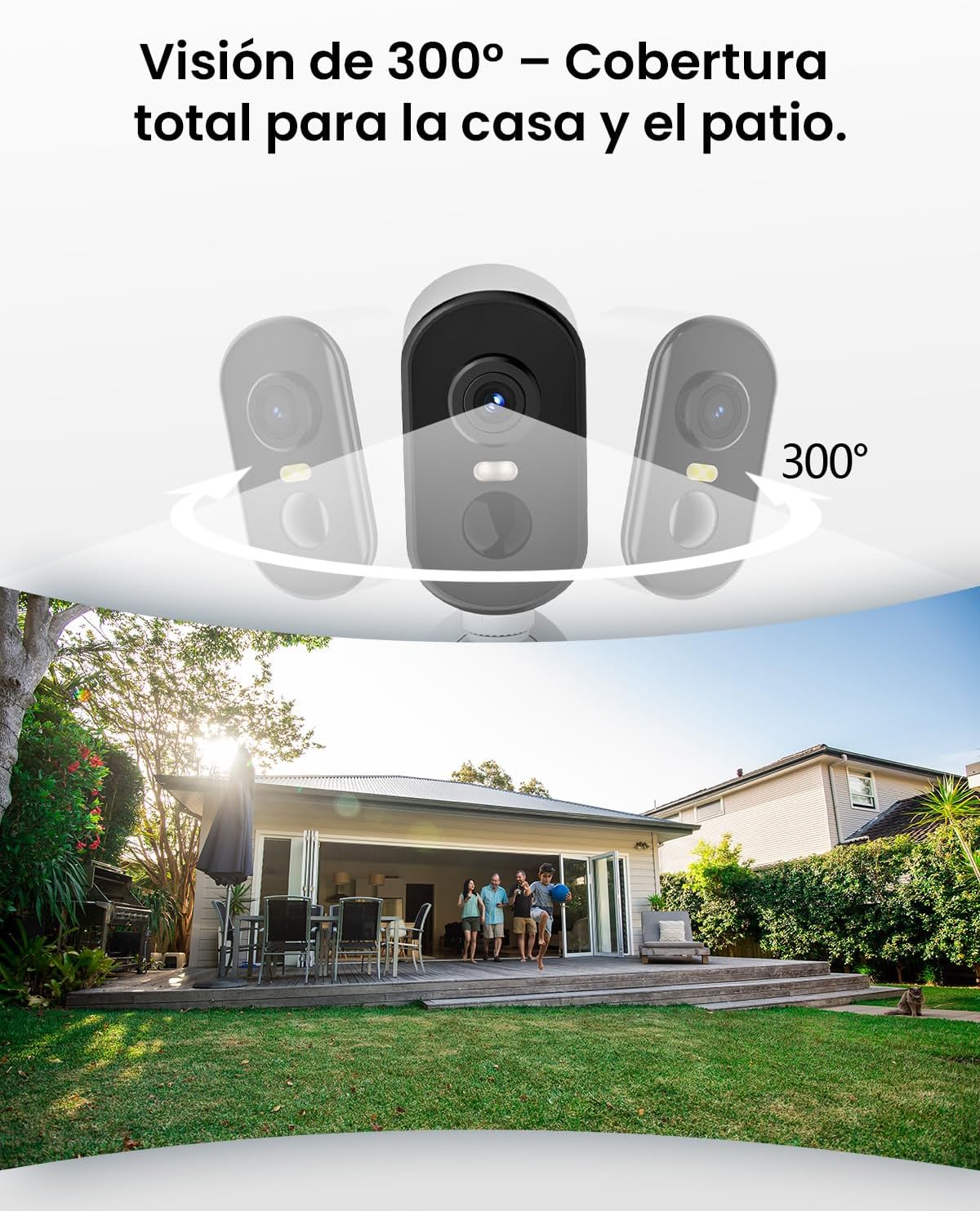
Descrierea imaginii: This image illustrates the camera's 300-degree horizontal PTZ (Pan-Tilt-Zoom) capability, showing how multiple cameras can provide total coverage for a house and patio area.
3.2 Conexiune la aplicație
To connect your camera to your smartphone, follow the instructions in the app. Ensure your phone is connected to a 2.4G WiFi network.
Descrierea videoclipului: This video provides a step-by-step guide on how to connect your outdoor WiFi battery surveillance camera to your smartphone application, covering initial setup and pairing.
Descrierea videoclipului: This video demonstrates the setup process for an outdoor WiFi battery camera, including app configuration and initial connection steps for remote monitoring.
Descrierea videoclipului: This video illustrates the installation process for a portable 4G camera. While this model is 2.4G WiFi, the physical mounting steps may offer general guidance.
4. Instrucțiuni de utilizare
4.1 Detectarea mișcării și alertele
The camera features automatic activation upon detecting motion, recording important events. It can differentiate between people, animals, vehicles, and packages to reduce false alarms.

Descrierea imaginii: This image shows the camera's automatic activation feature, detecting and recording important events triggered by people, animals, vehicles, and packages.
4.2 Night Vision and Security Features
In night mode, upon detecting motion, the camera illuminates and emits an audible alarm, enhancing security during low-light conditions. The infrared illumination system provides clear and sharp surveillance even in total darkness.
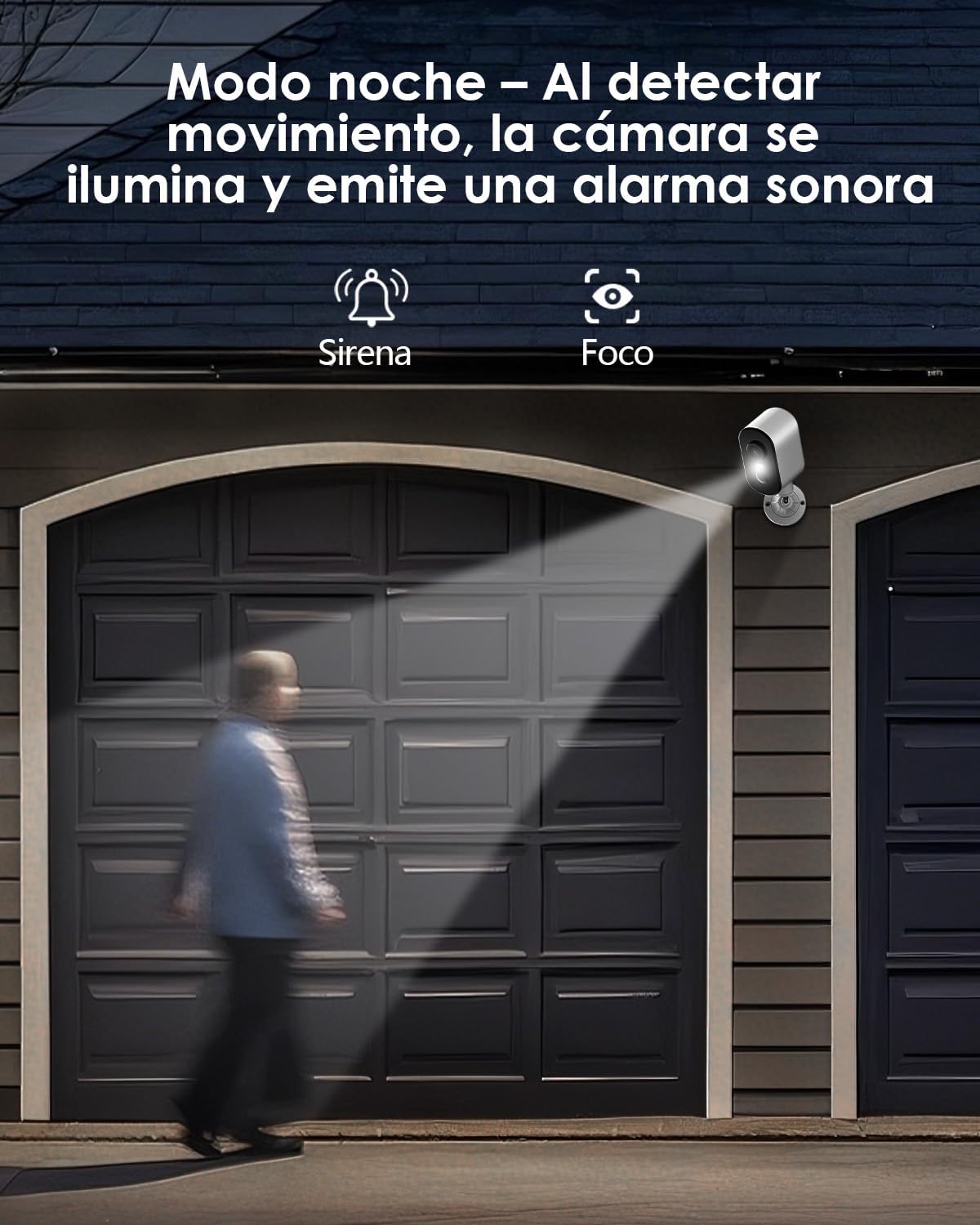
Descrierea imaginii: The camera is depicted in night mode, with its spotlight and siren activating upon motion detection to deter intruders and provide clear visibility.
4.3 Remote Monitoring and Multi-User Access
The camera supports remote monitoring, allowing real-time video streaming access from your smartphone. Multiple users can simultaneously access the camera feed.
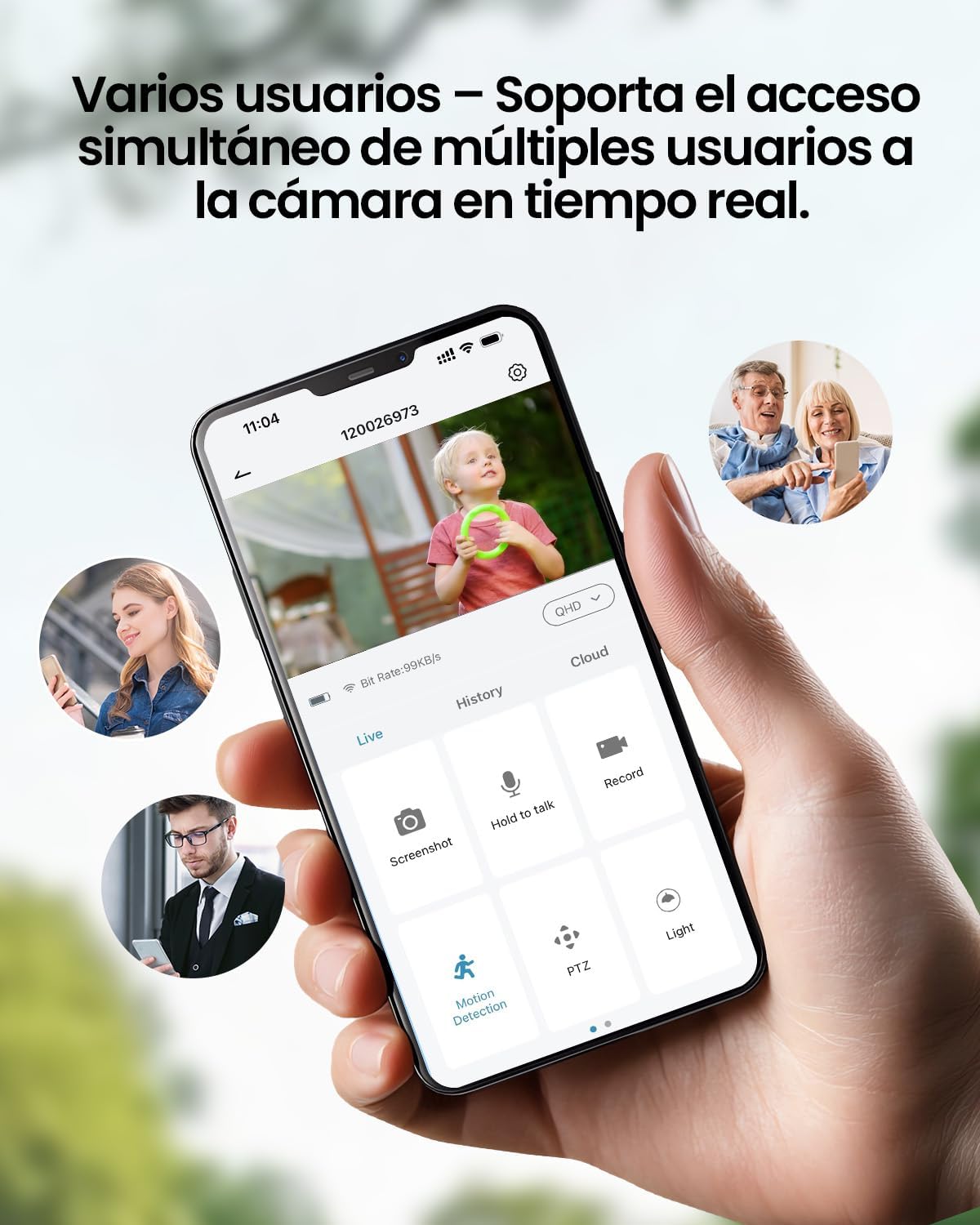
Descrierea imaginii: A smartphone displays the live feed from the camera, with icons indicating support for simultaneous access by multiple users, enabling shared monitoring.
5. Rezistență la intemperii
Cehiaview ZY-Q6 camera is designed to withstand various outdoor conditions. Its fully dustproof and waterproof construction ensures continuous surveillance in any climate, from heavy rain to direct sun exposure.

Descrierea imaginii: Cehiaview ZY-Q6 camera is shown mounted outdoors during rainfall, demonstrating its fully dustproof and waterproof design, ideal for continuous outdoor use.
6. Specificații
| Caracteristică | Detaliu |
|---|---|
| Producător | CZEview |
| Dimensiunile produsului | 6 x 6.5 x 12 cm; 530 g |
| baterii | 1 9V battery required, included |
| Numărul de model | ZY-Q6 |
| Culoare | Alb |
| Material | Plastic ABS |
| Sursa de alimentare | Baterie |
| Voltage | 12 volți |
| Putere electrică | 5 wați |
| Metoda de instalare | Montare pe perete |
| Tip bec | LED infrarosu |
| Tip de montare | Suport de masă |
| Caracteristici speciale | Detecție mișcare, Viziune nocturnă |
| Utilizări recomandate | Property Monitoring, Home Security, Outdoor Surveillance |
| Greutatea produsului | 530 g |
| Raza maximă | 20 metri |
| Dispozitive compatibile | Smartphone |
7. Întreținere
- curatenie: Ștergeți regulat obiectivul și corpul camerei cu o lavetă moale șiamp cârpă pentru a îndepărta praful și murdăria. Evitați utilizarea substanțelor chimice dure care pot deteriora suprafața.
- Managementul bateriei: Monitor the battery level through the app. Recharge the camera promptly when the battery is low to ensure continuous operation.
- Actualizări firmware: Check for and install any available firmware updates through the companion app to ensure optimal performance and security.
- Verificare montaj: Periodically inspect the mounting bracket and ensure the camera is securely attached, especially after severe weather conditions.
8. Depanare
- Camera nu se conectează la WiFi:
- Ensure your router is broadcasting a 2.4GHz WiFi signal. The camera does not support 5GHz networks.
- Verify that the WiFi password entered in the app is correct.
- Place the camera closer to the WiFi router during the initial setup process.
- Reset the camera by pressing the reset button for 5 seconds and attempt to reconnect.
- Calitate video slabă:
- Check your WiFi signal strength. A weak signal can affect video quality.
- Clean the camera lens to ensure it is free from dirt or smudges.
- Asigurați-vă că nu există obstacole care blochează camera view.
- Detectarea mișcării nu funcționează:
- Verificați dacă detectarea mișcării este activată în setările aplicației camerei.
- Adjust the motion detection sensitivity settings.
- Asigurați câmpul de lumină al camerei view acoperă zona de monitorizare dorită.
- Bateria se descarcă rapid:
- Evenimente frecvente de detectare a mișcării sau transmisiuni în timp real viewing can consume more battery power. Adjust sensitivity or reduce live viewtimp de ing.
- Ensure the camera is installed in an area with optimal WiFi signal to avoid excessive power consumption from searching for a connection.
- Temperaturile extreme pot afecta performanța bateriei.
9. Informații de siguranță
- Nu încercați să dezasamblați sau să modificați camera. Acest lucru poate anula garanția și poate provoca daune.
- Use only the provided charging cable or a compatible certified cable for charging.
- Keep the camera away from extreme heat sources, open flames, or corrosive substances.
- Ensure the camera is securely mounted to prevent it from falling and causing injury or damage.
- Aruncați bateriile conform reglementărilor locale. Nu aruncați bateriile în foc.
10. Garanție și asistență
For warranty information, technical support, or any inquiries regarding your CZEview ZY-Q6 camera, please refer to the contact details provided in the product packaging or visit the official CZEview website-ul.
Vă rugăm să păstrați bonul fiscal ca dovadă a achiziției pentru reclamațiile în garanție.


