
1. Introducere
Thank you for choosing the Zopsc 1080P HD Digital Camera. This manual provides essential information for setting up, operating, and maintaining your camera. Please read it thoroughly before use to ensure optimal performance and longevity of your device.
This compact digital camera is designed for ease of use, featuring 1080P video recording, 50MP photo capabilities, a 2.8-inch TFT screen, 16x digital zoom, and a built-in LED flash, making it suitable for various photography needs.
2. Produs terminatview
2.1 Caracteristici cheie
- Imagistică de înaltă definiție: Capture 50MP still images and record 1080P high-definition videos.
- Ecran TFT de 2.8 inci: View your shots and navigate menus with clarity.
- 16x Digital Zoom & Autofocus: Achieve precise focus and zoom in on distant subjects.
- Lanterna LED incorporata: Illuminate subjects in low-light conditions for clear photos and videos.
- Funcții versatile: Includes playback, fill light, time-lapse video, slow motion, continuous shooting, and auto timer (2s, 5s, 10s).
- Îmbunătățirea imaginii: Supports exposure compensation, white balance adjustment, ISO settings, and anti-shake functionality.
- Compact și portabil: Lightweight design for easy carrying and travel.
2.2 Conținutul pachetului
Vă rugăm să verificați dacă toate următoarele articole sunt incluse în pachetul dumneavoastră:
- Zopsc Digital Camera
- Geanta de transport
- Charging Data Cable (USB)
- Curea de mână
- Manual de utilizare (acest document)

Image: The Zopsc Digital Camera shown with its included accessories: a gray carrying pouch, a white USB charging cable, and a gray hand strap.
3. Componente și comenzi ale camerei
Familiarize yourself with the camera's layout and controls:

Image: A diagram illustrating the camera's buttons and their corresponding functions. Keyed numbers point to: 1. Open key, 2. Shutter key, 3. Continuous Shooting/T key/Upper key, 4. Time lapse/left key, 5. Confirmation key, 6. Fill Light/Right key, 7. Delete/Down key, 8. Menu Key, 9. Mode Switch.
- Cheie de deschidere: Pornește sau oprește camera.
- Tastă declanșator: Apăsați pentru a face o fotografie sau a porni/opri înregistrarea video.
- Continuous Shooting/T Key/Upper Key: Activates continuous shooting mode, controls zoom in (Telephoto), or navigates up in menus.
- Time Lapse/Left Key: Activates time-lapse mode or navigates left in menus.
- Confirmation Key: Confirmă selecțiile din meniuri.
- Fill Light/Right Key: Toggles the LED fill light or navigates right in menus.
- Delete/Down Key: Șterge selecțiile files or navigates down in menus.
- Tasta Meniu: Accesează meniul de setări al camerei.
- Comutator de mod: Changes between photo, video, and playback modes.

Imagine: O latură de aproape view of the Zopsc Digital Camera, highlighting the USB port and the memory card slot (labeled TF for TransFlash/microSD).
4. Configurare
4.1 Încărcarea bateriei
- Localizați portul USB din partea laterală a camerei.
- Connect the provided USB charging data cable to the camera's USB port.
- Conectați celălalt capăt al cablului USB la un adaptor de alimentare USB (nu este inclus) sau la portul USB al unui computer.
- Indicatorul luminos de încărcare se va aprinde. După încărcarea completă, lumina se va schimba sau se va stinge.
Note: The camera has a built-in 750mAh lithium battery. Ensure the camera is fully charged before first use.
4.2 Introducerea unui card de memorie
The camera requires a small memory card (up to 64GB, not included) for storing photos and videos.
- Locate the memory card slot next to the USB port.
- Gently insert the memory card into the slot with the gold contacts facing the correct direction (refer to the diagram or markings on the camera).
- Împingeți cardul până când se fixează în poziție. Pentru a-l scoate, împingeți-l din nou până când iese.
Caution: Do not force the memory card. Incorrect insertion may damage the card or camera.
5. Instrucțiuni de utilizare
5.1 Pornire/Oprire
- Pentru a porni, apăsați și mențineți apăsat butonul Open Key.
- Pentru a opri, țineți apăsat butonul Open Key din nou.
5.2 Realizarea fotografiilor
- Ensure the camera is in photo mode using the Comutator mod.
- Frame your shot using the 2.8-inch TFT screen.
- Apăsați tasta Tasta declanșatorului halfway down to activate autofocus. The focus indicator will appear.
- Apăsați tasta Tasta declanșatorului fully down to capture the photo.

Image: The Zopsc Digital Camera in silver, showcasing its compact design and front lens. This camera is capable of capturing 50MP images.
5.3 Înregistrarea videoclipurilor
- Switch to video mode using the Comutator mod.
- Apăsați tasta Tasta declanșatorului to start recording. A recording indicator will appear on the screen.
- Apăsați tasta Tasta declanșatorului din nou pentru a opri înregistrarea.
5.4 Utilizarea zoomului digital
While in photo or video mode, use the Continuous Shooting/T Key/Upper Key to zoom in (Telephoto) and the Delete/Down Key to zoom out (Wide).
5.5 Activating LED Flashlight
In low light conditions, press the Fill Light/Right Key to turn the built-in LED flashlight on or off.

Image: A side-by-side comparison showing the effect of the built-in LED flash. The "Before" image is darker, while the "After" image, taken with the flash, is brighter and clearer, demonstrating its utility in low-light environments.
5.6 Auto Timer Function
To use the auto timer for self-portraits or group photos:
- În modul foto, apăsați butonul Tasta Meniu.
- Navigate to the self-timer option using the arrow keys.
- Select your desired delay (2s, 5s, or 10s) using the Key confirmare.
- Apăsați tasta Tasta declanșatorului. The camera will count down before taking the picture.
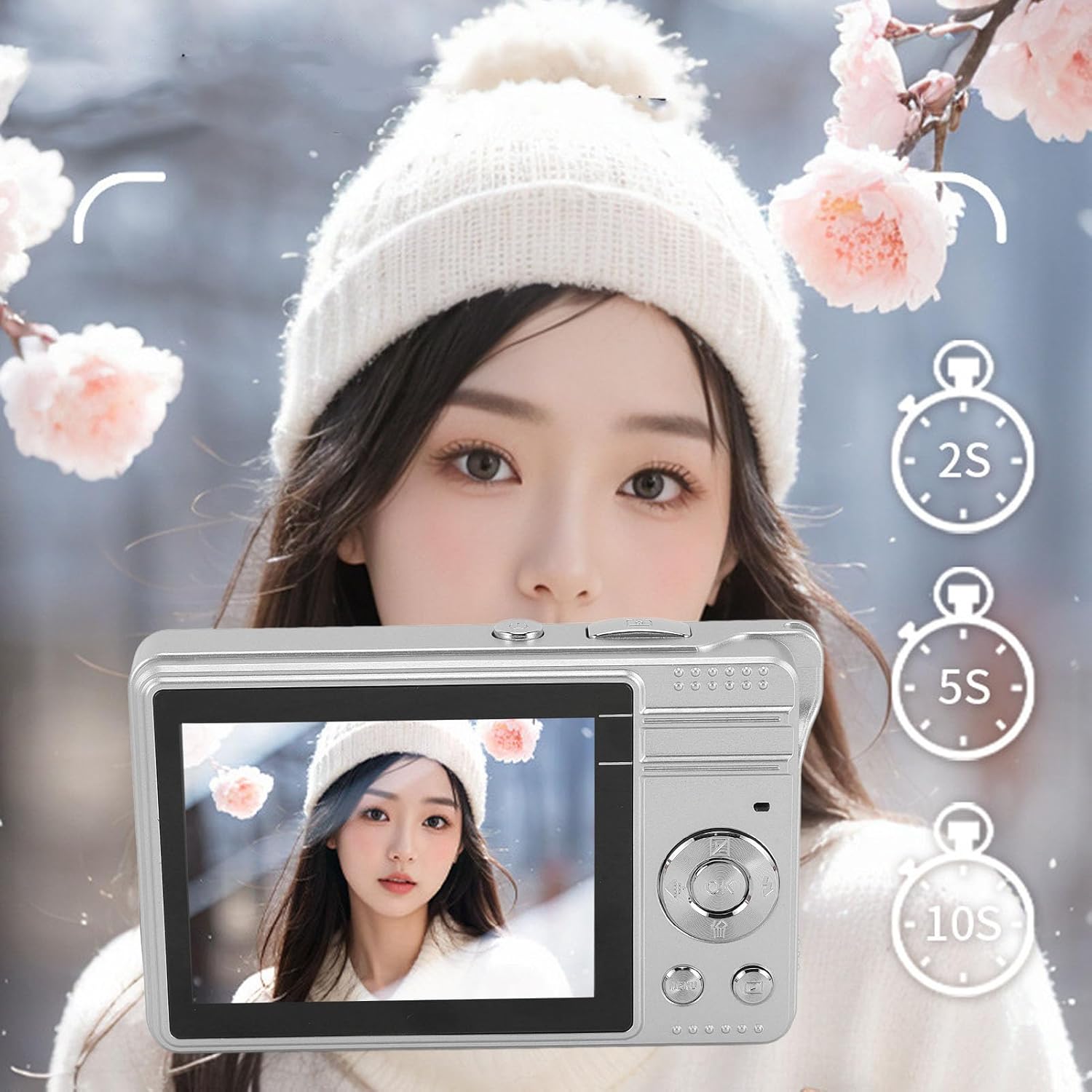
Image: The Zopsc Digital Camera held up, with the screen showing options for a 2-second, 5-second, or 10-second self-timer, indicating the camera's auto-timer functionality.
5.7 Modul de redare
La view fotografiile și videoclipurile tale realizate:
- Switch to playback mode using the Comutator mod.
- Use the arrow keys to navigate through your files.
- Apăsați tasta Key confirmare la view a video or a larger image.
- Pentru a șterge un file, selectați-l și apăsați butonul Delete/Down Key, apoi confirmați.

Image: The Zopsc Digital Camera's screen showing a grid of six different filter effects applied to an image, demonstrating the camera's ability to shoot in various styles.
6. Întreținere
6.1 Curățarea camerei
- Folosiți o cârpă moale și uscată pentru a curăța corpul camerei.
- Pentru lentilă și ecran, folosiți o lavetă și o soluție specială pentru curățarea lentilelor. Evitați materialele abrazive.
- Nu folosiți solvenți organici sau substanțe chimice puternice pentru a curăța camera.
6.2 Depozitare
- Depozitați camera într-un loc răcoros și uscat, ferit de lumina directă a soarelui și de temperaturi extreme.
- If storing for an extended period, ensure the battery is partially charged (around 50%) and recharge it every few months to prevent deep discharge.
- Use the provided carrying bag to protect the camera from dust and scratches.
6.3 Îngrijirea bateriei
- Evitați descărcarea completă frecventă a bateriei.
- Nu expuneți bateria la temperaturi ridicate sau la căldură directă.
- If the battery performance significantly degrades, it may need replacement by a qualified service center.
7. Depanare
| Problemă | Cauza posibila | Soluţie |
|---|---|---|
| Camera nu pornește. | Bateria este epuizată. | Charge the camera battery using the provided USB cable. |
| Nu pot face fotografii/videoclipuri. | Cardul de memorie este plin sau nu este introdus corect. | Insert a new memory card or delete unnecessary files. Ensure the card is properly seated. |
| Imaginile sunt neclare. | Lens is dirty; camera shake; subject too close/far for autofocus. | Clean the lens. Hold the camera steady. Ensure subject is within autofocus range. |
| LED flash not working. | Flash is turned off; battery low. | Apăsați tasta Fill Light/Right Key to activate. Charge the battery. |
| Camera se blochează sau nu răspunde. | Eroare software. | Țineți apăsat butonul Open Key to force a shutdown, then restart the camera. |
8. Specificații
| Caracteristică | Detaliu |
|---|---|
| Numele modelului | Zopscqx4w6gnfpa-12 |
| Rezoluția maximă a imaginii | 50 MP |
| Rezoluție video maximă | 1980x1080 (1080P) at 30 FPS |
| Dimensiunea ecranului | Ecran TFT de 2.8 inci |
| Zoom digital | 16x |
| Depozitare | Supports small memory card up to 64GB (not included) |
| Tip baterie | Built-in Lithium battery, 750mAh |
| File Format | JPEG (images), MP4 (videos) |
| Stabilizarea imaginii | Digital |
| Flash | Lanterna LED incorporata |
| Viteza minimă a obturatorului | 0.001 secunde |
| Controlul expunerii | Automat |
| Tip de focalizare | Focalizare automată |
| Conectivitate | USB |
| Nivel de rezistență la apă | Nu este rezistent la apă |
9. Garanție și asistență
This product comes with a standard manufacturer's warranty. Please refer to the warranty card included in your package for specific terms and conditions, including warranty duration and coverage details.
For technical support, troubleshooting assistance, or warranty claims, please contact Zopsc customer service through the retailer where you purchased the product or visit the official Zopsc brand store online:
Please have your model number (Zopscqx4w6gnfpa-12) and purchase information ready when contacting support.