
1. Introducere
This manual provides detailed instructions for the installation, operation, and maintenance of your MISONDA 9-inch Android 14 Car Radio. Please read this manual thoroughly before using the product to ensure proper function and safety. Keep this manual for future reference.
2. Conținutul pachetului
Carefully unpack the box and verify that all items listed below are present and in good condition. If any items are missing or damaged, please contact your retailer.

Imagine: Pesteview of included components, including the main unit, power sockets, RCA cables, USB cable, user manual, GPS antenna, Canbus, installation brackets, external microphone, rear camera, and connection cable.
- Main Head Unit (9-inch IPS Display)
- Power Socket A
- Power Socket B
- RCA Output Cable A
- RCA Output Cable B
- Cablu USB
- Manual de utilizare
- Antena GPS
- Decodor Canbus
- Suporturi de instalare
- Microfon extern
- Camera spate
- Cablu de conectare
3. Produs terminatview și dimensiuni
The MISONDA car radio features a 9-inch IPS touchscreen display designed for seamless integration into your Honda CR-V (2012-2016). The unit comes with a custom frame to ensure a perfect fit.
Image: The main head unit with a 9-inch display and the specific installation frame for Honda CR-V (2012-2016).
4. Configurare și instalare
This car radio is specifically designed for Honda CR-V CRV models manufactured between 2012 and 2016. Professional installation is recommended due to the complexity of vehicle wiring.
4.1 Verificare înainte de instalare
- Asigurați-vă că contactul vehiculului este oprit și bateria este deconectată înainte de a începe instalarea.
- Verificați dacă tot conținutul pachetului este prezent.
4.2 Conexiuni de cablare
Connect the provided power sockets, RCA cables, USB cables, GPS antenna, and external microphone to their respective ports on the head unit. Refer to the wiring diagram in the included user manual for specific connections. The Canbus decoder should be fully plugged in to ensure proper communication with the vehicle's systems.
4.3 Montarea unității
- Scoateți radioul auto original și ornamentele bordului.
- Attach the provided installation brackets to the new head unit.
- Carefully route all cables and connect them.
- Insert the new head unit with its frame into the dashboard opening.
- Secure the unit and reassemble the dashboard trim.
Image: Visual representation of the car's center console before and after the MISONDA car radio installation, showing a seamless fit.
5. Instrucțiuni de utilizare
Your MISONDA car radio runs on the Android 14 operating system, offering a wide range of features and connectivity options.
5.1 Sistem terminatview

Image: Visual representation of the core system specifications: Android 14, 6GB RAM (LPDDR4), 128GB ROM (UFS 3.0), and a 2.5GHz Octa-Core processor.
- Sistem de operare: Android 14
- Procesor: 8-Core Cortex A53 2.5GHz
- Memorie: 6GB RAM (LPDDR4) + 128GB ROM (UFS 3.0)
- Afişa: 9-inch IPS Touch Screen, 1080x680 resolution
5.2 Carplay wireless și Android Auto
Connect your smartphone wirelessly via Bluetooth to access Apple Carplay or Android Auto. This allows for seamless integration of navigation, calls, messages, and music directly on the car radio display.

Image: Display of Wireless Carplay and Android Auto interfaces, highlighting wireless connectivity for navigation, communication, and entertainment.
5.3 Bluetooth 5.0
The unit supports Bluetooth 5.0 with A2DP for high-quality audio streaming, hands-free calling, and phonebook synchronization. This enhances safety by allowing you to manage calls without diverting attention from the road.
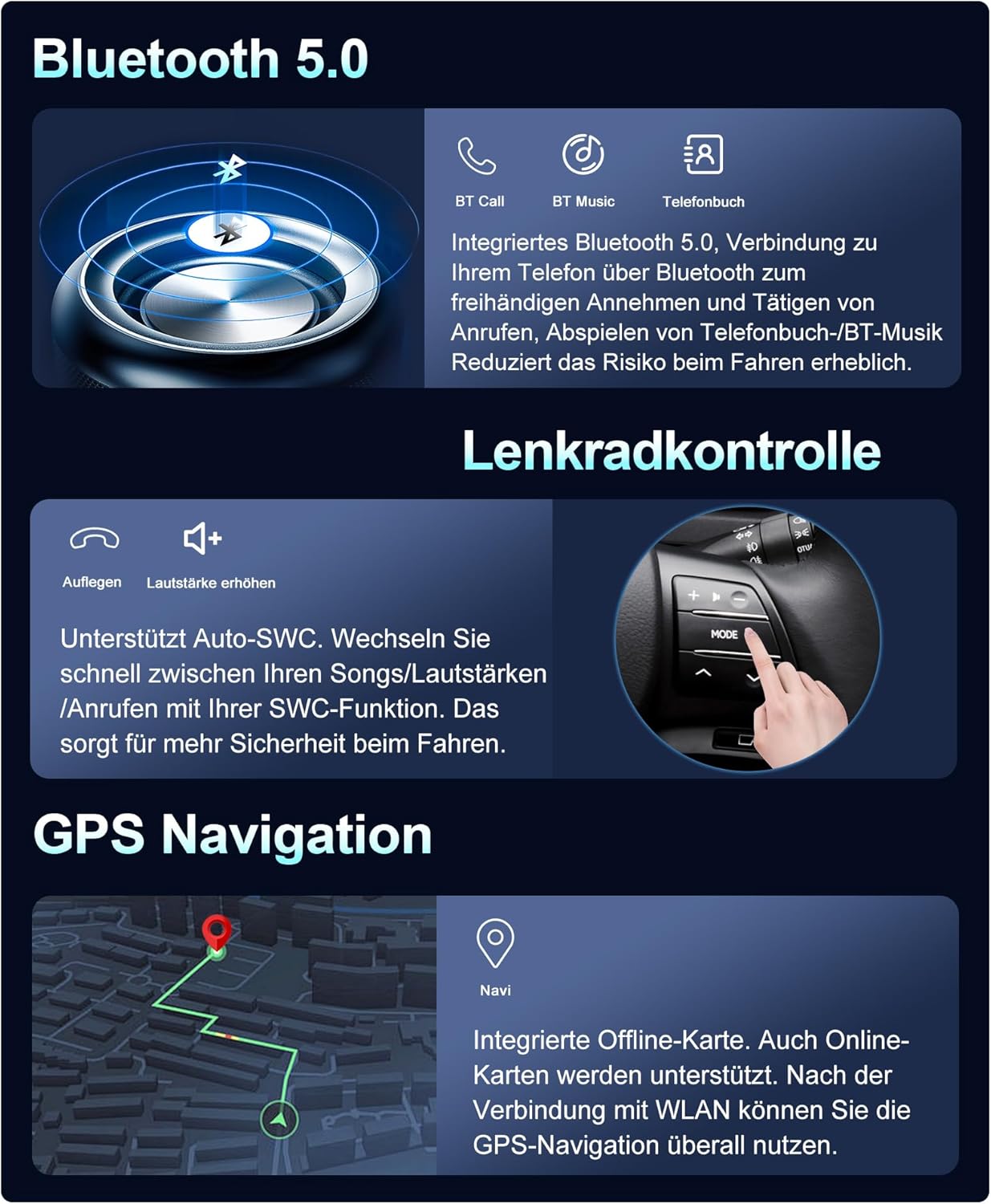
Image: Bluetooth 5.0 functionality icons for calls, music, and phonebook, emphasizing reduced risk during driving.
5.4 Navigare GPS
The car radio comes with pre-installed offline maps. Connect to Wi-Fi to use online maps, which provide real-time traffic updates and route optimization. The GPS antenna ensures accurate positioning.
Image: GPS navigation screen displaying a map and route, indicating support for both offline and online maps.
5.5 Controlul volanului (SWC)
The unit supports your vehicle's existing steering wheel controls, allowing you to manage audio playback, volume, and calls without taking your hands off the steering wheel. This feature enhances driving safety and convenience.
Image: Illustration of steering wheel control functionality, enabling quick adjustments to songs, volume, and calls.
5.6 Built-in Wi-Fi and 4G Support
Connect to the internet via a Wi-Fi hotspot for app downloads, online video streaming, and real-time navigation updates. The unit also supports integrated 4G connectivity (requires an optional external module) for constant internet access.

Image: Visuals for Built-in Wi-Fi, Integrated 4G, Split Screen, and Mirror Link functionalities.
5.7 DSP 64 Equalizer
The integrated Digital Sound Processor (DSP) with a 64-band equalizer allows for precise audio customization. Optimize sound quality and adapt it to your vehicle's acoustics and personal preferences.
Image: DSP 64 Equalizer interface, demonstrating sound optimization capabilities.
5.8 Split Screen and Mirror Link
- Ecran împărțit: Rulați două aplicații simultan pe ecran, cum ar fi navigarea și redarea muzicii.
- Legătură oglindă: For Android phones, achieve two-way control between your phone and the car stereo system, mirroring your phone's display.
5.9 Funcții radio
The unit supports VHF, MW, and RDS radio reception. Enjoy FM radio with 18 preset stations. For enhanced digital audio broadcasting, an optional external DAB+ module can be connected.
Image: DAB+ (Optional) interface displaying digital radio stations, offering high-quality audio broadcasts.
5.10 Optional Functions (External Purchase Required)
- DVR: Connect an external Digital Video Recorder for driving safety.
- OBD: Connect an external On-Board Diagnostics device to monitor vehicle data.
- 360 Panoramic Car Camera: Integrate a surround view 1080P AHD camera system (front, rear, left, right) for comprehensive parking assistance and dynamic 3D road status display.
- DAB+: Connect an external DAB (Digital Audio Broadcasting) module for high-quality digital audio transmissions.
Image: 360 Camera (Optional) display, showing a multi-angle view for enhanced parking and situational awareness.
6. Întreținere
To ensure the longevity and optimal performance of your MISONDA car radio, follow these maintenance guidelines:
- curatenie: Folosiți o cârpă moale și uscată pentru a curăța ecranul și exteriorul. Evitați substanțele de curățare abrazive sau solvenții.
- Actualizări de software: Periodically check for and install system software updates to ensure optimal performance and access to new features.
- Temperatură: Evitați expunerea unității la temperaturi extreme, la lumina directă a soarelui pentru perioade lungi de timp sau la umiditate ridicată.
- Conexiuni: Asigurați-vă că toate cablurile sunt conectate corect. Conexiunile slăbite pot duce la probleme intermitente.
7. Depanare
Dacă întâmpinați probleme cu radioul auto, consultați următoarele probleme și soluții frecvente:
| Problemă | Cauza posibila | Soluţie |
|---|---|---|
| Unitatea nu pornește | Conexiune electrică slăbită, siguranță arsă, problemă cu bateria vehiculului | Verificați toate cablurile și conexiunile de alimentare. Inspectați siguranțele vehiculului. Asigurați-vă că bateria vehiculului este încărcată. |
| Nici un sunet | Volume too low, incorrect audio source, loose speaker wires | Măriți volumul. Selectați sursa audio corectă. Verificați conexiunile cablurilor difuzorului. |
| Semnal GPS pierdut sau inexact | GPS antenna not properly connected or obstructed | Asigurați-vă că antena GPS este conectată corect și are o vizibilitate clară. view a cerului. |
| Bluetooth nu se conectează | Bluetooth off on phone/unit, pairing issue | Asigurați-vă că Bluetooth este activat pe ambele dispozitive. Ștergeți asocierile anterioare și reconectați-le. |
| Ecranul tactil nu răspunde | Blocarea sistemului, eroare temporară de software | Restart the unit (refer to your vehicle's manual for power cycle instructions or press and hold the power button). |
Dacă problema persistă după încercarea acestor soluții, vă rugăm să contactați serviciul de asistență pentru clienți.
8. Specificații
Detailed technical specifications for the MISONDA 9-inch Android 14 Car Radio.
| Caracteristică | Caietul de sarcini |
|---|---|
| Numărul de model | BX-514-D05-128G |
| Sistem de operare | Android 14 |
| Procesor | 8 Core Cortex A53 2.5GHz |
| RAM | 6 GB (LPDDR4) |
| ROM | 128 GB (UFS 3.0) |
| Dimensiunea ecranului | 9 inchi |
| Tip de afișare | IPS Touch Screen, LED Color Screen |
| Rezoluția ecranului | 1080 x 680 (Product Description) / 1024*600 (Specifications) |
| Radio Chip | TDA7786 |
| Putere Amplifier Chip | TDA7851 |
| Putere de ieșire | 4 x 45 W (RMS) / 180 Watts (Peak) |
| Temperatura de lucru | -40°C până la 80°C |
| Versiune Bluetooth | 5.0 (with A2DP) |
| Conectivitate | Auxiliary, Bluetooth, USB, Wi-Fi, 4G (optional) |
| Caracteristici speciale | Built-In Bluetooth, Touchscreen, GPS, WLAN, DSP, Wireless Carplay, Android Auto, Split Screen, Mirror Link, Steering Wheel Control |
| Vehicule compatibile | Honda CR-V CRV (2012-2016) |
9. Garanție și asistență
For warranty information and technical support, please refer to the warranty card included in your package or contact your authorized MISONDA retailer. Keep your purchase receipt as proof of purchase for any warranty claims.