
1. Produs terminatview
The TRENDnet TI-G50611 is a 6-Port Industrial 2.5G DIN-Rail Switch designed for demanding networking environments. It features a rugged IP50 rated metal enclosure, capable of withstanding high degrees of vibration and shock, and operates across a wide temperature range. This switch provides high-speed connectivity with 2.5G and 10G ports, suitable for various industrial applications.

Figura 1: Față view of the TRENDnet TI-G50611 Industrial Switch.
Caracteristici cheie:
- Porturi Multi-Gigabit: 4 x 2.5G ports, 1 x 10G RJ-45 port, and 1 x 10G SFP+ port for high-speed device connections and fiber networking.
- Industrial Hardened Design: Rugged IP50 rated metal enclosure, resistant to shock (EN 60068-2-27), freefall (EN 60068-2-32), and vibration (EN 60068-2-6).
- Temperatura largă de funcționare: Operates reliably in temperatures ranging from -40°C to 75°C (-40°F to 167°F).
- Intrări de putere redundante: Dual 12V – 55V DC power inputs with overload current protection and a power failure alarm relay.
- Opțiuni de montare: Includes integrated DIN-Rail mount and wall mounting hardware.
2. Conținutul pachetului
Verificați dacă pachetul dvs. conține următoarele articole:
- TRENDnet TI-G50611 Industrial Switch
- Ghid de instalare rapidă
- Removable Terminal Blocks
- DIN-Rail / Wall Mount Kit

Figure 2: Included components: TI-G50611 switch, quick installation guide, removable terminal blocks, and DIN-Rail/wall mount kit.
3. Configurare și instalare
3.1 Instalare fizică
The TI-G50611 switch can be mounted on a DIN-Rail or directly to a wall using the provided hardware.
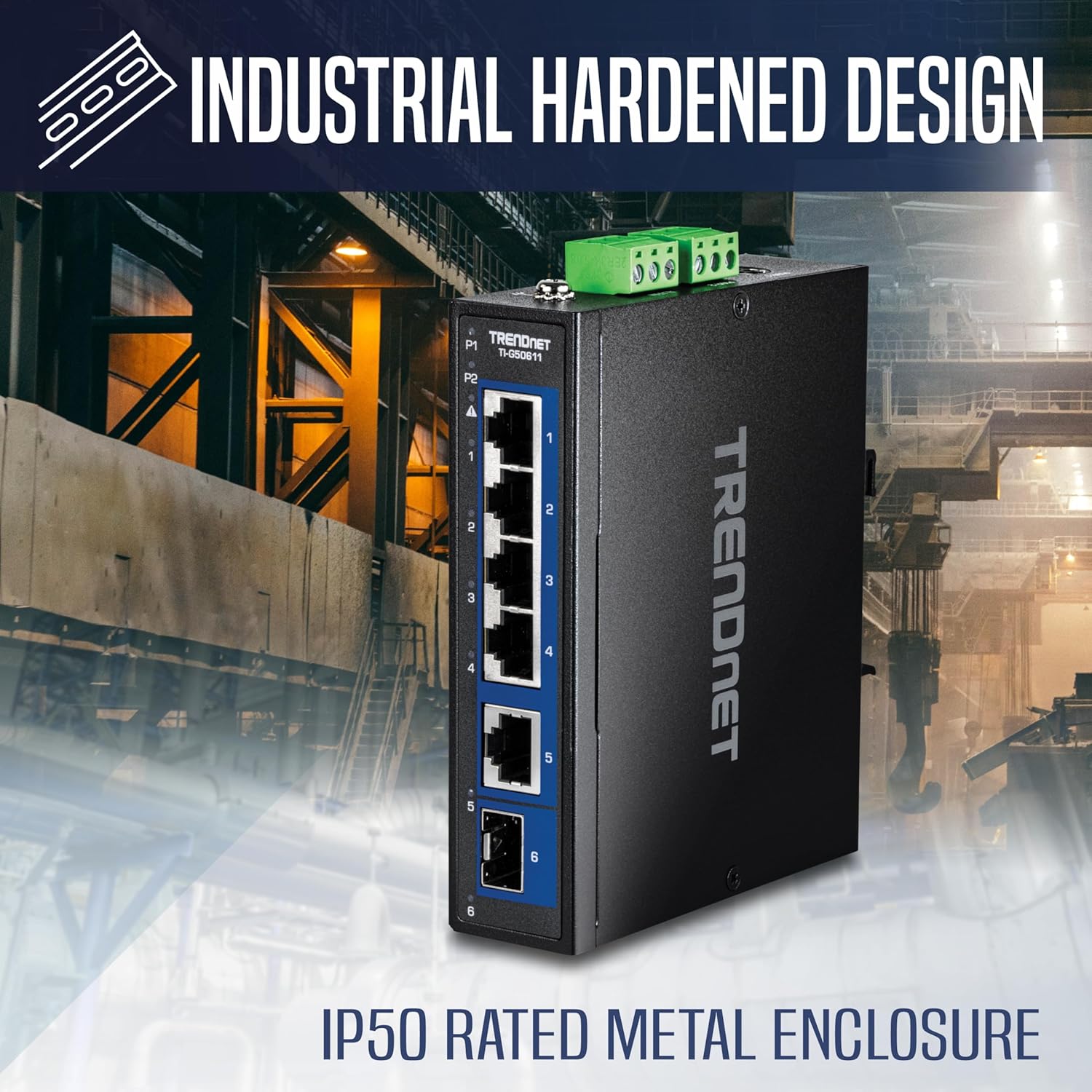
Figura 3: lateral view of the switch with mounting bracket.
Montare pe șină DIN:
- Attach the DIN-Rail bracket to the rear of the switch using the included screws.
- Hook the top edge of the switch onto the DIN-Rail.
- Push the bottom of the switch towards the DIN-Rail until it clicks into place.

Figure 4: The TI-G50611 switch securely mounted on a DIN-Rail.
Montare pe perete:
- Attach the wall mount plates to the sides of the switch using the included screws.
- Mark the desired mounting locations on the wall using the plates as a template.
- Drill pilot holes and insert appropriate wall anchors if necessary.
- Secure the switch to the wall using screws through the wall mount plates.
3.2 Conexiune la alimentare
The TI-G50611 supports dual redundant power inputs (12V – 55V DC) for enhanced reliability. A compatible power supply (e.g., models TI-M6024, 48VDC3000) is sold separately.
- Connect the power supply to the 3-pin power terminal block on the switch. Ensure correct polarity.
- For redundant power, connect a second power supply to the second set of terminals on the power block.
- Connect the grounding point on the switch to an appropriate ground source.

Figure 5: Power and alarm terminal blocks on the rear of the switch.
3.3 Conexiuni la rețea
Connect your network devices to the appropriate ports on the switch.
- Porturi 2.5G (1-4): Use standard Ethernet cables (Cat5e or better) to connect devices requiring 2.5 Gigabit speeds.
- 10G RJ-45 Port (5): Use a Cat6a or Cat7 Ethernet cable for 10 Gigabit copper connections.
- 10G SFP+ Port (6): Insert a compatible 10G SFP+ transceiver module (sold separately) and connect a fiber optic cable for high-speed, long-distance fiber networking.

Figure 6: Port layout and LED indicators on the TI-G50611.
3.4 Exampcererea
The TI-G50611 is suitable for various industrial and commercial applications, such as connecting PoE cameras, wireless access points, and other network devices in harsh environments.

Figura 7: Example deployment of the TI-G50611 in a network setup.
4. Instrucțiuni de utilizare
4.1 Indicatori LED
LED-urile de pe panoul frontal oferă informații de stare pentru switch și porturile sale:
- PWR (P1, P2): Indicates power status for redundant power inputs. Green for active.
- Alarma: Indicates a power failure or other system alert.
- Link/Act (Ports 1-6): Solid green indicates a valid network link. Blinking green indicates data activity.
- Speed (Ports 1-4): Indicates the connection speed (e.g., 2.5G, 1G, 100M).
- PoE (Ports 1-4): Indică starea de livrare a energiei PoE.

Figure 8: Front panel of the TI-G50611 showing LED indicators for power, alarm, link/activity, speed, and PoE status.
4.2 Network Operation
Once powered on and devices are connected, the switch will automatically detect link speeds and provide Power over Ethernet (PoE) to compatible devices on the PoE-enabled ports. The 60Gbps switching capacity ensures efficient data flow across all connected devices.
5. Întreținere
The TRENDnet TI-G50611 is designed for minimal maintenance due to its robust industrial construction.
- curatenie: Curățați periodic exteriorul comutatorului cu o lavetă moale și uscată. Nu utilizați agenți de curățare lichizi sau cu aerosoli.
- Conditii de mediu: Ensure the operating environment remains within the specified temperature and humidity ranges to maintain optimal performance and longevity.
- Actualizări firmware: Check the TRENDnet website periodically for any available firmware updates to ensure the best performance and security.

Figure 9: The switch is designed for reliable operation in extreme temperatures.

Figure 10: The rugged IP50 rated metal enclosure provides durability.
6. Depanare
6.1 Probleme comune și soluții
- Fără putere:
- Verify the power supply is correctly connected to the terminal block and is providing the correct voltage (12V – 55V DC).
- Check the power supply unit for proper operation.
- Asigurați-vă că sursa de alimentare este activă.
- Nicio legătură/activitate pe port:
- Asigurați-vă că cablul Ethernet este conectat în siguranță atât la portul switch-ului, cât și la dispozitivul de rețea.
- Verify the cable is not damaged.
- Check the status of the connected network device.
- Pentru porturile SFP+, asigurați-vă că modulul SFP+ este introdus corect și este compatibil.
- Dispozitivul PoE nu primește energie:
- Confirm the connected device is PoE compatible.
- Check the PoE LED indicator for the specific port.
- Ensure the total PoE budget of the switch is not exceeded.
6.2 Suport tehnic
If you encounter issues that cannot be resolved with the above steps, please contact TRENDnet's reliable technical support team. Our English-speaking advisors are available during normal business hours to assist you.
7. Specificații
| Caracteristică | Detaliu |
|---|---|
| Dimensiunile produsului | 4.7 cm L x 3.9 cm l x 1.2 cm Î |
| Greutatea articolului | 1.09 livre (17.5 uncii) |
| Voltage | 12V – 55V DC (Dual Redundant Inputs) |
| Materialul carcasei | Metal (IP50 Rated) |
| Temperatura de operare | -40°C până la 75°C (-40°F până la 167°F) |
| Tip de interfață | RJ45, SFP, SFP+ |
| Rata de transfer de date | 60 gigabiți pe secundă (capacitate de comutare) |
| Numărul de porturi | 6 (4 x 2.5G, 1 x 10G RJ-45, 1 x 10G SFP+) |
| Componente incluse | TI-G50611, Quick Installation Guide, Removable terminal blocks, DIN-Rail / wall mount kit |
| Dispozitive compatibile | Power supply sold separately (models: TI-M6024, 48VDC3000) |
| Numărul de model | TI-G50611 |
| UPC | 710931162899 |
8. Garanție și asistență
8.1 Lifetime Protection
TRENDnet stands by the quality of its products. The TI-G50611 is secured with Lifetime Manufacturer Protection (U.S. and Canada Only).
8.2 Conformitate
This product is NDAA and TAA compliant, meeting U.S. integrity and supply chain standards for government contracts (U.S. and Canada Only).

Figure 11: The TI-G50611 is NDAA and TAA compliant.