
1. Introducere
Mulțumesc pentru achizițieasing the Salange HY300Pro Mini Projector. This manual provides essential information for setting up, operating, and maintaining your projector. Please read it thoroughly before use to ensure optimal performance and longevity of your device.
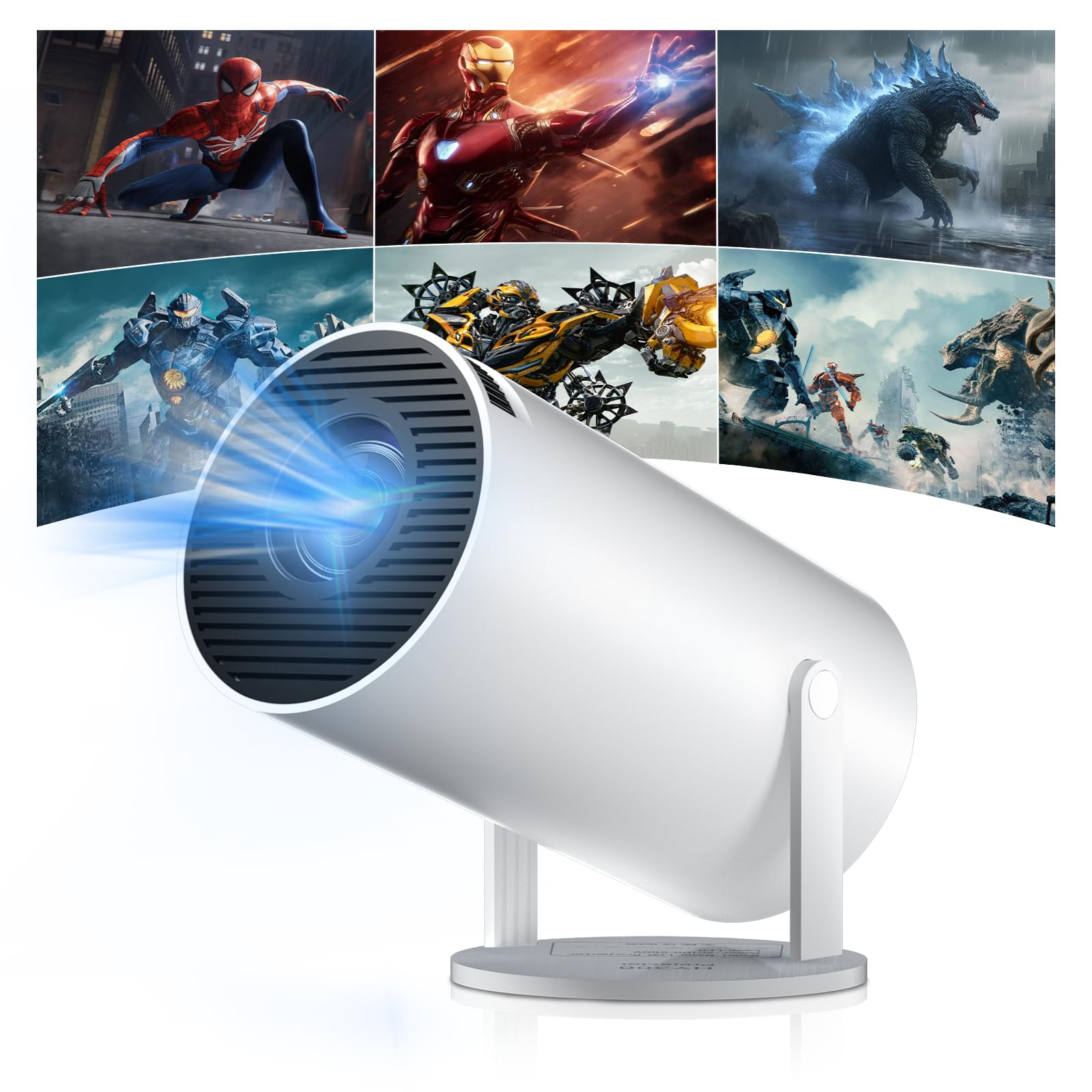
Figure 1: Salange HY300Pro Mini Projector
2. Produs terminatview
Caracteristici cheie
- Dual-Band WiFi 6 & Bluetooth 5.4: Ensures fast and stable network connectivity and seamless audio pairing with external speakers or headphones.
- Sistem de operare Android 11.0: Supports installation of various applications directly on the projector for versatile entertainment and productivity.
- 4K Support & Native 720P Resolution: Delivers clear and vibrant images, supporting 1080P and 4K video playback.
- Rotație 180°: Flexible projection angles for various setups, including ceiling, wall, or angled surfaces.
- Automatic Keystone Correction & Manual Focus: Intelligently corrects image distortion and allows for fine-tuning clarity.
- Design compact și portabil: Weighs only 700g, making it easy to transport for outdoor activities or different rooms.

Figura 2: Pesteview of Salange HY300Pro features including 8K support, WiFi 6, Bluetooth 5.4, 180° rotation, and auto keystone correction.
Ce este în cutie
- 1 x Salange HY300Pro Projector
- 1 x Manual de utilizare
- 1 x cablu de alimentare
- 1 x telecomandă

Figure 3: Contents of the Salange HY300Pro package.
3. Configurare
3.1 Despachetarea și plasarea
- Scoateți cu grijă toate componentele din ambalaj.
- Așezați proiectorul pe o suprafață stabilă și plană. Asigurați o ventilație adecvată în jurul dispozitivului.
- The projector's 180° rotation feature allows flexible placement. Adjust the projector's angle to project onto a wall, ceiling, or screen as desired.

Figure 4: Projector demonstrating 180-degree rotation for various projection surfaces.
3.2 Conexiune la alimentare
Connect the provided power cable to the projector's power input and then to a power outlet.
3.3 Pornirea inițială și reglarea focalizării
- Apăsați butonul de pornire de pe proiector sau de pe telecomandă pentru a porni dispozitivul.
- The projector features automatic keystone correction. It will intelligently detect and correct image distortion to ensure a square image.
- For fine-tuning the image clarity, use the manual focus adjustment ring on the projector.

Figure 5: Illustration of automatic keystone correction and manual focus adjustment.
3.4 Conexiune la rețea (WiFi)
- Navigați la meniul „Setări” de pe ecranul principal al proiectorului.
- Selectați „Rețea și internet” și activați Wi-Fi.
- Choose your desired Wi-Fi network from the list and enter the password if prompted. The projector supports dual-band 2.4G + 5G WiFi 6 for fast and stable connections.

Figure 6: Visual representation of the projector's WiFi 6 capabilities for ultra-fast streaming.
3.5 Asociere Bluetooth
- From the 'Settings' menu, select 'Connected Devices' or 'Bluetooth'.
- Activați Bluetooth și căutați dispozitivele disponibile.
- Selectați difuzorul sau căștile Bluetooth din listă pentru a le asocia.

Figure 7: Projector connected to various Bluetooth audio devices.
3.6 Conectarea dispozitivelor externe
The projector supports HDMI and USB connections.
- HDMI: Connect your laptop, game console, Blu-ray player, or TV stick using an HDMI cable. Select the corresponding HDMI input source from the projector's input menu.
- USB: Introduceți o unitate USB pentru a reda fișiere media files directly. Access the files through the media player application on the Android OS.
4. Instrucțiuni de utilizare
4.1 Navigarea în sistemul de operare Android
The Salange HY300Pro runs on Android 11.0, providing a smart TV experience.
- Use the remote control to navigate through the home screen, applications, and settings.
- The interface is intuitive, similar to an Android smartphone or tablet.

Figure 8: Projector displaying the Android OS home screen with various streaming apps.
4.2 Gestionarea aplicațiilor
You can install and manage applications directly on the projector.
- Access the app store (e.g., Google Play Store) to download streaming services, games, and productivity tools.
- To uninstall an app, go to 'Settings' > 'Apps' and select the desired app.
4.3 Oglindirea ecranului
Oglindiți ecranul smartphone-ului sau tabletei pe proiector fără fir.
- Asigurați-vă că atât dispozitivul, cât și proiectorul sunt conectate la aceeași rețea Wi-Fi.
- On the projector, select the screen mirroring function (e.g., 'Miracast', 'AirPlay', or 'Screen Share').
- On your smartphone/tablet, enable screen mirroring and select the projector from the list of available devices.
4.4 Setări de imagine și sunet
Adjust various settings to optimize your viewexperiență.
- Setări imagine: Access 'Settings' > 'Display' to adjust brightness, contrast, color, and aspect ratio.
- Setări de sunet: Access 'Settings' > 'Sound' to adjust volume, sound mode, and output device.

Figure 9: Projector displaying a large image, illustrating its ability to create a home cinema experience.
5. Întreținere
5.1 Curățarea lentilei
Folosiți o lavetă moale, fără scame, special concepută pentru lentile optice, pentru a șterge ușor lentila proiectorului. Nu utilizați produse de curățare abrazive și nu aplicați forță excesivă.
5.2 Ventilație
Ensure the projector's ventilation vents are clear of dust and obstructions. Blocked vents can lead to overheating and reduced performance. Periodically clean the vents with a soft brush or compressed air.
5.3 Depozitare
Când nu utilizați proiectorul pentru perioade lungi de timp, depozitați-l într-un loc răcoros și uscat, ferit de lumina directă a soarelui și de temperaturi extreme. Folosiți ambalajul original sau o carcasă de protecție pentru a preveni acumularea de praf și deteriorarea acestuia.
6. Depanare
| Problemă | Cauza posibila | Soluţie |
|---|---|---|
| Nu este afișată nicio imagine | Power cable disconnected; Incorrect input source; Projector in standby mode. | Check power connection; Select correct HDMI/USB input; Press power button to wake up. |
| Imaginea este neclară | Focalizarea nu este reglată; Proiectorul este prea departe/aproape de ecran. | Adjust manual focus ring; Ensure projector is within optimal projection distance. |
| Nici un sunet | Volume too low; Muted; Incorrect audio output selected; Bluetooth device not paired. | Măriți volumul; Activați sunetul; Verificați setările audio; Reconectați dispozitivul Bluetooth. |
| Probleme de conexiune Wi-Fi/Bluetooth | Parolă incorectă; În afara razei de acoperire; Interferență. | Verify password; Move closer to router/device; Reduce interference from other electronics. |
| Telecomanda nu funcționează | Dead batteries; Obstruction; Not paired. | Înlocuiți bateriile; Îndepărtați obstrucțiile; Reconectați telecomanda dacă este necesar. |
7. Specificații
| Caracteristică | Detaliu |
|---|---|
| Marca | Salange |
| Numărul de model | X-HY300PRO |
| Serie | Salange Mini Beamer |
| Culoare | Alb |
| Tip de afișare | LCD |
| Rezoluție nativă | 1280 x 720P |
| Rezoluție maximă a afișajului | 3840 x 2160 (suport 4K) |
| Tehnologia de conectivitate | Bluetooth, Wi-Fi (WiFi 6) |
| Interfață hardware | Bluetooth, HDMI, USB |
| Dispozitive compatibile | Smartphones, Laptops, Game Consoles, Blu-ray Players, Media Players |
| Dimensiuni articol (L x l x H) | 9.5 x 9.5 x 15.7 centimetri |
| Caracteristici speciale | Wi-Fi Compatible, Digital Keystone Correction, Lightweight, Portable, 180° Rotation |
| Utilizări recomandate | Business, Home Cinema, Gaming, Education |
| Factor de formă | Portabil |
| Tip de montare | Suport de masă |
8. Garanție și asistență
For warranty information and technical support, please refer to the documentation included with your purchase or visit the official Salange webPăstrați dovada achiziției pentru reclamații în garanție.