
Introducere
This manual provides essential instructions for the setup, operation, and maintenance of your BLOW Portable Internet Radio RI 1. Please read this manual thoroughly before using the device to ensure proper functionality and to prevent damage.
Informații importante privind siguranța
- Nu expuneți dispozitivul la ploaie sau umezeală.
- Nu dezasamblați dispozitivul. Apelați la personal calificat pentru orice operațiune de service.
- Utilizați numai adaptorul de alimentare furnizat.
- Evitați temperaturile extreme și lumina directă a soarelui.
- Țineți dispozitivul departe de câmpuri magnetice puternice.
Conținutul pachetului
Asigurați-vă că toate articolele sunt prezente în colet:
- BLOW Internet Radio RI 1
- Adaptor de alimentare
- User Manual (in Polish and English)

Image: The BLOW Internet Radio RI 1 packaging, showing the radio unit, power adapter, and user manual.
Produs terminatview
The BLOW Portable Internet Radio RI 1 offers a wide range of features for an enhanced audio experience. It includes internet radio access, FM tuner, Bluetooth connectivity, and a clear LCD display.

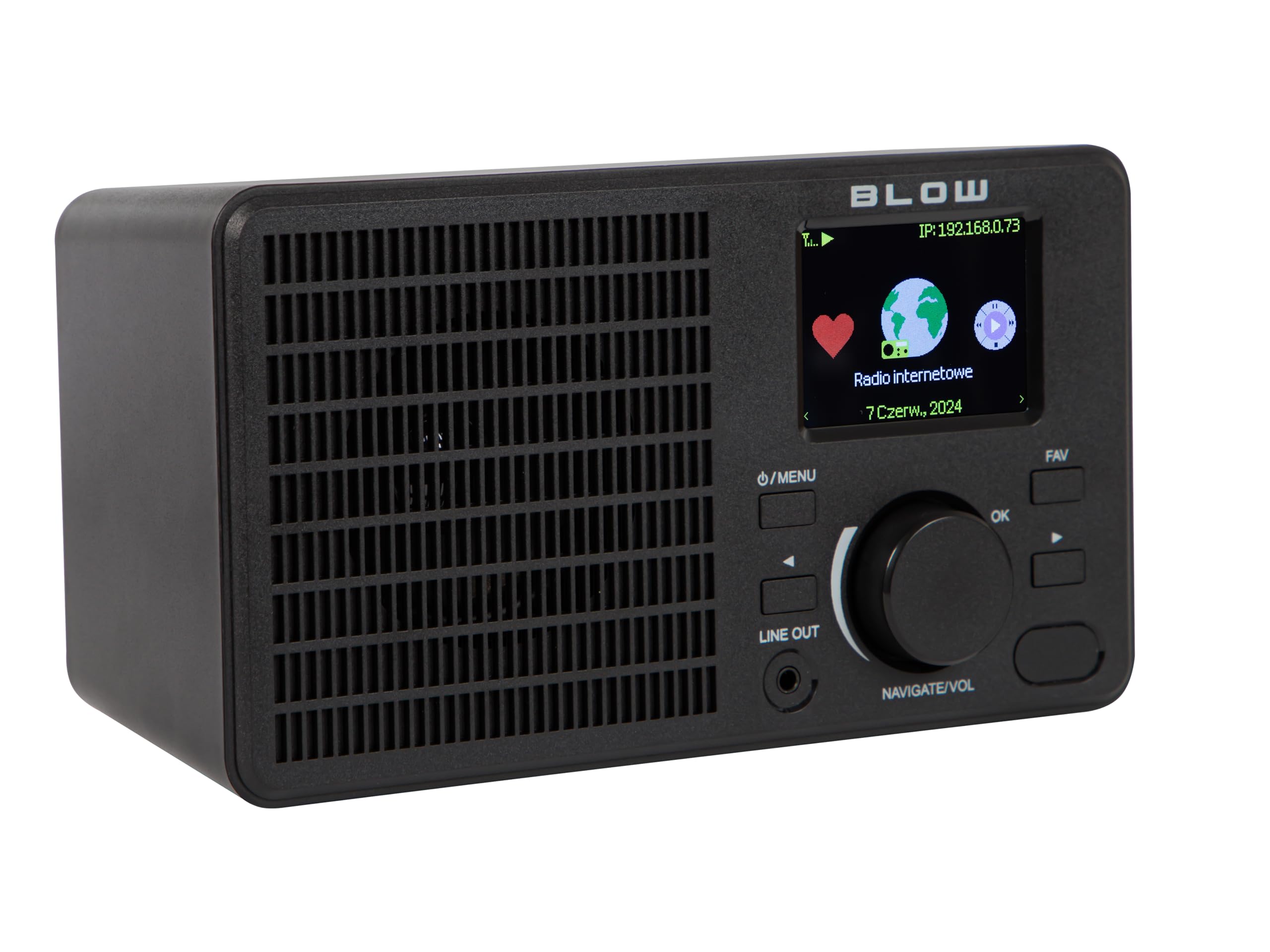
Imagine: față view of the BLOW Internet Radio RI 1, showcasing the display, speaker grille, and control buttons.
Caracteristici cheie:
- Radio prin internet: Access thousands of stations worldwide via Wi-Fi.
- Conectivitate Wi-Fi: Wireless access to internet radio and network features.
- Bluetooth: Stream music from mobile devices.
- Ecran color TFT de 2.4 inci: Shows station information and track details.
- Dual Alarm with Snooze: Wake up to music or news.
- Ieșire linie: Conectați-vă la un amplifier or external audio system.
- Design compact: Elegant black design suitable for various interiors.
- Tuner FM: For local radio broadcasts.
Imagine: Spate view of the BLOW Internet Radio RI 1, showing the DC 5V power input and product information label.
Înființat
1. Conexiune la alimentare
- Connect the provided power adapter to the DC 5V input port on the back of the radio.
- Conectați adaptorul de alimentare la o priză electrică standard.
- Radioul se va porni automat sau va intra în modul standby.

Image: The power adapter included with the BLOW Internet Radio RI 1, showing the plug and DC connector.
2. Initial Wi-Fi Setup
- La prima pornire, radioul vă va ghida prin procesul inițial de configurare.
- Use the navigation dial and OK button to select your preferred language.
- Radioul va scana rețelele Wi-Fi disponibile. Selectați rețeaua din listă.
- Enter your Wi-Fi password using the navigation controls. Confirm with the OK button.
- După conectare, radioul va afișa un mesaj de confirmare.

Image: The BLOW Internet Radio RI 1 display showing the internet radio interface with network status.
Instrucțiuni de operare
Controale de bază
- Buton de pornire/meniu: Press to turn on/off or access the main menu.
- Navigate/Volume Dial: Rotate to navigate menus or adjust volume. Press to confirm selection.
- Buton OK: Confirmă selecțiile.
- Butonul FAV: Accesează posturile preferate.
- Ieșire linie: 3.5mm jack for connecting to external audio systems.

Imagine: Un prim-plan view of the BLOW Internet Radio RI 1's control panel, highlighting the display and buttons.
Modul Internet Radio
- Din meniul principal, selectați „Radio pe internet”.
- Răsfoiți posturile după locație, gen sau căutați după nume.
- Selectați un post și apăsați OK pentru a începe redarea.
- To save a station as a favorite, navigate to the station and press the FAV button.
Mod radio FM
- Din meniul principal, selectați „Radio FM”.
- Use the navigation dial to tune to a frequency or perform an auto-scan for stations.
- Apăsați OK pentru a selecta o stație.
Modul Bluetooth
- Din meniul principal, selectați „Bluetooth”. Radioul va intra în modul de asociere.
- On your mobile device (smartphone, laptop), enable Bluetooth and search for "BLOW RI 1".
- Select the radio to pair. Once connected, you can stream audio from your device to the radio.

Image: The BLOW Internet Radio RI 1 shown alongside a smartphone, illustrating Bluetooth connectivity for music streaming.
Funcția ceas cu alarmă
- Accesați setările „Alarmă” din meniul principal.
- Configurați până la două alarme independente.
- Configure alarm time, source (buzzer, internet radio, FM), and snooze duration.
- Ensure the radio is connected to power for the alarm to function reliably.
Întreţinere
- curatenie: Use a soft, dry cloth to clean the radio's surface. Do not use liquid cleaners or abrasive materials.
- Depozitare: Când nu este utilizat pentru perioade lungi de timp, depozitați radioul într-un loc răcoros și uscat.
- Actualizări de software: Periodically check for firmware updates through the radio's system settings to ensure optimal performance and access to new features.
Depanare
| Problemă | Soluție posibilă |
|---|---|
| Fără putere | Check if the power adapter is securely connected to the radio and the electrical outlet. Try a different outlet. |
| Nu se poate conecta la Wi-Fi | Ensure your Wi-Fi password is correct. Check if your router is working. Try restarting the radio and your router. Ensure the radio is within range of your Wi-Fi signal. |
| Posturile de radio de pe internet nu se redă | Verify your internet connection is active. Some stations may be temporarily offline. Try other stations. |
| Asocierea Bluetooth eșuează | Ensure the radio is in Bluetooth pairing mode. Make sure Bluetooth is enabled on your mobile device and it's within range. Try unpairing and re-pairing. |
| Recepție FM slabă | Adjust the radio's position. Ensure there are no strong interference sources nearby. |
Specificații
| Caracteristică | Detaliu |
|---|---|
| Marca | Lovitură |
| Model | 5900804137467 |
| Tehnologia de conectivitate | Wi-Fi, Bluetooth, Aux, Line Out |
| Tehnologie Tuner | FM |
| Tip de afișare | LCD (2.4-inch TFT Color Display) |
| Sursa de alimentare | Corded Electric (AC: 100-240V, 50/60Hz; DC: 5V/1A) |
| Dispozitive compatibile | Smartphone, Laptop, Headphones |
| Caracteristici speciale | Lightweight, Portable, Dustproof, Built-in Clock, Dual Alarm with Snooze |
| Dimensiunile produsului | 19.4 cm (L) x 8.8 cm (L) x 11 cm (Î) |
| Culoare | Negru |
Garanție și suport
For warranty information and technical support, please refer to the contact details provided in the separate warranty card included with your product or visit the official BLOW website-ul.
Producător: LOVITURĂ
Website: www.blow.pl