
OMTech LYF-30JW(S)
OMTech 30W MOPA Fiber Laser Engraver with Rotary Axis
Model: LYF-30JW(S) - User Manual
1. Introducere
This manual provides essential instructions for the safe and efficient operation, setup, and maintenance of your OMTech 30W MOPA Fiber Laser Engraver with Rotary Axis, Model LYF-30JW(S). Please read this manual thoroughly before operating the machine to ensure proper usage and to prevent damage or injury.
The OMTech 30W MOPA Fiber Laser Engraver is designed for precise and high-speed marking and engraving on various materials, including metals and certain plastics. It features a robust 30W JPT fiber laser source, a 5.9"x5.9" (150x150mm) work area, and comes with a rotary axis for cylindrical object engraving.
2. Instrucțiuni de siguranță
WARNING: This is a Class 2 laser product. Always wear appropriate laser safety glasses when operating the machine. Never look directly into the laser beam.
- Ensure the machine is properly grounded before use.
- Operate the laser engraver in a well-ventilated area to dissipate fumes and debris.
- Păstrați zona de lucru liberă de materiale inflamabile.
- Nu lăsați mașina nesupravegheată în timpul funcționării.
- Familiarizați-vă cu locația și funcția butonului de oprire de urgență.
- Only trained personnel should operate or maintain the machine.
- Avoid placing reflective materials in the laser path without proper precautions.
3. Componentele produsului
The OMTech 30W MOPA Fiber Laser Engraver system includes the main laser unit, a rotary axis attachment, and necessary cables and software.

Image 3.1: The OMTech 30W MOPA Fiber Laser Engraver with the rotary axis accessory.
3.1 Main Laser Unit
- Laser Head (Galvo Scanner): Directs the laser beam.
- Platforma de lucru: The base where materials are placed for engraving.
- Panou de control: Includes power switch, emergency stop, and key switch.
- Focusing Column: Adjustable column for setting the correct focal distance.
- Dual Red Dot Locators: Aids in precise material positioning and focusing.
3.2 Rotary Axis
The included rotary axis allows for engraving on cylindrical or irregularly shaped objects.

Image 3.2: The laser engraver shown with the rotary axis connected, ready for cylindrical object engraving.
4. Ghid de instalare
4.1 Despachetare și amplasare
- Scoateți cu grijă toate componentele din ambalaj.
- Place the laser engraver on a stable, level surface in a well-ventilated area.
- Ensure adequate space around the machine for operation and maintenance.
4.2 Conexiune electrică
- Connect the power cable to the machine and a grounded electrical outlet.
- Asigurați-vă că voltage corespunde cerințelor mașinii.
4.3 Instalare software
The engraver is compatible with LightBurn and EZCad software. Install the software on your computer using the provided media or by downloading the latest version from the official OMTech website-ul.
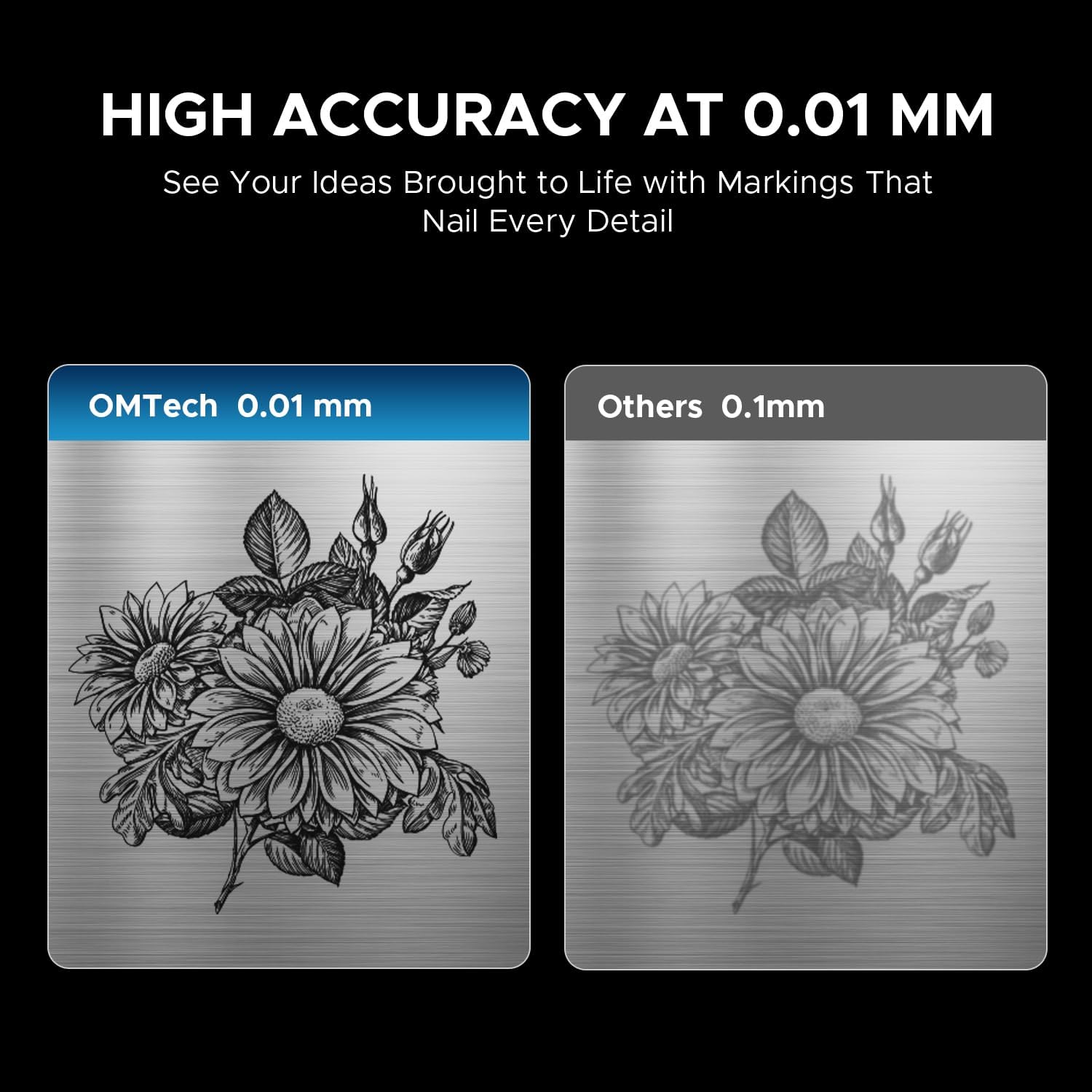
Image 4.1: The laser engraver connected to a computer, illustrating software compatibility and setup.
4.4 Rotary Axis Connection (Optional)
- If using the rotary axis, connect its cable to the designated port on the main laser unit.
- Securely mount the rotary axis to the work platform if required for your application.
5. Instrucțiuni de utilizare
5.1 Pornire
- Insert the key into the key switch and turn it to the 'ON' position.
- Apăsați butonul principal de alimentare.
- The machine will initialize.
5.2 Pregătirea și amplasarea materialelor
Ensure your material is clean and free of obstructions. Place the material securely on the work platform or within the rotary axis chuck.
5.3 Focalizarea laserului
Use the dual red dot locators to achieve the correct focal distance. Adjust the height of the laser head until the two red dots converge into a single, sharp point on the material surface. This ensures optimal engraving quality and depth.
5.4 Software Operation (LightBurn/EZCad)
- Launch the engraving software (LightBurn or EZCad) on your computer.
- Import or create your design.
- Set engraving parameters such as power, speed, frequency, and pulse width according to your material and desired effect. Refer to the software's user manual for detailed parameter guidance.
- Preview the engraving path to confirm positioning.
5.5 Procesul de gravare
- Ensure all safety precautions are in place, including wearing laser safety glasses.
- Initiate the engraving job from the software.
- Monitor the engraving process. In case of any issue, press the emergency stop button immediately.
- Once complete, wait for the laser to stop before removing the engraved material.
5.6 Materiale compatibile
The OMTech 30W MOPA Fiber Laser Engraver is suitable for marking and engraving a wide range of materials:

Imaginea 5.1: Examples of materials that can be engraved with the OMTech MOPA Fiber Laser.
- Metals: Brass, Gold, Silver, Aluminum, Titanium, Tungsten, Stainless Steel.
- Alte materiale: cărămidă, țiglă, marmură, granit.
5.7 Engraving Performance
The machine offers high speed and precision for various applications.

Image 5.2: Illustration of the high engraving speed capability of fiber lasers compared to other laser types.

Imaginea 5.3: Example of engraving depth, demonstrating the machine's capability for multi-pass cutting up to 0.8 mm.

Image 5.4: Visual comparison highlighting the 0.01 mm engraving accuracy of the OMTech laser.
6. Întreținere
Întreținerea regulată asigură longevitatea și performanța optimă a gravatorului laser.
- Curățarea lentilei: Periodically inspect and clean the laser lens using specialized lens cleaning solutions and wipes to prevent dust and debris from affecting beam quality.
- Curățenia zonei de lucru: Keep the work platform and surrounding area clean from engraved material residue.
- Verificarea cablului: Verificați periodic toate cablurile pentru a depista semne de uzură sau deteriorare. Înlocuiți imediat orice cablu deteriorat.
- Orificii de aerisire: Ensure the machine's air vents are clear and unobstructed to maintain proper cooling.
The fiber laser source has an estimated service life of over 100,000 hours, requiring minimal maintenance for the laser source itself.
7. Depanare
This section addresses common issues you might encounter. For more complex problems, please contact OMTech support.
- Fără ieșire laser:
- Check if the machine is powered on and the key switch is in the 'ON' position.
- Ensure the emergency stop button is not engaged.
- Verify all cables are securely connected. - Calitate slabă a gravurii:
- Re-check the laser focus. The red dots should converge perfectly.
- Clean the laser lens if it appears dirty.
- Adjust engraving parameters (power, speed, frequency, pulse width) for the specific material.
- Ensure the material is flat and securely placed. - Probleme de conectare la software:
- Restart both the machine and the computer.
- Check USB cable connection.
- Reinstall software drivers if necessary. - Axa rotativă nu funcționează:
- Ensure the rotary axis is correctly connected to the main unit.
- Verify that the rotary axis settings are enabled and configured in the software.
8. Specificații
| Caracteristică | Caietul de sarcini |
|---|---|
| Numărul de model | LYF-30JW(S) |
| Putere laser | 30W |
| Sursa laser | JPT Fiber Laser |
| Lungimea de undă laser | 1064 nm |
| Max. Viteza de marcare | 10,000 mm/s |
| Precizia marcajului | 0.01 mm |
| Adâncime maximă de marcare la o singură trecere | 0.08 mm |
| Gama de frecvente | 1-4000 kHz |
| Adjustable Pulse Width | 2-500 ns |
| Zona de lucru | 5.9" x 5.9" (150 mm x 150 mm) |
| Durata de viață estimată a laserului | 100,000+ ore |
| Sistem de racire | Răcire cu aer |
| Software compatibil | LightBurn (Windows 7, 8, 10, 11, macOS), EZCad2 |
| Formate de imagine acceptate | .bmp, .gif, .jpg, .jpeg, .dxf, .dst, .ai |
| Dimensiuni (L x l x H) | 15.8 x 13.4 x 21.3 inci |
| Greutate netă | 40 lb. |
| Certificari | FDA, CE |
Notă: Specificațiile pot fi modificate fără notificare prealabilă.
9. Asistență și garanție
9.1 Asistență pentru clienți
For technical assistance, troubleshooting, or any inquiries regarding your OMTech laser engraver, please contact our support team:

Image 9.1: OMTech customer support contact details.
- Telefon: +1 (949) 438-4949
- E-mail general: SUPPORT@OMTECHLASER.COM
- E-mail de asistență tehnică: TECHSUPPORT@OMTLASER.COM
Support is available 24/7.
9.2 Informații despre garanție
Please refer to the official OMTech website or your purchase documentation for detailed warranty information regarding your OMTech 30W MOPA Fiber Laser Engraver. Warranty terms and conditions may vary.
Ask a question about this manual
Ask about setup, troubleshooting, compatibility, parts, safety, or missing instructions. Manuals+ will review the question and use this page’s manual context to help answer it.