
Introducere
This manual provides detailed instructions for the setup, operation, maintenance, and troubleshooting of your Sorandy Wired Mechanical Gaming Keyboard. Please read this manual thoroughly before using the product to ensure optimal performance and longevity.
Conținutul pachetului
- Sorandy Wired Mechanical Gaming Keyboard
- Manual de utilizare (acest document)
Înființat
Follow these steps to connect your keyboard to your computer:
- Despachetați tastatura și asigurați-vă că toate componentele sunt prezente.
- Localizați un port USB disponibil pe computer (desktop sau laptop).
- Insert the USB connector of the keyboard cable into the USB port.
- Sistemul dumneavoastră de operare ar trebui să detecteze și să instaleze automat driverele necesare. Acest proces poate dura câteva momente.
- Odată ce instalarea este completă, tastatura este gata de utilizare.

Instrucțiuni de operare
Funcții de bază ale tastaturii
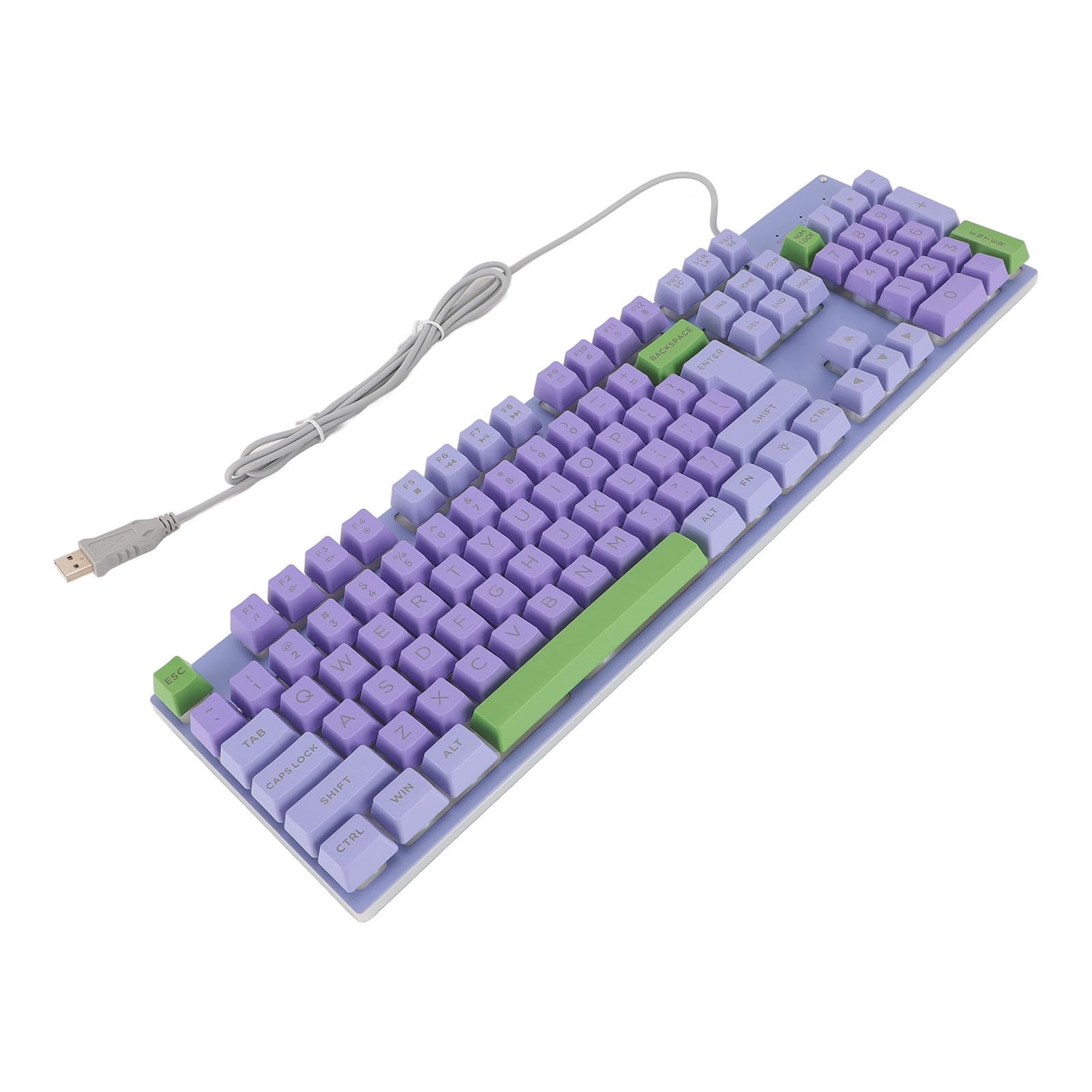
The keyboard features a standard QWERTY layout with mechanical switches for responsive typing and gaming. All standard alphanumeric keys, function keys (F1-F12), navigation keys, and a numeric keypad are present.

Backlighting Features
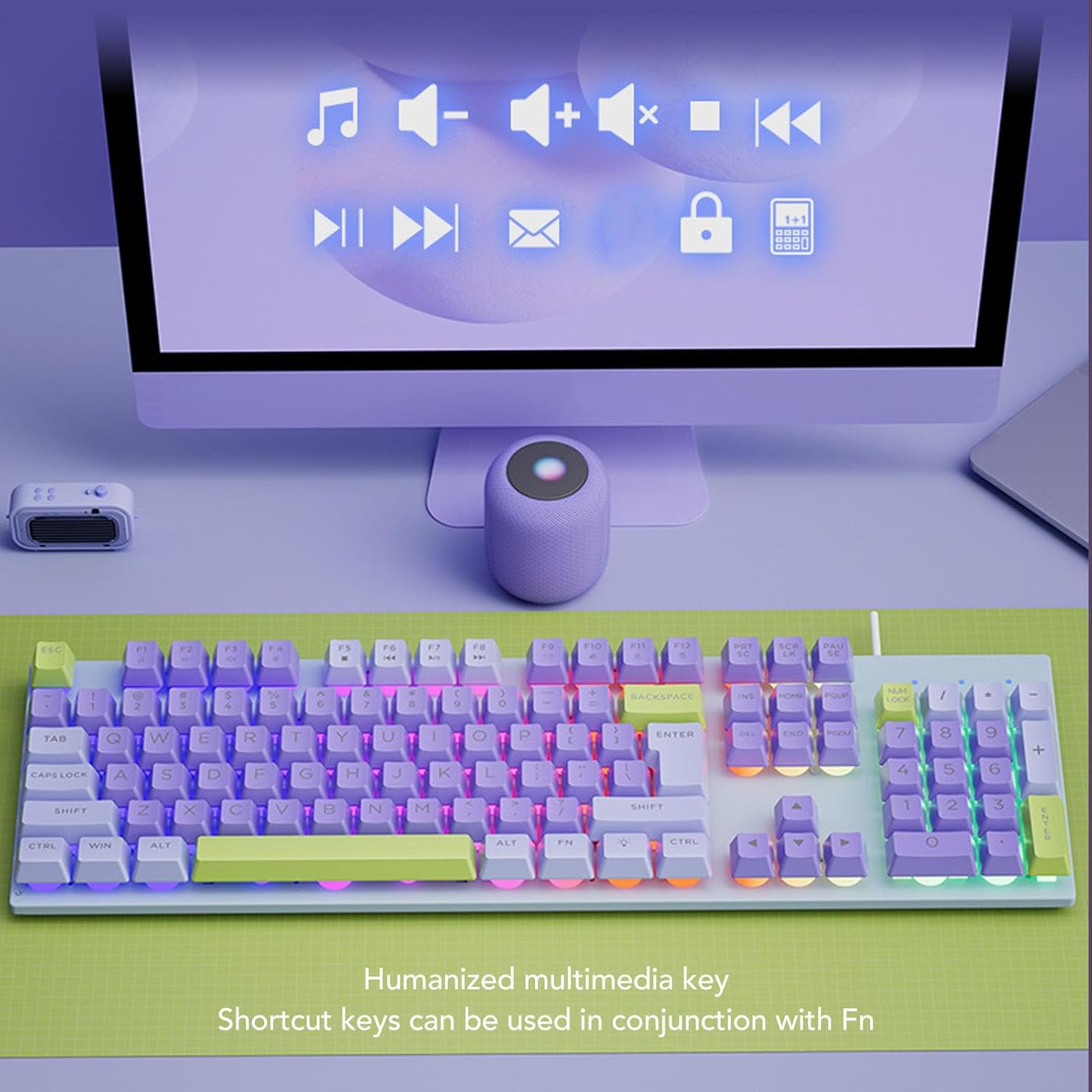
This keyboard features rainbow backlighting. The backlighting is automatically enabled upon connection. Specific controls for adjusting brightness or modes are typically accessed via function key combinations (e.g., Fn + specific F-keys). Refer to the keyboard's keycap legends for any dedicated backlight control icons.
Taste multimedia
The keyboard includes humanized multimedia keys, which can be accessed by pressing the Fn key in conjunction with the corresponding function keys (F1-F12). These keys allow quick control over media playback, volume, and other system functions.
- Fn+F1-F12: Specific multimedia functions (e.g., volume up/down, play/pause, mute, calculator, email, web browser). Refer to the icons on the F-keys for their specific functions.
Întreţinere
Întreținerea corectă asigură longevitatea și performanța tastaturii tale.
- Curatenie: Use a soft, dry cloth to wipe the surface of the keyboard. For deeper cleaning, use a can of compressed air to remove dust and debris from between the keys. Avoid using harsh chemicals or abrasive materials.
- ScurgeriÎn caz de vărsare de lichid, deconectați imediat tastatura de la computer. Întoarceți-o cu susul în jos pentru a scurge orice lichid și lăsați-o să se usuce complet înainte de a o reconecta.
- DepozitareDepozitați tastatura într-un loc răcoros și uscat, ferit de lumina directă a soarelui și de temperaturi extreme.
- Îngrijirea cablurilor: Avoid bending or twisting the USB cable excessively to prevent damage.

Depanare
Dacă întâmpinați probleme cu tastatura, consultați următoarele soluții comune:
| Problemă | Soluţie |
|---|---|
| Tastatura nu răspunde |
|
| Iluminarea de fundal nu funcționează |
|
| Tastele sunt lipicioase sau nu răspund |
|
Specificații
| Caracteristică | Detaliu |
|---|---|
| Marca | Sorandy |
| Numărul de model | Sorandy0bovasc7un-12 |
| Tehnologia de conectivitate | USB cu fir |
| Descrierea tastaturii | Ergonomic, Full Size |
| Tip comutator | Mecanic |
| Aspectul tastaturii | QWERTY |
| Dispozitive compatibile | Laptop, PC |
| Orientarea mâinii | Ambidextru |
| Iluminare din spate | Rainbow Backlit |
Garanție și suport
For warranty information and technical support, please refer to the retailer's return policy or contact Sorandy customer service directly. Details for contacting support are typically provided with your purchase documentation or on the official Sorandy website-ul.