
1. Produs terminatview
The Vieta Pro VM-BS1000WH is a portable, battery-powered Bluetooth speaker designed for high-quality audio playback. Its elegant design allows it to integrate seamlessly into various environments, while its robust features make it suitable for both indoor and outdoor use.
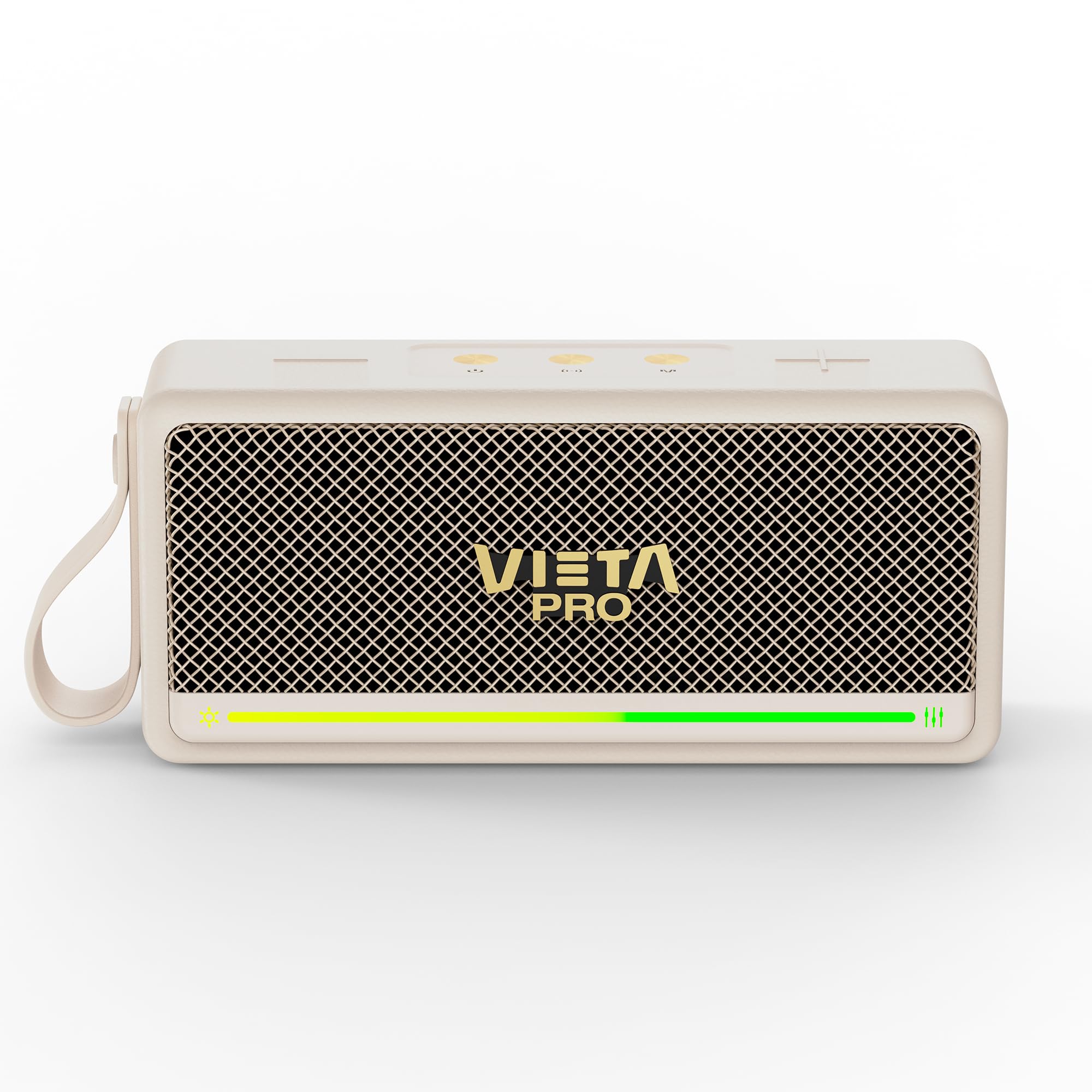
Figura 1: Față view of the Vieta Pro VM-BS1000WH Portable Bluetooth Speaker.
2. Caracteristici cheie
- Bluetooth 5.3: Advanced wireless technology for fast and stable connections.
- Modul TWS (True Wireless Stereo): Enables a true wireless stereo sound experience for immersive listening.
- Rezistenta la apa IPX7: Certified to withstand splashes and brief immersion in water.
- Player USB: Allows direct music playback from a USB drive.
- Durată de viață a bateriei de 10 ore: Provides extended use without frequent recharging.
- Shock-resistant design: Durabilitate sporită pentru un stil de viață activ.
- Control tactil: Intuitive control method for ease of use.
3. Ghid de instalare
3.1. Încărcarea difuzorului
Before initial use, fully charge the speaker. Connect the provided USB charging cable to the speaker's charging port and a compatible USB power adapter (not included). The charging indicator light will illuminate during charging and turn off when fully charged. A full charge provides up to 10 hours of playback.
3.2. Pornire/Oprire
To power on the speaker, press and hold the power button located on the control panel until you hear an audible prompt and the indicator light turns on. To power off, press and hold the power button again until the indicator light turns off.

Figura 2: lateral view of the speaker, highlighting the control panel and ports.
4. Instrucțiuni de utilizare
4.1. Asociere Bluetooth
- Asigurați-vă că difuzorul este pornit și în modul de asociere Bluetooth (indicat de un LED care clipește).
- Pe dispozitivul dvs. (smartphone, tabletă, laptop), activați Bluetooth și căutați dispozitivele disponibile.
- Select "Vieta Pro VM-BS1000WH" from the list of devices.
- După conectare, difuzorul va emite o confirmare sonoră, iar indicatorul LED va deveni continuu.
4.2. Mod TWS (Stereo True Wireless)
To achieve a true wireless stereo experience, you can pair two VM-BS1000WH speakers together:
- Asigurați-vă că ambele difuzoare sunt pornite și nu sunt conectate la niciun alt dispozitiv Bluetooth.
- On one speaker, press and hold the TWS button (refer to the control panel diagram) until you hear a pairing tone.
- The two speakers will automatically connect to each other. Once connected, one speaker will act as the master and the other as the slave.
- Now, connect your device to the master speaker via Bluetooth as described in section 4.1. Audio will play in stereo through both speakers.
4.3. Redare USB
Introduceți o unitate USB care conține fișiere MP3 files into the USB port on the speaker. The speaker will automatically detect the USB drive and begin playing music. Use the playback controls to navigate tracks.
4.4. Controlul volumului și al redării
The speaker features touch controls for volume adjustment and music playback:
- Creșterea volumului: Atingeți butonul „+”.
- Volum scăzut: Atingeți butonul „-”.
- Redare/Pauză: Atingeți butonul Redare/Pauză.
- Următoarea piesă: Apăsați și mențineți apăsat butonul „+”.
- Pista anterioară: Apăsați și mențineți apăsat butonul „-”.
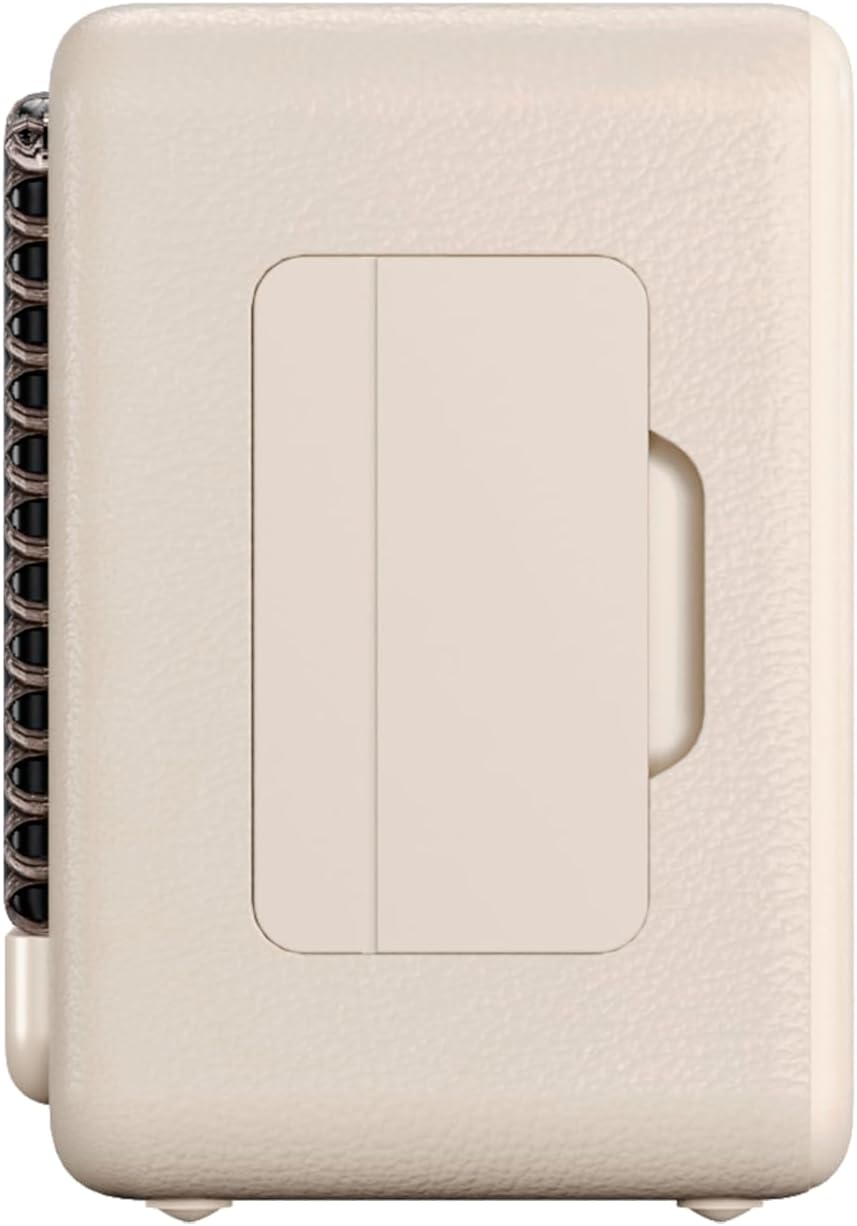
Figura 3: Pro lateralfile of the speaker, illustrating its compact design.
5. Întreținere
5.1. Curatenie
Wipe the speaker with a soft, dry cloth. Do not use abrasive cleaners, alcohol, or chemical solvents, as these may damage the surface. Ensure all ports are dry before charging or connecting other devices.
5.2. Rezistență la apă (IPX7)
The VM-BS1000WH speaker is IPX7 water-resistant, meaning it can be immersed in water up to 1 meter for up to 30 minutes. However, it is not designed for continuous underwater use. Always ensure the charging port cover is securely closed before exposing the speaker to water. After exposure to water, dry the speaker thoroughly before charging.
6. Depanare
- Fără putere: Asigurați-vă că difuzorul este încărcat. Conectați-l la o sursă de alimentare și încercați din nou.
- Nu se poate conecta Bluetooth: Make sure the speaker is in pairing mode and within range of your device. Disconnect from any previously paired devices. Try restarting both the speaker and your device.
- Fără sunet: Verificați nivelurile de volum atât pe difuzor, cât și pe dispozitivul conectat. Asigurați-vă că difuzorul este conectat corect.
- Calitate slabă a sunetului: Mutați difuzorul mai aproape de dispozitivul Bluetooth pentru a reduce interferențele. Asigurați-vă că nu există obstacole între difuzor și dispozitiv.
- Redarea prin USB nu funcționează: Ensure the USB drive is formatted correctly (FAT32) and contains compatible audio files (MP3). Try a different USB drive.
7. Specificatii tehnice
| Caracteristică | Caietul de sarcini |
|---|---|
| Nume de marcă | Vieta Pro |
| Numele modelului | VM-BS1000WH |
| Tip difuzor | Difuzor Bluetooth portabil |
| Putere maximă de ieșire a difuzorului | 25 wați |
| Tehnologia de conectivitate | Bluetooth |
| Versiune Bluetooth | 5.3 |
| Mod ieșire audio | Stereo |
| Nivel de rezistență la apă | IPX7 (rezistent la apă) |
| Durata de viață a bateriei | Până la 10 ore |
| Sursa de alimentare | Battery Powered (1 C battery included) |
| Metoda de control | Atingere |
| Dimensiunea difuzorului | 7.5 cm |
| Dimensiuni produs (D x L x H) | 7.7 x 5.6 x 17.1 cm |
| Dispozitive compatibile | Smartphone, Tabletă, Laptop, Player MP3 |
| Caracteristici speciale | Shock-resistant, Wireless speakers, USB port |
8. Garanție și asistență
8.1. Garanție limitată
This Vieta Pro VM-BS1000WH speaker comes with a Limited Warranty. Please refer to the warranty card included in the product packaging for detailed terms and conditions, including coverage period and limitations. Keep your proof of purchase for warranty claims.
8.2. Asistență pentru clienți
For technical assistance, troubleshooting, or warranty inquiries, please contact FRAMASON AUDIO S.A., the manufacturer. Contact information can typically be found on the product packaging or the official Vieta Pro website. Please have your model number (VM-BS1000WH) and proof of purchase ready when contacting support.