
Introducere
Mulțumesc pentru achizițieasing the MECHEN H16 Portable CD Player. This device offers versatile audio playback options including CD, Bluetooth, TF card, and AUX input, all controlled with ease via the device or its remote. Please read this manual carefully to ensure proper use and optimal performance of your new CD player.
Conținutul pachetului
Asigurați-vă că toate articolele sunt prezente în colet:
- 1 x MECHEN H16 Portable CD Player
- 1 x telecomandă
- 1 x cablu de încărcare USB
- 1 x cablu AUX
- 1 x Manual de utilizare
Produs terminatview
Familiarize yourself with the components and controls of your MECHEN H16 CD Player.

Figura 1: Față View și Caracteristici cheie
This image displays the front of the MECHEN H16 Portable CD Player, highlighting its various modes and features including CD playback, Bluetooth 5.3 connectivity, TF card support, AUX input, HiFi audio, LED display, Type-C charging port, and remote control capability.

Figure 2: Ports and Controls
This image shows the top and side views of the MECHEN H16 Portable CD Player, indicating the locations of the AUX port, USB port, TF card slot, power indicator, Play/Pause button, Mode button, Previous/Rewind button, Next/Fast forward button, LED display, and Volume wheel. The speaker is also visible at the bottom front.
Înființat
1. Încărcarea dispozitivului
The MECHEN H16 is equipped with a 2500mAh rechargeable battery, providing up to 10 hours of continuous playback. Before first use, fully charge the device.
- Connect the provided USB charging cable to the Type-C port on the player.
- Connect the other end of the USB cable to a power source such as a wall charger, power bank, car charger, or computer USB port.
- The LED display will indicate charging status. A full charge typically takes a few hours.

Figura 3: Opțiuni de încărcare
This image illustrates the four different ways to charge the MECHEN H16 Portable CD Player: using a wall charger, a power bank, a car charger, or a computer's USB port. The image also highlights the 2500mAh battery capacity.
2. Introducerea unui CD
- Deschideți ușor capacul compartimentului CD-ului.
- Place the CD with the label side facing up onto the spindle.
- Apăsați ușor CD-ul până când se fixează în poziție cu un clic.
- Închideți bine capacul compartimentului CD-ului.
Instrucțiuni de operare
1. Pornire/Oprire
Apăsați și mențineți apăsat butonul de Pornire/Oprire pentru a porni sau opri dispozitivul.
2. Redare CD
- Insert a CD as described in the Setup section.
- The player will automatically detect the CD and begin playback. If not, press the Play/Pause button.
- Use the Previous/Rewind and Next/Fast forward buttons to navigate tracks.
- Adjust volume using the Volume wheel or remote control.
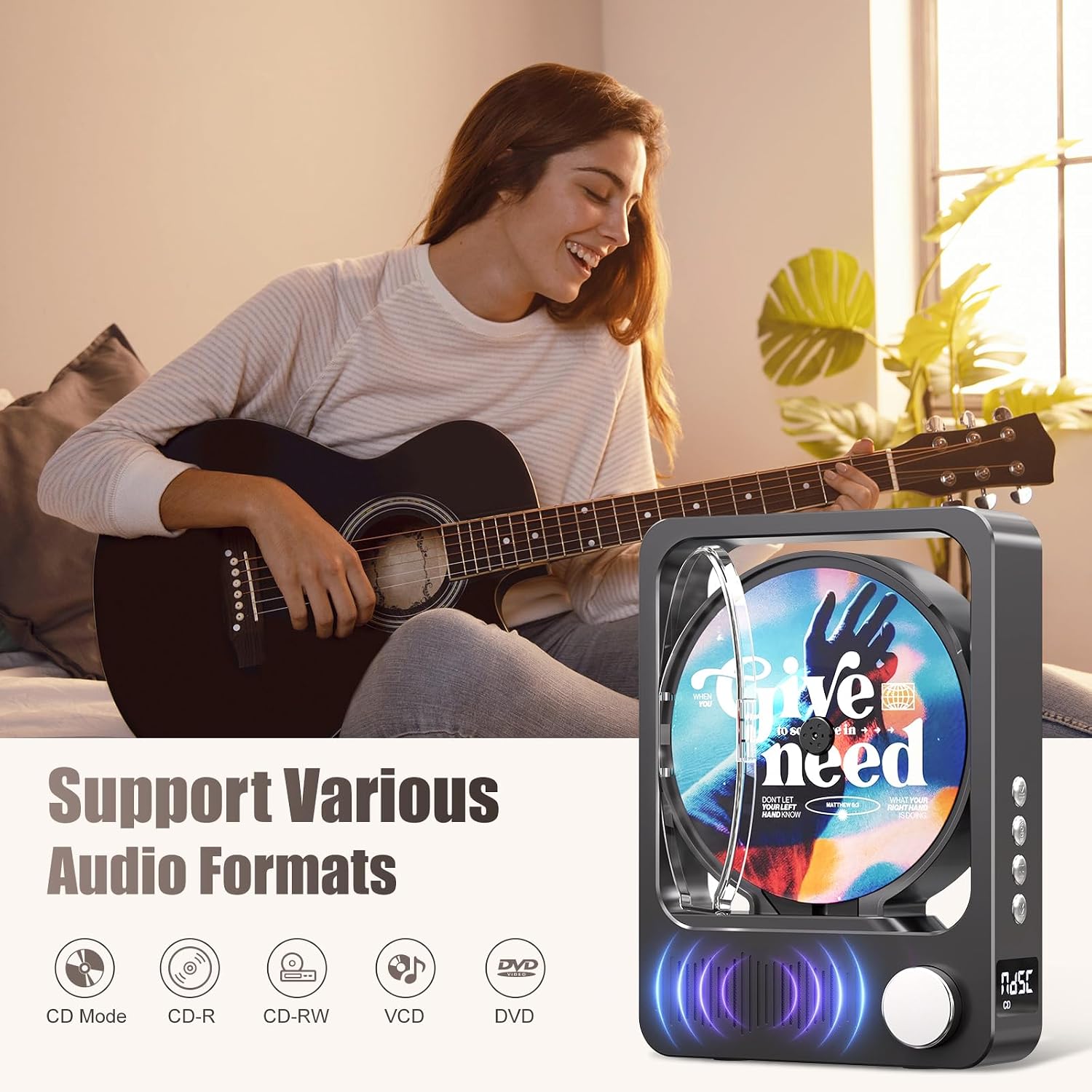
Figura 4: Formate audio acceptate
This image highlights the MECHEN H16's compatibility with various audio formats. The MECHEN H16 supports playback of standard audio CDs, CD-R, CD-RW, MP3, and WMA formats. (Note: Discs are not included).
3. Bluetooth Connectivity (Speaker Mode)
The MECHEN H16 can act as a Bluetooth speaker to play audio from your smartphone, tablet, or computer. Note: This device cannot connect to Bluetooth headphones.
- Press the Mode button until "BLUE" appears on the LED display, indicating Bluetooth mode.
- On your external device (smartphone, tablet, etc.), enable Bluetooth and search for "MECHEN H16".
- Select "MECHEN H16" to pair. Once connected, you can stream audio from your device to the CD player.

Figure 5: Bluetooth Speaker Functionality
This image demonstrates the MECHEN H16 Portable CD Player functioning as a Bluetooth speaker, wirelessly playing music from a connected mobile phone. It also shows compatibility with MP3/MP4 players, tablets, and computers.
4. Redare card TF
- Insert a TF card (containing MP3/WMA files) into the TF card slot.
- Press the Mode button until "TF" appears on the LED display.
- The player will automatically begin playing audio files de pe cardul TF.
5. Intrare AUX
- Connect an external audio device (e.g., MP3 player, smartphone) to the AUX port using the provided 3.5mm AUX cable.
- Press the Mode button until "LINE" appears on the LED display.
- Audio from the connected device will now play through the CD player's speakers.
6. Utilizarea telecomenzii
Telecomanda inclusă permite operarea comodă de la distanță.

Figura 6: Funcții de telecomandă
This image displays the remote control for the MECHEN H16 Portable CD Player, showing buttons for track navigation (Previous, Next), volume adjustment (Volume+, Volume-), Mode selection, and Play/Pause. It allows effortless control of playback functions.
- Buton de alimentare: Pornește/oprește dispozitivul.
- Redare/Pauză: Pornește sau întrerupe redarea.
- Anterior/Înapoi: Skips to the previous track or rewinds the current track.
- Următorul/Înainte rapidă: Skips to the next track or fast forwards the current track.
- VOL + / VOL-: Reglează nivelul volumului.
- Mod: Switches between CD, Bluetooth, TF, and AUX modes.
Întreţinere
- curatenie: Use a soft, dry cloth to clean the exterior of the player. Do not use liquid cleaners or aerosols. For the CD lens, use a specialized CD lens cleaner.
- Depozitare: Depozitați playerul într-un loc răcoros și uscat, ferit de lumina directă a soarelui și de temperaturi extreme.
- Îngrijirea bateriei: Pentru a prelungi durata de viață a bateriei, evitați descărcarea completă frecventă a bateriei. Încărcați dispozitivul în mod regulat, chiar dacă nu îl utilizați pentru perioade lungi de timp.
Depanare
| Problemă | Soluţie |
|---|---|
| Playerul nu pornește. | Ensure the battery is charged. Connect the player to a power source using the USB cable. |
| CD-ul nu se redă sau sare între rânduri. | Check if the CD is clean and free of scratches. Ensure the CD is inserted correctly. The player supports CD, CD-R, CD-RW, MP3, and WMA formats. |
| Niciun sunet de la difuzoare. | Increase the volume. Ensure the correct mode (CD, Bluetooth, TF, AUX) is selected. If using AUX, check the cable connection. |
| Dispozitivul Bluetooth nu se poate conecta. | Ensure the player is in Bluetooth mode ("BLUE" on display). Make sure your external device's Bluetooth is enabled and within range. Remember, the player acts as a speaker and cannot connect to Bluetooth headphones. |
| Telecomanda nu funcționează. | Check the remote control battery. Ensure there are no obstructions between the remote and the player. |
Specificații
| Numele modelului | H16 |
| Marca | MECHEN |
| Tehnologia de conectivitate | Bluetooth 5.3, Auxiliary (3.5mm Jack), USB (for charging) |
| Caracteristici speciale | Bluetooth, CD-R/RW Compatible, Portable, Rechargeable |
| Formate audio acceptate | CD, CD-R, CD-RW, MP3, WMA |
| Baterie | Litiu-ion de 2500 mAh (inclus) |
| Durata medie a bateriei | Până la 10 de ore (redare) |
| Dimensiuni (L x l x H) | 21.5 x 16 x 4.3 cm |
| Număr de discuri | 1 |
| Dispozitive compatibile | Headphones (wired), Speakers (wired/Bluetooth) |
Garanție și suport
Informații despre garanție
The MECHEN H16 Portable CD Player comes with a 1 an garanție de la data achiziției. Această garanție acoperă defectele de fabricație și manoperă în condiții normale de utilizare. Nu acoperă daunele cauzate de utilizarea necorespunzătoare, accidente, modificări neautorizate sau uzură normală.
Asistență pentru clienți
For technical assistance, troubleshooting, or warranty claims, please contact MECHEN customer support. Refer to the contact information provided on the product packaging or the official MECHEN website-ul.
Vă rugăm să păstrați dovada achiziției pentru service-ul în garanție.