
1. Introducere
This manual provides detailed instructions for the installation, operation, and maintenance of your XMARTO Wireless PTZ Security Camera System. This system features 10X optical zoom, AI auto-tracking, 6MP dual-lens cameras, a 12-inch LCD monitor NVR, and a 1TB HDD for local storage. Please read this manual thoroughly before using the product to ensure proper functionality and safety.
2. Conținutul pachetului
Verificați dacă toate articolele enumerate mai jos sunt incluse în colet. Dacă lipsesc sau sunt deteriorate articole, vă rugăm să contactați serviciul de asistență pentru clienți.

Image: Package Contents Overview
- 10-channel 4K WiFi NVR with 12-inch LCD Monitor (x1)
- Dual-lens PTZ Cameras (x10)
- Cablu HDMI (x1)
- 12V 1A Power Adapter for Camera (x10)
- 12V 2A Power Adapter for NVR (x1)
- Mouse USB (x1)
- 3ft Ethernet Cable (x1)
- Ghidul utilizatorului (x1)
- Mounting Kits (x10)
- Autocolant de supraveghere (x2)
3. Caracteristicile produsului
3.1. 10X Hybrid Zoom Dual-Lens Cameras
The cameras are equipped with a dual-lens system: a 2.8mm ultra-wide angle lens for broad coverage and an 8mm telephoto lens for detailed long-distance viewing. This combination enables a 10X hybrid zoom capability, allowing you to zoom in on specific areas without significant loss of clarity.

Image: Dual Lens 10X Zoom Capability
3.2. Urmărire automată prin inteligență artificială
The cameras feature advanced AI auto-tracking, which automatically detects and follows human, animal, and vehicle movements within the surveillance area. After tracking, the camera will return to its pre-set home position, ensuring continuous monitoring of critical zones.

Image: AI Automatic Tracking in action
Video: Demonstration of the camera's AI tracking capabilities, showing it following a person in a yard.
3.3. Easy Remote Viewing
Access your camera feeds from anywhere using the free mobile applications available for iOS, Android, PC, Mac, and Alexa-enabled devices. View multiple cameras simultaneously and control PTZ functions remotely.

Imagine: Telecomandă Viewing on Multiple Devices
Video: Pesteview of the XMARTO SYS-60104 WiFi Camera System, demonstrating its features and ease of use.
3.4. Two-Way Audio and Deterrence
Each camera includes a built-in microphone and speaker, enabling two-way communication. You can hear audio from the camera's location and speak through the camera using the mobile app. A siren function is also available to deter unwanted visitors.

Image: Two-Way Audio and Siren Functionality
3.5. IR and Color Night Vision
The cameras offer both infrared (IR) and color night vision modes. IR LEDs provide clear black-and-white vision up to 100ft in complete darkness, while integrated floodlights enable color night vision for areas within 20ft. You can configure the system to use either mode or switch automatically based on lighting conditions.

Image: IR and Color Night Vision Modes
Video: Sample footage demonstrating both daytime and night vision views, including AI tracking functionality.
3.6. WiFi 6 and Long-Range Connectivity
The system utilizes WiFi 6 technology for enhanced wireless performance and extended range. This allows for reliable connection between the cameras and the NVR, even across significant distances, up to 1300ft line of sight.

Image: WiFi 6 Long-Range Connectivity
3.7. 1TB Local Storage
The NVR includes a pre-installed 1TB hard disk drive (HDD), providing ample local storage for continuous recording without monthly fees. The system supports H.265 encoding, which efficiently compresses video files to maximize storage capacity.

Image: 1TB Local Storage and NVR
4. Ghid de instalare
4.1. Identifying Camera Components
Familiarize yourself with the various parts of the PTZ camera:

Image: XMARTO Camera Components
- Antenă: Pentru recepția semnalului wireless.
- Detachable Mounting Bracket: Pentru instalare.
- 2.8mm Ultra-wide angle Lens: Oferă un domeniu larg de view.
- 8mm Telephoto Lens: For zoomed-in views.
- Infrared & Spotlight 2-in-1 LEDs: Pentru vedere nocturnă și iluminare.
- Microfon: Pentru intrare audio.
- 12V DC Power Port: Pentru conectarea la rețeaua electrică.
- Vorbitor: Pentru ieșire audio bidirecțională și sirenă.
- Reset Key & Micro SD Card Slot: For system reset and local storage expansion.
4.2. Identifying NVR Components
Familiarize yourself with the various parts of the NVR:

Image: XMARTO NVR Components
- Ecran HD de 12.1 inci: Afișaj integrat pentru live view și redare.
- Indicator de putere: Afișează starea puterii.
- Ecran PORNIT/OPRIT: Button to control the display.
- Hard drive indicator: Shows HDD activity.
- Stand: For desktop placement.
- WiFi 6 antennas: Pentru conectivitate fără fir.
- Vorbitor: Pentru ieșire audio.
- 12V DC in: Power input for the NVR.
- Port USB: For mouse, USB backup, or firmware updates.
- Ieșire video HDMI: Pentru a conecta la un monitor extern sau la un televizor.
- Port de rețea RJ45: Pentru conexiune la rețea prin cablu.
- Resetați: Button to reset NVR settings.
- Slot pentru card micro SD: Pentru spațiu de stocare suplimentar.
- SATA hard drive dock: For internal HDD.
- Wall-mounting hole: For wall installation.
4.3. Pași inițiali de configurare
- Conexiune de alimentare: Connect the 12V 2A power adapter to the NVR and plug it into an electrical outlet. Connect each camera to its respective 12V 1A power adapter and plug them into outlets.
- Pornirea NVR-ului: The NVR will power on automatically. The integrated 12-inch LCD monitor will display the live camera feeds once the cameras connect wirelessly.
- Conexiune mouse: Connect the USB mouse to the NVR's USB port for navigation and configuration.
- Conexiune la rețea (opțională): Pentru telecomandă viewing and firmware updates, connect the NVR to your router using the Ethernet cable or configure WiFi settings via the NVR menu.
- Configurare aplicație mobilă: Download the XMARTO mobile application (WallPixel App) from your device's app store. Follow the in-app instructions to add your NVR system for remote access.
5. Instrucțiuni de utilizare
5.1. în direct View și Redare
- Pe monitorul NVR: The NVR's integrated screen displays live feeds. Use the USB mouse to navigate menus, switch views (single camera, multi-camera), and access playback options.
- On External Monitor/TV: Connect an external monitor or TV to the NVR via the HDMI port for a larger display.
- În aplicația mobilă: Open the XMARTO app on your smartphone or tablet. Select the desired camera to view trăi footage or access recorded events.
5.2. PTZ Control and Zoom
Pan, Tilt, and Zoom (PTZ) functions can be controlled via the NVR interface or the mobile application. Use the on-screen controls to adjust the camera's direction and utilize the 10X hybrid zoom to focus on specific details.
5.3. Two-Way Audio and Siren
From the mobile app, you can activate the microphone to listen to audio near the camera or use the speaker to speak through the camera. The siren function can be triggered manually from the app to deter intruders.
5.4. Înregistrare și stocare
Sistemul înregistrează continuu mâncareatage to the pre-installed 1TB HDD. Motion-triggered recordings are also supported. Access recorded footage through the NVR's playback menu or the mobile app's playback feature.
6. Întreținere
- curatenie: Curățați periodic lentilele camerei cu o cârpă moale și uscată pentru a asigura o calitate clară a imaginii. Nu utilizați substanțe chimice dure.
- Actualizări firmware: Check for and install firmware updates periodically to ensure optimal performance and access to new features. Updates can typically be performed via the NVR's system settings or the mobile app.
- Gestionarea hard disk-ului: The 1TB HDD will overwrite the oldest footage when full. If you require longer retention, consider backing up important footage or upgrading the HDD (if supported by the NVR model).
- Alimentare electrică: Asigurați-vă că toate adaptoarele de alimentare sunt conectate corect și nu sunt deteriorate.
7. Depanare
- Nicio imagine pe ecran:
- Check if the NVR and cameras are powered on.
- Ensure the NVR's screen is turned on.
- If using an external monitor, verify the HDMI cable connection and monitor input source. - Poor Wireless Connection:
- Ensure cameras are within the NVR's WiFi range. Obstacles like thick walls can reduce signal strength.
- Reposition antennas on both NVR and cameras for better reception.
- Reduce interference from other wireless devices. - Urmărirea prin inteligență artificială nu funcționează:
- Ensure the AI tracking feature is enabled in the camera settings.
- Verify that the camera's field of view este liberă și nu este obstrucționată.
- Adjust motion detection sensitivity if necessary. - Fără sunet/Calitate audio slabă:
- Check microphone and speaker settings in the NVR or mobile app.
- Ensure there are no physical obstructions blocking the microphone or speaker on the camera. - Nu se poate accesa de la distanță:
- Verify the NVR is connected to the internet (Ethernet or WiFi).
- Ensure the mobile app is correctly configured and linked to your NVR system.
- Check your router's firewall settings if connection issues persist.
8. Specificații
| Caracteristică | Caietul de sarcini |
|---|---|
| Marca | xmartO |
| Tehnologia de conectivitate | Fără fir |
| Rezoluție captură video | 2K, 4K |
| Caracteristica specială | Night Vision, AI Auto Tracking, 10X Zoom |
| Numărul de canale | 10 |
| Capacitate de stocare a memoriei | 1 TB (HDD Included) |
| Sursa de alimentare | Electric cu fir |
| Dispozitive compatibile | Cameras, iOS, Android, PC, Mac, Alexa |
| Tehnologie cu lumină scăzută | Vedere de noapte |
| Gama de vedere nocturnă | 100 Feet (IR) |
| Frame Rate | 30 fps |
| Modul de înregistrare | Continuous, Motion-activated |
| Interfață hardware | 802.11 ac/b/g/n (WiFi 6) |
| Tip de lentile | Dual-Lens (2.8mm, 8mm) |
| Intrare video | HDMI, IP |
9. Garanție și asistență
XMARTO provides comprehensive after-sales support for your security camera system:
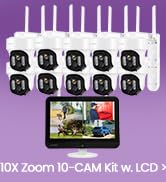
Image: After-sales Support Overview
- Garanție de returnare a banilor în 30 de zile: Dacă nu sunteți mulțumit de achiziție, o puteți returna în termen de 30 de zile pentru o rambursare completă.
- Garanție limitată de 1 ani: The product is covered by a 1-year limited warranty against manufacturing defects.
- Suport online 24/7: Accesați asistență online individuală pentru orice asistență tehnică sau întrebări.
For further assistance, please visit the official XMARTO website-ul lor sau contactați direct serviciul lor de asistență pentru clienți.