
1. Introducere
This manual provides detailed instructions for the setup, operation, and maintenance of your WOOPKER HY300 PRO Mini Projector. Please read this manual thoroughly before using the product to ensure proper functionality and to extend its lifespan.
2. Produs terminatview
2.1 Caracteristici cheie
- Sistem de operare Android 11: Built-in Android 11 for direct access to streaming content and applications.
- WiFi6 Connectivity: Utilizes the latest WiFi6 technology for higher transmission rates and lower latency, enabling quick wireless synchronization.
- Bluetooth 5.0 and HiFi Speaker: Features a built-in 1*3W HiFi speaker for immersive audio and Bluetooth 5.0 for connecting headphones or external speakers (note: does not support connecting to smartphone/laptop Bluetooth).
- Design rotativ la 180°: The projector base allows for flexible adjustment of projection angles, including wall-to-ceiling projection, without fixed installation.
- Auto Horizontal Keystone Correction: Automatically corrects skewed images for a perfect picture, complemented by manual focus adjustment.
- 4K 1080P Full HD Support: Delivers sharp and clear images with 260 ANSI Lumens (8000 Lumens), a 10000:1 contrast ratio, and support for 4K content.
- Aplicație largă: Equipped with HDMI, USB, and 3.5mm headphone ports for compatibility with various devices such as TV Sticks, game consoles, PCs, smartphones, tablets, laptops, and DVD players.
2.2 Conținutul pachetului
Verificați dacă toate articolele sunt prezente în colet:
- WOOPKER HY300 PRO Mini Projector
- Telecomanda
- Cablu de alimentare
- Manual de utilizare (acest document)
Note: An HDMI cable is not included and must be purchased separately if needed.

Image: The WOOPKER HY300 PRO Mini Projector, a compact white cylindrical device with a rotatable base, showcasing its lens and ventilation. This is the main product image.
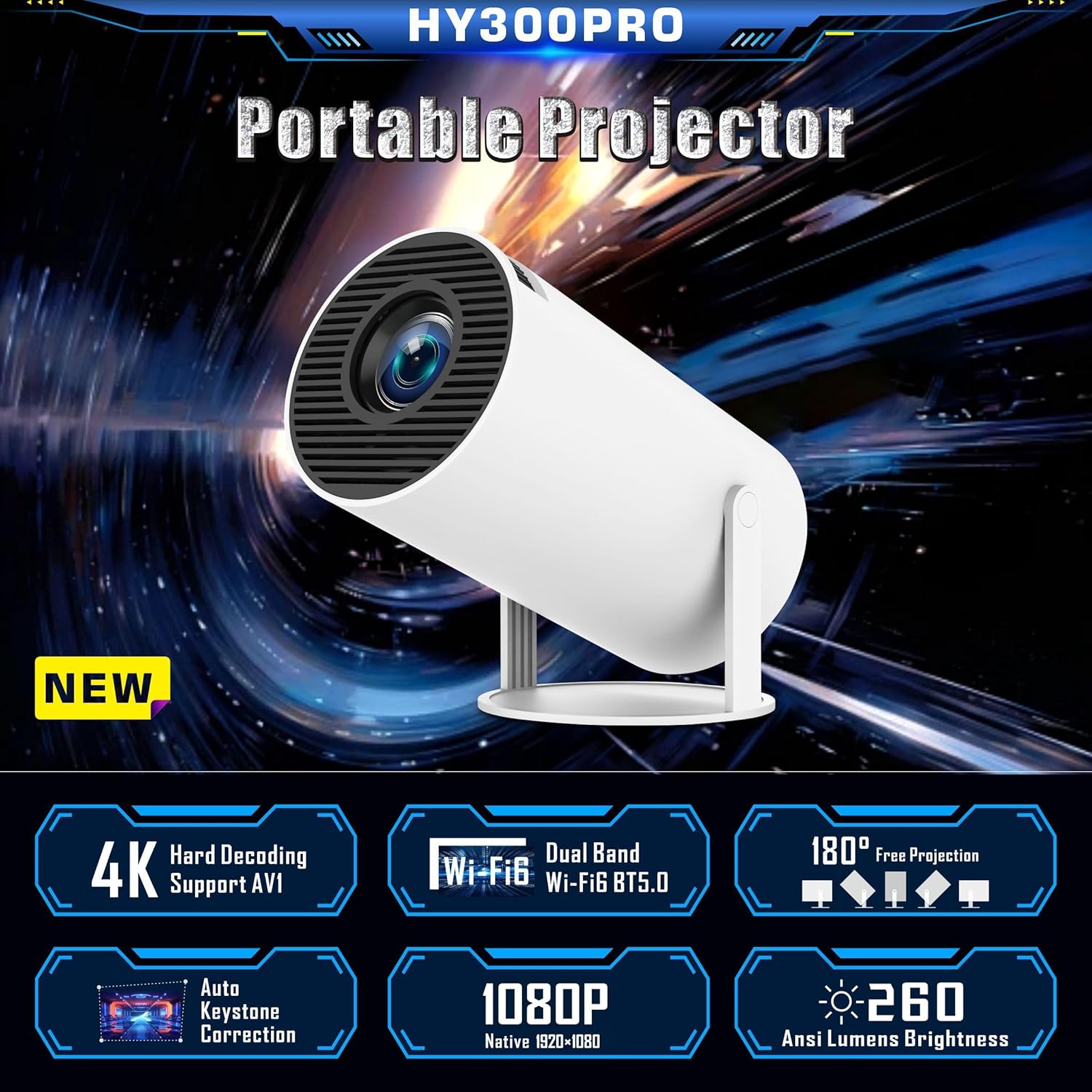
Image: A graphic highlighting key features of the HY300 PRO Portable Projector, including 4K support, WiFi6, Bluetooth 5.0, 180° free projection, auto keystone correction, 1080P native resolution, and 260 ANSI Lumens brightness.
3. Configurare
3.1 Plasamentul inițial
Place the projector on a stable, flat surface. The 180° rotatable base allows for flexible positioning to project onto a wall or ceiling. Ensure there is adequate ventilation around the device.

Image: Demonstrates the 180° flexible projection angle of the HY300 PRO, showing how it can project onto a wall or ceiling from various positions within a room.
3.2 Conexiune la alimentare
Conectați cablul de alimentare furnizat la portul de intrare al proiectorului, apoi introduceți-l într-o priză electrică standard.
3.3 First Use and Language Setting
Upon first power-on, the projector will guide you through the initial setup. You can select your preferred language from the settings menu.
Video: A demonstration of navigating the projector's settings menu, including selecting the language and adjusting other system preferences.
4. Instrucțiuni de utilizare
4.1 Corecția focalizării și a trapezului
The projector features automatic horizontal keystone correction. For optimal image clarity, manually adjust the focus ring located on the projector body until the image is sharp.

Image: Illustrates the automatic keystone correction feature, showing how the projector corrects a skewed image to a perfect rectangular display.

Image: Shows the projector's keystone correction capabilities, including 4P keystone correction and automatic vertical correction, along with an icon indicating manual focus adjustment.
4.2 Conectivitate
The HY300 PRO offers multiple connectivity options:
- WiFi6: Connect to your home network for internet access and screen mirroring. Navigate to "Networking Setting" in the menu to connect to a WiFi network.
- Bluetooth 5.0: Pair with Bluetooth headphones or external speakers for enhanced audio. Access "Bluetooth Setting" in the menu. Note: Bluetooth is for audio output only and does not support connection to smartphones or laptops for input.
- HDMI: Connect external devices such as TV sticks, game consoles, laptops, or DVD players using an HDMI cable (not included).
- USB: Conectați unități USB pentru redarea fișierelor media.
- Mufă pentru căști de 3.5 mm: For wired audio output to headphones or speakers.
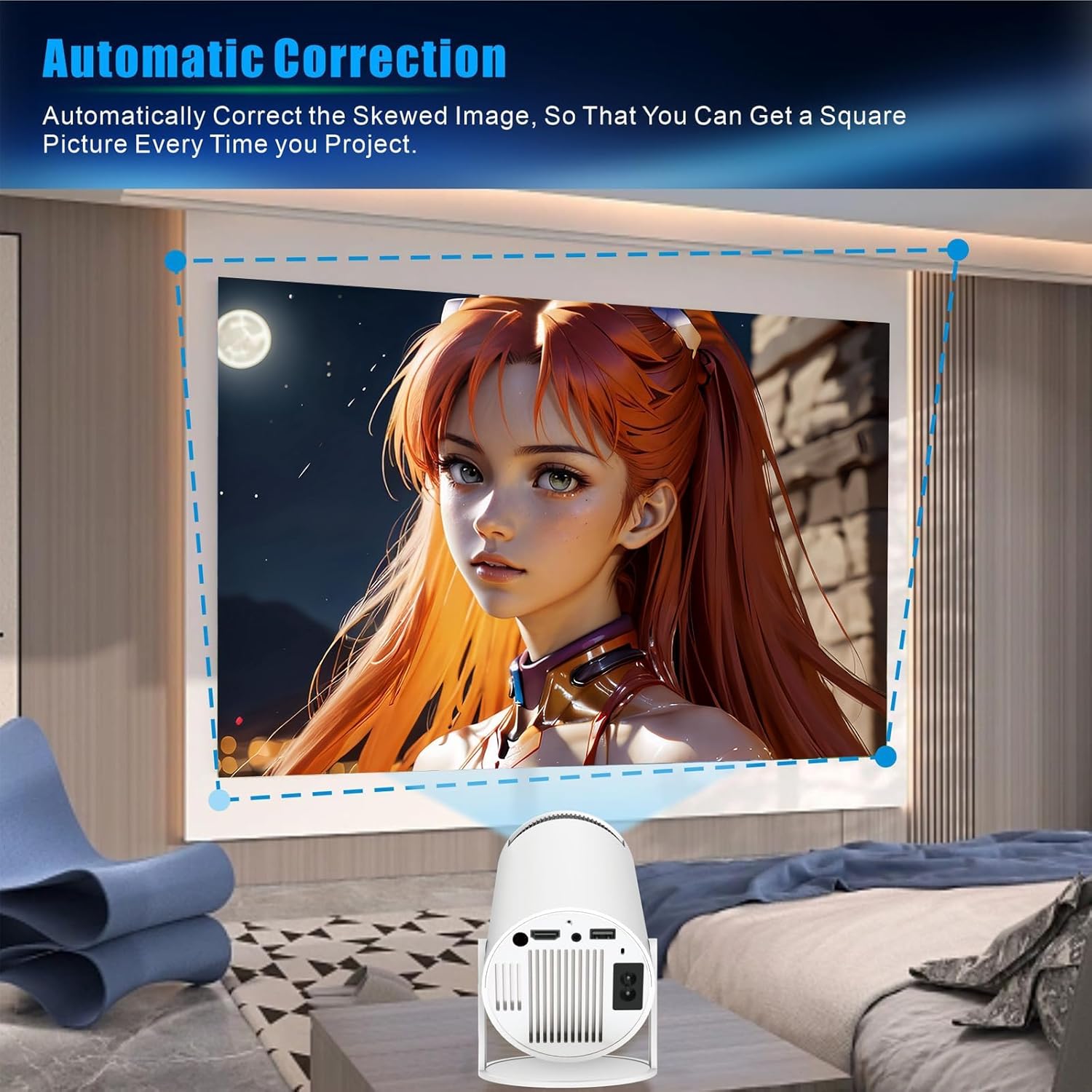
Image: Displays the projector's compatibility with various devices, including Android/iOS/iPad/Tablet, Xbox/Fire Stick/PS3/4, and U Disk/Audio/DVD player/PC, highlighting the HDMI, AU3.5, and USB ports.

Image: A visual representation of the WOOPKER Smart Projector's connectivity options, including HD Connection (Android, iOS, Laptop), Audio Connection (Earphone, Speaker), and USB Connection (TV Stick, USB memory), along with icons for WiFi 6, Bluetooth 5.0, 4K/1080P, and 180° flexible projection.
4.3 Smart Features (Android 11)
The built-in Android 11 operating system allows you to access a wide range of applications directly from the projector. Connect to WiFi to download and stream content from platforms like Netflix, YouTube, Amazon Prime, and more.

Image: Shows the Android 11 interface on the projector, displaying various application icons such as Netflix, YouTube, Amazon Prime, and Google Play, indicating access to over 4000 entertainment apps.

Image: Highlights the ease of connecting with a TV Stick and the Android 11 OS, showing popular streaming app logos like YouTube, Netflix, Hulu, Disney+, Google Play, and Roku, along with the projector and its remote control.
5. Întreținere
- Curățarea lentilei: Folosiți o lavetă moale, fără scame, special concepută pentru lentile optice, pentru a șterge ușor lentila proiectorului. Evitați materialele abrazive sau substanțele chimice dure.
- Curățarea exteriorului: Ștergeți exteriorul proiectorului cu o lavetă moale și uscată. Nu utilizați produse de curățare lichide direct pe dispozitiv.
- Ventilare: Asigurați-vă că orificiile de ventilație sunt lipsite de praf și obstacole pentru a preveni supraîncălzirea. Nu blocați orificiile de ventilație în timpul funcționării.
- Depozitare: Când nu utilizați proiectorul pentru perioade lungi de timp, depozitați-l într-un loc răcoros și uscat, ferit de lumina directă a soarelui și de temperaturi extreme.
6. Depanare
| Problemă | Cauza posibila | Soluţie |
|---|---|---|
| Fără putere | Cablul de alimentare nu este conectat; problemă cu priza. | Asigurați-vă că este conectat corect cablul de alimentare. Testați priza cu un alt dispozitiv. |
| Nicio imagine proiectată | Input source not selected; device not connected; lens cap on. | Select the correct input source (HDMI, USB). Check cable connections. Remove lens cap. |
| Imaginea este neclară | Out of focus; incorrect projection distance. | Adjust the manual focus ring. Ensure the projector is within the optimal projection distance (5.51 feet for 40-130 inches). |
| Imaginea este trapezoidală | Proiectorul nu este perpendicular pe ecran. | The projector has auto horizontal keystone correction. For vertical adjustments, check projection settings. |
| Nici un sunet | Volum prea mic; dispozitivul audio extern nu este conectat/împerecheat. | Increase volume. Check Bluetooth connection for external speakers/headphones. Ensure internal speaker is enabled. |
| Nu se poate conecta la Wi-Fi | Parolă incorectă; în afara intervalului; problemă de rețea. | Verificați parola Wi-Fi. Mutați proiectorul mai aproape de router. Reporniți routerul. |
7. Specificații
| Caracteristică | Detaliu |
|---|---|
| Marca | WOOPKER |
| Numărul de model | HY300 PRO |
| Sistem de operare | Android 11 |
| Tehnologia de conectivitate | Wi-Fi (WiFi6), USB, HDMI, Bluetooth 5.0 |
| Rezoluția afișajului | 1280 x 1024 (Native 1080P Full HD Support, 4K Supported) |
| Luminozitate | 260 lumeni ANSI (8000 lumeni) |
| Raport de contrast | 10000:1 |
| Dimensiunea ecranului de proiecție | 40-130 inci |
| Distanța optimă de proiecție | 5.51 picioare (aproximativ 1.68 metri) |
| Greutatea articolului | 1.17 lire sterline |
| Dimensiuni pachet | 7.95 x 5.28 x 4.72 inci |
| Culoare | Alb |
| Caracteristici speciale | Built-In Wi-Fi, 180° Rotatable, Auto Keystone Correction, HiFi Speaker |
8. Garanție și asistență
For warranty information and technical support, please refer to the contact details provided with your purchase or visit the official WOOPKER website-ul. Păstrați chitanța de achiziție pentru cererile de garanție.
- 24 de ore: Quick response within 24 hours for inquiries.
- 30 Day Return: Return within 30 days for an exchange or refund.
- Suport tehnic pe viață: Lifetime technical customer support is available.

Image: A graphic detailing WOOPKER's customer support commitments: 24-hour quick response, 30-day return policy, and lifetime technical support.