
1. Introducere
This manual provides detailed instructions for the installation, operation, and maintenance of your BN-LINK U211A Countdown Timer Switch. This device is designed to automate the shut-off of lights and exhaust fans, contributing to energy savings and convenience. Please read this manual thoroughly before installation and use.
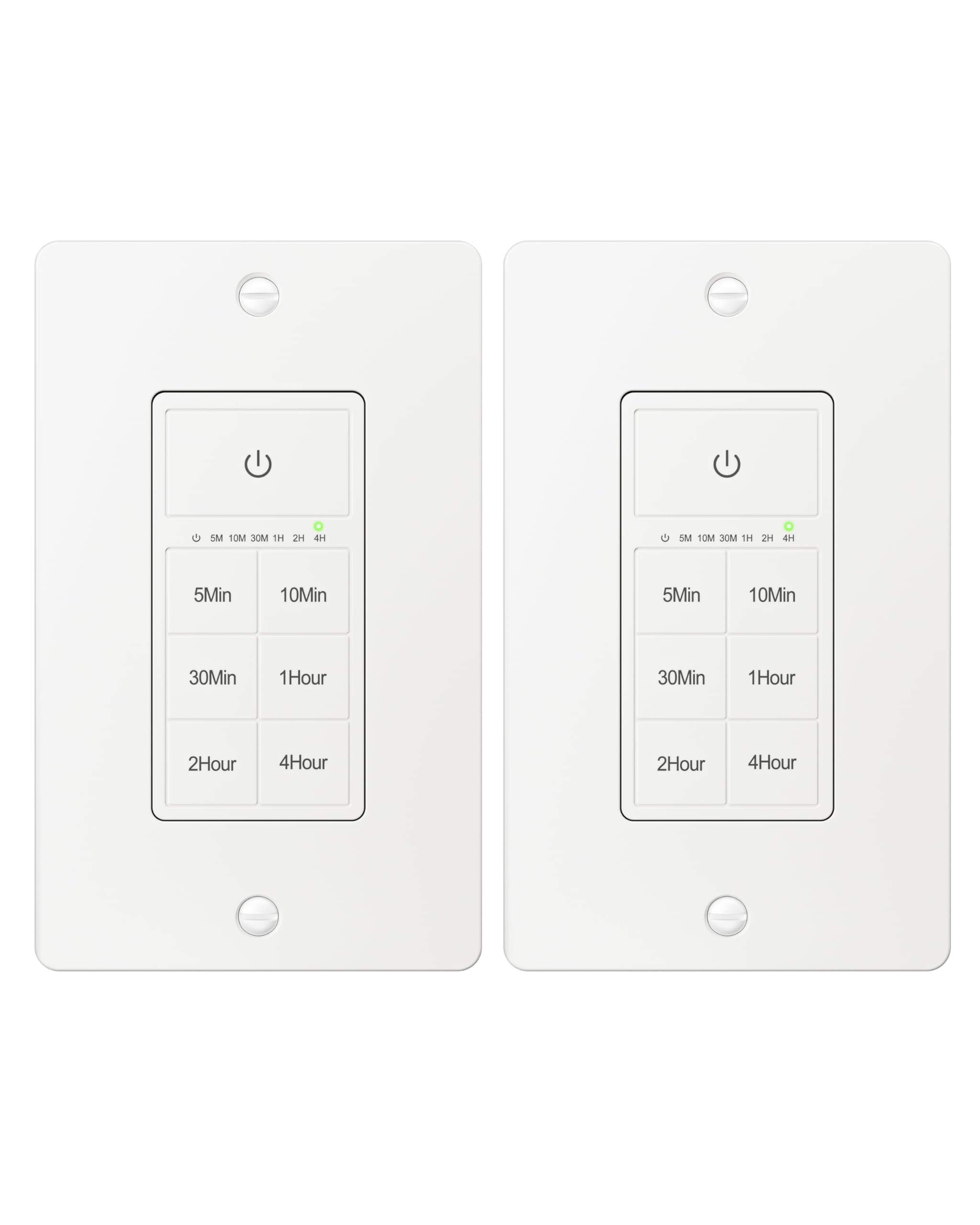
Figure 1: BN-LINK U211A Countdown Timer Switch
2. Informații de siguranță
- Instalare profesională recomandată: For your safety, it is highly recommended to have a qualified electrician install this product.
- Deconectare de la curent: Always cut off power at the circuit breaker before attempting any installation, wiring, or maintenance to prevent electric shock.
- Cablu neutru necesar: This timer switch requires a neutral wire for proper operation. Ensure your wall box has a neutral wire before proceeding with installation.
- Single Pole Only: This switch is designed for single-pole applications only. It is not intended for use in 3-way applications where multiple switches control the same outlet.
- Numai pentru utilizare în interior: Acest produs este doar pentru uz interior.
- Capacitate de încărcare: Do not exceed the maximum load capacity: 15A/1875W Resistive or General Purpose, 10A/1250W Ballast or Tungsten, ½ HP. Exceeding these limits can cause damage to the switch and connected devices, and poses a fire hazard.
3. Conținutul pachetului
Verificați dacă toate articolele sunt prezente în colet:
- BN-LINK U211A Countdown Timer Switch
- Placă de perete
- Șuruburi de montare
- Wire Nuts (Orange Twist Connectors)

Figure 2: Included components and size details
4. Instalare
Urmați cu atenție acești pași pentru o instalare corectă:
- Putere de tăiere: Turn off the main power at the circuit breaker for the switch location you will be working on.
- Uninstall Current Switch: Carefully remove the existing wall plate and switch from the wall box.
- Identificați firele: Identify the wires in your wall box: hot (line), load, neutral, and ground. A neutral wire is required.
- Conectează firele: Use the included orange twist connectors to connect the wires from the wall box to the corresponding wires on the timer switch. Ensure connections are secure.
- Conectați fir alb from the timer to the fir neutru in the wall box.
- Conectați fir negru from the timer to the hot (line) wire in the wall box.
- Conectați fir roșu from the timer to the cablu de încărcare in the wall box.
- Conectați fir verde from the timer to the fir de împământare in the wall box.
- Comutator securizat: Gently push all connected wires and the timer switch into the wall box. Secure the timer switch to the wall box using the provided mounting screws.
- Instalați placa de perete: Attach the decorative wall plate over the installed timer switch.
- Restabiliți puterea: Reporniți alimentarea la întrerupător.
- Inițializați: The timer will initialize. Wait for all indicator lights to go out, signaling that initialization is complete.

Figura 3: Schema de cablare
Video 1: BN-LINK Countdown Timer Switch Installation and Operation Guide. This video demonstrates the installation process and how to use the timer's countdown functions.
5. Funcționare
The BN-LINK U211A Countdown Timer Switch features a touch ON/OFF button and multiple preset countdown options.

Figure 4: Timer Switch Features
Setarea unui cronometru cu numărătoare inversă
- Press the button corresponding to your desired countdown duration (5 min, 10 min, 30 min, 60 min, 2 hours, or 4 hours).
- An LED indicator above the selected time will illuminate, confirming the countdown is active. The connected device (light or fan) will remain on for the selected duration and then automatically turn off.
- If you select a different countdown option while one is already active, the timer will reset to the newly selected duration.
- Pressing the same countdown button while it is active will not restart the countdown. To restart, first press the power button to turn the unit off, then press the desired countdown option again.
Manual ON/OFF and Always ON Mode
- To turn ON (Always ON Mode): If the unit is off, press the main power button (with the power symbol) once. The connected device will turn on and stay on indefinitely.
- A opri: If the unit is in Always ON mode or a countdown is running, press the main power button once to turn the connected device off.
- Override Countdown: If a countdown is active, pressing the main power button once will turn the device off. Pressing it again will enter Always ON mode.
6. Specificații
| Caracteristică | Caietul de sarcini |
|---|---|
| Model | U211A |
| Modul de operare | Automat |
| Evaluare curentă | 15 Amps |
| Vol. De operaretage | 125 volți |
| Wattage | 1875 wați |
| Metoda de control | Atingere |
| Tip comutator | Toggle (Push Button Actuator) |
| Tipul circuitului | 1 sensuri |
| Tip de montare | Montare pe perete |
| Dimensiuni (L x l x H) | 4.2 x 1.8 x 2 inci |
| Material | Plastic (body), Copper, Brass (contacts) |
| Culoare | Alb |
| Temperatura nominală | 5°F până la 122°F |
| Certificari | Listat ETL |
7. Depanare
If you encounter issues with your BN-LINK U211A Countdown Timer Switch, refer to the following common solutions:
- Comutatorul nu răspunde:
- Asigurați-vă că alimentarea cu energie electrică este restabilită la întrerupătorul de circuit.
- Verify all wire connections are secure and correct according to the installation instructions.
- Check if the connected load exceeds the maximum wattage sau ampepoca.
- Countdown Not Starting/Resetting:
- To restart a countdown, first press the main power button to turn the unit off, then select your desired countdown time again.
- If switching between countdowns, the new countdown will start from its full duration.
- Lights/Fan Remain On Indefinitely:
- The switch might be in "Always ON" mode. Press the main power button once to turn it off, or select a countdown duration.
- Funcționare intermitentă:
- Ensure the neutral wire connection is solid. A loose neutral wire can cause erratic behavior.
- Confirm the switch is not installed in a 3-way circuit.
For further assistance, please contact BN-LINK customer support.
8. Garanție și asistență
BN-LINK products are designed for ease of use and quality. This product is ETL Listed, ensuring it meets recognized safety standards.
For information regarding product warranty, returns, or technical support, please refer to the documentation included with your purchase or visit the official BN-LINK website. You may also contact BN-LINK customer service directly for assistance.
POLITICA DE RETURNARE: Câștigătorul buybox-ului oferă o politică de returnare de 30 de zile pentru rambursare sau înlocuire.