
1. Introducere
The ANJANK 11-inch Large Digital LED Scoreboard is a versatile electronic device designed for various sports and games. It combines multiple functions including scorekeeping (0-99), countdown/count-up timer, stopwatch, and a clock. With its large, adjustable brightness LED display and multiple mounting options, it is suitable for both indoor and outdoor use.

Image: The ANJANK 11-inch Large Digital LED Scoreboard displayed with its remote control and a small tripod stand.
2. Informații de siguranță
- Nu lăsați dispozitivul departe de temperaturi extreme și de lumina directă a soarelui pentru perioade lungi de timp.
- Nu încercați să dezasamblați sau să modificați dispozitivul. Apelați la personal calificat pentru orice intervenție de service.
- Ensure the charging cable is properly connected to prevent electrical hazards.
- This RF remote control may control all nearby units. For best use, operate only one device within the same space.
3. Conținutul pachetului
Verificați dacă toate articolele sunt prezente în colet:
- ANJANK 11-inch Digital LED Scoreboard
- Telecomanda
- Cablu de încărcare USB-C
- Adaptor de încărcare de perete
- Șuruburi de montare și ancore de perete
- Legături pentru cabluri
- Manual de utilizare
- Tripod Stand (if included with your specific package)
Video: An unboxing video demonstrating the contents of the ANJANK scoreboard package, including the scoreboard, remote, charging accessories, and mounting hardware.
4. Configurare
4.1. Pornire și încărcare
The scoreboard is equipped with a 5000mAh lithium-ion battery, providing up to 25 hours of use on a single charge. It features a USB-C charging port for convenient and fast recharging. The device needs to be plugged in to operate.
- Connect the provided USB-C cable to the scoreboard's charging port.
- Plug the other end of the USB-C cable into the wall charging adapter and then into a power outlet.
- Alternatively, use a portable power bank for on-the-go charging.

Imagine: Prim-plan view of the scoreboard highlighting the USB-C charging port and indicating up to 25 hours of battery life.
4.2. Opțiuni de montare
The scoreboard offers four versatile mounting options:
- Montare pe perete: Use the three hang holes on the back with the provided screws and wall anchors.
- Fence Hanging: Utilize the two cable-tie holes to secure the scoreboard to sports field fences.
- Atașament magnetic: A strong magnetic spine on the back allows attachment to any metal surface.
- Montare trepied: Secure the scoreboard on a tripod using the bottom screw holes for open outdoor spaces.
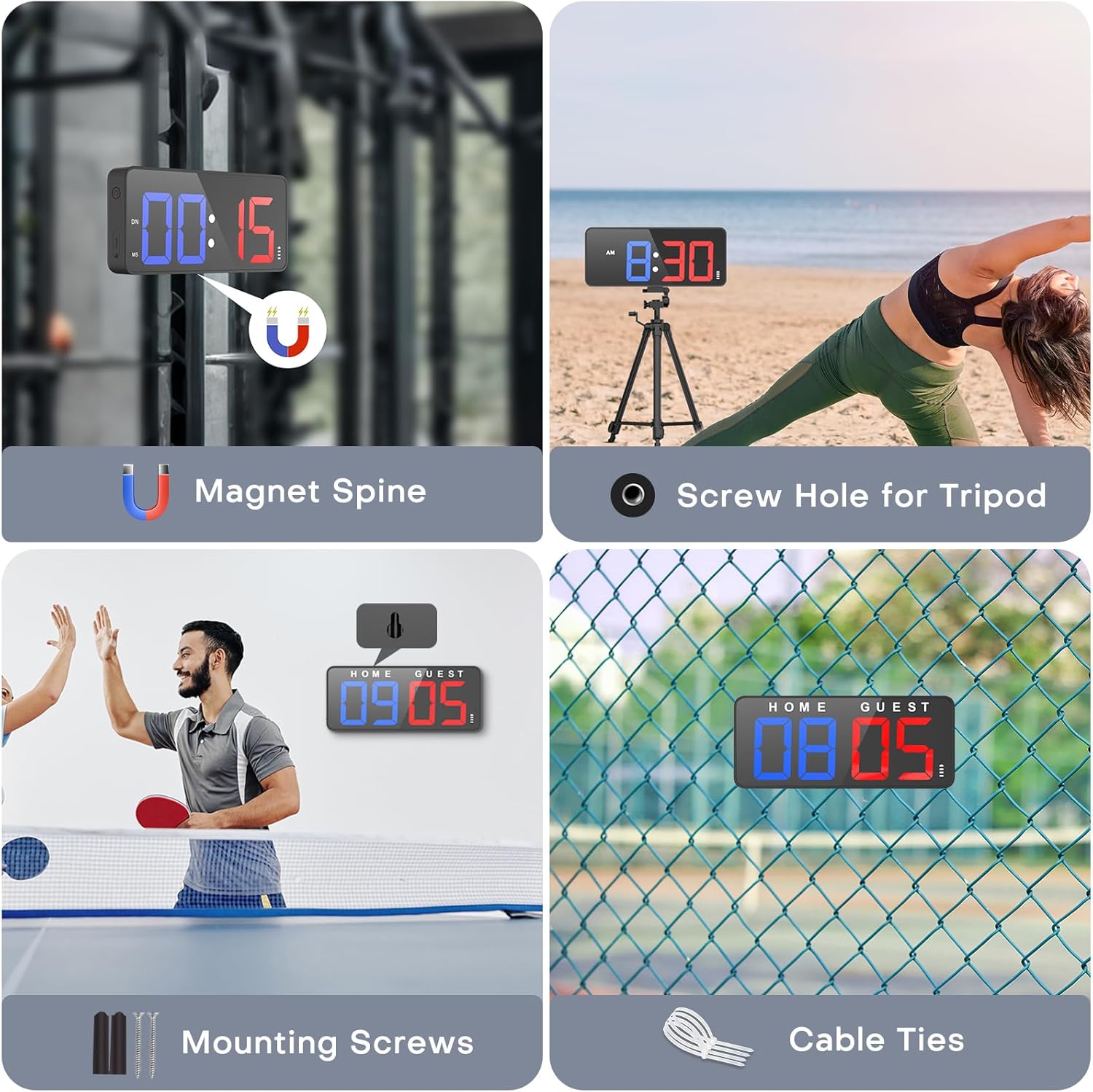
Image: Visual representation of the scoreboard's multiple mounting features, including magnetic attachment, tripod compatibility, and options for screws and cable ties.
4.3. Telecomanda
The scoreboard is controlled via an upgraded RF remote. Ensure batteries are inserted correctly. The remote allows easy access to all functions from a distance.
5. Instrucțiuni de utilizare
5.1. Score Mode
The scoreboard can track scores from 0 to 99 for both Home and Guest teams. It also features a period display.
- Use the '+1' and '-1' buttons on the remote for Home and Guest to adjust scores.
- The remote also has quick add buttons (+2, +3) for specific sports.
- Press the 'Exchange' button to switch the Home and Guest sides.
- Use the 'H-Reset' or 'G-Reset' buttons to clear individual team scores, or 'Score Reset' to clear both.
Video: A product demonstration showing how to adjust scores, fouls, and switch sides using the remote control.
5.2. Timer Modes
The scoreboard supports countdown, count-up, and stopwatch functions.
- Countdown/Count-up: Use the 'UP' or 'DOWN' buttons on the remote to select the desired mode. Set the time using the 'Time Set' button and number pad, then press 'START'.
- Cronometru: Activate the stopwatch mode and use 'START/STOP' to control the timing.
5.3. Mod Ceas
The device can display the current time.
- Press the 'Clock' button to switch to clock display.
- Toggle between 12-hour and 24-hour format using the '12/24H' button.
- The seconds display can be hidden or shown.
5.4. Setări de afișare
Customize the display for optimal visibility.
- Luminozitate: Adjust the display brightness through 5 levels using the dedicated brightness button on the remote.
- Opțiuni de culoare: The scoreboard features rich color options for the digits, including Red, Blue, Green, Yellow, Rose, White, and Multi-color.

Image: The scoreboard illustrating its 5-level brightness adjustment feature for enhanced visibility.
5.5. Setări audio
Control the volume of notifications.
- The scoreboard includes 16 volume levels, reaching up to 108 dB.
- A mute option is available for silent operation.

Image: Close-up of the scoreboard showing the speaker and indicating 16 adjustable volume levels and a mute function.
6. Întreținere
The scoreboard is designed for durability and ease of maintenance.
- Evaluare rezistentă la apă: The device has an IPX4 rating, protecting it against splashing water from any direction. This makes it suitable for outdoor environments with light rain or water splashes.
- curatenie: Use a soft, dry cloth to clean the display and body. Avoid abrasive cleaners or solvents.
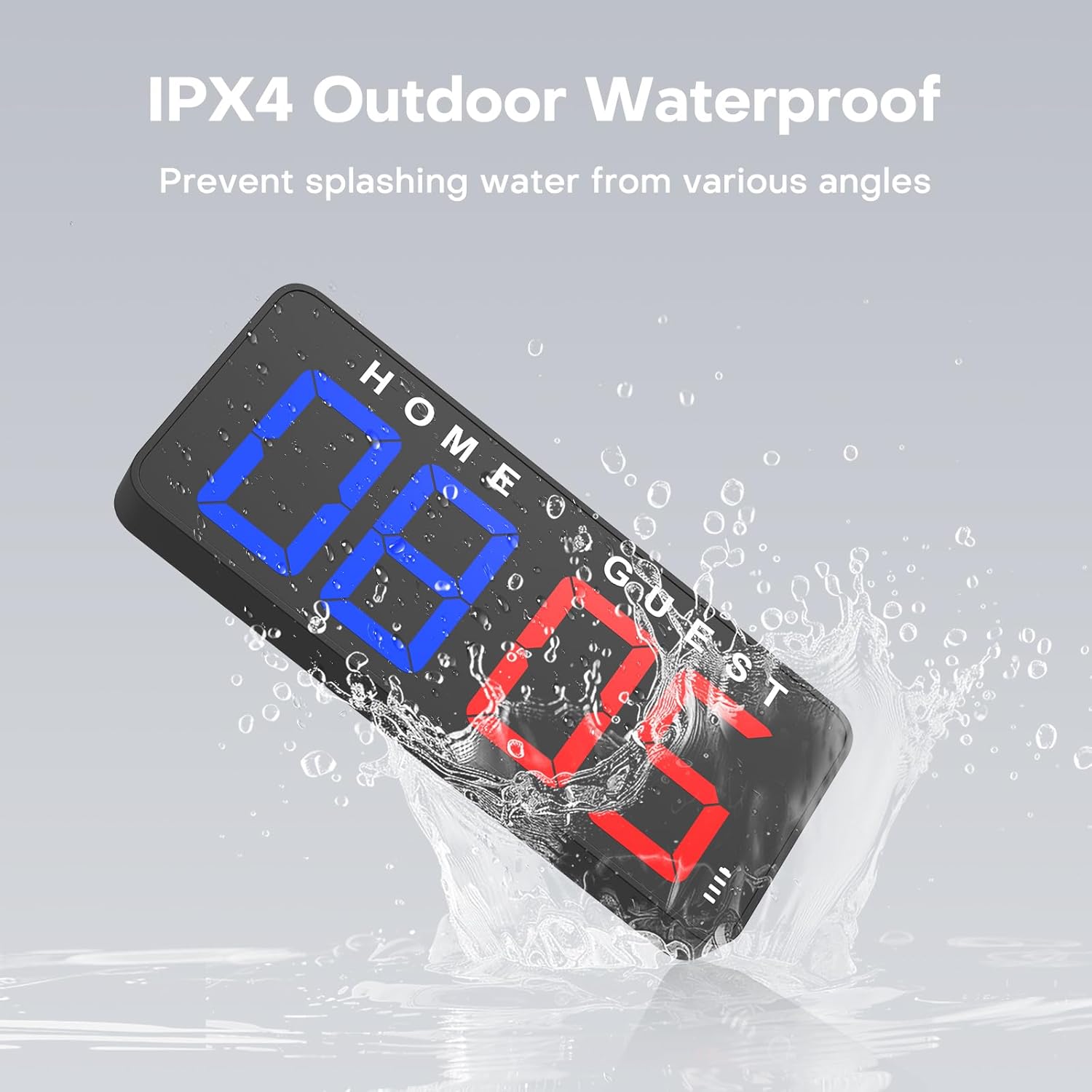
Image: The scoreboard shown with water splashing on it, illustrating its IPX4 outdoor waterproof capability.
7. Depanare
- Remote Control Interference: The RF remote may control all nearby units. For optimal performance, operate only one device with the remote within the same space.
- Visibility in Sunlight: Blue digits may be harder to see in direct sunlight compared to red or green. Adjust brightness levels or position the scoreboard in a shaded area if visibility is an issue.
- Fără putere: Ensure the device is fully charged or connected to a power source via the USB-C port. Check the power indicator on the scoreboard.
8. Specificații
- Marca: ANJANK
- Culoare: Negru
- Material: Plastic
- Dimensiuni produs: 1.8" D x 11" L x 4.7" H
- Greutatea articolului: 1.1 lire sterline
- Dimensiunea ecranului: 11 inchi
- Baterie: 5000mAh Lithium-ion (up to 25 hours use)
- Evaluare rezistentă la apă: IPX4
- Niveluri de volum: 16 (up to 108 dB)
- Niveluri de luminozitate: 5
9. Garanție și asistență
Specific warranty and support information is not provided in the product details. Please refer to the product packaging or contact the manufacturer directly for details regarding warranty coverage, returns, and technical support.