
Introducere
This manual provides essential information for setting up, operating, maintaining, and troubleshooting your Apple Watch SE (2nd Gen) GPS + Cellular 44mm. Please read this guide thoroughly to ensure proper use and to maximize your device's capabilities.
1. Configurare
1.1 Despachetare și încărcare inițială
Carefully remove your Apple Watch SE and its accessories from the packaging. Connect the magnetic charging cable to the back of your Apple Watch and plug the USB-C end into a power adapter (sold separately) or a USB-C port. Allow the watch to charge until it powers on.
1.2 Împerecherea cu iPhone-ul
- Ensure your iPhone (iPhone XS or later with the latest iOS version) has Bluetooth enabled and is connected to Wi-Fi.
- Porniți Apple Watch apăsând lung butonul lateral până când apare logo-ul Apple.
- Apropie-ți iPhone-ul de Apple Watch. Pe iPhone va apărea un ecran de asociere. Atinge „Continuă”.
- Poziționează-ți iPhone-ul astfel încât Apple Watch-ul să apară în viewfinder of the Camera app. This will pair the devices.
- Follow the on-screen instructions on both your iPhone and Apple Watch to complete the setup process, including setting up a passcode, installing apps, and configuring health features.
1.3 Cellular Setup
During the pairing process, you will have the option to set up cellular service for your Apple Watch. This allows you to make calls, send texts, and stream music without your iPhone nearby. You will need an active cellular plan from a supported carrier.

Faţă view of the Apple Watch SE (2nd Gen) with a dark watch face displaying time and a matching midnight sport band.
2. Utilizarea Apple Watch-ului
2.1 Navigare de bază
- Coroana digitala: Rotiți pentru a derula, a mări sau a ajusta valorile. Apăsați o dată pentru a accesa fața ceasului sau lista de aplicații. Apăsați de două ori pentru a comuta între aplicațiile utilizate recent. Apăsați și mențineți apăsat pentru Siri.
- Buton lateral: Apăsați o dată pentru a deschide Dock-ul (aplicațiile utilizate recent). Apăsați de două ori pentru Apple Pay. Apăsați și mențineți apăsat pentru SOS de urgență sau pentru a opri dispozitivul.
- Touch screen: Atingeți pentru a selecta, glisați pentru a naviga și forțați atingerea (apăsați ferm) pentru opțiuni suplimentare în anumite aplicații.

Close-up of the Apple Watch SE (2nd Gen) screen showing a minimalist watch face with white hands and numerical markers.
2.2 Caracteristici de sănătate și siguranță
- Detectarea căderilor: Automatically calls emergency services if a hard fall is detected and you are unresponsive.
- Detectarea accidentelor: Poate detecta un accident de mașină grav și te conectează automat cu serviciile de urgență.
- SOS de urgență: Apăsați și țineți apăsat butonul lateral pentru a apela rapid serviciile de urgență.
- Notificări privind ritmul cardiac: Receive alerts for unusually high or low heart rates, and irregular heart rhythms.
- Urmărirea ciclului: Monitor your menstrual cycle and receive ovulation estimates.
- Urmărirea somnului: Urmărește-ți somnultages to gain insights into your sleep patterns.
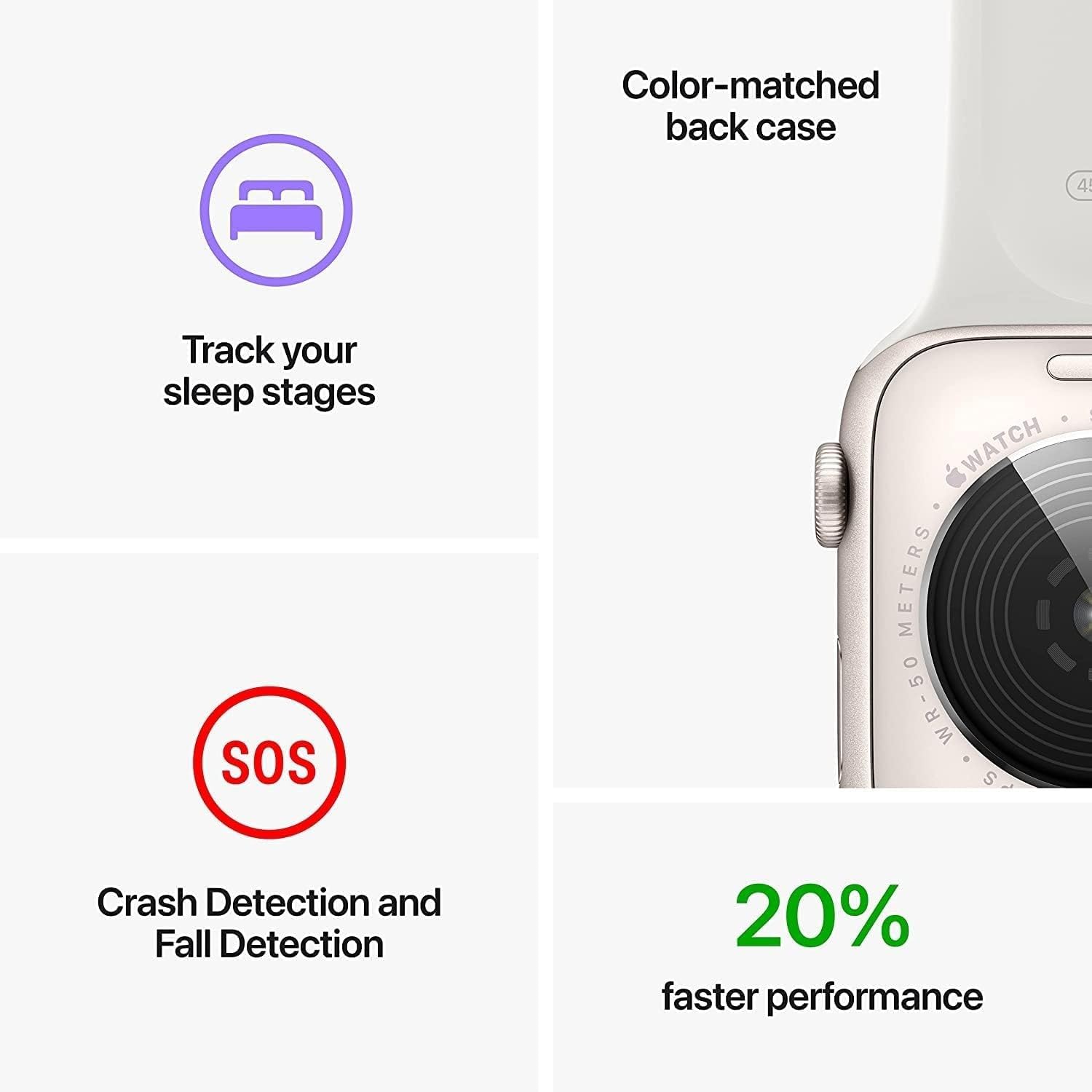
An image highlighting key features: tracking sleep stages, Crash Detection and Fall Detection (SOS icon), and 20% faster performance, alongside a close-up of the watch's color-matched back case.
2.3 Comunicare și conectivitate
- Celular: Make and receive calls, send and receive text messages, and stream audio directly from your watch, even when your iPhone is not nearby.
- Wi-Fi și Bluetooth: Connects to known Wi-Fi networks and pairs with Bluetooth accessories like headphones.
- Apple Pay: Double-press the side button to use Apple Pay for secure transactions.
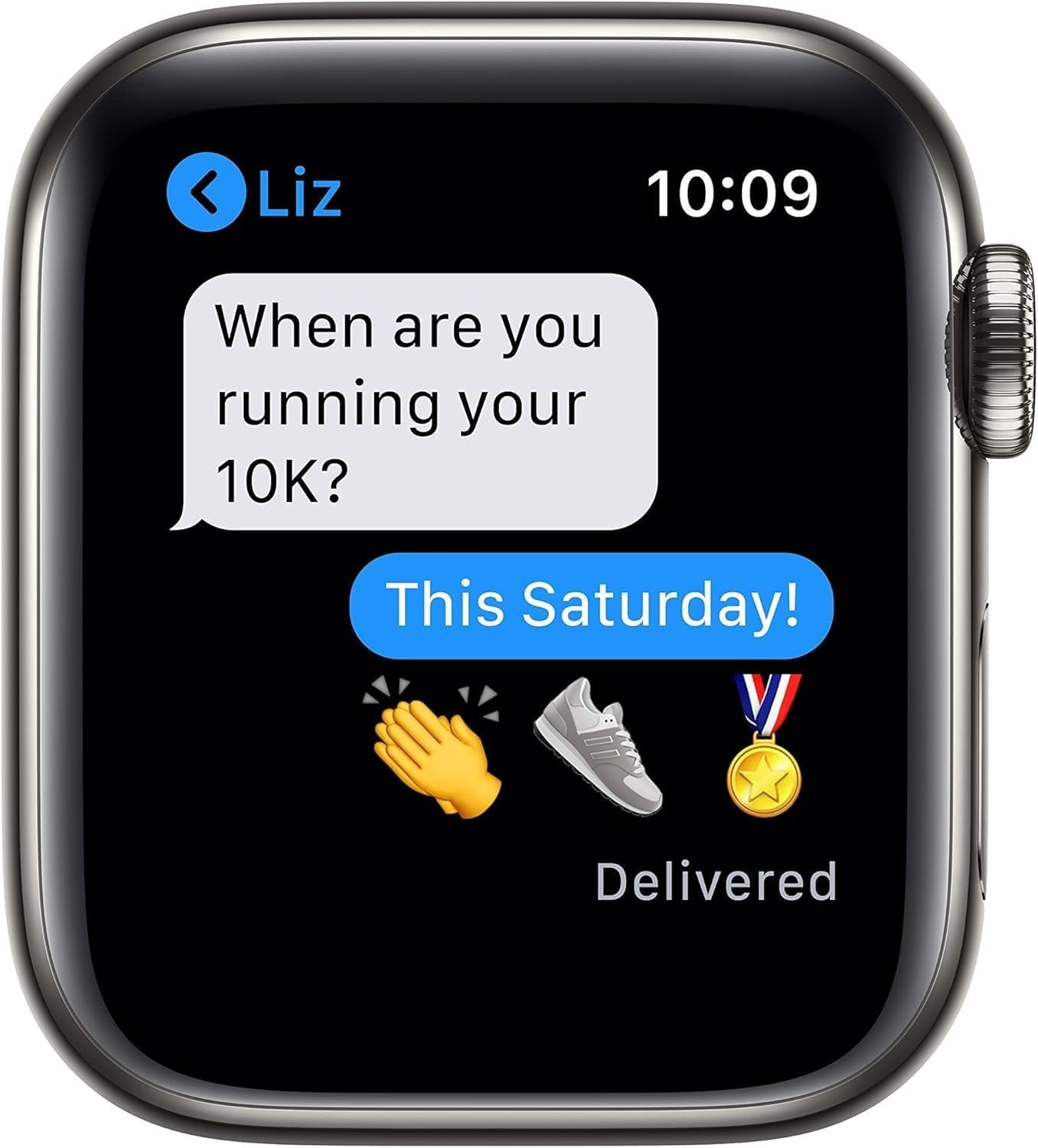
The Apple Watch SE (2nd Gen) screen showing a text message conversation, demonstrating its communication capabilities.
2.4 Monitorizarea fitnessului
- The Workout app offers various training modes and advanced metrics to track your performance.
- Monitor daily activity with Activity Rings (Move, Exercise, Stand).

The Apple Watch SE (2nd Gen) screen showing a Blood Oxygen measurement result of 98%, indicating health monitoring features.
2.5 Customization and Family Setup
- Vizionați fețele: Customize your watch face with various designs and complications.
- Benzi: Easily change watch bands to suit your style.
- Configurarea familiei: Manage Apple Watch for family members who do not have their own iPhone, allowing them to stay connected and safe.
3. Întreținere și îngrijire
3.1 Rezistența la apă
The Apple Watch SE is water resistant to 50 meters. It can be used for shallow-water activities like swimming in a pool or ocean. It should not be used for scuba diving, waterskiing, or other activities involving high-velocity water or submersion below shallow depths. Water resistance is not a permanent condition and may diminish over time.
3.2 Curățarea Apple Watch-ului
- Oprește Apple Watch-ul și scoate-l din încărcător.
- Wipe the watch clean with a non-abrasive, lint-free cloth. If necessary, lightly dampro pânza cu apă proaspătă.
- Dry the watch thoroughly with a soft, lint-free cloth.
- Avoid using cleaning products, abrasive materials, or compressed air.
3.3 Îngrijirea bateriei
For optimal battery life, avoid exposing your Apple Watch to extreme temperatures. Charge your device regularly, but avoid leaving it fully charged or fully discharged for extended periods.
4. Depanare
If you encounter issues with your Apple Watch, try the following steps:
- Reporniți ceasul: Press and hold the side button until the power off slider appears, then drag the slider. To turn it back on, press and hold the side button again until the Apple logo appears.
- Restart Paired iPhone: Sometimes restarting your iPhone can resolve connectivity issues.
- Verificați conectivitatea: Ensure Bluetooth is enabled on your iPhone and your Apple Watch is within range. Verify Wi-Fi and cellular connections are active if applicable.
- Actualizare software: Ensure both your Apple Watch and iPhone are running the latest software versions. Go to the Watch app on your iPhone, then General > Software Update.
- Desecuperare și re-cuperare: As a last resort, you can unpair your Apple Watch from your iPhone and then re-pair it. This will erase all data on your watch, so ensure a backup is made during the unpairing process.
5. Specificații
| Caracteristică | Detaliu |
|---|---|
| Numele modelului | Apple Watch SE 2022 (2nd Gen) |
| Numărul de model | A2727 |
| Sistem de operare | watchOS |
| Dimensiunea ecranului | 44 milimetri |
| Tip de afișare | OLED |
| Capacitate de stocare a memoriei | 32 GB |
| Memorie RAM instalată | 1 GB |
| Tehnologia de conectivitate | Wireless (Cellular, Bluetooth 5.3, Wi-Fi) |
| GPS | GPS încorporat |
| Adâncimea de rezistență la apă | 50 metri |
| Tipul de material al carcasei | Aluminiu |
| Capacitatea bateriei | 296 Miliamp Ore |
| Greutatea articolului | 8 uncii |
| UPC | 796575453708 |
6. Informații despre garanție
Your Apple Watch SE (2nd Gen) comes with a Garanție limitată. Specifically, this renewed product includes a 90 de zile garanție limitată. For detailed terms and conditions, please refer to the warranty documentation included with your purchase or visit the official Apple support website-ul.
7. Suport și Resurse
For further assistance, detailed guides, or to contact support, please visit the official Apple Support website:
You can also find information regarding your device's software, accessories, and services on the Apple website-ul.