
T-Wolf GG-G530
T-Wolf RoboCop Competitive Gaming Mouse GG-G530 User Manual
Model: GG-G530
Introducere
This manual provides essential information for the setup, operation, and maintenance of your T-Wolf RoboCop Competitive Gaming Mouse GG-G530. Please read this manual thoroughly before using the product to ensure optimal performance and longevity.
Conținutul pachetului
- 1 x T-Wolf RoboCop Competitive Gaming Mouse GG-G530
- 1 x Manual de utilizare (acest document)
Caracteristicile produsului
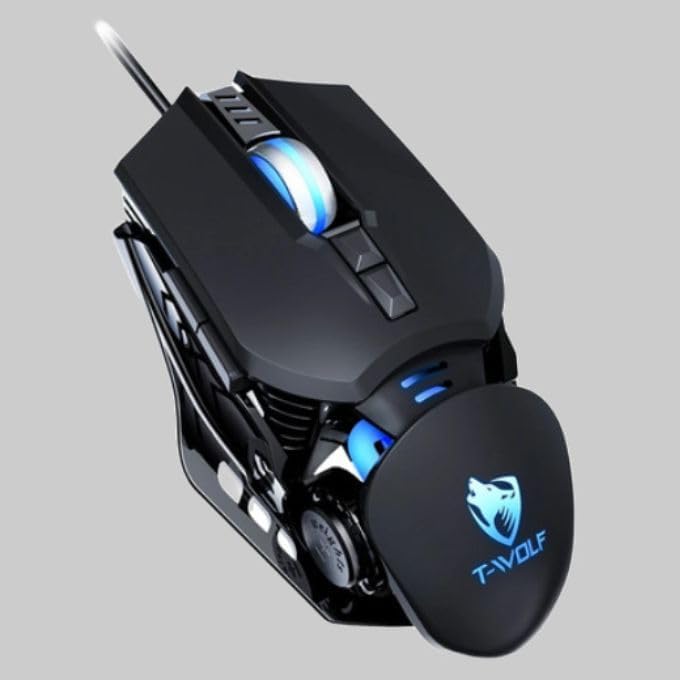
The T-Wolf RoboCop Competitive Gaming Mouse GG-G530 is designed for precision and comfort, suitable for both gaming and office use. Key features include:
- Optical Engine Design: Ensures stable operation and high sensitivity.
- Mechanical Armored Modeling: Distinctive and robust design.
- Symmetrical DIY Counterweight: Allows for adaptable weight adjustment.
- 7 Butoane: Includes left click, right click, scroll wheel, DPI switcher, and additional programmable buttons.
- Conectivitate inteligentă: Plug-and-play functionality with automatic driver installation.
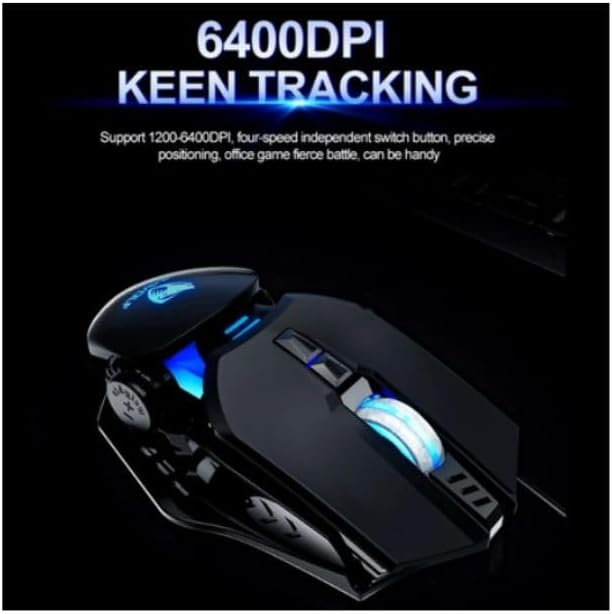
- DPI reglabil: Four levels of sensitivity (1200/2400/3200/6400 DPI) for precise control.
- Design ergonomic: Provides comfortable use for extended periods without fatigue.
- Four-Color Light Effect: Dynamic lighting for visual appeal.
- Conexiune prin cablu: Reliable USB interface with a 150cm cable.
- Compatibilitatea sistemului: Supports Windows and Mac operating systems.
Înființat
- Conectați mouse-ul: Insert the USB connector of the T-Wolf RoboCop Gaming Mouse into an available USB port on your computer.
- Instalare automată a driverelor: The operating system will automatically detect the mouse and install the necessary drivers. This process typically takes a few moments. No manual driver installation is required.
- Gata de folosit: Odată ce driverele sunt instalate, mouse-ul este gata de utilizare imediată.
Instrucțiuni de operare
The T-Wolf RoboCop Gaming Mouse features 7 buttons for various functions. Familiarize yourself with their basic operations:
- Butonul stânga pentru clic: Selecție și interacțiune primară.
- Buton clic dreapta: Accesses contextual menus and secondary functions.
- Rotiță de defilare: Derulează prin documente și web pagini. Poate funcționa și ca buton pentru clic din mijloc.
- DPI Switcher Button: Ajustează sensibilitatea mouse-ului (DPI).
- Butoane suplimentare: The remaining buttons can be assigned specific functions through your operating system's mouse settings or compatible third-party software (note: no macro programming is natively supported by the mouse hardware).

Ajustare DPI
The mouse features an adjustable DPI (Dots Per Inch) setting, allowing you to change the cursor sensitivity on the fly. This is particularly useful for different tasks, such as precise aiming in games or fast navigation in general use.
- Localizați DPI Switcher Button, typically positioned behind the scroll wheel.
- Press the DPI Switcher Button to cycle through the available DPI settings: 1200 DPI, 2400 DPI, 3200 DPI, and 6400 DPI.
- Each press will change the sensitivity, allowing you to find the setting that best suits your current activity.
Întreţinere
To ensure the longevity and optimal performance of your T-Wolf RoboCop Gaming Mouse, follow these simple maintenance guidelines:
- curatenie: Folosiți o lavetă moale și uscată pentru a șterge suprafața mouse-ului. Pentru murdăria persistentă, ștergeți ușor.ampClătiți laveta cu apă sau o soluție de curățare delicată. Evitați substanțele chimice dure sau materialele abrazive.
- Senzor optic: Periodically clean the optical sensor on the underside of the mouse with a cotton swab to prevent dust buildup, which can affect tracking performance.
- Îngrijirea cablului: Evitați îndoirea sau tragerea bruscă a cablului USB pentru a preveni deteriorarea internă.
- Depozitare: Când nu este utilizat, depozitați mouse-ul într-un mediu curat și uscat, ferit de temperaturi extreme.
Depanare
If you encounter issues with your T-Wolf RoboCop Gaming Mouse, refer to the following common solutions:
- Mouse-ul nu răspunde:
- Asigurați-vă că cablul USB este conectat corect la un port USB funcțional al computerului.
- Încearcă să conectezi mouse-ul la un alt port USB.
- Reporniți computerul.
- Mișcarea cursorului este neregulată sau săltăreață:
- Curățați senzorul optic de pe partea inferioară a mouse-ului.
- Ensure you are using the mouse on a clean, non-reflective, and uniform surface. Mouse pads are recommended.
- DPI Adjustment Not Working:
- Ensure you are pressing the correct DPI switcher button.
- The mouse cycles through fixed DPI settings; there is no visual indicator on the mouse itself for the current DPI level, only the change in cursor speed.
- Butoanele nu funcționează:
- Check your operating system's mouse settings to ensure buttons are enabled and configured correctly.
- Test the mouse on another computer to rule out a software or system issue.
Specificații
| Model | GG-G530 |
| Material | ABS + Electroplating |
| Sistem de urmărire | Optic |
| Conexiune | Cablat |
| Lungimea cablului | 150 cm |
| Tip de interfață | USB |
| Setări DPI | 1200 / 2400 / 3200 / 6400 (reglabil) |
| Numărul de butoane | 7 |
| Durata de viață | Approximately three years |
| Metoda de lucru | Fotoelectric |
| Efect de lumină | Four-color cycling |
| Dimensiunea articolului | 130 x 80 x 35 mm |
| Greutatea articolului | 160 g |
| Sisteme suportate | Windows, Mac |
Garanție și suport
Your T-Wolf RoboCop Competitive Gaming Mouse GG-G530 comes with a Garanție de 6 luni de la producător de la data cumpărării.
This warranty covers defects in materials and workmanship under normal use. It does not cover damage caused by accident, misuse, abuse, unauthorized modification, or external causes such as liquid damage.
For warranty claims or technical support, please contact your retailer or the point of purchase. Please retain your proof of purchase for warranty validation.

Ask a question about this manual
Ask about setup, troubleshooting, compatibility, parts, safety, or missing instructions. Manuals+ will review the question and use this page’s manual context to help answer it.