
1. Introducere
Thank you for choosing the SCHWAIGER RAFM0100 Bathroom Radio Plug. This device combines an FM radio, Bluetooth speaker, alarm clock, and an integrated light sensor into a compact plug-in unit. This manual provides essential information for the safe and efficient operation of your device. Please read these instructions carefully before use and retain them for future reference.
2. Instrucțiuni de siguranță
- Ensure the device is connected to a properly grounded power outlet.
- Nu expuneți dispozitivul la temperaturi extreme, la lumina directă a soarelui sau la umiditate ridicată.
- Avoid placing the device near water sources or in areas where it may be splashed.
- Nu încercați să deschideți sau să reparați dispozitivul singur. Apelați la personal calificat pentru toate lucrările de service.
- A nu se lăsa la îndemâna copiilor.
- Deconectați dispozitivul de la priză înainte de curățare.
3. Conținutul pachetului
- 1x SCHWAIGER RAFM0100 Bathroom Radio Plug
- 1x Manual de utilizare
4. Produs terminatview
The SCHWAIGER RAFM0100 is designed for convenience and functionality, featuring an integrated plug for direct power connection. It includes an LED display, control buttons, a rotary volume knob, a speaker, and a light sensor.

SCHWAIGER RAFM0100 Bathroom Radio Plug, front view showing the LED display and control buttons, with a German flag ribbon indicating 'Deutsche Marke'.
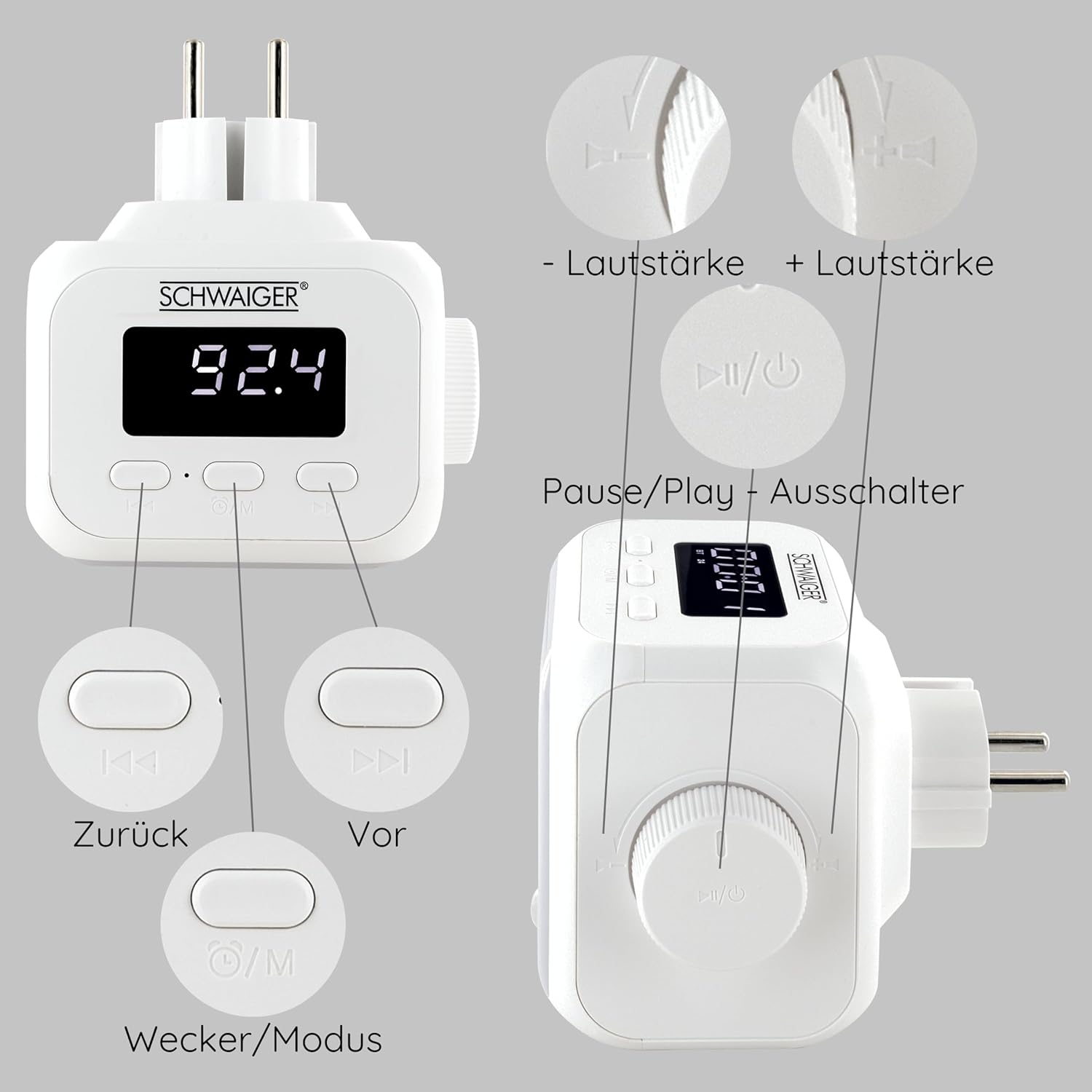
Detailed diagram of the SCHWAIGER RAFM0100 controls, showing buttons for volume, track navigation, power/mode, and alarm.
Comenzi și indicatoare:
- Display LED: Shows time, FM frequency, and mode indicators.
- Buton de volum: Rotary control for adjusting audio volume. Press to Power On/Off or Play/Pause.
- Previous Button (<<): Skips to the previous track in Bluetooth mode or tunes down in FM mode.
- Next Button (>>): Skips to the next track in Bluetooth mode or tunes up in FM mode.
- Mode/Alarm Button (⏰/M): Switches between FM, Bluetooth, and AUX modes. Long press to enter alarm setting.
- Senzor de lumină: Automatically activates LED lighting in dark environments when noise is detected.
5. Configurare
- Conexiune de alimentare: Plug the device directly into a standard wall power outlet. The LED display will illuminate.
- Pornire inițială: Press the Volume knob (Power/Play/Pause button) to turn on the device.
6. Instrucțiuni de utilizare
6.1 Pornire/Oprire
- Pentru a porni: Apăsați butonul de volum.
- Pentru a opri: Press and hold the Volume knob for a few seconds.
6.2 Funcționarea radioului FM

The SCHWAIGER RAFM0100 radio plug highlighting its FM radio functionality, with a graphic representation of radio waves.
- Selectați modul FM: Press the Mode/Alarm button (⏰/M) until 'FM' is displayed.
- Căutare automată a stației: Press and hold the Play/Pause button (Volume knob) in FM mode to initiate an automatic scan for available stations. The radio will save found stations.
- Reglare manuală: Briefly press the Previous (<<) or Next (>>) buttons to manually tune to the next available station.
6.3 Asociere Bluetooth
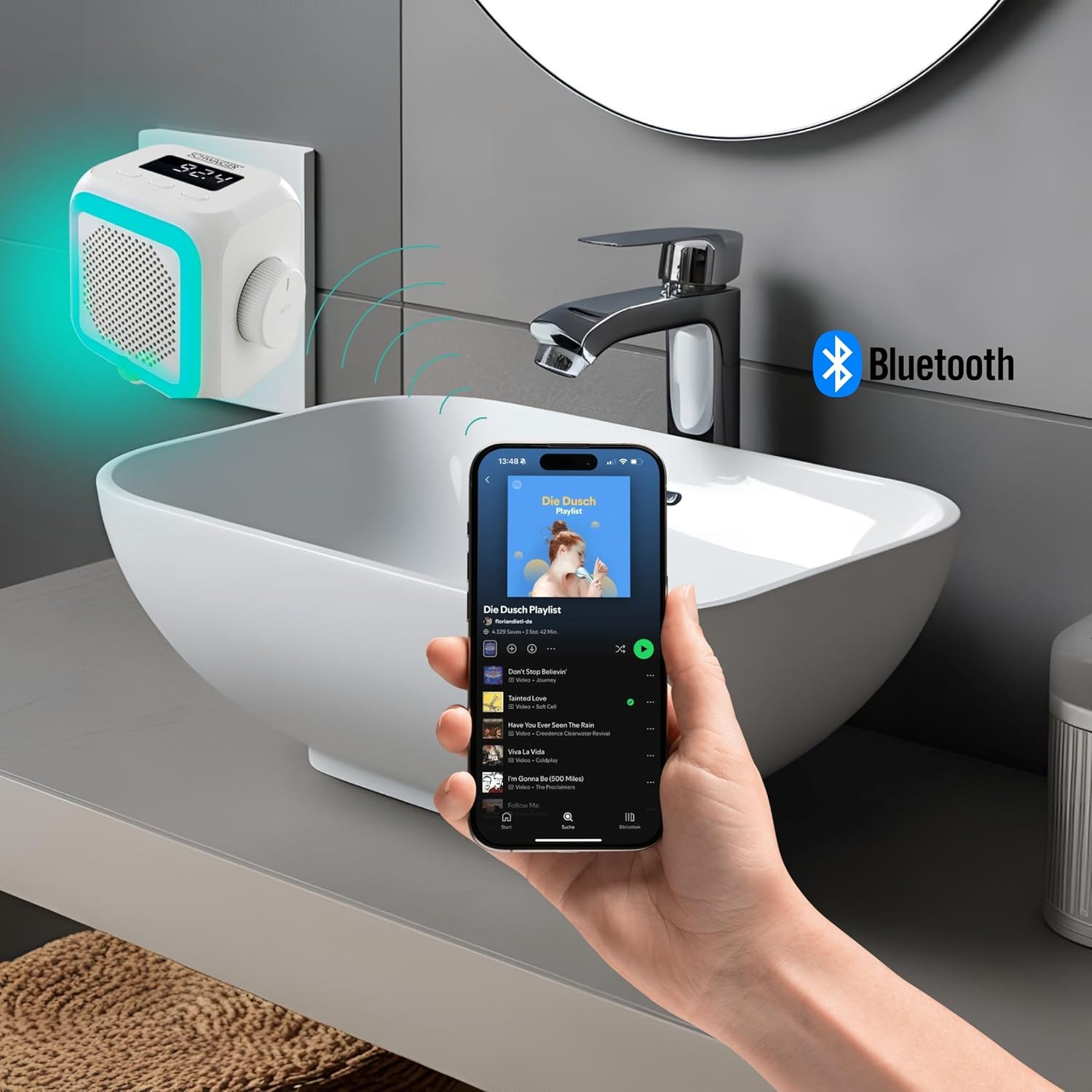
The SCHWAIGER RAFM0100 radio plug in a bathroom setting, connected via Bluetooth to a smartphone playing music.
- Selectați modul Bluetooth: Press the Mode/Alarm button (⏰/M) until 'BT' is displayed on the screen. The device will enter pairing mode.
- Activați Bluetooth pe dispozitivul dvs.: Pe smartphone, tabletă sau alt dispozitiv compatibil Bluetooth, accesați setările Bluetooth și activați Bluetooth.
- Conectare: Caută 'SCHWAIGER RAFM0100' in the list of available devices and select it to pair. A confirmation sound will indicate successful pairing.
- Redați muzică: Once paired, you can play audio from your connected device through the radio's speaker. Use the Previous (<<), Next (>>), and Play/Pause (Volume knob) buttons to control playback.
6.4 Reglarea volumului
- Rotiți butonul de volum în sensul acelor de ceasornic pentru a crește volumul.
- Rotiți butonul de volum în sens invers acelor de ceasornic pentru a reduce volumul.
6.5 Funcția de alarmă
- Seteaza alarma: Press and hold the Mode/Alarm button (⏰/M) to enter alarm setting mode. Use the Previous (<<) and Next (>>) buttons to adjust the hour and minute, and press the Mode/Alarm button to confirm each setting.
- Activați / dezactivați alarma: Briefly press the Mode/Alarm button to toggle the alarm on or off. An alarm icon will appear on the display when active.
- Amânați: When the alarm sounds, press any button to activate snooze.
- Opriți alarma: To stop the alarm completely, press and hold the Volume knob.
6.6 Integrated Light Sensor

Latura view of the SCHWAIGER RAFM0100 radio plug, showing the speaker grille and the integrated light sensor at the bottom.
The device features an integrated light sensor that, in dark environments, will automatically activate the LED display and ambient lighting when it detects noise. This provides a convenient night light function.
7. Întreținere
- curatenie: Disconnect the device from the power outlet before cleaning. Use a soft, dry cloth to wipe the surface. Do not use abrasive cleaners or solvents.
- Depozitare: Dacă nu este utilizat pentru o perioadă lungă de timp, deconectați dispozitivul și depozitați-l într-un loc răcoros și uscat.
8. Depanare
| Problemă | Cauza posibila | Soluţie |
|---|---|---|
| Dispozitivul nu pornește. | Not properly plugged in; Power outlet not active. | Ensure the device is securely plugged into a working power outlet. Test the outlet with another device. |
| Recepție radio FM slabă. | Weak signal; Interference from other electronics. | Try repositioning the device. Move away from other electronic devices that may cause interference. |
| Nu se poate conecta prin Bluetooth. | Bluetooth not enabled on source device; Device already paired; Out of range. | Ensure Bluetooth is enabled on your device and it's in pairing mode. Make sure the radio is in 'BT' mode. Unpair from other devices if necessary. Keep devices within 10 meters. |
| Niciun sunet sau volum redus. | Volume too low; Muted; Incorrect mode selected. | Increase volume using the rotary knob. Check volume on the connected Bluetooth device. Ensure the correct mode (FM/BT) is selected. |
9. Specificații
- Marca: SCHWAIGER
- Număr de model: RAFM0100
- Culoare: Alb
- Tehnologie de conectivitate: Bluetooth
- Caracteristici speciale: Bluetooth, Integrated Clock, Compact Size, Night Light (Light Sensor)
- Dispozitive compatibile: Smartphone, Tablet, MP3 Player, Laptop, Headphones
- Dimensiuni produs: 8.6L x 11.4W x 9.7H centimetri
- Tehnologie de reglare: FM
- Stil: Modern
- Sursa de alimentare: Electric cu fir
- Benzile radio acceptate: FM
- Componente incluse: Manual de utilizare
10. Garanție și asistență
SCHWAIGER products are designed and manufactured to the highest quality standards. For information regarding warranty, returns, or technical support, please refer to the warranty card included with your product or visit the official SCHWAIGER website. Please have your model number (RAFM0100) and purchase details ready when contacting support.