
Introducere
This manual provides detailed instructions for the proper setup, operation, and maintenance of your WOOPKER AK35 200W Stereo Audio Amplifier. Please read this manual thoroughly before using the product to ensure optimal performance and longevity.
Conținutul pachetului
Înainte de a continua configurarea, verificați dacă toate articolele enumerate mai jos sunt incluse în pachet:
- 1x WOOPKER AK35 Audio Ampmai în viață
- 1x cablu de alimentare
- 1x Manual de utilizare (acest document)
- 1x telecomandă

Image: Contents of the WOOPKER AK35 package, including the amplifier, power cable, remote control, and user manual.
Înființat
1. Amplifier Pesteview
Familiarize yourself with the front and back panels of the AK35 amplifier to understand its various inputs, outputs, and controls.

Image: Front panel of the AK35 amplifier, showing the power switch, bass and treble knobs, audio input, LED display, function buttons, TF/USB port, and master volume control.

Image: Labeled diagram of the front panel, indicating: 1. Power Switch, 2. Bass Knob, 3. Treble Knob, 4. Audio Input, 5. LED Display, 6. Master Volume, 7. Function Buttons, 8. TF/USB Port.

Image: Back panel of the AK35 amplifier, showing RCA audio input, speaker output jacks, DC power input, AC power input, and FM antenna port.

Image: Labeled diagram of the back panel, indicating: 1. Audio Input Jack, 2. Speaker Output Jack, 3. DC 12V/5A Power, 4. AC 110-240V Power, 5. FM Radio Antenna.
2. Conexiune difuzor
Follow these steps to connect your passive speakers to the AK35 ampmai în viață:
- Identify the positive and negative terminals of your speakers. The positive terminal is typically marked red, and the negative terminal is black.
- Press the clasp on the back of the AK35 amplifier's speaker output terminal. Insert the bare speaker wires into the corresponding positive (+) and negative (-) terminals. Ensure a secure connection.
- Avoid plugging and unplugging USB drives, SD cards, RCA audio cables, or speaker cables while the amplifier is powered on to prevent damage.

Image: Diagram illustrating how to connect passive speakers to the AK35 amplifier's speaker output terminals using bare wires. Also shows RCA input from a CD or DVD player.
3. Conexiune la alimentare
Connect the provided power cable to the AC power input on the back of the amplifier, then plug it into a standard wall outlet. Alternatively, if using a DC 12V/5A power source, connect it to the DC input jack.
Instrucțiuni de operare
1. Pornire/Oprire
Apăsați comutatorul „POWER” de pe panoul frontal pentru a porni ampmai viață pornită sau oprită.
2. Selectarea modului de introducere
Use the 'MODE' button on the front panel or the remote control to cycle through available input modes: Bluetooth (BT), AUX, USB, SD Card, and FM Radio.
3. Controlul volumului
Adjust the 'VOLUME' knob on the front panel to control the master output volume. The remote control also provides volume adjustment buttons.
4. Controlul tonului
Use the 'BASS' and 'TREBLE' knobs on the front panel to adjust the low and high frequencies of the audio output, respectively.
5. Asociere Bluetooth
- Comutați amplifier to 'BT' mode using the 'MODE' button. The LED display will show 'BT'.
- Pe dispozitivul mobil, activați Bluetooth și căutați dispozitivele disponibile.
- Select 'AK35' from the list of devices to pair. A confirmation sound will indicate successful pairing.
- The Bluetooth 5.0 chip ensures a stable connection within approximately 30 feet (10 meters).
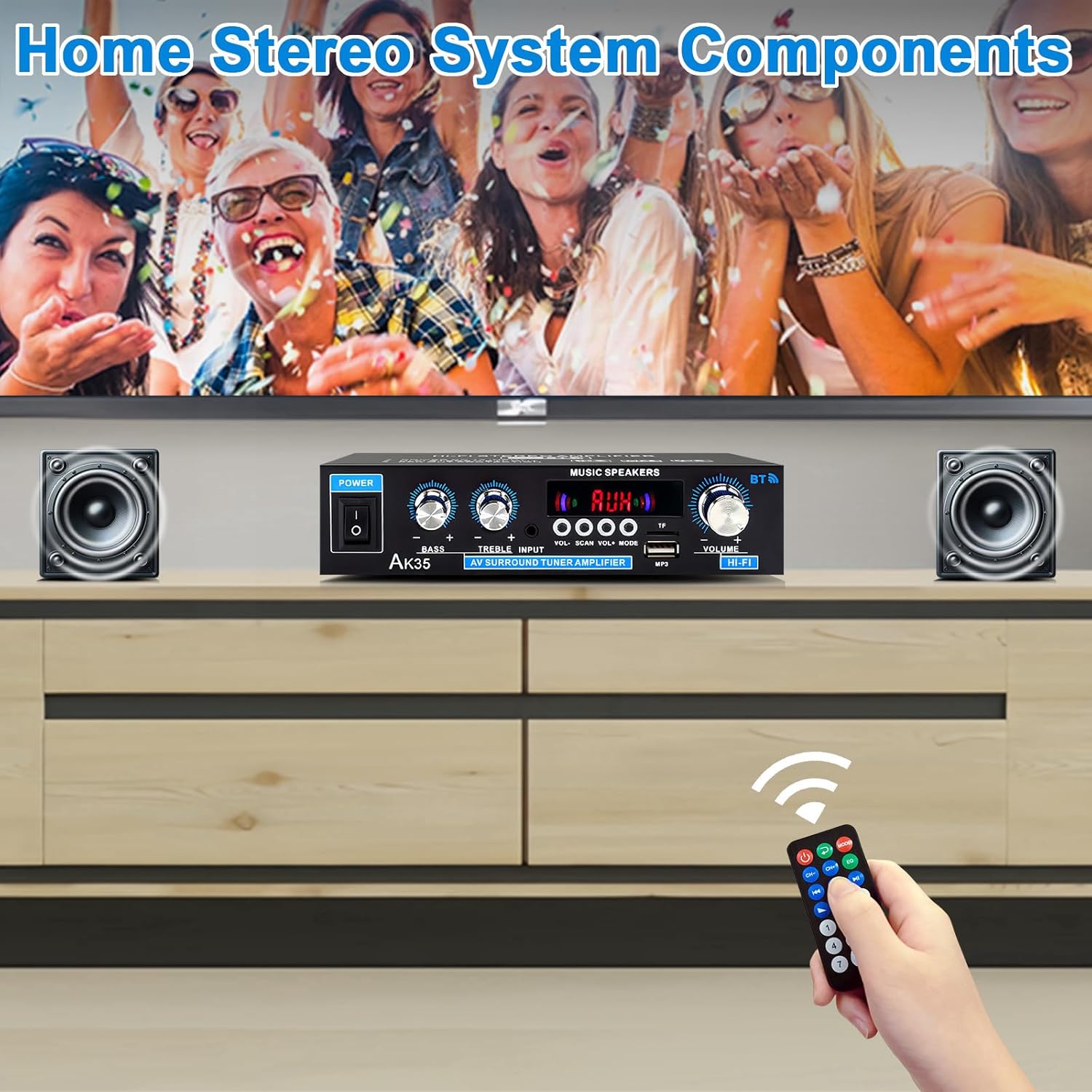
Image: The AK35 amplifier wirelessly streaming music via Bluetooth 5.0 from a smartphone to connected speakers.

Image: A close-up of the AK35 amplifier highlighting the bass and treble control knobs for sound customization.
6. Redare de pe USB/card SD
Insert a USB flash drive or SD card into the designated port on the front panel. The ampLiferul va comuta automat în modul USB/SD și va începe să redea fișiere audio compatibile files. Use the function buttons (play/pause, next/previous track) on the front panel or remote control to manage playback.
7. Operare telecomandă
The included remote control allows for convenient adjustment of volume, input mode, track selection, and other functions from a distance.

Image: The remote control for the AK35 amplifier, featuring buttons for power, mode, EQ, volume, track control, and number pad.
8. Demonstrație video
Video: A demonstration of the WOOPKER AK35 amplifier in use, showcasing its connection to speakers and a smartphone, and the adjustment of volume and input modes.
Întreţinere
To ensure the longevity and optimal performance of your AK35 amplifter, urmați aceste instrucțiuni de întreținere:
- Păstrați amplifier in a dry, well-ventilated area, away from direct sunlight, heat sources, and moisture.
- Curățați exteriorul cu o lavetă moale și uscată. Nu utilizați agenți de curățare lichizi sau materiale abrazive.
- Ensure proper ventilation by not blocking the vents on the ampmai în viață.
- Deconectați cablul de alimentare de la priza de perete dacă unitatea nu va fi utilizată pentru o perioadă lungă de timp.
Depanare
If you encounter any issues with your AK35 amplifier, consultați următoarele probleme și soluții comune:
| Problemă | Cauza posibila | Soluţie |
|---|---|---|
| Fără ieșire de sunet |
|
|
| Bluetooth nu se conectează |
|
|
| Nu se redă cardul USB/SD |
|
|
| Telecomanda nu funcționează |
|
|
Specificații
The following table outlines the technical specifications for the WOOPKER AK35 Stereo Audio Ampmai în viață:
| Caracteristică | Caietul de sarcini |
|---|---|
| Numărul de model | AK35 |
| Putere de ieșire de vârf | 100W + 100W |
| Putere nominală de ieșire (RMS) | 30W x 2 |
| Versiune Bluetooth | 5.0 |
| Gama Bluetooth | Până la 30 de picioare (10 metri) |
| Intrări | AUX (RCA), USB 2.0, SD Card |
| Controale | Bass, Treble, Master Volume, Input Mode |
| Alimentare electrică | AC 110-240V (50-60Hz) or DC 12V/5A |
| Greutatea articolului | 1.28 lire sterline |
| Dimensiuni pachet | 8.03 x 6.93 x 2.13 inci |
Garanție și suport
WOOPKER products are designed for reliability and performance. This product is covered by a standard manufacturer's warranty against defects in materials and workmanship. For specific warranty details, please refer to the documentation provided at the time of purchase or contact WOOPKER customer support.
If you require technical assistance, have questions about your product, or need to report an issue, please contact WOOPKER customer support through the retailer where the product was purchased or visit the official WOOPKER website pentru informații de contact.