
1. Produs terminatview
The BOIFUN Baby Monitor (Model Baby 7SM-2) provides comprehensive surveillance for your baby with its dual 1080P cameras and a 4.3-inch split screen monitor. It offers both mobile app and monitor control, ensuring you can keep an eye on your little one from anywhere. Key features include motion and sound detection, 4X digital zoom, invisible infrared night vision, and a customizable zone alarm.
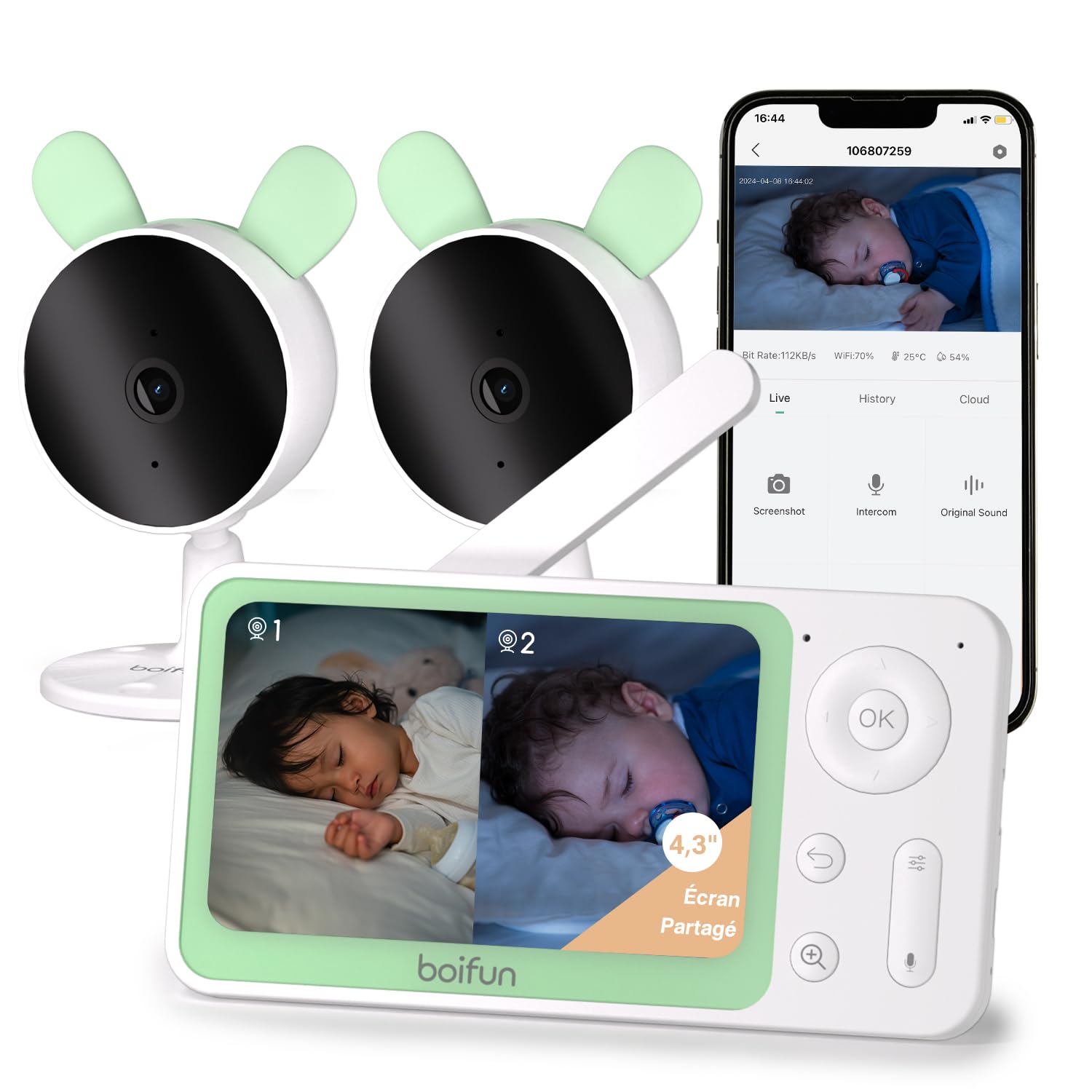
Imaginea 1: The BOIFUN Baby Monitor system, including the parent unit and two baby cameras.
2. Conținutul pachetului
Vă rugăm să verificați pachetul pentru următoarele articole:
- 1 x unitate pentru părinți (monitor)
- 2 x Baby Units (Cameras)
- 3 x Adaptoare de alimentare (pentru monitor și camere)
- 1 x Manual de utilizare
3. Instrucțiuni de configurare
3.1 Pornire
- Connect the power adapter to the parent unit and plug it into a power outlet.
- Connect the power adapters to each baby unit and plug them into power outlets.
- The devices will power on automatically.
3.2 Pairing Cameras with the Monitor
The cameras are usually pre-paired with the monitor. If re-pairing is needed or to add a new camera:
- Pe unitatea părintelui, apăsați butonul Meniu butonul și navigați la Camera foto sectiunea de management.
- Select an empty camera slot or the camera you wish to re-pair.
- On the baby unit, press and hold the butonul de asociere (usually a small button on the back or bottom) until you hear a "BOOGU" beep.
- Pe unitatea părintelui, apăsați butonul OK button to initiate pairing. The monitor will display "Device is linked" upon successful pairing.
Descrierea videoclipului: This video demonstrates how to connect the BOIFUN baby monitor to the screen. It shows pressing the menu button, selecting the camera option, holding the pairing button on the camera until a beep is heard, and then pressing OK on the monitor to complete the pairing process. The video confirms successful linking of the device.
3.3 Connecting Cameras to the Mobile App (Wi-Fi 2.4 GHz)
To use the mobile app for monitoring, ensure your Wi-Fi network is 2.4 GHz. The camera does not support 5 GHz Wi-Fi.
- Descărcați BoifunCam aplicație din magazinul de aplicații al smartphone-ului tău.
- Register or log in to your BoifunCam account.
- In the app, select to add a new device (e.g., "Baby Monitor Wi-Fi").
- On the baby unit, press and hold the butonul de resetare (often located in a small hole, requiring a pin) for five seconds until you hear a "BOOGU" prompt. After 5-10 seconds, another beep will sound, and the red indicator light will flash.
- Follow the in-app instructions to connect to your 2.4 GHz Wi-Fi network and enter the password.
- The app will then prompt you to scan a QR code with your camera. Position your smartphone 5-8 inches from the camera lens. A tone will be heard upon successful scanning.
- The app will then connect the camera to your Wi-Fi network. Once connected, you can name the camera and assign it to a room.
Descrierea videoclipului: This video illustrates how to connect the BOIFUN baby monitor to a mobile phone. It shows pressing the reset button on the camera, then using the BoifunCam app to scan a QR code displayed on the phone with the camera. The video emphasizes that the camera only supports 2.4 GHz Wi-Fi and guides the user through the app's connection process.
4. Operarea monitorului
4.1 Funcționalitate ecran divizat
With two cameras, you can view both feeds simultaneously on the 4.3-inch split screen.
- In split screen mode, press the Zoom (+) button to select which camera feed to view in full screen. The selected camera icon will flash.
- Apăsați tasta OK button to switch to full screen view for the selected camera.
- Apăsați tasta Reveni button to go back to split screen mode.

Imaginea 2: The 4.3-inch monitor displaying a split screen view from two separate cameras, showing babies in different rooms.
4.2 Mobile App and Monitor Control
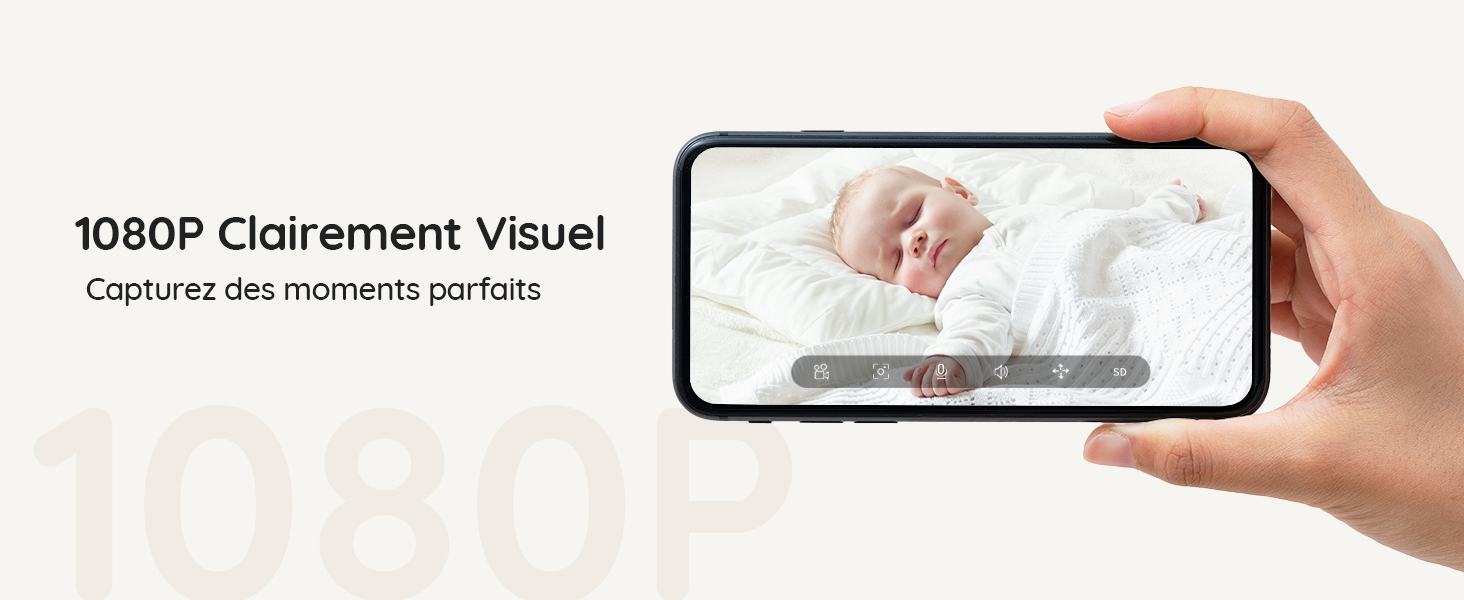
You can control and monitor your baby using either the dedicated parent unit or the BoifunCam mobile application.
Imaginea 3: The baby monitor can be controlled via both the dedicated parent unit and a smartphone application, offering flexibility for monitoring.
4.3 Detectarea mișcării și a sunetului
The monitor is equipped with advanced detection features to alert you to your baby's activity.
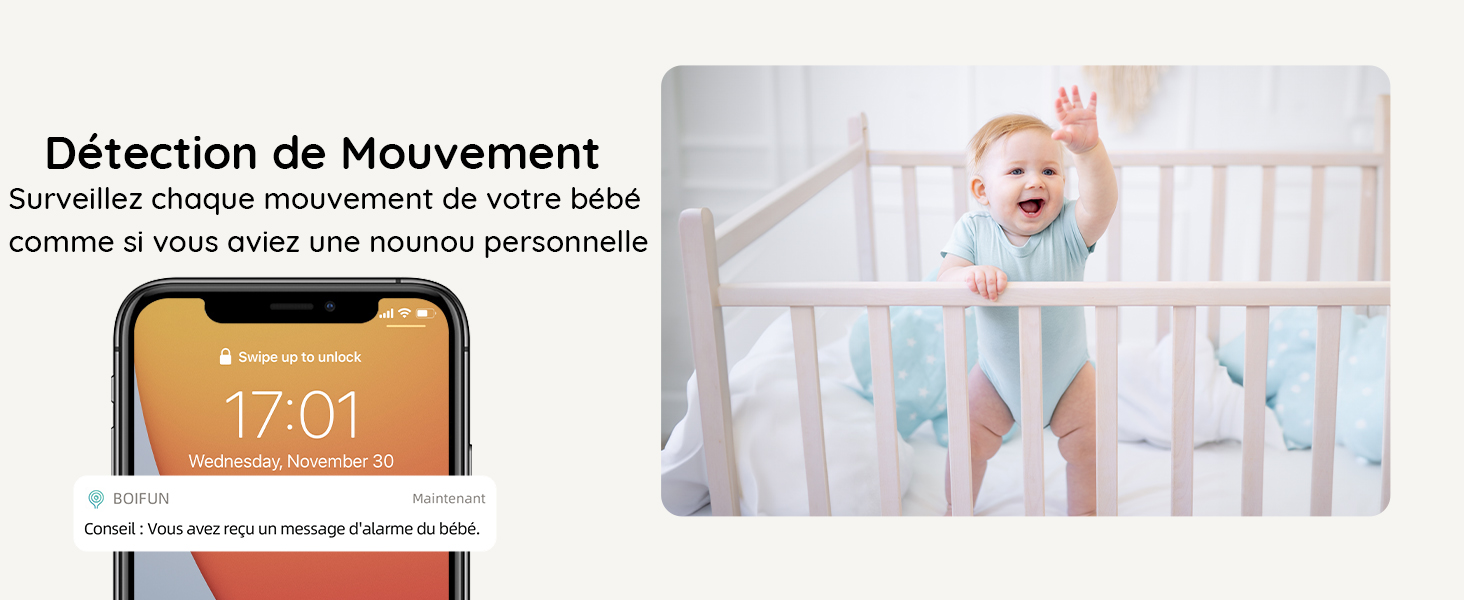
- Detectarea mișcării: Receive immediate alerts on your phone when movement is detected in the camera's view.
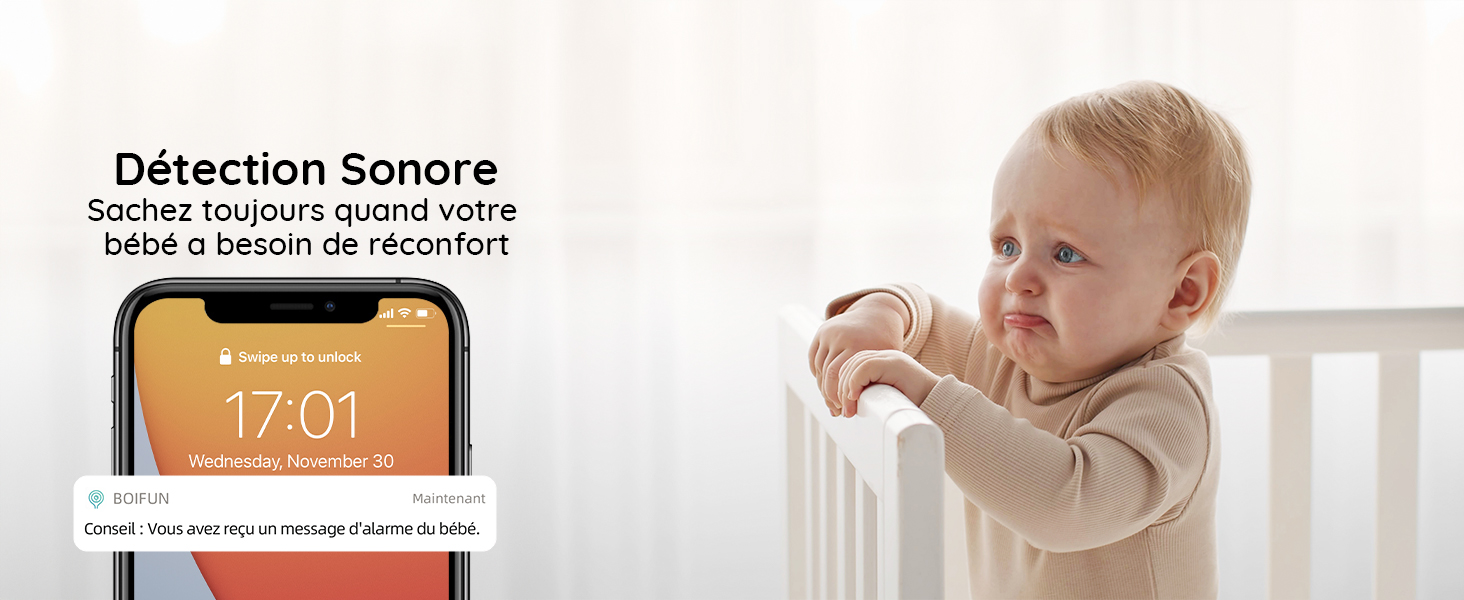
- Detectarea sunetului: Get notified when your baby makes sounds, indicating they might need attention.
Imaginea 4: A smartphone displaying a notification for detected movement, with a baby in a crib in the background.
Imaginea 5: A smartphone displaying a notification for detected sound, with a crying baby in the background.
4.4 Customizable Zone Alarm
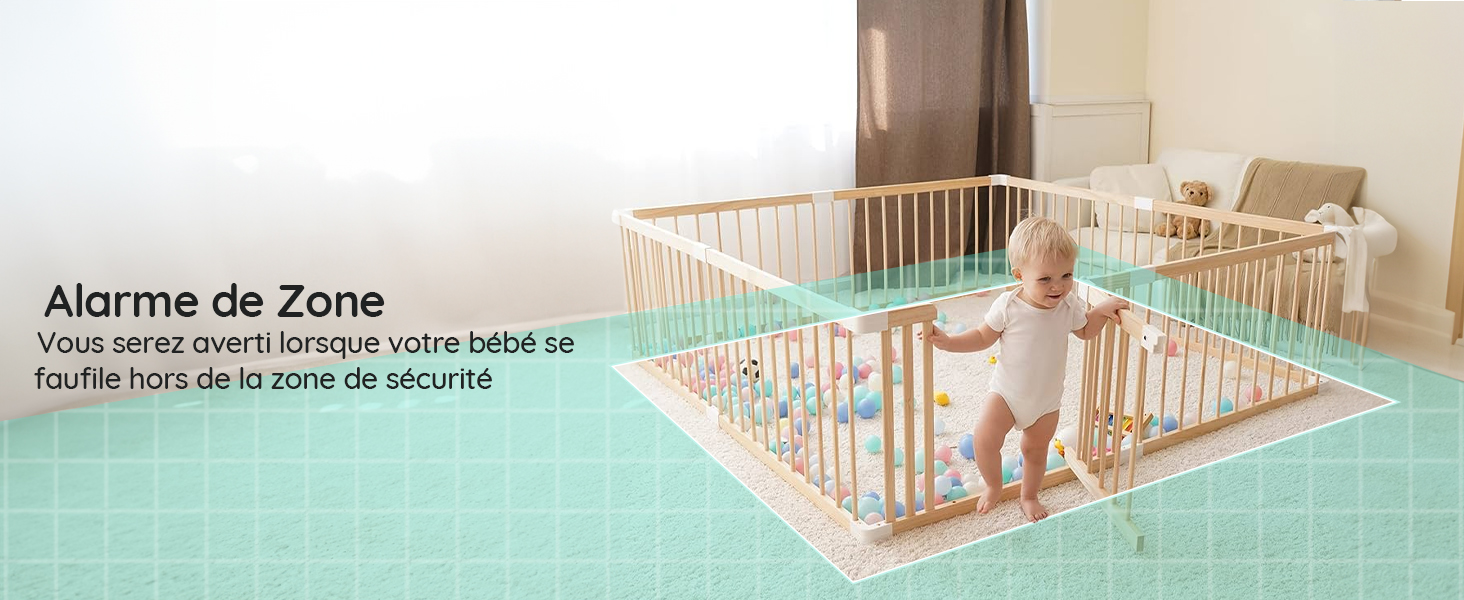
Setați zone specifice în raza de acțiune a camerei view to trigger an alarm if your baby enters or exits them.
Imaginea 6: A baby playing in a playpen, with a visual overlay indicating a configured zone alarm area.
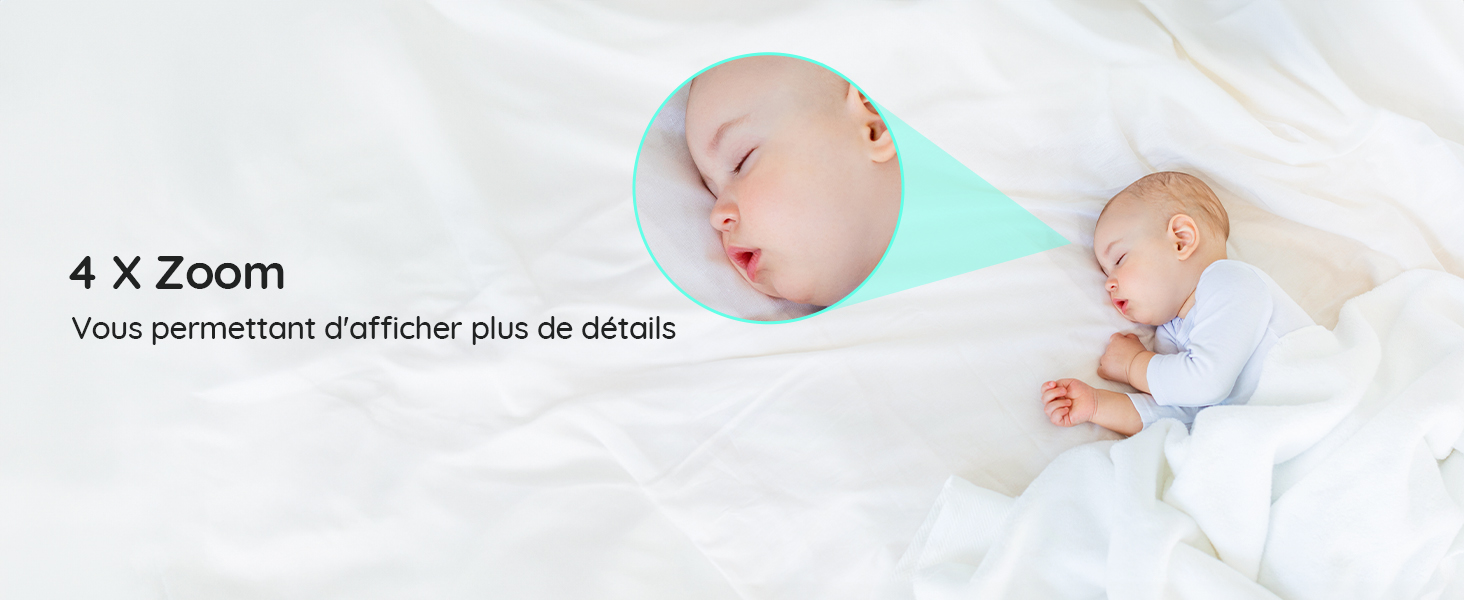
4.5 4X Digital Zoom
Zoom in on your baby to see more details without disturbing them.
Imaginea 7: A sleeping baby, with a magnified inset showing the baby's face in detail, demonstrating the 4X zoom feature.
4.6 Invisible Infrared Night Vision
Monitor your baby clearly in low-light conditions without disturbing their sleep with visible red lights.
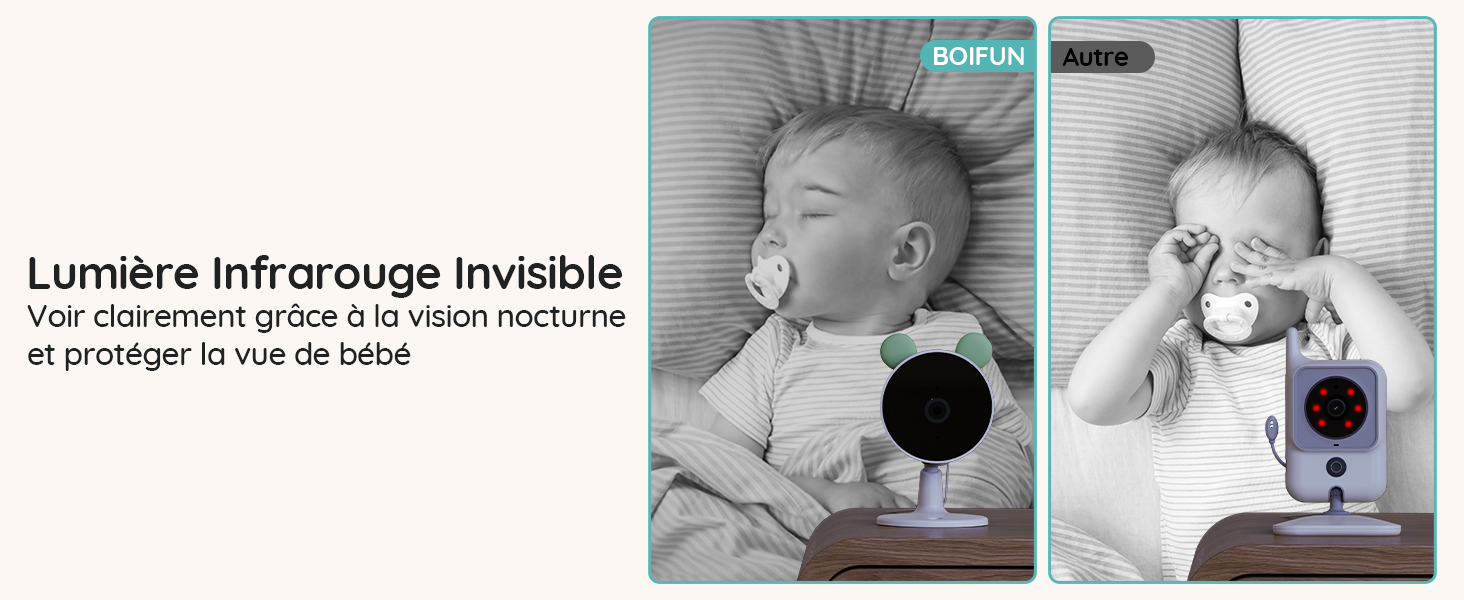
Imaginea 8: A comparison showing the BOIFUN camera's invisible infrared night vision on the left, and a standard camera with visible red IR lights on the right, both monitoring a sleeping baby.
4.7 lumini de stare
The camera's status lights can be turned off to ensure a peaceful sleeping environment for your baby.
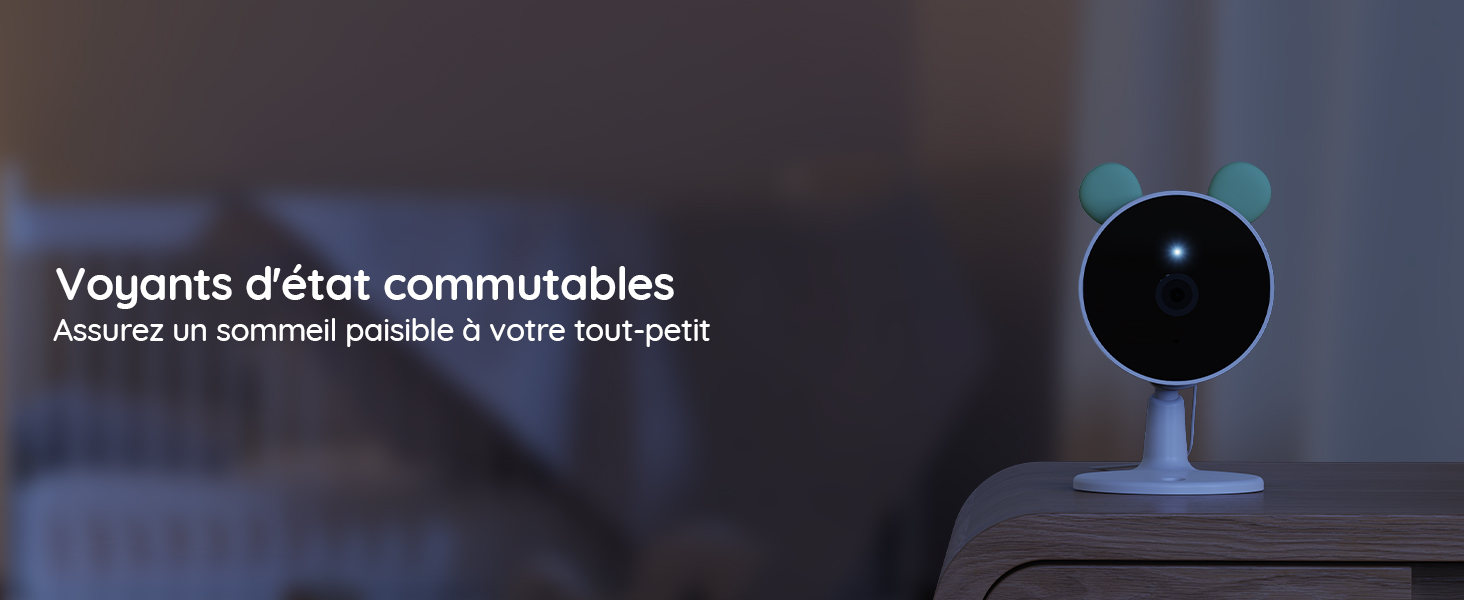
Imaginea 9: A baby camera monitoring a sleeping baby in a dark room, with its status light turned off to avoid disturbance.
4.8 Cântece de leagăn
Play soothing lullabies directly from the camera to help your baby fall asleep.
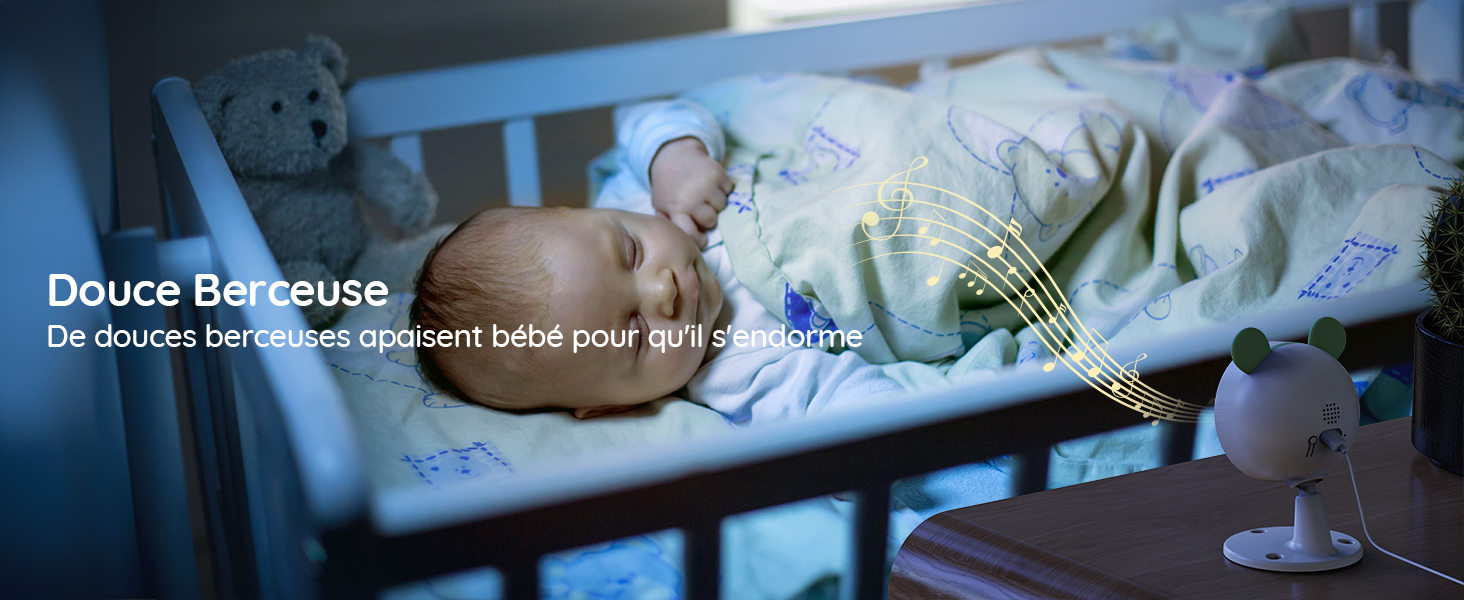
Imaginea 10: A baby sleeping peacefully in a crib, with musical notes emanating from the baby camera, indicating the lullaby feature.
4.9 Sunet bidirecțional
Communicate with your baby through the monitor or app using the two-way audio feature.

Imaginea 11: A woman in a kitchen speaking into the baby monitor, with speech bubbles illustrating the two-way audio communication feature.
4.10 Feeding Reminders
Set up feeding reminders to help maintain your baby's feeding schedule.
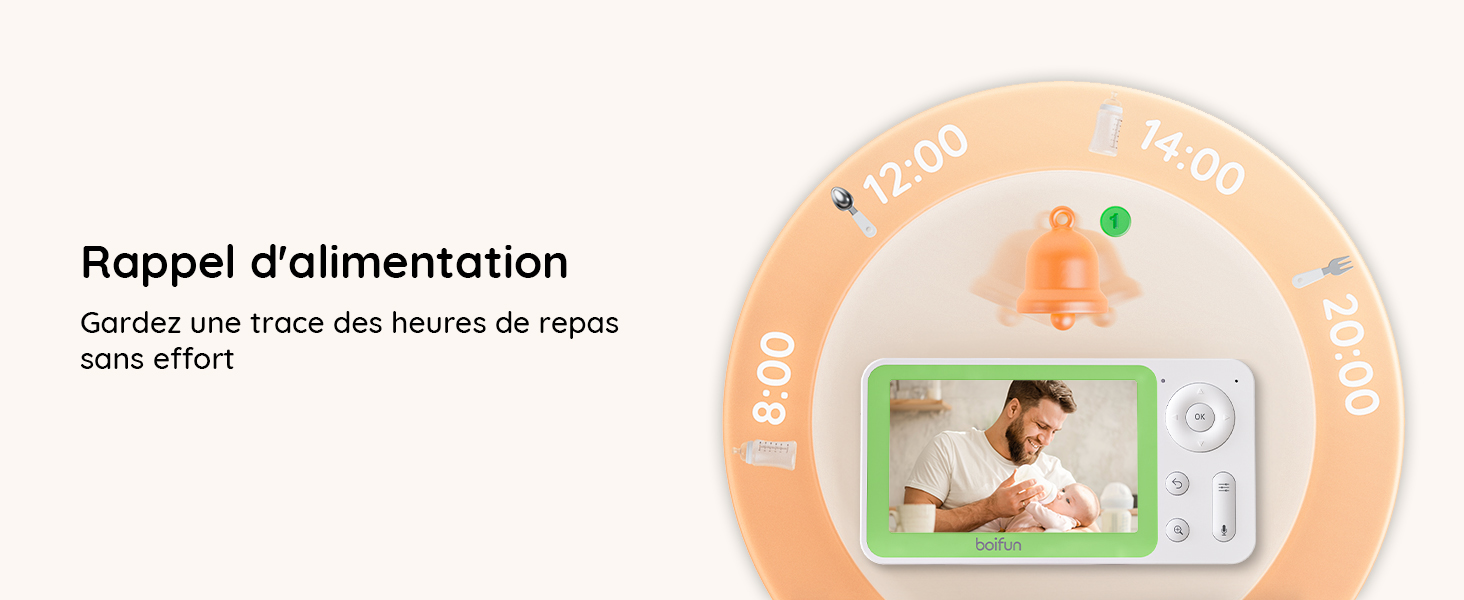
Imaginea 12: The baby monitor screen showing a visual representation of a feeding reminder schedule, with times and icons.
4.11 Manual Angle Adjustment
The camera's angle can be manually adjusted to achieve the desired viewzona de ing.
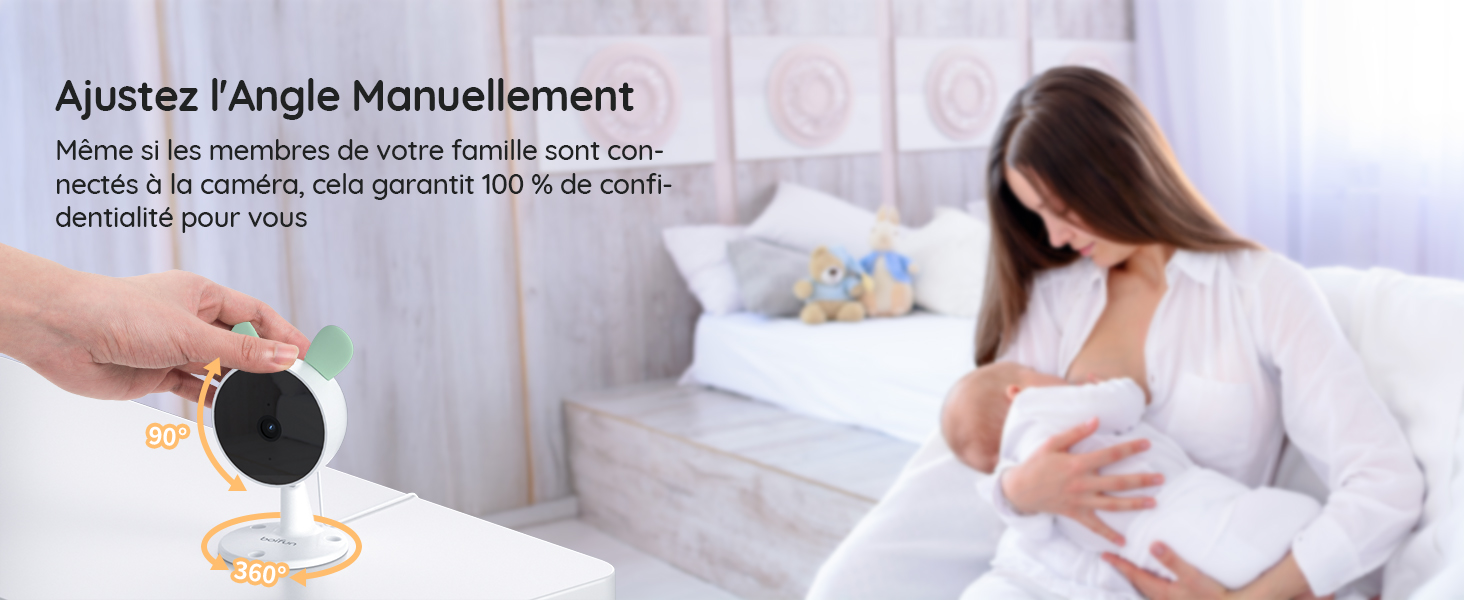
Imaginea 13: A hand manually adjusting the camera lens, demonstrating the camera's flexible positioning.
5. Întreținere
5.1 Curățare
To clean the monitor and cameras, use a soft, dry cloth. Do not use liquid cleaners or aerosols. Ensure devices are powered off before cleaning.
5.2 Durata de viață a bateriei
The parent unit features a long-lasting battery, providing approximately 6 hours of active monitoring and up to 4 days in standby mode.

Imaginea 14: The monitor displaying a full battery icon, indicating extended battery life for continuous monitoring.
6. Depanare
6.1 Probleme de conectare
- No signal on monitor: Ensure both cameras and the monitor are powered on and within range. Try re-pairing the cameras as described in Section 3.2.
- App connection failure: Verify your Wi-Fi network is 2.4 GHz. Ensure the camera is properly reset and follow the app pairing steps in Section 3.3 carefully. Check your Wi-Fi signal strength.
6.2 Calitatea imaginii
- Imagine neclară: Clean the camera lens with a soft cloth. Ensure there is adequate lighting (for day mode) or that night vision is active (for night mode).
- Vederea nocturnă nu funcționează: Ensure the room is dark enough for night vision to activate automatically. Check for any obstructions blocking the infrared sensors.
6.3 Probleme audio
- Fara sunet: Check the volume settings on the parent unit and your mobile app. Ensure the camera's microphone is not obstructed.
- Feedback/Static: Move the monitor further away from the camera to reduce interference.
7. Specificații
| Caracteristică | Detaliu |
|---|---|
| Marca | BOIFUN |
| Numele modelului | Baby 7SM-2 |
| Protocol de conectivitate | Wi-Fi 2.4 GHz |
| Caracteristici speciale | Detector de mișcare, Viziune nocturnă |
| Dispozitive compatibile | Monitor, Smartphones and Tablets |
| Culoare | Negru |
| Număr de articole | 1 (System includes 2 cameras) |
| Factor de formă | Dom |
| Material intern | Acrilonitril Butadien Stiren (ABS) |
| Metoda de control | Aplicație |
| Bateriile necesare | Da |
| Putere baterie | 2500 Miliamporă (mAh) |
| Tip de zoom | Zoom digital |
| Raport de zoom | 4X |
| Dimensiunile articolului | 12.5 x 7.1 x 6.5 centimetri |
| Gama de vedere nocturnă | 5 metri |
| Tip de vedere nocturnă | Invisible Infrared (940 nm) |
8. Garanție și asistență
BOIFUN is committed to providing high-quality products and excellent customer service.
- Garantie: This product comes with a 3-year quality guarantee.
- Returnări: Beneficiați de o politică de returnare gratuită de 90 de zile.
- Asistență clienți: Individual after-sales assistance and quick responses are available 24 hours a day.
Pentru orice întrebări sau asistență, vă rugăm să ne contactați la: admin@boifun.net


Imaginea 15: Icons representing professional after-sales support, 90-day free return policy, and a 3-year quality guarantee.