
W26 Pro Max
Ceas inteligent W26 Pro Max cu căști Bluetooth, microfon, compatibil seria 8, albastru, manual de utilizare
Model: W26 Pro Max
Introducere
Acest manual oferă instrucțiuni complete pentru ceasul inteligent W26 Pro Max cu căști Bluetooth. Acesta acoperă configurarea, operarea, întreținerea și depanarea pentru a asigura utilizarea optimă a dispozitivului. W26 Pro Max este un dispozitiv versatil 2 în 1, care combină un ceas inteligent cu căști Bluetooth wireless integrate, conceput pentru a vă menține conectat și activ.
Conținutul pachetului
La deschiderea ambalajului, vă rugăm să verificați dacă sunt prezente toate componentele:
- Ceas inteligent W26 Pro Max
- Căști Bluetooth wireless integrate
- Cablu de încărcare
- Manual de utilizare (acest document)
- Curea de ceas suplimentară (dacă este inclusă ca și cadou)

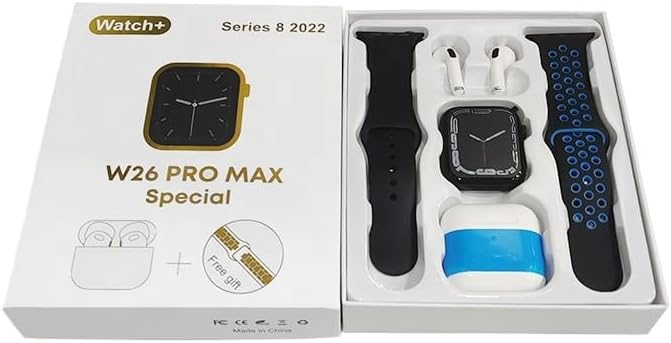
Imagine: Ceasul inteligent W26 Pro Max și căștile Bluetooth aferente, împreună cu o curea suplimentară pentru ceas, sunt aranjate frumos în ambalajul lor. Cadranul ceasului este vizibil, iar căștile sunt în carcasa lor de încărcare.

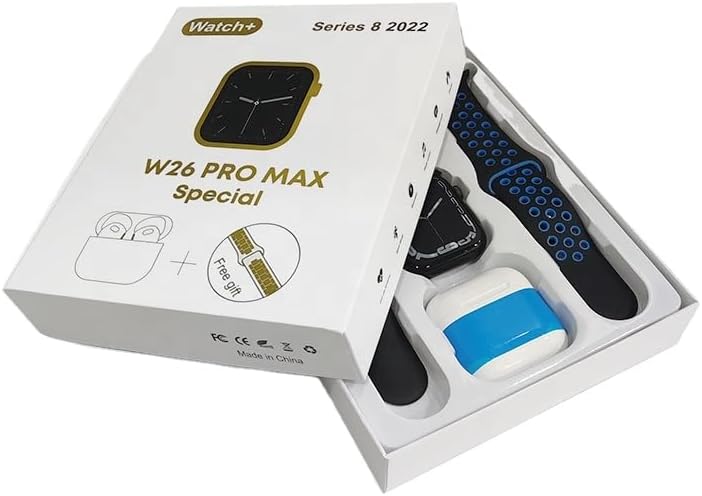
Imagine: O imagine de sus în jos view a ceasului inteligent W26 Pro Max și a căștilor Bluetooth în ambalajul lor. Ceasul, căștile și o curea suplimentară sunt clar vizibile, indicând setul complet al produsului.
Ghid de instalare
1. Încărcarea inițială
Înainte de prima utilizare, încărcați complet atât ceasul inteligent, cât și căștile integrate. Conectați cablul de încărcare furnizat la ceas și la o sursă de alimentare USB compatibilă. Afișajul ceasului va indica starea de încărcare. Asigurați-vă că căștile sunt așezate corect în carcasa lor de încărcare din interiorul ceasului.
2. Pornire/Oprire
- Pornire: Apăsați și țineți apăsat butonul lateral de pe ceasul inteligent până când ecranul se aprinde.
- Oprire: Apăsați și mențineți apăsat butonul lateral, apoi selectați opțiunea „Oprire” de pe ecran.
3. Împerecherea cu smartphone-ul
Pentru a debloca toate funcționalitățile, asociați dispozitivul W26 Pro Max cu smartphone-ul prin Bluetooth.
- Asigurați-vă că Bluetooth este activat pe smartphone-ul dvs.
- Pe W26 Pro Max, navigați la setările Bluetooth.
- Pe smartphone, căutați dispozitivele Bluetooth disponibile și selectați „W26 Pro Max” din listă.
- Confirmați solicitarea de asociere pe ambele dispozitive, dacă vi se solicită.
- Pentru performanțe optime, descărcați și instalați aplicația asociată recomandată (de exemplu, „aplicația FitPro”, așa cum este menționată în descrierea produsului) din magazinul de aplicații al smartphone-ului dvs.
4. Împerecherea căștilor
Căștile integrate se conectează automat cu ceasul inteligent atunci când sunt scoase din sloturile de încărcare. Pentru a le conecta cu un alt dispozitiv (de exemplu, direct cu telefonul):
- Scoateți căștile din ceasul inteligent.
- Activați Bluetooth pe dispozitivul cu care doriți să vă asociați.
- Caută „Căști W26 Pro Max” (sau o denumire similară) din lista de dispozitive Bluetooth și selectați pentru conectare.
Instrucțiuni de operare
Navigarea pe ceasul inteligent
- Touch screen: Glisați stânga/dreapta, sus/jos pentru a naviga prin meniuri și a accesa funcții. Atingeți pentru a selecta.
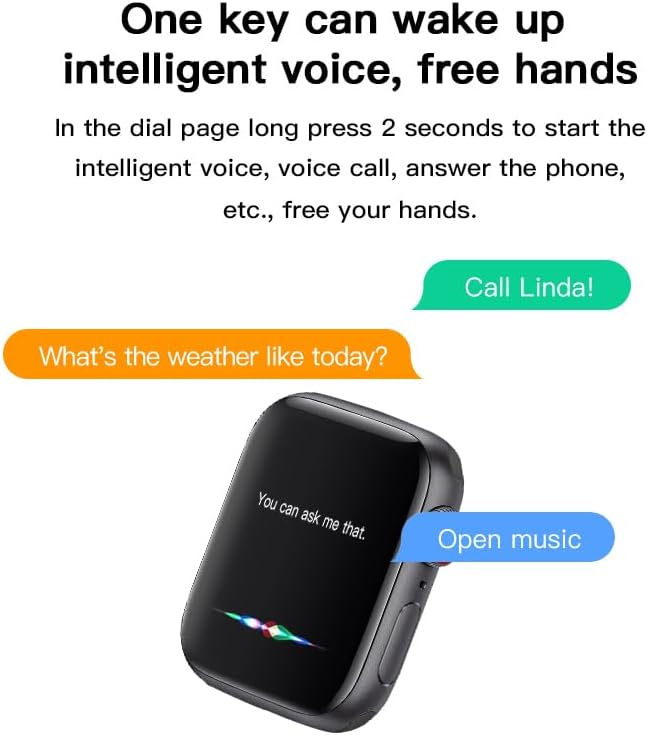
- Buton lateral: Apăsați pentru a reveni la ecranul principal sau pentru a activa dispozitivul. Apăsați lung pentru opțiunile de alimentare sau asistentul vocal.
Imagine: Ecranul ceasului inteligent W26 Pro Max prezintă o interfață de asistent vocal, cu bule de text care indică „Sunați-o pe Linda!” și „Cum e vremea azi?”. Aceasta ilustrează funcționalitatea comenzilor vocale.
Caracteristici cheie
Monitorizarea fitnessului și a sănătății
W26 Pro Max este echipat cu senzori pentru a monitoriza diverse valori ale stării de sănătate.
- Monitorizarea ratei cardiace: Senzorul optic de ritm cardiac urmărește continuu ritmul cardiac. View date în timp real pe ceas sau în aplicația asociată.
- Pedometru: Urmărește pașii zilnici, distanța și caloriile arse.
- Urmărirea somnului: Monitorizează tiparele de somn, inclusiv somnul profund, somnul ușor și orele de trezire.

Imagine: Ecranul ceasului inteligent W26 Pro Max afișează informații despre ritmul cardiac, arătând un grafic al ritmului cardiac în timp, bătăile pe minut (bpm) și valorile tensiunii arteriale. Aceasta demonstrează capacitățile de monitorizare a stării de sănătate.
Imagine: O imagine detaliată view ecranul ceasului inteligent W26 Pro Max care afișează monitorizarea ritmului cardiac și a tensiunii arteriale. Textul explică faptul că un senzor optic de ritm cardiac este utilizat pentru un calcul precis, iar datele pot fi viewsetat pe ceas sau prin aplicația FitPro.
Imagine: Ecranul ceasului inteligent W26 Pro Max afișează date de monitorizare a somnului, indicând calitatea somnului (excelentă), procentultagperioade de somn profund, somn ușor și timp de veghe, împreună cu durata totală a somnului. Aceasta evidențiază funcția de urmărire a somnului.
Comunicare și Media
- Apeluri Bluetooth: Efectuați și primiți apeluri direct de pe ceasul inteligent folosind microfonul și difuzorul integrate.
- Notificări: Primește alerte pentru apeluri, mesaje și notificări ale aplicațiilor de pe smartphone-ul asociat.
- Redare muzică: Controlează muzica redată pe smartphone sau ascultă-o direct prin căștile integrate.

Imagine: Ecranul ceasului inteligent W26 Pro Max afișează comenzile de redare a muzicii, inclusiv butoanele de redare/pauză și de omitere a pieselor, împreună cu un vizualizator. Aceasta indică capacitatea ceasului de a controla sunetul.
Asistent vocal
Apăsați lung butonul lateral pentru a activa asistentul vocal inteligent. Folosiți comenzi vocale pentru apeluri, informații meteo, controlul muzicii și multe altele, oferind operare hands-free.
Întreținere și îngrijire
- curatenie: Ștergeți ceasul și căștile cu o lavetă moale, uscată și fără scame. Pentru murdăria persistentă, ștergeți ușor.ampClătiți cârpa cu apă. Evitați substanțele chimice dure sau materialele abrazive.
- Rezistenta la apa: W26 Pro Max are un rating IP68, ceea ce înseamnă că este rezistent la praf și poate rezista la imersiune în apă de până la 1.5 metri timp de 30 de minute. Cu toate acestea, nu este potrivit pentru scufundări, dușuri fierbinți sau saune. Uscați întotdeauna bine dispozitivul după expunerea la apă.
- Îngrijirea bateriei: Pentru a prelungi durata de viață a bateriei, evitați descărcarea completă frecventă a dispozitivului. Încărcați-l regulat și depozitați-l într-un loc răcoros și uscat atunci când nu îl utilizați pentru perioade lungi de timp.
- Depozitare: Depozitați dispozitivul într-un mediu răcoros și uscat, ferit de lumina directă a soarelui și de temperaturi extreme.
Depanare
| Problemă | Cauza posibila | Soluţie |
|---|---|---|
| Dispozitivul nu pornește. | Baterie descărcată. | Încărcați dispozitivul timp de cel puțin 30 de minute înainte de a încerca să îl porniți din nou. |
| Nu se poate conecta la smartphone. | Bluetooth este dezactivat pe telefon/ceas; dispozitivul nu este în modul de asociere; interferențe. | Asigurați-vă că Bluetooth este activat pe ambele dispozitive. Reporniți ambele dispozitive. Apropiați-vă de telefon. Uitați de asocierile anterioare și încercați din nou. |
| Căștile nu se conectează. | Căștile nu sunt așezate corect; baterie descărcată a căștilor. | Asigurați-vă că căștile sunt complet așezate în sloturile de încărcare din ceas. Încărcați ceasul pentru a vă asigura că căștile se încarcă. |
| Date inexacte despre sănătate. | Poziționare necorespunzătoare; obstrucția senzorului. | Asigurați-vă că ceasul este purtat strâns pe încheietura mâinii, nici prea strâns, nici prea lejer. Curățați senzorul de pe spatele ceasului. |
| Durată scurtă de viață a bateriei. | Utilizarea frecventă a funcțiilor care consumă multă energie; baterie veche. | Reduceți luminozitatea ecranului, limitați notificările, dezactivați funcțiile inutile. Asigurați cicluri complete de încărcare. |
Specificații
| Caracteristică | Detaliu |
|---|---|
| Numărul de model | W26 Pro Max |
| Afişa | Ecran tactil AMOLED de 1.78" |
| Sistem de operare | Wear OS |
| Conectivitate | Bluetooth |
| Capacitatea bateriei | 280mAh (ceas) |
| Durata de viață a bateriei | Până la 3 zile (utilizare tipică) |
| Rezistenta la apa | IP68 |
| Caracteristici speciale | Căști Bluetooth integrate, senzor de ritm cardiac, pedometru, monitor de somn, microfon, difuzor, asistent vocal |
| Capacitate de stocare a memoriei | 16 MB |
| Dimensiuni pachet | 16.8 x 12.8 x 3 cm |
| Greutate | 170 g |
Garanție și suport
Pentru informații privind acoperirea garanției și asistența clienților, vă rugăm să consultați documentația furnizată odată cu achiziția sau să contactați comerciantul de unde a fost achiziționat produsul. Deoarece acest produs este fabricat de „Generic”, detaliile specifice ale garanției pot varia în funcție de regiune și de vânzător.
Pentru asistență tehnică sau întrebări suplimentare, vă rugăm să contactați canalele de asistență pentru clienți puse la dispoziție de punctul de vânzare.
Documente aferenteW26 Pro Max

Ask a question about this manual
Ask about setup, troubleshooting, compatibility, parts, safety, or missing instructions. Manuals+ will review the question and use this page’s manual context to help answer it.