
1. Introducere
This manual provides essential information for the safe and efficient installation, operation, and maintenance of the XP POWER C10N Non-Isolated DC/DC Converter. Please read this manual thoroughly before attempting to install or operate the device. Retain this manual for future reference.
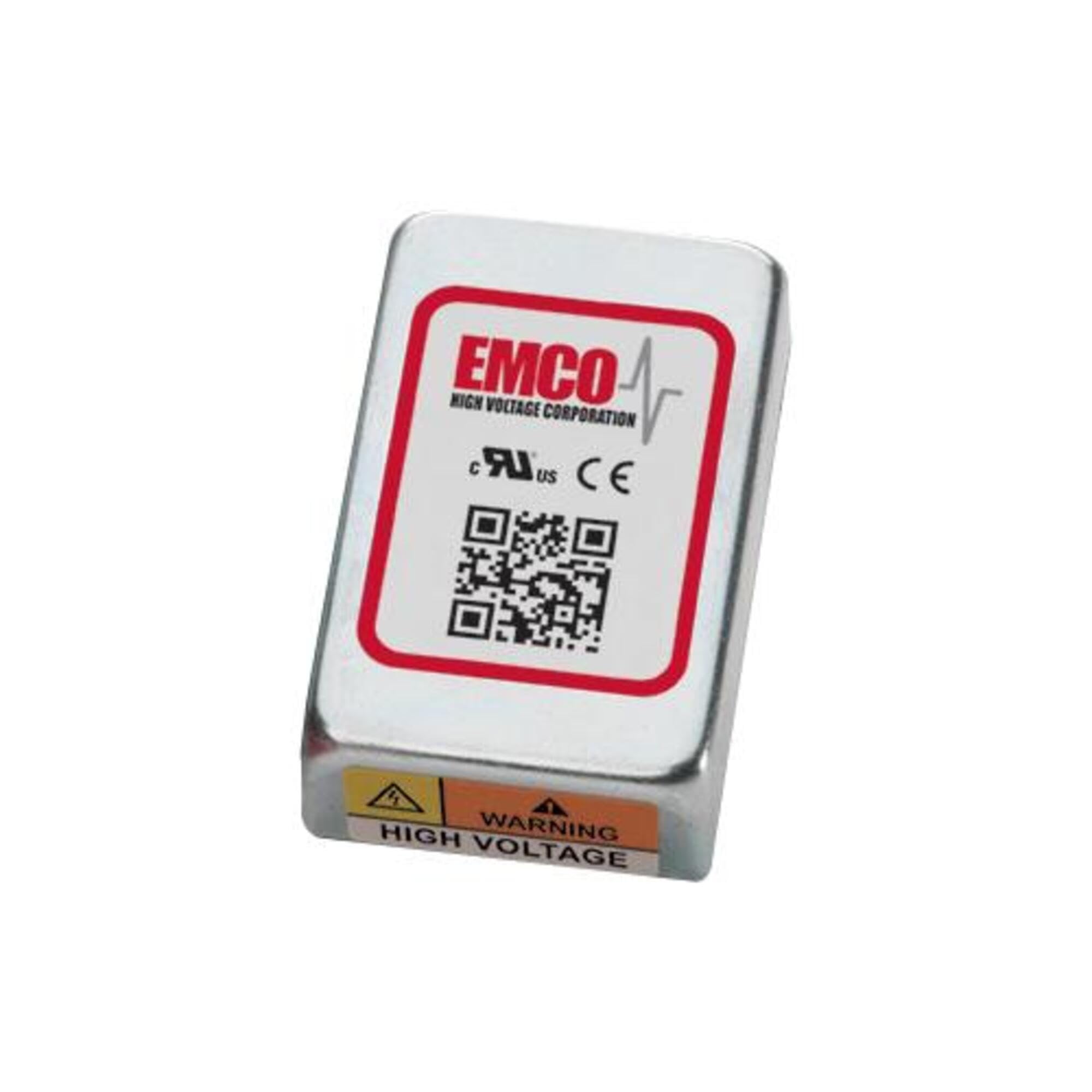
Image showing the physical unit of the XP POWER C10N Non-Isolated DC/DC Converter, typically displaying its casing și terminale de conectare.
2. Informații de siguranță
Always observe the following safety precautions to prevent injury and damage to the device or connected equipment.
- Personal calificat: Instalarea și întreținerea trebuie efectuate numai de către personal calificat.
- Pericol de electrocutare: This device operates with electrical voltages that can cause severe injury or death. Ensure all power sources are disconnected before installation, wiring, or maintenance.
- Cablajul corect: Verify correct input and output polarity and voltage levels before applying power. Incorrect wiring can damage the converter and connected devices.
- Ventilare: Ensure adequate ventilation around the converter to prevent overheating. Do not obstruct airflow.
- Conditii de mediu: Operate the converter within its specified environmental limits (temperature, humidity).
- Capacitate de încărcare: Do not exceed the maximum output current or power rating of the converter. Overloading can lead to damage or failure.
3. Configurare
3.1 Despachetarea și inspecția
Upon receiving the C10N converter, carefully unpack it and inspect for any signs of physical damage. If damage is found, do not proceed with installation and contact your supplier immediately.
3.2 Montare
Mount the converter in a secure location that provides sufficient airflow for cooling. Ensure the mounting surface is stable and capable of supporting the converter's weight. Avoid mounting near heat sources or in enclosed spaces without ventilation.
3.3 Conexiuni de cablare
Refer to the product datasheet for specific pin assignments and wiring diagrams. Ensure all connections are secure and correctly polarized. Use appropriate wire gauges for the expected current levels.
- Putere de intrare: Conectați intrarea de curent continuu (DC vol)tage source to the designated input terminals. Observe correct polarity (+IN, -IN).
- Putere de iesire: Connect the load to the designated output terminals. Observe correct polarity (+OUT, -OUT).
- Împământare: Ensure proper grounding practices are followed according to local electrical codes and product specifications.
3.4 Pornirea inițială
Before applying power, double-check all wiring connections. Once verified, apply the specified input voltage. Monitor the output voltage and current to ensure proper operation. If any anomalies are observed, immediately disconnect power and troubleshoot.
4. Operare
The C10N converter is designed for continuous operation within its specified parameters. Once properly installed and powered, it will provide a stable DC output voltage.
- Managementul sarcinii: Ensure the connected load does not exceed the converter's maximum output current or power rating.
- Monitorizarea mediului: Maintain the operating environment within the specified temperature and humidity ranges to ensure optimal performance and longevity.
- Monitorizarea ieșirilor: Periodically verify the output voltage and current to confirm stable operation, especially in critical applications.
5. Întreținere
The C10N converter is designed for minimal maintenance. However, periodic checks can help ensure long-term reliability.
- curatenie: Keep the converter free from dust and debris. Use a soft, dry cloth for cleaning. Do not use liquid cleaners or solvents.
- Verificări de conectare: Verificați periodic toate conexiunile cablurilor pentru strângerea etanșeității și pentru a vedea dacă prezintă semne de coroziune sau deteriorare.
- Ventilare: Ensure that ventilation openings remain clear and unobstructed.
6. Depanare
If the converter is not functioning as expected, perform the following basic troubleshooting steps:
| Problemă | Cauza posibila | Soluţie |
|---|---|---|
| Fără ieșire voltage | Fără putere de intrare Cablare incorectă Protecție la suprasarcină activată | Check input power source and connections. Verify wiring against datasheet. Reduce load, then cycle input power. |
| Ieșire voltage instabil | Vol. De intraretagfluctuațiile Stare de suprasarcină Conexiuni slabe | Ensure stable input power. Reduceți sarcina. Verificați etanșeitatea tuturor conexiunilor cablajului. |
| Converter is overheating | Ventilatie insuficienta Stare de suprasarcină Temperatura ambientală ridicată | Asigurați un flux de aer adecvat în jurul unității. Reduceți sarcina. Relocate converter to a cooler environment. |
If the problem persists after performing these steps, contact XP POWER technical support.
7. Specificații
The following are key specifications for the XP POWER C10N Non-Isolated DC/DC Converter. For a complete list of detailed electrical and environmental specifications, please refer to the official product datasheet available on the XP POWER website-ul.
- Producător: PUTEREA XP
- Model: C10N
- ASIN: B0D38GP8ZW
- Data primului disponibil: 3 mai 2024
- Tip: Non-Isolated DC/DC Converter
8. Garanție și asistență
For information regarding the warranty period and terms for your XP POWER C10N converter, please refer to the official warranty statement provided with your purchase or visit the XP POWER official website. Technical support is available to assist with any questions or issues not covered in this manual.
Informații de contact: Please visit the official XP POWER website for the most current contact details for technical support and customer service in your region.